
RenderLion
Video GenerationUpdated October 5, 2026
RenderLion is an automation-first AI engine that effortlessly transforms URLs and text into platform-ready, branded video ads.
We may earn a commission when you sign up through our links. It does not affect our reviews.
What is RenderLion?
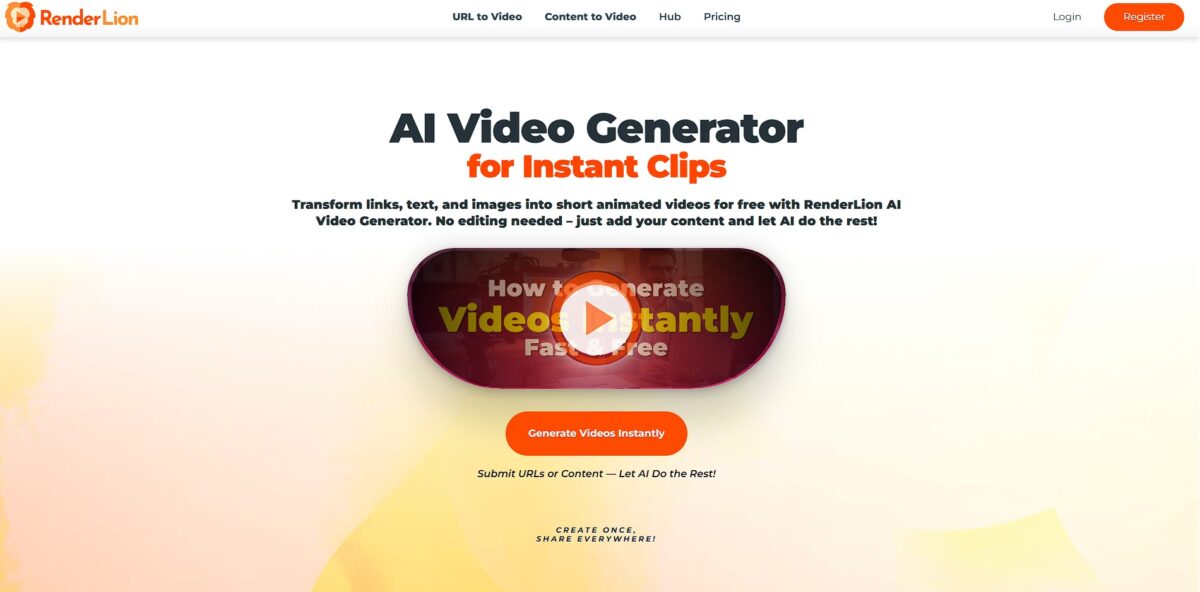
RenderLion is an automation-first engine that skips the timeline editing phase entirely by turning URLs or text blocks into formatted video ads and blog summaries. It handles the heavy lifting of motion design and brand alignment, though it offers less granular control than a traditional editor if you like tweaking specific keyframes. It works best when you need to churn out multiple versions of a product teaser for different social platforms simultaneously without starting from scratch each time. That removes the technical bottleneck for marketers who need moving content but don’t have the hours to learn Adobe Premiere. It is great for speed, though you might find the AI-generated layouts occasionally restrictive. Use this if your priority is consistent output volume over unique, hand-crafted artistic expression.
How to start using RenderLion?
Start by dropping a URL or raw text into the submission field. RenderLion skips the manual storyboard phase by scraping your link or parsing your paragraph to identify core messaging. This is a massive shortcut for social media managers who usually spend an hour hunting for stock footage to match a blog post. This automation replaces the blank-screen syndrome with a functional draft in seconds.
Next, jump into the customization panel to set your brand guardrails. You can upload a logo and pin specific hex codes so the AI doesn’t pick random colors that clash with your site. It’s effective for maintaining a professional look, though the font selection can feel a bit restrictive compared to a full design suite. Branding consistency keeps your video from looking like generic “AI sludge.”
Hit the “Instant Roar” button to generate a batch of animated previews. I noticed the system creates square, portrait, and landscape versions simultaneously, which is a relief if you need to post to both YouTube and TikTok. Instead of re-editing the same clip three times, you just pick the layout that fits your destination. This handles the tedious resizing work that usually eats up a lunch break.
Finally, review the generated motion and hit render. The processing is fast, often finishing before you can even refresh the page. While it’s great for quick ads or news summaries, don’t expect it to handle complex, multi-layered cinematic storytelling. It’s a tool for speed and volume rather than deep creative control. Fast rendering allows you to test multiple ad variations without blowing your production budget.
Who is it for?
Solo Shop Owners
You can generate product showcase videos for TikTok or Instagram Reels by simply pasting your store URL. This bypasses the need for manual storyboarding or expensive cameras.
Digital Marketers
It lets you turn static blog posts into video ads in seconds to test different hooks across social campaigns. This matters because it identifies winning creative angles before you sink your entire ad budget.
Content Creators
Bloggers can repurpose written guides into 720p or 1080p clips for YouTube Shorts without touching a complex video editor. It’s a lifesaver for those who have great ideas but zero patience for a traditional timeline.
Small Business Marketing Teams
Teams without a dedicated designer can maintain a consistent social presence using brand kits. It’s perfect for announcement videos, but the automated nature means it won’t replace a pro for highly artistic, frame-by-frame storytelling.
Boutique Agencies
Use the multi-format export to quickly churn out square, portrait, and landscape versions for clients. This saves hours of resizing and re-rendering work during the delivery phase.
Sales Teams
You can transform dry data or product feature lists into animated visual aids for pitches. It turns a boring slide deck into something that actually stops the scroll during a LinkedIn outreach campaign.
RenderLion pricing
RenderLion’s pricing is tiered based on output volume and export resolution, moving from a watermarked sandbox to an unlimited production engine. While the entry floor is low, the step up to watermark-free 1080p content requires a committed monthly or annual subscription.
First Roar (Free)
$0/month. This tier serves as a testing ground for personal experimentation rather than professional distribution. You get access to all AI tools and one brand kit, but every export carries a RenderLion watermark and tops out at 720p resolution. I noticed that render availability fluctuates based on server load, which can be frustrating if you are in a hurry.
It’s enough to validate the AI’s creative logic before committing any capital.
Takeaway: Fine for prototyping or if you don’t mind the branded watermark on your clips.
Roar Louder (Starter)
$12/month (billed monthly) or $6/month (billed annually). This is the minimum entry point for clean, professional video. It grants 10 renders per month and unlocks 1080p HD exports without any watermarks. You also get three brand kits to manage different visual identities. The 10-render limit resets every month and does not roll over, which feels restrictive if your content needs spike suddenly.
In short, a cheap way to produce a consistent series of social ads or short announcements.
Takeaway: Best for individuals or solo marketers who only need a few high-resolution clips a month.
Rule the Jungle (Growth)
$36/month (billed monthly) or $18/month (billed annually). This tier removes the rendering ceiling entirely, allowing for unlimited video production. It includes everything in the Starter plan but adds priority rendering and unlimited brand kits. This is where the platform becomes viable for agency-style throughput or shop owners managing massive inventories.
You can iterate on hundreds of video variations without worrying about hitting a paywall mid-project.
Takeaway: The plan to pick if you are scaling a content machine and need to bypass the render-count anxiety.
RenderLion key features
Convert URLs directly into video drafts
Paste a product link and the AI pulls images and text to build a sequence, skipping the manual asset hunt. A static shop page becomes a social-ready clip in seconds.
Lock in brand presets across your workspace
You upload a logo and specific hex codes once, and the engine forces every generation to follow those styles. It prevents that common “AI rainbow” look that usually screams generic content and keeps your feed looking like a single brand rather than a collection of random experiments.
Export one concept into square, portrait, and landscape formats simultaneously
Instead of re-editing for TikTok and YouTube, the tool repositions elements to fit different aspect ratios automatically. This works well for simple layouts but the trade-off is occasionally awkward text placement in vertical mode. Still, you skip the tedious task of resizing every frame for different platforms.
Generate real-time motion from raw data files
The algorithm analyzes your text or images and applies transitions and animations without you touching a timeline. It handles basic kinetic typography well, though it lacks the deep creative control of a professional editor. Non-designers can produce moving content without learning keyframes.
Access a built-in library of stock media and audio
You can swap out AI-generated assets for specific photos or background tracks directly in the interface. It solves the frustration of jumping between stock sites just to find a single background song. Your entire production workflow stays inside one browser tab.
Preview variations with the “Instant Roar” system
The tool spits out multiple animation styles for the same content, letting you pick the vibe that fits. It feels less like a black box and more like a fast-paced brainstorming session. You get options to reject a look without starting the whole prompt over.
RenderLion Pros & Cons
Pros
RenderLion excels at turning raw URLs and static text into platform-ready 9:16 or 16:9 motion clips in under ten seconds. It removes the friction of manual keyframing. In testing, it handled brand kits well, automatically applying your specific hex codes and logos so you don’t have to re-upload assets for every render. Solo marketers can scale social presence without opening a complex timeline editor. Hit the “New Instant Roar” button to cycle through layout variations if the first AI attempt feels too cluttered.
Cons
The trade-off for speed is a lack of granular control. You cannot manually adjust the timing of specific transitions within the automated flow. The free tier carries a visible watermark and limits exports to 720p, which looks soft on high-resolution displays. Since renders don’t roll over, your monthly credit budget disappears if you don’t use it. This matters because you lose flexibility during quiet content weeks. Stick to short-form summaries; the engine struggles with complex, multi-minute narratives.
Use RenderLion if you want…
- Turn static URLs into branded social media clips instantly.
- Convert blog posts into engaging video summaries effortlessly.
- Animate your company logo for professional brand intros.
- Generate multi-format videos for TikTok, YouTube, and LinkedIn.
- Create data-driven animations without any technical editing skills.
- Repurpose existing text content into dynamic marketing assets.
- Produce high volumes of video content at galactic speed.
- Maintain consistent branding with custom colors and fonts.
RenderLion alternatives

RenderLion Reviews
RenderLion is a lifesaver for my social media workflow. I turned a long blog post into a punchy video ad in under a minute without touching a single keyframe.
I love how it handles brand alignment automatically. The “Instant Roar” previews are great for testing different styles quickly, though I wish I had more control over the specific animations.
Perfect for churning out high-volume marketing clips. It’s not for professional editors who need granular control, but for quick, branded content, it’s unbeatable.
FAQ
Can I create AI-generated videos from text for free?
Yes, RenderLion offers a free version that allows you to create videos from text prompts at no cost, though these videos include a watermark unless you upgrade to a premium plan.
What video formats and sizes are available?
RenderLion automatically generates videos in three standard sizes: square (1080x1080 pixels), portrait (1080x1920 pixels), and landscape (1920x1080 pixels) to fit various platforms.
Can I edit the videos generated from my text prompts?
Absolutely, you can adjust branding elements like logos and colors, modify text and images, and add animated watermarks, borders, or background music after the video is generated.
Can I create a video using only photos and without text?
Yes, you can upload photos without text and RenderLion will transform them into an animated slideshow, which is ideal for visually compelling content.
What types of prompts can I convert to video?
RenderLion supports a wide variety of prompts including announcements, articles, product descriptions, news, invitations, and social media posts.
Can I customize the style of my AI-generated videos?
Yes, you can maintain a consistent brand identity by saving your profile, which allows the platform to automatically apply your logos, colors, and fonts to future projects.
Can I convert social media text posts to videos?
Yes, you can paste text from social media posts and optionally add images to create visually captivating videos ready for sharing on your channels.
Similar tools
 AIAIAll-in-one AI studio that puts Veo, Sora, Kling, Seedance and other models behind one credit balance for video, images, music and voice.
 ToMoviee AIWondershare's AI creative studio that turns text prompts and images into short videos, pictures, music, sound effects and voiceovers.
 Morph StudioBrowser AI video studio that runs Seedance, Kling, Veo and its own style transfer model, with a storyboard canvas for multi-shot clips.