

Replit
Developer ToolsUpdated October 5, 2026
Replit is a collaborative browser-based IDE featuring integrated AI tools for seamless coding, instant deployment, and real-time multiplayer editing.
We may earn a commission when you sign up through our links. It does not affect our reviews.
What is Replit?
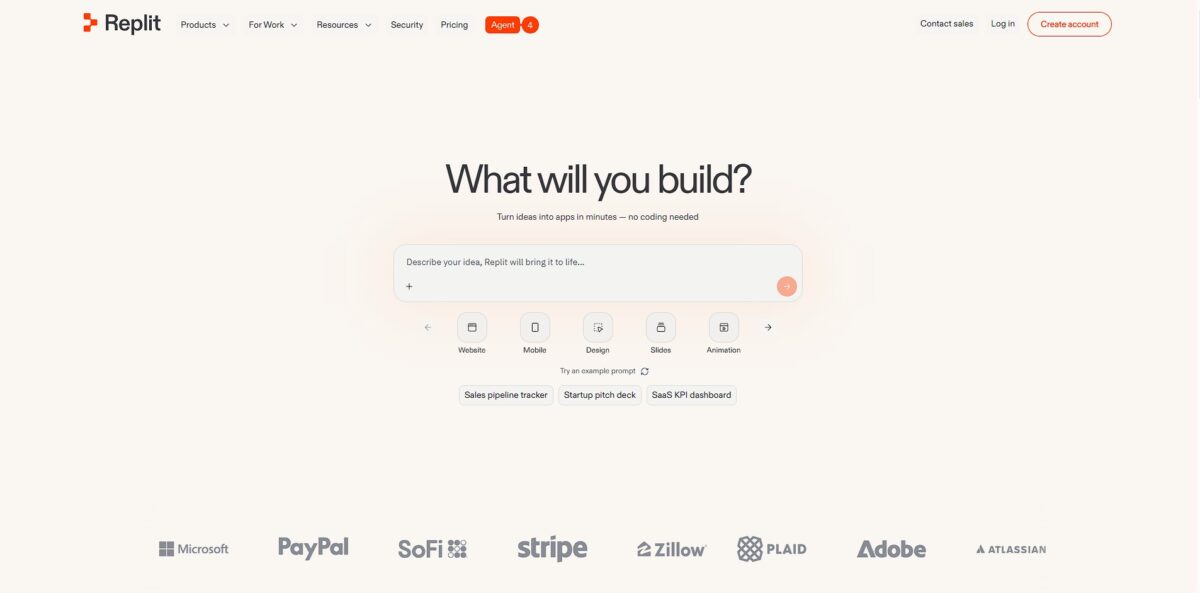
Replit shifts the entire development cycle into a browser tab, merging a cloud-based IDE with an AI agent that builds entire applications from natural language prompts. You skip the headache of local environment variables or dependency version conflicts because the environment is pre-configured and live. It functions like a collaborative canvas where your code, terminal, and hosting infrastructure occupy the same window. I noticed that while it excels at whipping up a Flask backend or a React prototype in minutes, it can feel like a black box when the AI agent hallucinates a file change it didn’t actually commit. This matters because it trades deep system-level control for extreme speed to market. Use it to validate an idea instantly, but expect to hit performance walls if you try to scale a high-traffic production app on their shared infrastructure. Choose Replit for rapid prototyping and move to a local setup when you need custom runtime configurations.
How to start using Replit?
Start by creating an account at replit.com. You can skip the long forms by linking your GitHub profile directly. This mirrors your local dev environment to the cloud immediately, and since your code runs in a standardized container, the “works on my machine” excuse goes away. The onboarding flow tries to funnel you into AI features early, which is helpful if you are stuck on a boilerplate script.
Takeaway: Sign in with GitHub to sync your repos and skip manual setup.Select a template for your language, whether it is Python, Node.js, or Go. Replit spins up a virtual machine with the runtime pre-installed. You avoid the headache of managing local PATH variables or conflicting versions of Python. This speed helps you prototype an idea before the inspiration fades. The catch: expect a slight lag on a weak connection, since the editor lives in your browser.
Takeaway: Start with a “Repl” template to ensure your environment has the correct dependencies from second one.Open the Secrets tool in the sidebar to add your API keys. Never paste your OpenAI or Stripe keys directly into the main file. Replit injects these as environment variables, keeping them hidden from anyone who forks your public projects. No leaked tokens means no accidental credit card drains. The “Secret Scanner” also flags you if you try to paste a key into the console by mistake.
Takeaway: Always use the lock icon tool for credentials to keep your project secure.Hit the big Run button at the top. Your app boots up and Replit opens a web view for any frontend or API output. You can share this URL with a teammate to start a multiplayer session where you both type in the same file. This turns a lonely debugging session into a collaborative pair-programming sprint. While the free tier works for small experiments, you might need a paid plan for heavy background tasks.
Takeaway: Hit the “Invite” button for real-time collaboration rather than sending screenshots of errors.
Who is it for?
Solo Founders
You need to build a functional MVP in a weekend without hiring a dev team. Replit handles the hosting and database setup automatically, letting you focus on the user interface. That can save you thousands in initial engineering costs.
Product Managers
Stop writing abstract requirements and start showing functional prototypes. I noticed it is much easier to get stakeholder buy-in when they can click through a live web app instead of a static Figma file. Feedback loops get shorter, and misaligned builds become less likely.
The Python Tinkerer
If you want to run a quick script or a web scraper without messing with local PATH variables, this is your sandbox. You skip the “it works on my machine” drama since every Repl runs in a standardized container. You can test a new library in seconds from any browser.
Collaborative Teams
Use this for remote pair programming where you need to see a teammate’s cursor in real-time. It eliminates the clunky screen-sharing sessions where one person watches while the other types. A slow code review becomes a simultaneous building session.
Non-Technical Creators
If you can describe what you want in plain English, the AI Agent can scaffold the entire backend logic for you. It works well for simple CRUD apps, though it is less ideal for high-performance gaming engines. Software creation opens up to anyone with a browser and an idea.
Replit pricing
Replit pricing follows a mix of subscriptions and usage-based credits that can feel like a moving target. You pay for a seat, but the real cost depends on how much “effort” the AI Agent exerts on your specific prompts. This model provides access to massive cloud compute without owning a server, though it requires active monitoring to avoid bill shock.
Perfect for a quick prototype or learning the ropes. You get limited daily Agent trials and one public deployment. You can ship a concept to the web without touching a credit card.
The sweet spot for solo developers building serious projects. It includes $25 in monthly credits, unlimited private workspaces, and four times the vCPU power. Your IDE won’t lag when the code gets complex.
You get $100 in shared credits and priority support. For a growing agency or small startup, billing stays in one place.
Once your monthly credit pool evaporates, Replit switches to pay-as-you-go. In testing, a single complex Agent session could cost several dollars, so a long coding loop can unexpectedly drain your balance.
Replit key features
Code with others in real-time using multiplayer editing
You see their cursor move as they type, similar to a shared document. No more pushing to GitHub just to show a teammate a bug.
Spin up a fully configured development environment in seconds directly in your browser
It bypasses the “it works on my machine” headache by providing identical containers for every contributor. You start coding immediately instead of wrestling with local Python versions or Node dependencies.
Deploy your applications to the web with one click
Replit handles the hosting, scaling, and SSL certificates automatically. A side project becomes a live URL before you lose your creative spark.
Use the integrated AI agent to write boilerplate or debug logic
It understands the context of your entire project and can even create new files for you. The repetitive setup work that slows down development is off your plate.
Access a built-in terminal and debugger for instant feedback
You run commands and inspect variables without leaving the tab. Your workflow stays in a single window rather than jumping between an editor and a separate terminal app.
Replit Pros & Cons
Pros
Replit eliminates local environment friction by letting you spin up a dev server in a browser tab. You jump from a blank file to a live URL in seconds. This accessibility means a product manager can tweak a React component without installing Node or Docker. The integrated AI agent handles the heavy lifting of dependency management and initial boilerplate. That matters because it lowers the barrier for non-engineers to prototype real ideas. The collaborative multiplayer mode feels as responsive as Google Docs, which is a lifesaver for remote pair programming. Pick Replit if you value speed of deployment over local machine control.
Cons
The reliance on a cloud-based IDE means you are dead in the water without a stable internet connection. Pricing can feel unpredictable once you start consuming AI compute units or need dedicated resources for production apps. The AI agent sometimes hallucinates fixes that break existing logic, requiring manual cleanup. If you don’t monitor the output, you can end up in a cycle of “fixing the fix.” Complex enterprise applications with strict data residency requirements may find the multi-tenant cloud environment too restrictive. Don’t move your primary codebase here if you require deep, offline-first customization of your build pipeline.
Use Replit if you want…
- Code and host apps instantly without local environment setup.
- Collaborate with teammates in a real-time multiplayer IDE.
- Build and deploy web projects from any browser.
- Use AI to write, debug, and explain complex code.
- Ship prototypes quickly using pre-configured software templates.
- Run background scripts and bots with persistent hosting.
- Learn new languages in a zero-config sandbox environment.
- Monetize your software through an integrated cloud platform.
Replit alternatives

Replit Reviews
The speed from idea to MVP is unmatched, but keep an eye on the credits; the agent can burn through your budget fast if you aren’t careful with prompts.
An incredible teaching tool that handles the messy environment setup for you, though the AI sometimes gets stuck in a loop trying to fix its own bugs.
Perfect for building quick internal tools and prototypes in one tab without needing a dev team, but the UI can feel a bit generic compared to design-first tools.
The multiplayer coding and built-in hosting are great for hackathons, but the agent struggles with complex logic and sometimes overrides my manual changes.
FAQ
Can I build apps on my phone with Replit?
Yes, Replit offers a mobile app for both iOS and Android that allows you to write code, use the AI Agent, and manage your projects directly from a tablet or smartphone.
Does Replit support collaboration with other developers?
Replit features multiplayer editing, allowing multiple people to work in the same codebase simultaneously with a shared terminal and real-time cursor tracking.
What happens to my projects if my account is inactive?
On the Starter plan, projects are subject to deletion after one year of inactivity, and accounts may be removed if they remain inactive for six months.
Can I import projects from other platforms like GitHub?
You can import existing repositories from GitHub in about two minutes, and the platform also supports importing from Figma, Bolt, and Lovable.
How does Replit handle security vulnerabilities in my code?
Replit includes a Security Agent that automatically scans your dependencies for known vulnerabilities and can even prepare automated patches to secure your application.
What is effort-based pricing?
This is a pay-as-you-go model where the cost of AI tasks is determined by the complexity of the request and the computational power required to complete it.
Similar tools
 Novita AIDeveloper cloud with one API for 200+ open-weight AI models, plus GPU instances, dedicated endpoints and isolated sandboxes for AI agents.
 You.comDeveloper platform of web search, content extraction, cited research and model inference APIs that feed AI agents and RAG apps real-time web
 QodoAI code review platform that runs specialized agents on every pull request, enforces team rules and checks changes against tickets and linked