

ResumeBuilder.com
AI AssistantsUpdated October 27, 2026
AI-assisted resume and cover letter builder from Bold that suggests bullet points, summaries and ATS keywords, with PDF downloads on paid plans.
We may earn a commission when you sign up through our links. It does not affect our reviews.
What is ResumeBuilder.com?
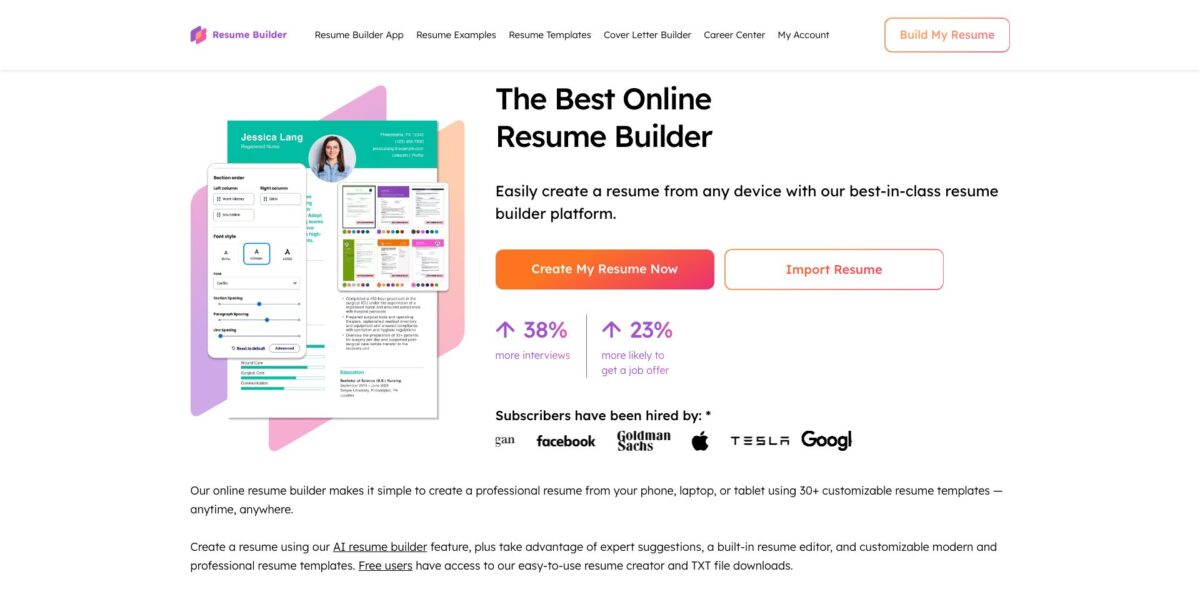
ResumeBuilder.com is a browser-based resume and cover letter builder owned by Bold, the company behind Zety, LiveCareer and MyPerfectResume, which acquired it in 2024. You pick a template, import an old resume or answer guided questions, and an AI writer fills each section with suggested bullet points, a summary and skills keyed to your job title. A separate generator drafts cover letters, and paid plans add ResumeCheck feedback, job matching that adjusts your resume to a target role, and interview practice. The weak spot is the business model rather than the editor: building and saving cost nothing, but a designed PDF or Word file sits behind a $1.95 two-week pass that renews at $25.95 every four weeks. It suits job seekers who want a fast, guided first draft and who will cancel on time.
How to start using ResumeBuilder.com?
Open the homepage and click Create My Resume Now, or Import Resume if you already have a draft. The app first asks how long you have been working, and if you have little or no work history it asks whether you are a student, which changes the prompts you get. Next you choose a template and a color scheme, both of which you can swap later. No account or card is needed to start; you create a free account when you want to save your work.
Then pick a starting point. You can upload an existing resume from your computer, Google Drive or Dropbox, import from LinkedIn, or start from scratch. The editor walks you through Work history, Education, Skills, Summary and Additional Sections. In Work history you enter a job title and employer first, and the AI panel then offers expert recommendations for that title. You can search any word or phrase, not only job titles, so a prompt like “Spanish” turns into a full bullet about teaching language and culture classes in one click.
The suggestions panel is the screen that decides how good your resume gets. The company’s own guide admits that suggestions are built from your past job titles, so they are weaker if you are making a big career change or held a role with an unusual title. Its advice is to search the general version of the role, for example “sales manager”, instead of your official title. The AI also knows nothing about your results, so money saved, revenue growth or the number of clients you served must be added by hand. Summary and Skills work the same way: accept a suggestion, then rewrite it until it describes you.
When the draft is ready, save it to your free account and download a TXT copy from the dashboard. A PDF or DOCX file requires a paid plan, and the 14-day pass renews automatically. Before paying, note that cancelling later removes dashboard access to your documents unless you download them first. Cancellation runs through Settings, then Subscription, then Cancel Subscription, or by phone at (800) 301-9082. If you need a cover letter, the Cover Letter Generator uses the same flow and pulls from your resume.
Write your achievements and numbers in a separate note before you start, then use the AI suggestions only to phrase them.
Who is it for?
First-time job seekers and students
The builder asks about your work history up front and adapts its prompts if you are a student with little experience. Suggested phrases fill the blank page that stalls most first resumes. You end up with a structured draft in one sitting instead of a week of staring at an empty document.
Hourly and frontline workers
Bartender, server, customer service and medical assistant examples sit on the homepage among more than 500 examples. Pick the closest title, accept the bullets that match what you actually did and add specifics. It is a quick route to a clean resume for roles where applying fast matters more than design.
Job seekers sending many applications
Paid plans add instant job matching, which searches listings and updates your resume for the target role, plus a cover letter generator for each posting. That cuts the time spent rewriting the same document for every job. Keep an eye on four-week billing if the search drags on.
People returning to work after a gap
The site publishes guides for long absences, and the guided questions help you rebuild older roles. AI suggestions give you current language for jobs you held years ago. You still have to explain the gap in your own words.
Budget-conscious users who will cancel on time
If you need one polished PDF, the $1.95 two-week pass is cheap as long as you download everything and cancel before day 14. Set a reminder on the day you pay. Missing it means a $25.95 charge every four weeks.
Career changers, with caveats
The vendor itself says the AI is less useful for big career changes, because suggestions follow your previous titles. Choose a functional or combination template and write the transferable-skills bullets yourself. The builder still helps with layout and ATS-friendly structure.
ResumeBuilder.com pricing
Building, editing and saving are free, and you pay only to download a designed file and use the extra tools. ResumeBuilder.com sells time-based access instead of credits or seats, and both paid plans include the same features: Word and PDF downloads, professional templates, ResumeCheck review, resume feedback links, instant job matching, interview preparation tools and career webinars. Only the billing differs. The prices below come from the official pricing page, last updated September 30, 2026, and showed the same USD amounts when checked from Ukraine and the US on October 26, 2026. Some older pages on the site, including the homepage FAQ, still list a $2.95 trial, a $23.95 renewal and a $7.95 monthly rate billed annually, so trust the checkout screen over any FAQ.
Resume Builder and Cover Letter Generator with AI suggestions, unlimited TXT downloads and a free Bold.pro profile. The comparison table locks Word and PDF downloads, professional templates, ResumeCheck, feedback links, job matching and interview tools; other official pages confirm the free plan downloads text files only.
After that it auto-renews at $25.95, billed every four weeks, until you cancel. Four-week billing means 13 charges a year, roughly $337 if you leave it running.
It auto-renews each year, and the page advertises it as a 79% saving. Same features as the 14-day plan.
The pricing page offers a refund if you request it within 14 days of subscribing, while the terms state that refunds are not guaranteed. Accepted cards are Visa, Mastercard, Discover and American Express, and charges appear as “Resumebuilder.com” or “BLD*ResumeBuilder.com” on your statement.
ResumeBuilder.com key features
AI writer with expert recommendations
In the Work history editor you enter a title, and the panel offers ready-made bullet points drawn from phrases written by certified resume writers together with AI suggestions. You can search any word or phrase, and one click inserts a complete bullet in standard resume tense and tone. That keeps a first draft consistent even if you rarely write resumes.
AI summary and skills suggestions
Based on your background and target role, the builder proposes a short professional summary and relevant skills, such as programming languages for a developer role. The AI resume builder page also says it analyzes job descriptions to pick keywords for applicant tracking systems. This speeds up the two sections people most often leave generic. Keep only the skills you could defend in an interview.
Cover Letter Generator
A separate builder drafts a keyword-rich cover letter aimed at a specific employer and job, with templates, fonts and colors that match your resume. You can follow step-by-step guidance or import your current resume, and the site offers more than 125 cover letter examples for reference. Free users can build a letter and download it as text, while PDF needs a paid plan.
ResumeCheck and resume feedback
Paid plans include ResumeCheck, which gives personalized suggestions to strengthen the resume, and a shareable link that lets trusted contacts comment directly on the document. Separately, the terms say a subscription includes one resume review, carried out by software with human input or by AI tools depending on the offer. Run these checks after the draft is complete, not halfway through.
Instant job matching and interview prep
Subscribers can search for jobs and have the resume updated automatically to match the target role, then practice job-specific interview questions. Expert-led career webinars are part of the same plans. This turns the builder into a small job-search hub rather than a one-off document tool.
Import, templates and mobile editing
Resumes can come in from a file, Google Drive, Dropbox or LinkedIn and then be restyled with any template, font and color. The site lists more than 500 resume examples by job, and the builder runs in a mobile browser with the same features as desktop, so no app download is needed. Template counts vary across the site, with both 25+ and 30+ quoted.
Bold.pro profile and resume parsing
Every account can publish a free Bold.pro professional profile, and subscribers get a custom URL with more visibility. The terms also state that downloaded resumes may carry metadata and an identifier shared with parsing companies, applicant tracking systems and employers to process your application.
ResumeBuilder.com Pros & Cons
Pros
The guided flow removes the blank-page problem. You answer a few questions, pick a template and insert suggested bullets within minutes, and the free plan lets you build a complete resume and cover letter before spending anything. Phrase suggestions follow standard resume tense and tone, which helps anyone who writes resumes once every few years. Importing from a file, cloud drive or LinkedIn saves retyping, and the mobile browser editor matches the desktop version. Paid plans bundle job matching, ResumeCheck, feedback links and interview practice at no extra cost. Phone support runs seven days a week, and Trustpilot reviewers often mention helpful agents. Build the full draft on the free plan first and pay only when you are ready to download.
Cons
“Free” covers building, not a file most employers will accept: the only free download is plain text, and many complaints come from people who discover this after entering everything. The $1.95 pass renews at $25.95 every four weeks, and reviewers describe charges they did not expect and cancellations that felt difficult. Cancelling also removes dashboard access to your documents unless you download them first. The AI suggestions come from your past job titles, so they turn generic for career changers and never include metrics. Official pages contradict each other on trial and renewal amounts, which does not help trust. Set a calendar reminder before day 14 and download PDF and DOCX copies of everything before you cancel.
Use ResumeBuilder.com if you want…
- Turn a blank page into a resume draft fast.
- Generate bullet points from any job title or phrase.
- Write a matching cover letter for each application.
- Import an old resume from Google Drive or Dropbox.
- Finish and edit your resume from a phone browser.
- Check your resume for ATS keywords and structure.
- Match your resume to specific job listings automatically.
- Practice job-specific interview questions before applying.
- Share a resume link to collect feedback from contacts.
ResumeBuilder.com alternatives

ResumeBuilder.com Reviews
Reviewers praise how quickly the guided builder produces a full resume and say the suggestions surface details employers look for, though one advises double-checking everything and wishes the whole document stayed visible while editing section by section.
A frequent complaint is that the site feels free until the very end, when downloading a finished PDF requires payment after the work is done, because the free plan exports only a plain text file.
Several users report charges every four weeks after a low-cost trial they believed was one-time, and some say cancelling was hard until they blocked the card, while the company replies with the cancellation steps.
Users like the AI help with wording and say importing an existing resume went smoothly, but some find the screens busy and the tailoring to their career goals limited.
Some want more template flexibility, such as removing the photo area from certain designs, while still rating the builder easy for beginners.
FAQ
Is ResumeBuilder.com really free?
You can build, save and download unlimited resumes and cover letters as plain text (TXT) files for free. PDF and Word downloads, professional templates, ResumeCheck and job matching require a paid plan.
How much does ResumeBuilder.com cost after the trial?
On October 26, 2026 the pricing page listed $1.95 for 14 days, renewing at $25.95 every four weeks, or $71.40 a year, which equals $5.95 per month. Older pages on the site still quote $2.95 and $23.95, so confirm the amount at checkout.
How do I cancel my subscription?
Log in, open Settings, choose Subscription and click Cancel Subscription, or cancel by phone at (800) 301-9082 or by email. Cancel before day 14 to avoid the first renewal, and download your files first, because cancelling removes dashboard access to them.
Can I get a refund?
The pricing page says you can request a refund within 14 days of subscribing. The terms add that refunds are not guaranteed, so ask early and keep the cancellation confirmation email.
Does ResumeBuilder.com use AI?
Yes. The builder suggests bullet points, summaries and skills from your job title or any phrase, and the cover letter generator drafts letters with AI. The terms say third-party AI tools may power parts of the service and that their output is not guaranteed to be error-free.
Is my data safe?
The company says it complies with GDPR and CCPA, encrypts data and does not sell it. The terms also allow it to embed metadata and an identifier in downloaded resumes and share them with parsing companies, applicant tracking systems and employers.
Who owns ResumeBuilder.com?
Bold acquired ResumeBuilder.com in 2024, and the service is operated by BOLD LLC in Puerto Rico, with Auxiliant S.à r.l. in Luxembourg sometimes acting as merchant of record. Bold also runs Zety, LiveCareer and MyPerfectResume.
Is there a mobile app?
No download is required. The builder runs in your phone’s browser with the same features as the desktop version, including AI suggestions, templates and resume import.
Similar tools
 FreedomGPTMulti-model AI app that puts hundreds of chat, image and video models, including its own censor-free Liberty models, behind one credit balance.
 ElephasPrivate desktop AI for Mac and Windows that answers questions from your own documents with page-level citations and hides personal details first.
 MagaiPaid AI workspace that puts ChatGPT, Claude, Gemini, Grok and dozens of image and video models in one chat, with memory and