
Retouch4me
Image EditingUpdated November 18, 2026
AI retouching plugins and cloud apps that automate skin cleanup, dodge and burn, culling and color grading for photographers and video editors.
We may earn a commission when you sign up through our links. It does not affect our reviews.
What is Retouch4me?
Retouch4me is a set of AI retouching tools for photographers and videographers, built by the Estonian company RELU OÜ. Instead of one big editor, it sells narrow neural-network plugins for single jobs such as blemish removal, dodge and burn, eye cleanup, fabric wrinkles and backdrop dust, which run inside Photoshop, Lightroom, Capture One, Affinity Photo, DaVinci Resolve, Final Cut Pro and Premiere Pro. Around them sit cloud apps: Apex for single-image retouching with a live preview, Arams for culling and batch work, and MyShot for camera-to-cloud delivery. The selling point is texture: the tools remove defects while keeping pores, and the Photoshop panel returns each fix as its own layer. The weak side is complexity, with perpetual plugins, monthly plans, annual plans and credit packs on one pricing page. It suits portrait, wedding, school and product photographers who retouch in volume.
How to start using Retouch4me?
Create a free account on retouch4.me. The pricing FAQ describes a Cloud Free Trial with 20 Cloud Credits for 7 days, no credit card required, plus 100 culling credits. Those credits work in Apex, Arams, the Retouch4me Panel for Photoshop and the browser-based Online Retouch, which accepts a JPG or PNG of up to 20 MB.
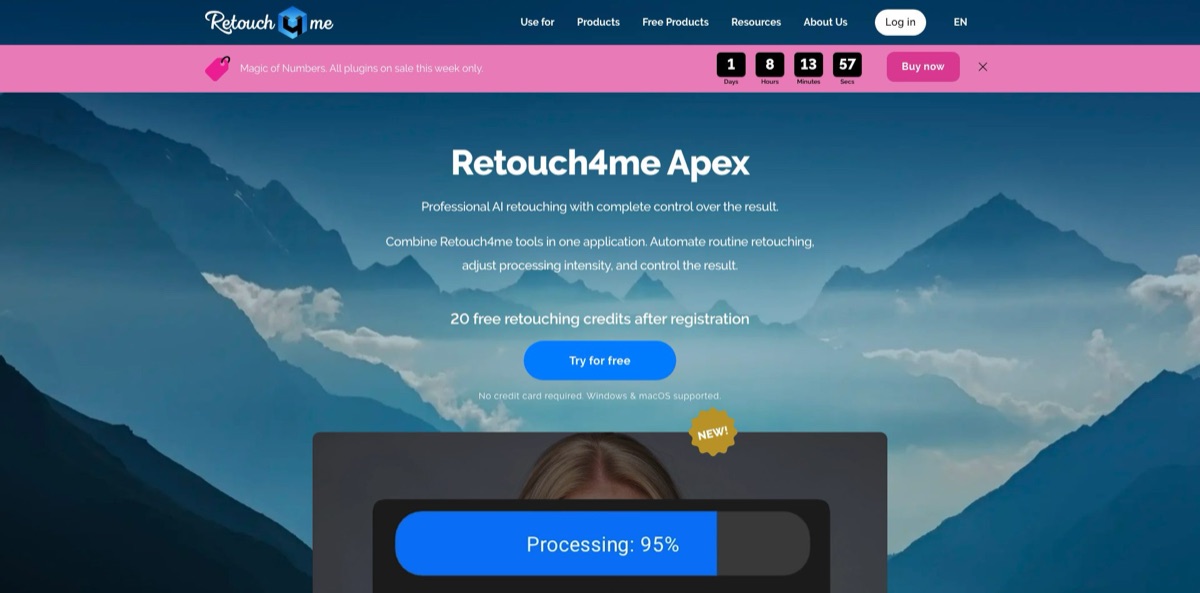
Next, choose where you will work. Apex is the simplest start: download it for Windows or macOS, open a portrait, pick tools such as Heal, Mattifier, Dodge & Burn or White Teeth, and adjust the processing intensity while the preview updates. Photoshop users can install the Retouch4me Panel instead, from the Retouch4me site or from Adobe, toggle the plugins they need, set the blend for each and click Retouch.
For a full shoot, Arams is the screen that matters. Import the series, let smart culling flag blurred frames, closed eyes and duplicates, and then apply a preset to the selected images. Arams can use different settings for men and women in the same batch and export layered TIFF files that keep masks and effects. You choose local processing with plugins you have bought, or cloud processing at 1 credit per photo.
Before you deliver, compare results at 100% zoom, especially around hairlines, glasses and skin with fine texture. Lower the intensity wherever the effect looks heavy, and in Photoshop limit Dodge & Burn or Portrait Volumes to skin with the Skin Mask plugin, as the vendor’s own guidance suggests. Event photographers can then push the finished set to a MyShot album and share one link with the client.
Who is it for?
Portrait and headshot photographers
You shoot dozens of faces a week and spend evenings removing blemishes and evening out skin. Heal, Dodge & Burn and Skin Tone handle the routine pass while keeping texture, and every fix lands on its own Photoshop layer.
Wedding and event photographers
A wedding can produce thousands of frames, and culling alone eats a working day. Arams flags closed eyes, blur and duplicates, then applies one retouching and color preset across the selection. MyShot can then publish albums from photos uploaded straight from the camera.
School, newborn and volume studios
Picture days and newborn sessions need gentle, consistent edits on large sets. Clean Backdrop removes dust and folds from studio paper, and the vendor positions the Dust plugin for flaky newborn skin.
E-commerce and product photographers
Fabric smooths creases in clothing, Dust removes particles from objects and surfaces, and Clean Backdrop cleans evenly colored backgrounds. Automating these chores shortens the time between the shoot and the listing.
Video editors and colorists
Heal Video, Dodge&Burn Video, Dust Video and Color Match Video run as plugins in DaVinci Resolve, Premiere Pro and Final Cut Pro. According to the vendor, the video plugins run on your own GPU with no internet connection.
Developers and photo platforms
The Cloud API lets a gallery, CRM or app send an image, choose tools such as Heal or Clean Backdrop, and receive the processed file.
Retouch4me pricing
Retouch4me sells access in two ways. Subscriptions and credit packs charge per processed image in the cloud tools, where 1 retouch equals 1 credit no matter how many plugins you apply to that image. Perpetual licenses let you buy individual desktop plugins once and process unlimited files offline. Prices are in US dollars, and every subscription includes the full AI plugin suite with updates, unlimited AI Color Correction with batch processing in Arams, culling credits for automatic best-shot selection and MyShot cloud storage. The plans also list generative credits, but the pricing page notes that generative features are still coming in Apex v1.212.
Monthly billing gives 200 retouching credits, 9,000 culling credits and 400 generative credits a month; the annual plan adds 2,400 retouching, 108,000 culling and 4,800 generative credits to your account on day one. Both include 20 GB of MyShot storage.
Monthly billing includes 500 retouching, 25,000 culling and 1,000 generative credits a month; the annual plan includes 6,000 retouching, 300,000 culling and 12,000 generative credits a year. Storage rises to 40 GB.
Monthly billing includes 1,500 retouching, 100,000 culling and 3,600 generative credits a month; the annual plan includes 18,000 retouching, 1,200,000 culling and 43,200 generative credits a year, plus 100 GB of storage.
Starter Pack $24 for 100 retouching credits ($0.24 per retouch), Advanced Pack $59 for 300 credits ($0.20 per retouch) and Extended Pack $179 for 1,200 credits ($0.15 per retouch). Pack credits never expire, and AI color correction in Arams stays available for 30 days after purchase.
$20 for 2,000, $75 for 10,000 and $132 for 24,000 generative credits, each valid for 12 months.
Video plugins start at $124, while OFX versions cost more, such as $224 for Heal OFX and $349 for Dodge & Burn OFX. Licenses include free updates, and a standard license activates on two computers belonging to the same user. During the November 2026 promotion, all plugins were 35% off, so the checkout price may be lower for a limited time.
Frequency Separation, Color Match Free, the Photoshop HSL Masking Panel and the Free Upscaler, which enlarges images 2x or 4x, cost nothing.
Custom. Business integrations go through a Contact us form, so API pricing is quote-based.
Monthly plans roll unused retouches over for up to 5 months and annual plans for up to 5 years, but only while the subscription stays active. If you cancel, unused credits are forfeited without a refund. Monthly plans carry a 14-day money-back guarantee, and annual plans qualify only if you have used no more than 500 retouching credits. A perpetual plugin can be refunded only if it has not been activated and no registration key has been generated.
Retouch4me key features
Single-task AI plugins handle one retouching job each
Heal removes acne, blemishes and enlarged pores, Dodge & Burn smooths uneven light and shadow on skin, Portrait Volumes adds depth, Mattifier removes shine, and Eyes Bundle combines Eye Vessels and Eye Brilliance.
The Retouch4me Panel for Photoshop collects the plugins in one list with a Retouch button and a blend setting per tool
It works in Cloud Retouch mode, with 11 tools and no plugin purchase needed, or in On-Device mode with plugins you own, offline and without per-image fees. Results come back as separate layers or a merged layer, and the vendor says panel steps can be recorded in Photoshop Actions.
Apex is the cloud all-in-one app with a real-time preview
It groups tools for skin (Heal, Mattifier, Dodge & Burn, Skin Tone, Portrait Volumes), portrait details (Lifting, Eyes Bundle, White Teeth) and scene cleanup (Glasses Glare Removal, Stray Hairs, Fabric, Clean Backdrop). You set the intensity per photo and save custom presets, and the cloud does the processing.
Arams combines culling and batch processing
Its AI rates sharpness, lighting and emotion, drops frames with closed eyes, blur and unflattering angles, groups duplicates, and finds and tags faces across the shoot. You then apply retouching and color presets to the whole series, copy colors from a reference photo and export layered TIFF files.
Product and backdrop cleanup covers the non-portrait chores
Fabric smooths wrinkles in clothing, Dust removes small particles from objects and surfaces, and Clean Backdrop removes dirt, small folds and sensor dust from evenly colored studio backgrounds, with a built-in mask that protects the person in the frame.
Video plugins bring the same models to footage
Heal, Dodge & Burn, Dust and Color Match work in OFX hosts such as DaVinci Resolve, Vegas Pro and Nuke, with separate versions for Premiere Pro and Final Cut Pro, and processing runs on your own GPU.
Cloud services extend the plugins beyond the desktop
MyShot receives photos from the camera over FTP, can auto-retouch every image in an album, and shares galleries with your business card and view and download statistics. The Cloud API accepts a file or URL, runs tools such as Heal, Stray Hairs or Clean Backdrop, and returns the result, with webhooks and a background removal endpoint.
Retouch4me Pros & Cons
Pros
The tools are built to remove defects while keeping natural skin texture, which avoids the plastic look of many beauty filters. Fixes arrive on separate Photoshop layers, so nothing is destructive and you can dial any effect back. Host support runs from Photoshop and Capture One to DaVinci Resolve. Perpetual licenses process unlimited files offline, which suits studios that cannot send client photos to the cloud, while the annual plan brings the cost to about $0.07 per retouch. Trustpilot reviewers often praise fast chat support. Compare the cloud trial against the demo of one perpetual plugin before you commit.
Cons
The pricing page mixes monthly plans, annual plans, credit packs, generation packs and perpetual licenses, and some Trustpilot buyers report paying for the wrong one. Perpetual plugins cost $145 to $179 each, so a full local toolkit gets expensive fast. Cancelling a subscription forfeits unused credits, and annual refunds stop after 500 retouches. Cloud Retouch in the panel offers 11 tools, fewer than the desktop line-up. Negative Trustpilot reviews mention credits spent on failed cloud jobs, mandatory updates, activation limits and occasional over-processing of faces, and the generative credits in every plan cannot be used yet. Read the license and refund terms before checkout.
Use Retouch4me if you want…
- Remove blemishes while keeping natural skin texture.
- Get every retouching fix as a separate Photoshop layer.
- Cull thousands of wedding photos before editing them.
- Apply one retouching preset across an entire photoshoot.
- Clean dust and folds from studio backdrops automatically.
- Smooth fabric wrinkles in e-commerce clothing photos.
- Retouch skin in DaVinci Resolve or Premiere Pro footage.
- Buy perpetual plugins that work offline without subscriptions.
- Add portrait retouching to your app through an API.
Retouch4me alternatives




Retouch4me Reviews
Long-time Trustpilot reviewers who use the plugins for portrait, wedding and event work say they save hours per shoot, and many credit the web-chat support with fixing license and computer-migration problems within minutes.
One Trustpilot user values that the perpetual plugins have worked reliably for years, including as standalone apps outside Adobe software, and prefers paying once with free updates to paying for every upgrade.
A two-star Trustpilot review from April 2026 says the tools work well when they run, but cloud retouches sometimes fail with an Error ID and still use up a credit, and batch jobs can stall on a single photo.
A photographer doing client work found that the output changed faces too much and wanted finer manual control; the company replied that intensity settings, masking and manual adjustments are available.
Another reviewer said the hair removal plugin left marks that needed manual cleanup and criticized non-refundable product keys, while a separate user complained that mandatory updates interrupt occasional use.
FAQ
Is Retouch4me free?
Partly. New accounts get a Cloud Free Trial with 20 Cloud Credits for 7 days and 100 culling credits, no credit card required, and perpetual plugins have demo versions that process files but cannot save results. Frequency Separation, Color Match Free, the HSL Masking Panel and the Free Upscaler are free to keep.
Does Retouch4me work in Lightroom and Capture One?
Yes. The desktop plugins work as standalone apps or as plugins for Photoshop, Lightroom and Capture One, and the site also lists Affinity Photo. Video plugins support DaVinci Resolve, Premiere Pro and Final Cut Pro.
What is the difference between a subscription and a perpetual license?
A subscription gives you the full plugin suite in the cloud tools, billed per retouch through credits, plus culling credits, AI color correction and MyShot storage. A perpetual license is a one-time purchase of a single plugin that processes unlimited files offline, with free updates.
What computer do I need?
The plugins need Windows 10 (x64), Windows 11 or macOS 10.15 or later, at least 6 GB of RAM, and on PC a GPU with 4 GB of memory or an Intel CPU with OpenCL 1.1 support. Cloud tools such as Apex move the heavy processing to Retouch4me’s servers.
What happens to my credits if I cancel?
When a subscription is canceled, access ends and all unused credits are forfeited without a refund. Pay-as-you-go pack credits do not expire.
Are my photos kept private?
In On-Device mode, plugins you own run locally without an internet connection, and the vendor describes this mode as fully confidential. Cloud Retouch, Apex, Online Retouch and MyShot upload images to Retouch4me’s servers for processing, so review the privacy policy before sending sensitive client work.
Does Retouch4me have an API?
Yes. The Cloud API covers portrait tools such as Heal and Stray Hairs, product tools such as Clean Backdrop, background removal, crop and color correction, with status polling or webhooks. Pricing is quote-based.
Can I get a refund?
Monthly subscriptions have a 14-day money-back guarantee, and annual subscriptions qualify within 14 days if you used no more than 500 retouching credits. A perpetual plugin is refundable only if it was not activated and no registration key was generated.
Similar tools
 Picture to DrawingBrowser tool that turns photos into pencil, charcoal, ink or watercolor drawings, cartoons and coloring pages, with free daily tries and one-time
 Pixelfox AIBrowser-based AI photo and video editor for object removal, background cutouts, upscaling, virtual try-on and AI video on one shared credit balance.
 123RF AI SuiteBrowser-based AI image toolkit from 123RF for upscaling, generative fill, image extension and background removal, tied to a 307M-asset stock library.