

RunComfy
Image GenerationUpdated November 21, 2026
Cloud ComfyUI platform with per-second GPU billing, 200+ ready workflows, hosted image and video models, LoRA training and a serverless API.
We may earn a commission when you sign up through our links. It does not affect our reviews.
What is RunComfy?
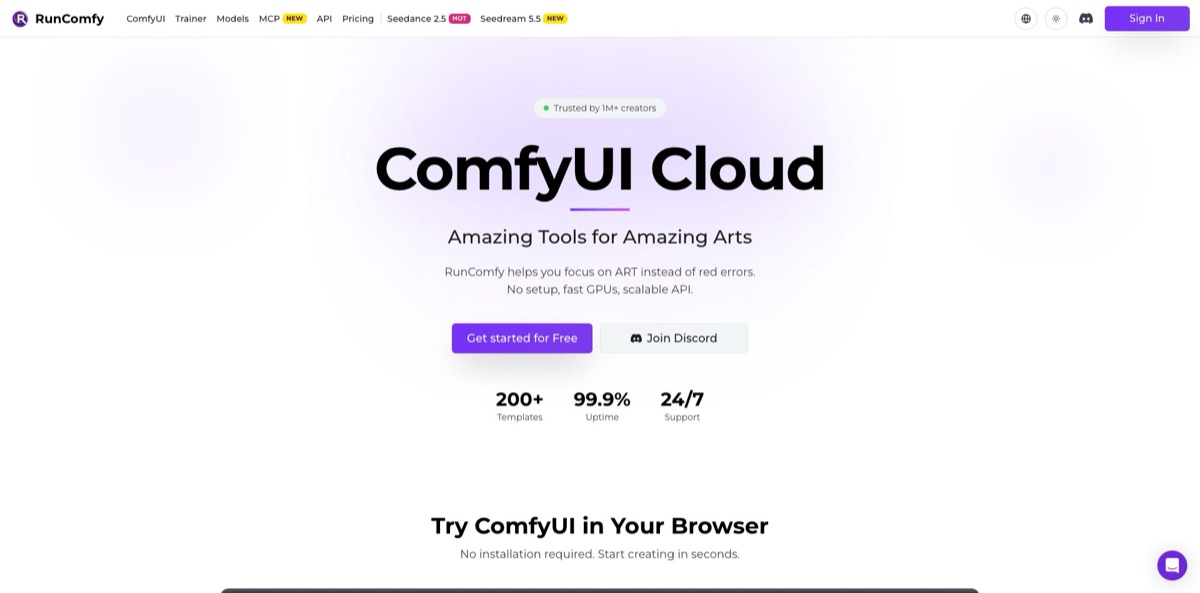
RunComfy is a hosted ComfyUI service: you open the unmodified node editor in your browser, pick a GPU machine with 16 to 141 GB of VRAM, and pay by the second instead of buying a graphics card or fighting Python dependencies. Around that core it adds 200+ ready-to-run workflows, an Auto Setup tool that installs missing nodes and models from a workflow.json, a catalog of hosted image and video models billed per generation, a LoRA trainer built on Ostris AI Toolkit, and a serverless API that turns any saved workflow into an autoscaling endpoint. The weak spot is the meter: a ComfyUI machine bills from the moment it is ready until you stop it, so idle thinking time costs money. Pick it if you already work in ComfyUI or want to ship a workflow as an API without running your own GPU fleet.
How to start using RunComfy?
Click “Get started for Free” and sign in. RunComfy’s help center says a first-time account gets a free trial for testing ComfyUI Cloud and the Models catalog, though the trial amount is not published. Everything runs from one balance: open your profile page, click Add Funds, and the money becomes usable across ComfyUI, Models and Trainer right away. You do not need the Pro subscription to launch anything, so start on Pay as You Go and decide later. If you only want to poke at ComfyUI, the free public ComfyUI Online page lets you queue prompts on a shared server, with no saved files and a wait behind other users’ jobs.
For a first real project, browse the workflow library by model. FLUX and Wan each have around 50 templates, and LTX and MiniMax H3 add dozens more. Open one, click Launch ComfyUI and choose a machine size. Medium (T4 or A4000, 16 GB) covers lighter image workflows, while video models usually need more memory; RunComfy’s own API guide suggests starting around 48 GB for typical tasks and adjusting after testing. A ringtone tells you the machine is ready, which is also the moment billing begins.
If you already have a workflow.json from Civitai, Reddit or Discord, drop it into Auto Setup instead of hunting nodes by hand. The tool reads the graph, installs missing custom nodes and models into the right ComfyUI/models folders, and hands you a link to a ready session. Gated Hugging Face or Civitai models work once you add your token. Inside the editor you can also download models straight from Civitai, Hugging Face and Google Drive, and install nodes through ComfyUI-Manager. When the setup works, hit Cloud Save so the whole environment, including nodes, models and Python dependencies, is stored as a reproducible snapshot.
Before you walk away, click the stop button at the top or let the session timer run out. The machine usage page shows exact start and stop times if a charge looks wrong, and support corrects verified billing errors by email. To share your work, send the saved workflow link to a teammate or student, and they open the identical environment. To go into production, export the workflow in API format, choose which inputs change at runtime, and deploy the Cloud Save as a serverless endpoint with its own deployment_id.
Who is it for?
ComfyUI hobbyists without a GPU
You learned ComfyUI from tutorials, but your laptop cannot run FLUX or Wan at a usable speed. RunComfy gives you the same native interface on a 16 to 48 GB card, billed by the second. You stop fighting CUDA versions and start iterating on prompts.
VFX and motion artists
Teams testing generative plates, character swaps or upscaling need heavy video models that overwhelm consumer cards. Machines up to 141 GB of VRAM and dozens of Wan, LTX and MiniMax H3 templates let you prototype shots without an IT ticket. ActionVFX even offers an 8-hour ComfyUI course for VFX professionals built around RunComfy.
Developers shipping image features
You have a workflow that works and now need it behind an HTTPS endpoint. The Serverless API packages nodes and models into a container, scales to zero when idle and keeps deployments pinned to versions. You skip Docker, Kubernetes and GPU orchestration entirely.
Instructors and workshop hosts
Getting a room of students through a local ComfyUI install can eat the whole first session. A shared workflow link opens the identical environment for everyone in the browser. Class time goes to nodes and sampling instead of installation errors.
LoRA trainers and character creators
You need a consistent face, product or style across hundreds of renders. The Trainer runs Ostris AI Toolkit jobs on H100 or H200 GPUs that release automatically when training ends, with checkpoints you can resume. The finished LoRA goes straight into a playground, the Model API or a dedicated endpoint.
Marketers working inside chat assistants
You would rather ask Claude or ChatGPT for a UGC-style product video than learn a node graph. RunComfy’s MCP server connects those assistants to its video and image models, ComfyUI workflows and LoRA training. Campaign variants come out of a conversation and are billed from the same balance.
RunComfy pricing
RunComfy runs on a single prepaid balance shared by ComfyUI, Models, Trainer and their APIs, with an optional Pro subscription that cuts GPU rates. GPU time is quoted per hour but billed by the second, starting when the machine is ready and ending when you click stop or the timer expires. Hosted models are billed per generation instead, for example per image or per second of video. Purchased funds expire 365 days after purchase, so top up in amounts you will actually spend within a year. All prices on the official page are listed in US dollars.
No subscription; you pay standard GPU and model rates from your balance. You get full native ComfyUI, custom model uploads, any custom nodes, up to 10 saved workflow environments, serverless API deployment and 10 GB of storage, with inactive assets removed after 90 days. Support runs through Discord and email.
You get 20%+ off all ComfyUI and Trainer GPU rates, a $10 monthly credit usable anywhere on the platform, 20 CPU hours per month for uploads and setup, unlimited saved environments, 200 GB of storage with permanent retention and priority support. Usage still comes out of your balance; Pro only changes the rates.
from $0.99/hour for Medium (T4 or A4000, 16 GB VRAM), then $1.75 for Large (A10G or A5000, 24 GB), $2.50 for X-Large (A6000, 48 GB), $4.99 for an A100 (80 GB) and $7.49 for an H100, up to $9.59/hour for an H200 with 141 GB. Pro rates run from $0.79 to $7.66/hour. The CPU machine for uploads costs $0.5/hour on Pay as You Go.
$4.49/hour on an H100 and $6.89/hour on an H200 ($3.59 and $5.49 on Pro), billed by the second, with GPUs released automatically when a job finishes.
pay per generation, with starting prices quoted at the lowest resolution, such as $0.007 per image for FLUX 3 Image Klein, $0.036 per image for MiniMax H3 Image and $0.145 per second of video for Kling V4.
RunComfy key features
Native ComfyUI on dedicated GPUs
RunComfy runs an unmodified ComfyUI kept in sync with official releases, so workflows move between your local install and the cloud without edits. Machines range from 16 GB T4 cards to 141 GB H200s, and each session runs in an isolated instance tied to your account. You get local-style freedom with custom nodes and models without buying the hardware.
Cloud Save environments
A saved workflow bundles the graph, OS, Python environment, ComfyUI version, custom nodes and models into one snapshot. Reopen it months later and it runs exactly as you left it, even if a node pack has changed since. Shared links give collaborators the same environment, which ends the “works on my machine” problem.
Auto Setup for workflow.json
Drop a workflow file of up to 10 MB and RunComfy installs missing models, resolves missing custom nodes and fixes dependencies on its side, not on a rented GPU while the meter runs. It handles checkpoints, LoRAs, ControlNets, VAEs, IP-Adapters and text encoders, and fetches gated models with your Hugging Face or Civitai token.
200+ ready-to-run templates
Curated workflows are grouped by model, with FLUX, Wan, LTX, MiniMax H3, Qwen Image and Krea 2 among the largest sets. Each template opens already wired with its models in place, and supported ones can be deployed directly. It is the fastest way to try a new video or editing model soon after release.
Serverless API for ComfyUI
Any Cloud Save becomes an endpoint with a deployment_id, called through an async queue (submit, poll, fetch) or webhooks. You set hardware, minimum and maximum instances, queue threshold and keep-warm time, and deployments are pinned to workflow versions for safe rollbacks. A live dashboard shows request counts, queue times, cold starts and execution speed.
Models catalog, Model API and MCP
Hosted models such as Seedance, Kling, Wan, FLUX, Seedream and GPT Image run without any deployment, billed per request through one REST interface that returns outputs as URLs. The same models are reachable from a CLI and from an MCP server that plugs into Claude, ChatGPT and Claude Code. You can compare commercial and open models without opening separate accounts.
LoRA Trainer
Training runs on Ostris AI Toolkit with H100 and H200 GPUs, releases the hardware when a job finishes and keeps checkpoints so you can resume later. Supported base models include FLUX.3 Klein, Krea 2, Qwen Image 2.1, Z-Image Turbo and MiniMax H3. Trained LoRAs can be tested in a playground, called on demand or served from a dedicated endpoint.
RunComfy Pros & Cons
Pros
RunComfy removes the worst part of ComfyUI, which is getting a downloaded workflow to run at all. Auto Setup and Cloud Save tackle missing nodes, mismatched dependencies and model hunting, and the reproducible snapshot means a working setup stays working. The interface is stock ComfyUI, so tutorials and local habits carry over, and VRAM options up to 141 GB cover the heaviest video models. One balance pays for interactive sessions, hosted models, training and APIs, which keeps billing in one place. Per-second billing and auto-released training GPUs mean you never pay for whole hours you did not use. Start from a template for the model you care about and customize it instead of building on a blank canvas.
Cons
The meter is the main complaint. A ComfyUI machine bills from the moment it is ready, including time spent loading models, reading the graph or simply thinking, and the only Trustpilot review calls the service slow and costly for that loading time. Hourly session pricing also sits above bare GPU rental such as RunPod, and Pay as You Go storage purges inactive files after 90 days. Funds expire after a year, and the size of the free trial is not published. Beginners will still face ComfyUI’s steep learning curve, which RunComfy does not flatten. Set a short session timer, prepare files on the CPU machine and stop the GPU as soon as a batch finishes.
Use RunComfy if you want…
- Run ComfyUI workflows without owning a GPU.
- Fix missing nodes and models in downloaded workflows.
- Deploy a ComfyUI workflow as an autoscaling API.
- Train custom LoRAs on H100 or H200 hardware.
- Test new video models like Kling and Seedance.
- Share a complete ComfyUI environment through one link.
- Generate images and video from Claude or ChatGPT.
- Pay by the second instead of fixed monthly hours.
RunComfy alternatives



RunComfy Reviews
Trustpilot lists a single review for RunComfy, a one-star warning from June 2026: the reviewer found the service very slow and felt they paid a lot for time spent just loading things.
A ComfyUI user writing on note.com in October 2026 places RunComfy between RunPod and ComfyICU: much less Linux work than RunPod, easier model and node management than ComfyICU, and simple imports of private LoRAs through Hugging Face and Civitai tokens. The catch is that billing continues while ComfyUI sits open, so you have to stop it like any cloud GPU.
On TopAI.tools, 15 of 18 voters recommend RunComfy, mostly for value for money, result quality and ease of use; the three who do not cite inconsistent results and missing features.
In an r/comfyui thread asking for alternatives, a user comparing RunComfy with ThinkDiffusion and Flowt.ai said they wanted a powerful machine for one flat monthly payment rather than paying by the hour.
FAQ
Is RunComfy free to use?
Signing up is free and no subscription is required, and RunComfy’s help center says new accounts get a free trial to test ComfyUI Cloud and Models. After that you pay from a prepaid balance. A free public ComfyUI Online page also exists, but it runs on a shared queue with no saved storage and no support.
How is GPU time billed?
By the second, at the hourly rate of the machine you choose. Charges start when the machine is ready, signalled by a ringtone, and stop when you click stop or the session timer runs out.
Can I upload my own models, LoRAs and custom nodes?
Yes. You can upload models and LoRAs, download them from Civitai, Hugging Face or Google Drive, and install any custom node through ComfyUI-Manager. Pay as You Go includes 10 GB of storage; Pro raises it to 200 GB with permanent retention.
Is my workflow data private?
RunComfy says ComfyUI sessions and API deployments run in isolated instances dedicated to your account, and that your data, models and outputs stay private. Templates you fork and modify also stay private unless you share the link.
Does RunComfy have an API?
Yes. The Serverless API turns saved ComfyUI workflows or trained LoRAs into autoscaling endpoints, the Model API runs hosted models per request, and the Trainer API manages LoRA training. Requests use a Bearer token from your profile page, and v1 endpoints are being retired in favor of v2.
What does the Pro plan include?
Pro costs $29.99 per month or $19.99 per month billed yearly. It adds 20%+ off GPU rates, a $10 monthly credit, 20 CPU hours, unlimited saved environments, 200 GB of storage and priority support.
Do my funds expire?
Yes. Purchased funds expire 365 days after the purchase date, so avoid large top-ups you will not use within a year.
Can I cancel Pro at any time?
Yes. You can cancel from your profile page; cancellation stops the next renewal, and your current period stays active until it ends.
Similar tools
 ImgGen AIBrowser-based AI image generator and photo editing suite with background removal, 8K upscaling, restoration and an API on one credit balance.
 Bulk Image GenerationBatch AI image generator that turns a prompt list or one brief into up to 100 images per run, with five models,
 Mage SpaceBrowser-based AI studio that runs dozens of image, video and audio models on one account, with pay-as-you-go Gems or unlimited plans.