

Runway
Video GenerationUpdated October 19, 2026
Cloud creative suite for generating and editing video, images and audio with Gen-4.5, Aleph 2.0 and partner models, plus an agent, workflows and an API.
We may earn a commission when you sign up through our links. It does not affect our reviews.
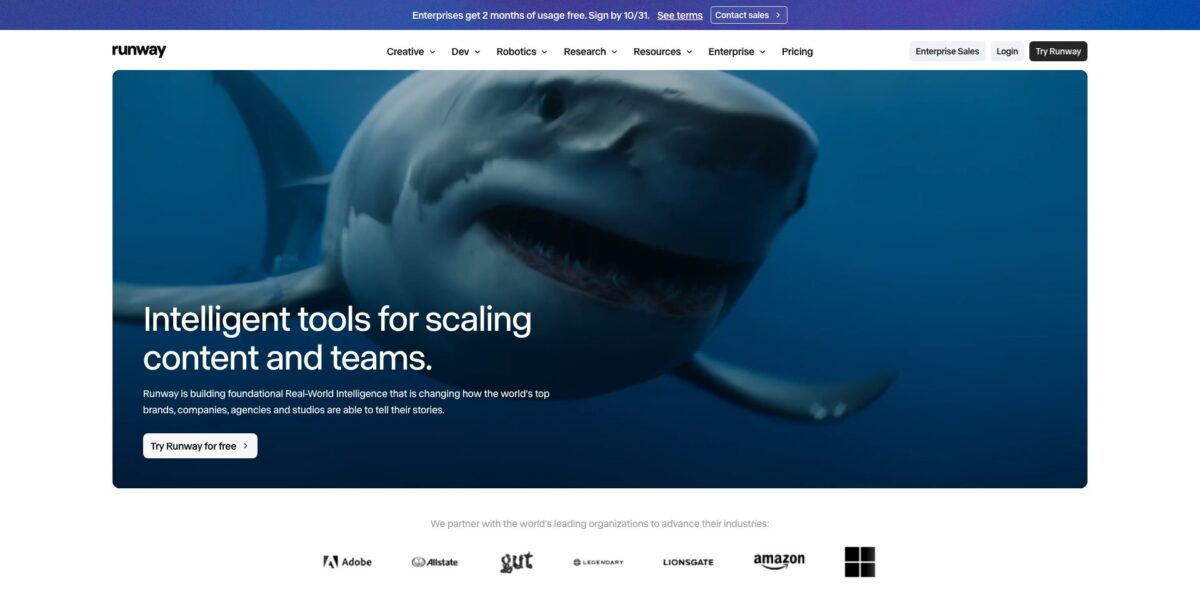
What is Runway?
Runway is a browser-based creative suite built around its own video models, Gen-4.5 for generation and Aleph 2.0 for editing existing footage, with partner models such as Kling 3.0, Seedance 2.5, Wan 3.0 and Nano Banana Pro available in the same workspace. You type a prompt or drop in a reference image, pick a model, and get a short clip back, then refine it with edit tools, upscaling, audio generation or a conversational Agent. It removes the need to juggle separate subscriptions for video, image and sound models. The weak spot is cost predictability: everything runs on credits, and a shot that takes five attempts costs five times as much. Runway fits filmmakers, agencies and marketing teams who need polished short clips and are willing to plan their credit budget.
How to start using Runway?
Create an account at app.runwayml.com and you land on the Free plan with 125 one-time credits and 5GB of storage. That is enough to try image tools and a few cheaper models, but Gen-4.5 requires the Standard plan or higher, so expect to upgrade before you judge the flagship model. Mobile apps for iPhone and Android exist, though Gen-4.5 itself is listed as a web feature.
For a first real project, open Tool Mode, select Video in the model selector and choose Gen-4.5. For Text to Video, describe both the visual elements and the motion of the scene. For Image to Video, drag a still into the prompt window and write only about movement: camera direction, what the subject does, how the light changes. Runway’s own guide stresses clear, direct language over long lists of style keywords.
Before you press Generate, check the settings row. Aspect Ratio defaults to your input image but can crop to 16:9, 9:16, 1:1, 4:3, 3:4 or 21:9. Duration runs from 2 to 10 seconds, and frame rate (24 or 25fps) sits under Advanced settings. Gen-4.5 costs 12 credits per second, so a 10-second clip uses 120 credits. Shorter test clips are the cheapest way to check whether a prompt works.
When a result looks right, favorite it, upscale it or download it from the controls under the output, or press Use to pass it into the next step, for example an Aleph 2.0 edit or a Workflow. If the motion is off, adjust one part of the prompt at a time rather than rewriting everything, so you can see which change fixed the shot.
Who is it for?
Independent filmmakers
You need establishing shots, inserts or VFX plates you cannot afford to film. Gen-4.5 handles camera choreography and sequenced actions inside one prompt, and Max adds ProRes, HDR and image sequences for a proper grading pipeline.
Performance marketers
You need a dozen ad variants per week across Reels, YouTube and feed formats. Runway Agent takes a brief, builds the assets and resizes them per placement, and Brand Kits keep logos and colors consistent across drafts.
Agencies and studios
You juggle several clients and hate chasing feedback by email. The Team plan gives each client a shared project, a pooled credit balance and frame-accurate comments with @mentions, so reviews happen on the clip itself.
Post-production editors
You already live in Premiere Pro, After Effects or Resolve. Runway plugins bring generation and extension into those tools, and Aleph 2.0 lets you change a product color or remove an object from footage you already shot instead of booking a reshoot.
Developers and product teams
You want video generation inside your own app. Runway Dev exposes Runway and third-party models through one API at $0.01 per credit, with a Model Router that picks a model for you and reports the realized cost.
Social content creators
You want short, striking clips without learning editing software. The Standard plan removes watermarks and includes music, voice and sound effects generation, though you will feel the 625-credit monthly cap quickly.
Runway pricing
Runway sells monthly credit allowances. Every generation consumes credits at a fixed rate per model, duration and resolution, so the plan you need depends on which models you use, not on seats (except for Team). On Standard and Pro, monthly credits reset each billing cycle and do not roll over; Max rolls up to one month of unused credits forward. Extra credits can be bought from Plans & Billing with a 1,000-credit minimum, and purchased credits never expire. Yearly billing knocks roughly 20% off.
125 one-time credits that do not expire, a selection of generative models for testing, 5GB storage.
625 credits per month, which Runway converts to about 52 seconds of Gen-4.5 or 104 seconds of Gen-4 Turbo. Access to all video and image models, 5 parallel generations, up to 3 projects, no watermarks, 4K upscaling, 20GB storage.
2,250 credits per month (about 187 seconds of Gen-4.5). 15 parallel generations, up to 5 projects, 1 Brand Kit, 1 custom voice clone, credit top-ups, Runway MCP, unlimited 4K video upscaling, 100GB storage.
9,500 credits per month (about 791 seconds of Gen-4.5) with one month of rollover. 20 parallel generations, up to 10 projects, 3 Brand Kits, 3 voice clones, early access to new models, HDR, ProRes and image sequence output, 500GB storage.
Each seat adds 6,900 credits per month to one shared pool with a month of rollover. Includes everything in Max plus up to 100 shared projects, 1TB storage, frame-accurate commenting, 20 shared agent skills, connectors for Figma, Dropbox and Notion, API access and priority support.
Custom. Unlimited members and workspaces, SSO, roles and permissions, SOC 2 and ISO/IEC 27001, no training on your data, legal indemnification and dedicated onboarding.
$0.01 per credit, bought per project in the developer portal; models are billed per second of output at their own rates.
Runway key features
Gen-4.5 video generation turns text or a single image into 2 to 10 second clips at 720p with 24 or 25fps
At launch in December 2025 it ranked first on the Artificial Analysis Text-to-Video leaderboard with 1,247 Elo, and Runway highlights its handling of physical weight, liquids and fine details like hair. You can describe camera moves and timed events in one prompt instead of stitching several generations.
Aleph 2.0 and Edit Studio edit footage you already have
You change one frame, say a sneaker color or a winter setting, and the model carries that change through the clip while keeping the background and action intact. It now handles clips up to 30 seconds at 1080p and multi-shot sequences, and Edit Studio previews the edit as an image before you spend credits on video.
A multi-model library sits behind one subscription
Alongside Runway’s models you get Kling 3.0, Seedance 2.5, Wan 3.0, Nano Banana Pro, FLUX.3 and Eleven v4 for voice, plus music and sound effects generation. You compare outputs from several labs without managing separate accounts and payment methods.
Runway Agent works as a conversational producer for marketing content
You describe the product, audience and goal, attach images or past campaign data, and Agent picks the models, generates the assets and sizes them as 9:16, 16:9 or 1:1. Brand Kits, Skills and saved Workflows let it repeat a team’s process on every new brief.
Workflows give you a node-based canvas with input nodes, media model nodes and LLM nodes that rewrite prompts or describe images. You chain generations so outputs feed directly into the next step, then save the chain as a template.
Runway MCP and editor plugins bring generation to where you already work
Pro and Max subscribers can call Runway from ChatGPT, Claude, Grok Bot, Cursor or Replit, and native plugins cover Premiere Pro, After Effects and Resolve. Watch the credit cost when generating from a chat window, since jobs start from a single message.
Enterprise-grade security covers SOC 2 Type II and ISO/IEC 27001 certification, TLS 1.2+ in transit and AES-256 at rest
Runway states that customer content storage is technically separated from model training systems, and the usage-rights policy leaves you full ownership and commercial rights to what you generate.
Runway Pros & Cons
Pros
Output quality is the main reason people pay for Runway. Gen-4.5 follows long, sequenced prompts well, and Aleph 2.0 solves a problem most generators ignore: changing one element in real footage without inventing new cuts or altering the rest of the scene. Having partner models, audio generation, upscaling and a node-based workflow builder under one bill saves real time when you compare options for a shot. Team features such as pooled credits and frame-level comments are mature compared with most AI video startups. Commercial rights are clear, with no credit line required. Use Runway when the final few seconds have to look right on a big screen or in a paid ad.
Cons
The credit model is the loudest complaint. A clip that misses the prompt still costs full price, and Runway refunds credits only for technical failures, not for disappointing results. Standard’s 625 credits cover under a minute of Gen-4.5, which many App Store and Trustpilot reviewers say runs out within a session. Gen-4.5 tops out at 10 seconds and 720p before upscaling, so longer pieces need stitching. Users also report that the Agent and chat integrations can start generations without showing the cost first. Check the credit estimate before every render and cap experiments with short durations.
Use Runway if you want…
- Generate cinematic short clips from text or a single image.
- Change objects, colors or seasons in existing footage.
- Test several leading video models under one subscription.
- Produce on-brand ad variants for every social placement.
- Build reusable node-based pipelines for repeat creative tasks.
- Add AI generation inside Premiere Pro or After Effects.
- Pool credits and review clips with your whole team.
- Call video models from your own app through an API.
Runway alternatives
 Kling AIRead review →
 Veo3.1Read review →
 PixVerseRead review →
 Vidu AIRead review →
 MiniMaxRead review →
 Wan.videoRead review →
 PikaRead review →
 InVideoRead review →
Runway Reviews
Professional users on G2 describe Gen-4 and Gen-4.5 output as genuinely cinematic, but say the 10-second clip ceiling limits what they can do without stitching shots together.
Some App Store reviewers who never paid for editing software say Runway was worth it, praising how it cut and combined their clips from plain-language instructions better than CapCut.
A recurring complaint on the App Store and Trustpilot is that off-prompt or failed attempts still consume credits, and refund requests for poor results are declined.
Mixed reviewers say the potential is impressive, yet usable footage often takes several re-renders, each billed separately, so the product feels unfinished for the price.
Several mobile users report that the Agent and the ChatGPT integration launched paid generations without confirming the credit cost first, draining a Pro balance in a single session.
FAQ
Is there a free version of Runway?
Yes. The Free plan gives you 125 one-time credits and 5GB of storage to test a selection of models, but Gen-4.5 requires the Standard plan or higher.
How many videos can I make with Runway credits?
Gen-4.5 uses 12 credits per second, so Standard’s 625 monthly credits cover about 52 seconds, Pro about 187 seconds and Max about 791 seconds. Other models such as Gen-4 Turbo are cheaper per second.
Can I use Runway videos commercially?
Yes. Runway states that you keep ownership and all rights to what you upload and generate, including for ads, monetized YouTube and film festivals, and crediting Runway is optional.
Do unused Runway credits roll over?
On Standard and Pro, monthly credits reset each billing cycle. Max and Team roll over up to one month of unused credits, and credits you buy separately never expire.
Does Runway have an API?
Yes. Runway Dev sells credits at $0.01 each and gives access to Runway models and partner models such as Kling, Wan and Seedance, with a Model Router that picks a model automatically.
Is my data safe with Runway?
Runway holds SOC 2 Type II and ISO/IEC 27001 certification and encrypts data in transit and at rest. Enterprise contracts add SSO, admin controls and a commitment not to train on your data.
How long can a Runway video be?
Gen-4.5 generates clips of 2 to 10 seconds, while Aleph 2.0 can edit existing clips up to 30 seconds at 1080p. Longer videos are assembled from multiple shots.
Can I change or cancel my Runway plan?
You can upgrade at any time with prorated billing and immediate extra credits. Downgrades apply the unused balance to your next cycle, and your current plan stays active until then.
Similar tools
 AIAIAll-in-one AI studio that puts Veo, Sora, Kling, Seedance and other models behind one credit balance for video, images, music and voice.
 ToMoviee AIWondershare's AI creative studio that turns text prompts and images into short videos, pictures, music, sound effects and voiceovers.
 Morph StudioBrowser AI video studio that runs Seedance, Kling, Veo and its own style transfer model, with a storyboard canvas for multi-shot clips.