

SeaArt.ai
Art GenerationUpdated October 5, 2026
SeaArt.ai is a powerful, browser-based AI generator offering professional Stable Diffusion tools, community models, and high-quality image creation.
We may earn a commission when you sign up through our links. It does not affect our reviews.
What is SeaArt.ai?
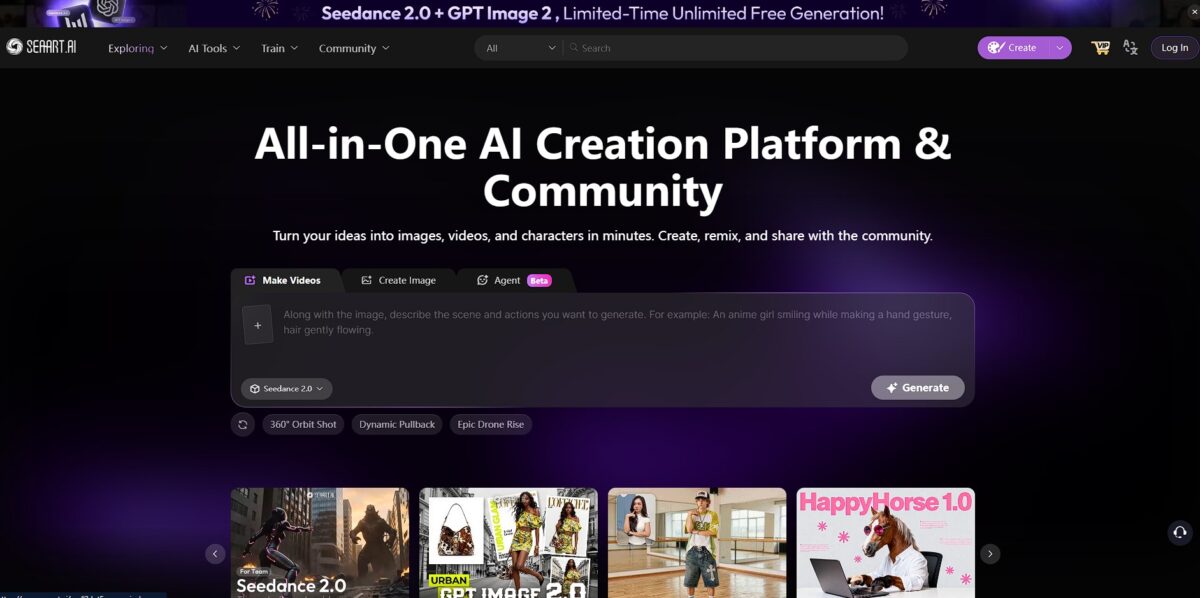
SeaArt.ai acts as a browser-based hub for Stable Diffusion, letting you skip the nightmare of local Python environments or expensive GPU rentals. It aggregates thousands of community-made models and LoRA weights, which means you can switch from architectural renders to 90s-style anime aesthetics with one click. I noticed the interface feels a bit cluttered compared to Midjourney, but it grants granular control over seeds and negative prompts that simpler tools lock away. That precision lets artists fix distorted anatomy or weird artifacts without starting over. While it excels at stylized character art, the recent tightening of censorship filters can disrupt workflows for creators looking for more edge. Use the “Try the Style” button on the explore page to instantly copy a successful prompt’s hidden settings.
How to start using SeaArt.ai?
You start by hitting the SeaArt.ai landing page and signing in with Google or Discord. There is no software to download or local environment to configure. I noticed the home feed feels like a Pinterest board for AI art, which helps you see what the engine can actually do before you burn any credits. No more guessing which prompts work with specific models.
Once you are in, pick a model from the massive community library. You can search for specific aesthetics like “watercolor” or “cyberpunk” rather than writing long descriptive paragraphs. The interface allows you to toggle LoRAs on and off to tweak the lighting or character details without rewriting your core prompt. This approach gives you granular control over the final render without needing a degree in prompt engineering.
The generation panel sits on the right side of the screen. Here, you define the aspect ratio and choose how many images you want to cook at once. The “Intelligent Analysis” button often helps clean up messy prompts that would otherwise result in distorted limbs or blurry backgrounds. It fixes the technical logic of your request so the AI doesn’t get confused by conflicting keywords.
If the result is almost perfect but has a small flaw, use the built-in “Swift Repair” or inpainting tools. You highlight the area that needs a fix, like a weirdly shaped hand, and let the AI regenerate just that part. This prevents you from wasting stamina on entirely new sets of images just to fix one minor artifact. The catch: a slightly steeper learning curve than simple one-click generators.
Who is it for?
GPU-less Experimenters
SeaArt lets you run resource-heavy Stable Diffusion models directly in your browser. You avoid the headache of configuring local Python environments or renting expensive cloud rigs just to try a new LoRA. This matters because it lowers the entry cost for high-end generation to zero.
Character Concept Artists
The platform excels at creating consistent figures across different poses using granular seed control. In practice, the interface helps you lock in facial structures that usually drift in simpler generators, so you can build a coherent character sheet without manual redrawing.
Anime and Stylized Illustrators
It hosts a massive library of community-trained weights specifically for 2D aesthetics and 90s-style renders. While it handles photorealism, the tool feels tailor-made for those hunting niche cel-shaded looks. You get instant access to the exact visual logic used by thousands of other creators.
Control-Oriented Hobbyists
It provides deep access to negative prompts and denoising strength that apps like Midjourney often hide. The trade-off is a cluttered UI, but the precision prevents the “AI look” from overriding your intent. You end up spending less time rerolling and more time refining specific details like anatomy.
Indie Game Devs
You can quickly generate environmental assets or UI icons using specific model weights to match your game’s art style. It works well for rapid prototyping, though the tightening of censorship filters might block grittier concept art. The path from a text idea to a usable 2D asset gets much shorter.
SeaArt.ai pricing
SeaArt.ai uses a credit system called Stamina to manage server load. You can scrape by on the daily free allowance, but serious rendering requires a monthly commitment.
You get 150-200 daily stamina. It resets every 24 hours, so use it or lose it. This works for casual testing but hits a wall if you are training models or batch-generating 4K upscales.
This is the entry point for hobbyists who need more than the basic daily drip. It provides a steadier flow of credits for consistent experimentation.
Aimed at power users. You get enough stamina to handle complex workflows like ControlNet layering without constantly checking your balance.
This tier moves into heavy-duty territory. Use this if you are generating hundreds of variations daily for commercial projects.
The ceiling for studios or developers. It removes most friction from high-volume production. The daily free stamina is generous compared to competitors, but it vanishes fast once you enable high-res fix or complex extensions. Higher tiers prioritize your tasks in the GPU queue. This matters because it saves you from staring at a progress bar during peak hours.
SeaArt.ai key features
Browse thousands of community-built models and LoRA weights directly in your browser
This saves you from hunting through GitHub repos or managing 50GB of local storage for checkpoint files. You can pivot from realistic portraits to 3D game assets in two clicks.
Control image composition with an integrated Sketch-to-Image canvas
It handles rough mouse drawings well, turning messy blobs into defined objects that actually follow your layout. This bridges the gap for creators who can draw better than they can describe.
Refine specific areas using the inpainting and outpainting editor
You can swap out a character’s clothing or expand a landscape without re-rolling the entire image and losing the parts you liked. This helps when a nearly perfect generation has a small anatomical glitch.
Access pro-tier Stable Diffusion settings like CFG scale and Seed control without a terminal
It exposes the technical knobs needed for consistency, though the interface feels cluttered for first-time users. This gives you the precision of a local install with the speed of a cloud server.
Work within a moderation system that combines AI filters and human review
Mature and explicit themes are blocked more strictly than they used to be, and images flagged by mistake can be appealed through customer support. Niche artists feel this most, since borderline concepts can trip the filter and waste stamina.
SeaArt.ai Pros & Cons
Pros
SeaArt.ai removes the friction of local Stable Diffusion setups. You skip the Python dependency hell and GPU heat by running resource-heavy checkpoints directly in a browser tab. The platform centralizes thousands of community LoRAs and models, letting you pivot from architectural renders to 90s-style anime with a single click. The “Swift AI” mode significantly reduces wait times when you just need a quick character concept without fine-tuning every noise schedule. That opens up high-end image generation for creators stuck on integrated graphics or mobile devices. Use the built-in search to find specific community aesthetics before writing a single word of your own prompt.
Cons
The interface feels like a crowded cockpit compared to the minimalist design of Midjourney. Navigating through endless sliders, model cards, and community feeds can lead to choice paralysis for newcomers. While the daily free stamina allows for casual testing, it evaporates quickly once you start experimenting with 4K upscaling or training personal models. Such a deep feature set comes with a learning curve that requires you to understand sampling steps and CFG scales to get predictable results. Without that knowledge, you can end up with distorted limbs or wasted credits on failed iterations. Check the “Prompt Studio” for preset styles if the manual settings feel overwhelming during your first session.
Use SeaArt.ai if you want…
- Stable Diffusion power without the local hardware headache
- To browse and deploy community LoRAs instantly
- Deep creative control for niche artistic projects
- High-quality, character-consistent generation across multiple scenes
- To skip technical Python setups for professional rendering
- Rapid prototyping with a massive library of models
- Cloud-based GPU access for complex image upscaling
SeaArt.ai alternatives
 CivitaiRead review →
 PixAI.artRead review →
 Leonardo.aiRead review →
 OpenArtRead review →
 MidjourneyRead review →
SeaArt.ai Reviews
Incredible versatility for a browser tool; the LoRA integration is a game-changer for my character designs.
FAQ
Is SeaArt.ai free to use?
Yes, SeaArt.ai offers a free tier that provides users with daily credits, known as stamina, to generate images and access a wide range of models and features at no cost.
Can I use the images I generate for commercial purposes?
Yes, the intellectual property rights for the content you generate on SeaArt belong to you, and the platform generally allows for commercial use of your own or others’ works.
What can I create with SeaArt.ai?
You can generate high-quality images, videos, and audio, and even interact with AI characters using text prompts, uploaded images, or pre-built models.
Does SeaArt.ai support image-to-image generation?
Yes, you can upload an existing image to serve as a base for the AI to analyze and transform into a new artistic piece or a different style, such as turning anime into realism.
Can I train my own AI models on the platform?
Yes, SeaArt.ai allows users to train their own custom AI image generation models and run them online to achieve specific artistic styles and preferences.
Is there a mobile app available for SeaArt.ai?
Yes, SeaArt.ai is accessible via both a web browser and a mobile app, allowing you to create and manage your art across multiple devices.
How does the stamina system work?
Stamina is a daily credit allowance used to manage server load; free users receive a set amount every 24 hours, while paid plans offer higher daily limits and faster processing.
Are there tools for enhancing image quality?
Yes, SeaArt.ai includes swift AI tools like an integrated 4K upscaler and AI filters to improve the resolution, detail, and aesthetic of your generated artwork.
Similar tools
 CustomuseAI 3D creation platform that chains image, video and 3D models into node workflows for game-ready assets, Roblox items and scenes.
 VisualGPTCredit-based AI image and video studio that runs Nano Banana, GPT Image, Seedream, Flux and Kling for product photos, photo edits and
 LovartAI design agent that turns a chat brief into logos, social posts, product shots, slides and videos on one editable infinite canvas.