
Sintra AI
AI AutomationUpdated October 5, 2026
Sintra AI automates workflows with specialized GPT bots and a vast prompt library to boost business productivity efficiently.
We may earn a commission when you sign up through our links. It does not affect our reviews.
What is Sintra AI?
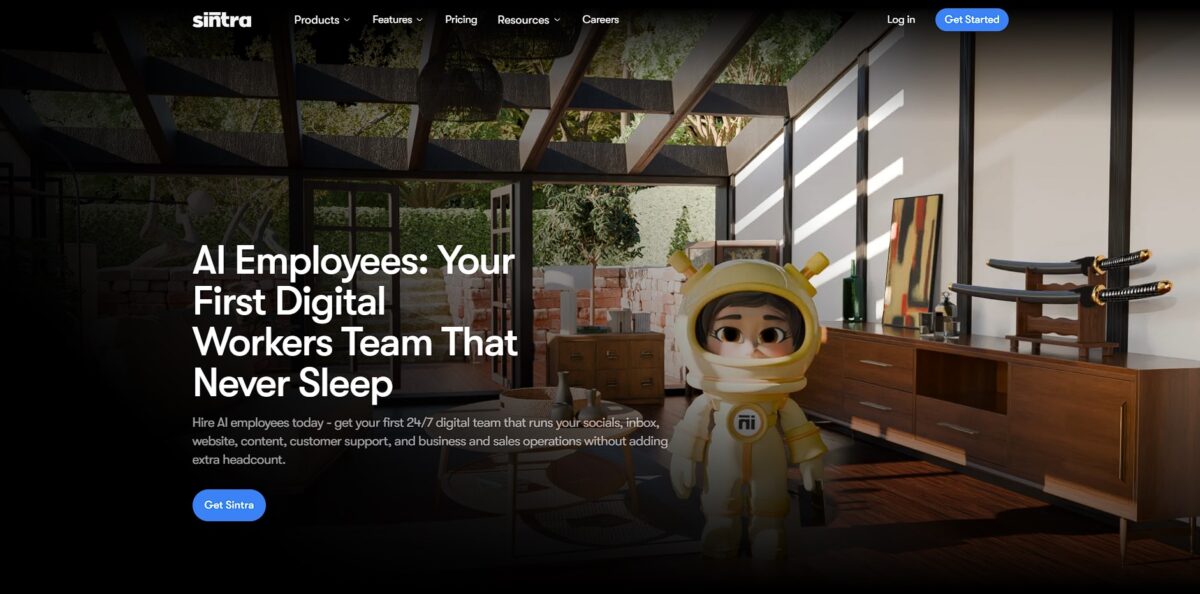
Sintra AI functions as a pre-configured digital workforce. It replaces the empty chat box with 12 specialized bots tailored for specific roles like recruitment or analytics. You feed your brand guidelines and docs into a centralized Brain AI so the agents stop asking the same basic questions. In testing, it excelled at churning through repetitive outreach drafts and SEO metadata without the typical prompt fatigue. It removes the friction of starting from zero on every single marketing task. You’re also spared the mental tax of switching between social media management and customer support all day. While it lacks the complex logic branching of traditional automation engines, it manages predictable, linear workflows with much less setup. Use it to offload daily administrative overhead, but don’t expect it to orchestrate your entire backend architecture.
How to start using Sintra AI?
You start by registering an account on the Sintra login page. Use your email to receive a six-digit one-time code. This verification replaces the traditional password step during initial onboarding. Once inside, you can set a permanent password to speed up future logins. Getting through the gate quickly lets you jump straight into configuring the workspace, with no technical friction for non-developers who just want to automate tasks.
The next move is training your Brain AI. This is a central knowledge base where you upload PDFs, link website URLs, or paste raw text about your business. Instead of starting with a blank chat, your agents use this data to match your brand’s specific tone and facts. I noticed that if you skip this, the responses stay generic. Providing context ensures the AI doesn’t guess your pricing or service details, which saves you from constant manual editing of AI drafts.
After the Brain is ready, activate your specialized AI Helpers. You find them in the Home section under a tab labeled AI Helpers. Pick a specific agent, like Gigi for general assistance or Penn for writing, and open their individual settings. You can adjust their language and specific instructions to fit your workflow. While it feels like a simple chat window, these agents are pre-configured for specific roles. So you don’t have to spend time learning complex prompt engineering.
Finally, connect your existing tools through the Integrations tab. You can link platforms like Gmail, Shopify, or Google Drive by signing in with your credentials via the side panel. These connections allow agents to summarize inboxes or send drafts directly to your apps. It is a bit more involved than just chatting, but it stops you from hopping between ten different browser tabs. This matters because true automation requires your tools to talk to each other without you as the middleman.
Start by uploading three high-performing past emails to Brain AI to help the agents mirror your voice immediately.
Who is it for?
Solopreneurs Wearing Every Hat
You are managing Shopify listings while drafting email newsletters and hunting keywords. Sintra provides a digital workforce so you stop manual copy-pasting between tabs. That buys back time for actual product development.
Small Agency Founders
You handle 10+ client relationships and context switching is killing your focus. The platform triages common requests and drafts replies in your specific brand voice. This matters because missing one client email can risk a major retainer. Gotcha: It suggests great ideas but you still have to click “send” yourself.
Freelance Writers and Content Creators
You need to churn out SEO-optimized blog outlines and social captions daily. The “Penn” helper generates drafts based on your existing style, moving you straight to editing. No more blank-page syndrome slowing down your billing.
Overstretched Marketing Managers
You are coordinating social media calendars and email sequences across three different platforms. The role-based agents draft content and schedule follow-ups without you building complex Zapier logic. Output quality stays consistent even when your team is lean.
Data-Driven Sales Ops
You need to qualify leads and personalize cold outreach without spending four hours in a CRM. Agents like “Milli” build lists and draft messages, leaving you to handle the actual meetings. Your pipeline fills up while you stay offline. Gotcha: Be ready to manually bridge the gap between drafts and your actual CRM.
First-Time AI Users
You want automation but feel overwhelmed by technical prompt engineering or complex workflow builders. The character-driven interface makes it feel like talking to a teammate rather than a command line. For non-technical owners, that lowers the barrier to entry.
Sintra AI pricing
Sintra AI avoids complex per-seat math by focusing on duration and access levels. You either hire one specific specialist or the whole department. The system runs on a credit model where 250 credits per month act as your fuel for generating content or analyzing files. While prices fluctuate with frequent heavy discounts, the entry point remains consistent for those looking to ditch manual prompting.
Sintra X
The full suite costs $97 for a single month, though annual billing often cuts this to roughly $15.60 to $54 per month depending on current promotions. You get all 12 specialized bots, from SEO masterminds to customer support agents. This works if you need to jump between drafting a LinkedIn carousel and auditing a Shopify store without switching platforms. It saves you from juggling five different subscriptions for niche tasks.
The upshot: one login replaces a stack of specialized tools for a flatter monthly cost.
Individual Helper
For $39 per month, you pick one dedicated agent like Soshie for social media or Penn for copywriting. This plan is no longer the primary focus of their sales page but remains a solid choice if your only bottleneck is one specific repetitive task. I noticed the credit limit stays at 250 regardless of the plan, so paying more doesn’t necessarily buy you more raw output volume. It simply expands your toolkit.
The point: you avoid paying for eleven “employees” you’ll never actually use.
Useful takeaway: Check for the 70% annual discount immediately after account creation before committing to the full $97 monthly rate.
Sintra AI key features
Access 12 GPT-powered automation bots designed for specific roles like marketing or data entry
Instead of wrestling with general prompts, you use specialized agents that already understand the nuances of a single business function. This saves you from the trial-and-error cycle of building complex instructions from scratch.
The centralized prompt library provides pre-built templates that you can customize or deploy instantly
It eliminates the blank-page syndrome by giving you a baseline for everything from social copy to project outlines. It also eases the mental load of switching between different creative tasks throughout the day.
Add-ons extend the capabilities of the core bots to handle more technical or creative requirements
You can bolt on extra functionality as your workflow grows more complex without switching to a different platform. This is a practical way to scale your output without increasing the number of tools you manage.
The internal credit system controls how much work each bot performs, giving you a clear view of your monthly consumption
You can assign specific limits to different tasks, which helps in managing budgets for larger team projects. Knowing exactly where your AI usage goes prevents surprise billings at the end of the month.
Browser-based access ensures you can manage your digital assistants from any device with a web connection
You aren’t tied to a specific OS or high-end hardware, which is great for remote work but less ideal if you need deep local file system integration. This accessibility ensures your automated workflows keep running even when you are away from your primary workstation.
Sintra AI Pros & Cons
Pros
Sintra AI skips the complex logic builds usually required for automation by providing pre-trained bots for specific marketing and sales chores. You can deploy a dedicated bot for SEO research or lead generation without connecting nodes in a visual builder. This approach saves hours of configuration time for small business owners who lack a technical background. The library of 2,500+ prompts acts as a safeguard against writer’s block during creative tasks. You can generate usable content immediately instead of spending half your day engineering the perfect instruction. Use the specialized bots if you need to offload predictable, repetitive tasks without hiring a virtual assistant.
Cons
The platform operates on a credit system that can feel restrictive if your workflow involves heavy batch processing. While specialized bots handle narrow tasks well, they offer less flexibility than a custom-coded agent for complex, multi-step business logic. You might find yourself switching between different assistants rather than having one cohesive system manage your entire pipeline. That’s the price of simplicity: it usually limits deep customization. The cost jumps significantly when moving from a single helper to the full suite, so audit your actual monthly usage before upgrading. Pick a single assistant first to see if the output quality justifies the monthly subscription fee.
Use Sintra AI if you want…
- Deploy specialized GPT bots for repetitive daily tasks.
- Access a vast library of ready-to-use automation prompts.
- Speed up creative workflows using intelligent AI assistants.
- Scale your business output without increasing manual effort.
- Centralize your automation tools in one smart dashboard.
- Reduce cognitive load by delegating grunt work to bots.
- Enhance team productivity with collaborative AI-driven workflows.
Sintra AI alternatives
 ZapierRead review →
 n8nRead review →
 BardeenRead review →
 TaskadeRead review →
 CrewAIRead review →
 AutoGenRead review →
Sintra AI Reviews
Sintra feels like hiring a bunch of junior interns who never sleep. It is great for basic drafts and simple tasks, but do not expect it to handle complex workflows without a human eye.
The zero-prompt setup is a lifesaver for someone who hates engineering the perfect query. It is snappy and the specialized helpers actually remember my business context.
Great for brainstorming and clearing out my inbox, but the paywall hits hard and fast. It is a polished UI over decent AI, though it still beats juggling ten different browser tabs.
Proactive suggestions are a nice touch, but some helpers feel redundant. It is a solid productivity booster for solopreneurs, even if the image generation is a bit hit-or-miss.
Onboarding was a breeze and the integration with Slack is seamless. Just be prepared to wait a day or two for support if you run into any technical glitches.
FAQ
Does Sintra AI have a free plan?
No, Sintra AI does not offer a free plan. It provides a 14-day money-back guarantee for users to test the platform.
How many credits do I get each month?
All paid plans currently include 250 credits per month, which are used to power AI tasks and image generation.
Can I switch helpers on the Individual plan?
No, you must choose one specialized AI helper when subscribing to the Individual plan. To access all helpers, you need the Sintra X plan.
What is Brain AI?
Brain AI is a central intelligence feature included in the Sintra X plan that allows the AI to learn about your business from uploaded files, URLs, and notes.
Does Sintra AI support multiple languages?
Yes, Sintra AI supports over 100 languages for tasks and communication.
Can I integrate Sintra with other apps?
Yes, Sintra integrates with popular business tools including Gmail, Google Drive, Notion, LinkedIn, and Instagram.
What happens when my credits run out?
If you run out of monthly credits, you can purchase credit top-ups to continue using advanced AI features until your monthly reset.
Is Sintra AI a full replacement for a CRM?
No, Sintra AI is designed to assist with tasks like drafting and scheduling, but it is not a full replacement for dedicated CRM or support systems.
Similar tools
 GPT WorkspaceAI agent for Google Docs, Sheets, Slides, Gmail and Drive that edits your files, runs GPT formulas in bulk and automates routine
 FPT.AIVietnamese enterprise AI platform from FPT Smart Cloud for chatbots, call-center voicebots, document reading and eKYC that automate customer operations.
 Frigate NVROpen-source NVR that runs real-time AI object detection on your own hardware and sends camera events to Home Assistant and other MQTT