

SnapEdit
Image EditingUpdated October 19, 2026
AI photo editor for web and mobile that removes objects, text and backgrounds, upscales and retouches photos, with batch workflows and an API.
We may earn a commission when you sign up through our links. It does not affect our reviews.
What is SnapEdit?
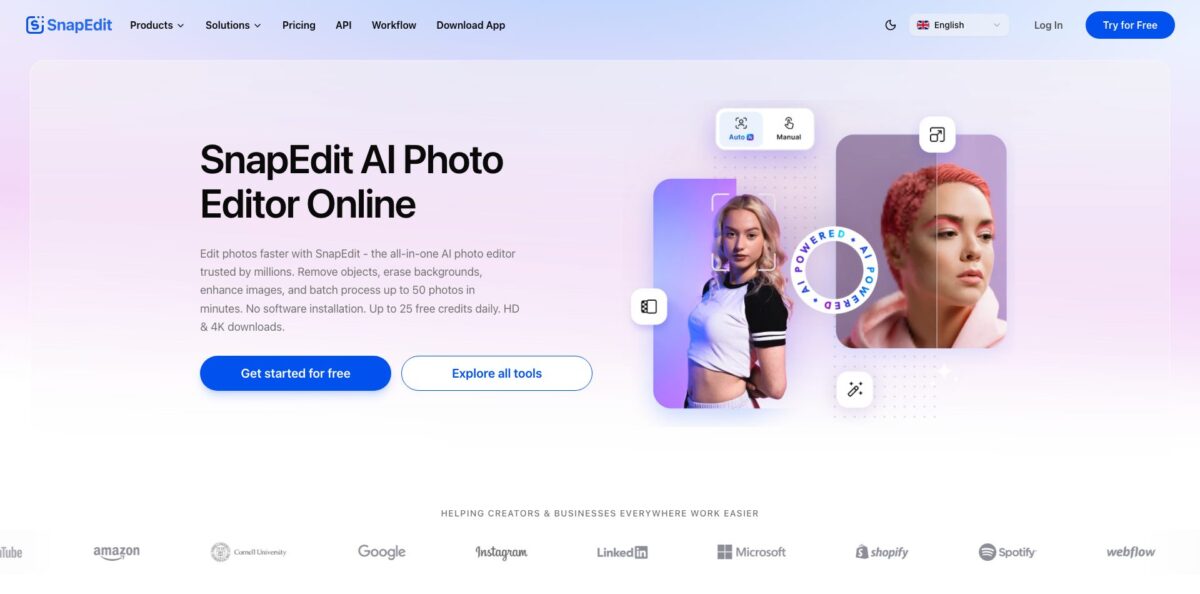
SnapEdit is a browser and mobile photo editor built by SilverAI around one job it does well: deleting things you don’t want in a picture. An object detection model highlights people, wires, text and clutter, a GAN inpainting model fills the gap, and a heavier Stable Diffusion option called Super Remove handles larger areas. Around that core sit background removal, 2x to 8x upscaling, skin retouching, sky replacement, old photo restoration and a drag-and-drop batch workflow builder, all paid for with one credit balance. The weak spots are the small free allowance, ads in the free mobile app, and separate billing between web and app stores. Pick it if you clean up travel, product or real estate photos often and want quick results without learning Photoshop.
How to start using SnapEdit?
Open snapedit.app in any modern browser, or install the iOS or Android app, and click Try for Free. You can run a few edits without an account, but signing in gives you the daily free credits and the Rewards check-in streak that adds bonus credits. Free exports are capped at 1600px and carry a watermark, so treat this stage as a quality check rather than finished work.
Your first real job should be Remove Object, the tool the product is built around. Drag a photo onto the upload area and the AI marks the objects it thinks are unwanted. Press Delete to erase them, or brush over anything it missed. Each standard removal costs 1 credit, and on a paid plan you can switch to AI Super Remove (2 credits) when a large shape leaves smudges behind.
Next, explore the tool menu in the header: Remove Background, Enhance, Remove Text, AI Skin, Sky Replace, Restore Old Photo and the non-AI utilities like Compress Image, Convert Image and Add Watermark. The pricing page lists the credit cost of every AI service, from 1 credit for most removals to 8 credits for Enhance 8X, AI Flash, Backlight Fix and Light Match. Glance at that table before running anything expensive.
For volume work, open Workflow. Pick one of the 20+ industry templates (white-background product tiles, real estate declutter, print-on-demand upscale) or chain nodes like Remove Background, Upscale, Remove Text and Crop yourself, then upload a batch and export PNG or JPG. Your balance has to cover every image in the run, so test the pipeline on two or three files first.
Who is it for?
Travelers and casual photographers
Tourists in the frame, power lines over a landmark and date stamps ruin otherwise good shots. One-tap removal on your phone fixes most of them in seconds. You keep the photo you actually wanted instead of a cropped compromise.
Ecommerce sellers
Marketplace listings need clean, consistent product images. Background removal, white backdrops and square crops can run as a saved workflow over a whole catalog. Listing day stops being a manual cutout marathon.
Real estate agents and photographers
Rooms full of clutter and gloomy skies drag down listing photos. Object removal, Sky Replace and Magic Enhance templates give you a cleaner base for every property. You send brighter, tidier images without outsourcing edits.
Social media creators
Content needs quick fixes, not a full editing session. Text removal, skin retouching and AI Expand for reframing cover most daily needs on mobile. You publish faster and spend less time inside a desktop editor.
Families restoring old photos
Faded, low-resolution scans of relatives are hard to fix by hand. Restore Old Photo, Colorize Image and Enhance give old prints new life. You get shareable copies without paying a retouching studio.
Developers and product teams
Building your own background removal or inpainting is slow and expensive. The SnapEdit API exposes removal, enhancement, segmentation and virtual try-on endpoints. You ship image features without training models.
SnapEdit pricing
SnapEdit runs on credits. Every AI action has a fixed cost (1 credit for Remove Objects, Remove Text or Remove Background, 2 for Enhance 2X or Restore Old Photo, 4 for Enhance 4X or Magic Enhance, 8 for Enhance 8X), and paid plans refill your balance. Unused credits roll over while your subscription stays active, and non-AI tools like compression and format conversion are unlimited on every tier. Paid plans list a 3-day trial at checkout.
The pricing card shows 10 credits per month, while the site FAQ describes 5 free credits per day plus up to 20 bonus credits from a 7-day check-in streak. Exports top out at 1600px with a watermark, and AI features are limited.
Includes 400 credits per month (4,800 per year), access to all AI services, 8X upscaling, FHD video enhancement, no watermark, exports up to 5600px, batch processing and no ads.
Includes 1,500 credits per month (18,000 per year) and adds AI Super Remove, AI Magic Enhance, 2K video enhancement, Mobile App PRO access and priority support.
Team plan with flexible seats, a shared credit pool, a shared asset library, batch workflow automation and centralized billing. The price loads on the Business tab of the pricing page rather than as a fixed public figure, and API volume deals are handled by sales.
Payments go through Paddle and accept major cards and PayPal. Refund wording differs between pages: the pricing FAQ mentions refunds within 14 days, while the general FAQ says payments are generally non-refundable, so ask support before you buy if that matters.
SnapEdit key features
One-touch object removal
The model detects unwanted people and objects automatically, you confirm with Delete, and a GAN inpainting model rebuilds the background. A manual brush covers anything detection misses. Most photobomb and clutter fixes take one or two taps at 1 credit each.
AI Super Remove
A Stable Diffusion based remover for larger distractions that the standard model leaves blurry. It costs 2 credits per use and needs the PRO plan.
Enhance and upscale
Enhance 2X, 4X and 8X increase resolution and sharpen detail, Art Enhance targets illustrations, and Magic Enhance (PRO) adjusts light and clarity in one pass. Paid exports reach 5600px. Low-quality phone shots and old scans become usable for print or listings.
Background tools
Remove Background cuts out the subject with a precise mask, Replace Background and 100+ templates drop it onto a new scene, and Blur Background or Easy Shadow finish the look. Product shots and profile photos get a consistent backdrop without manual masking.
Retouching and restoration
AI Skin removes acne and blemishes, Restore Old Photo and Colorize Image repair faded prints, and Remove Line, Remove Text and Sky Replace clean up common problems. The mobile app adds face and body sliders, AI Hair and a wrinkle tool.
Batch workflow builder
Chain nodes such as Remove Background, Upscale, Remove Text and Crop into a pipeline, start from 20+ industry templates, and run hundreds of images in one pass. Each node charges the same credits as the standalone tool.
Developer API
Endpoints cover background removal, standard and Super removal, enhancement, segmentation of 353 object types and virtual try-on. It accepts JPG, PNG and WEBP up to 10MB, paid plans include a commercial license, and the workflow API is OpenAI SDK compatible.
SnapEdit Pros & Cons
Pros
Object removal is the reason people stay. App store reviewers repeatedly say it erases a person or object cleanly on the first pass, even close to the edge of another subject, and the automatic detection saves you from careful brushing. The web app needs no install, the same credit balance covers dozens of tools, and non-AI utilities are unlimited even on the free plan. Paid tiers are inexpensive on annual billing, credits roll over, and the workflow builder plus API give small businesses a route to batch editing without a developer. Uploaded and result images are deleted about an hour after upload, according to the privacy policy. Start on Standard annual if most of your work is removals and cutouts.
Cons
The free tier is thin, and the site describes it inconsistently, so you hit limits quickly. Free mobile users report ads after each removal and longer ads before saving. Subscriptions are split between the web (Paddle) and the App Store or Google Play, and AppSumo buyers describe login and mobile access problems, so a web plan may not carry over to the app as expected. Some long-time users complain that updates changed tools they relied on, such as the enhancer results and background replacement. There are no layers or non-destructive edits. Confirm which platform your plan covers and keep originals before every edit.
Use SnapEdit if you want…
- Remove photobombers and tourists from travel photos.
- Erase power lines, text and timestamps quickly.
- Cut out product photos for marketplace listings.
- Upscale blurry images up to eight times.
- Restore and colorize old family photos.
- Batch edit catalogs with a no-code workflow.
- Retouch skin and blemishes in portraits.
- Add object removal to your app via API.
SnapEdit alternatives




SnapEdit Reviews
App Store users praise how cleanly the object remover makes people disappear, but say an ad pops up after each removal and a longer one plays before saving on the free version.
A Google Play reviewer calls it the rare remover that erases exactly what you brush without copying patterns from elsewhere in the picture, and says the ads are worth tolerating.
A paying subscriber on the App Store liked the enhancer’s choice of three results until an update degraded one of them, and regretted the yearly purchase.
AppSumo buyers rate it 3.4 out of 5: some call it a practical retouching tool with good value, while others hit login and mobile app access problems and find the interface clunky.
A long-time Android user lost the ability to set a custom background after a redesign that pushed templates instead, and considered cancelling.
FAQ
Is SnapEdit free?
Yes, there is a free tier with a small credit allowance, unlimited non-AI tools and watermarked exports up to 1600px. The site FAQ lists 5 free credits per day with up to 20 extra from a check-in streak, while the pricing card shows 10 credits per month.
How much does SnapEdit cost?
Standard is $10/month or $72/year with 400 credits per month, and PRO is $20/month or $144/year with 1,500 credits per month. A Business team plan with shared credits is also offered.
How do SnapEdit credits work?
Each AI tool has a fixed cost, such as 1 credit for removing an object and 4 credits for a 4X enhancement. Unused credits roll over while your subscription is active, and you can buy pay-as-you-go packs if you run out.
Does SnapEdit keep my photos?
The privacy policy says uploaded and result images are deleted at the latest about one hour after upload, and they are not shared with third parties.
Is SnapEdit available on mobile?
Yes, there are iOS (iOS 15 or later) and Android apps, and the web editor also works in mobile browsers. Mobile App PRO access is included in the PRO web plan, not in Standard.
Does SnapEdit have an API?
Yes, the API covers background removal, object removal, enhancement, segmentation and virtual try-on, with JPG, PNG and WEBP files up to 10MB. Enterprise and volume pricing go through the sales team.
Can I batch edit photos?
Paid plans include batch processing, and the Workflow builder runs chained edits over as many images as your credits cover.
Can I cancel my subscription anytime?
Yes, you can cancel at any time and keep premium access until the end of the billing period. App store subscriptions must be cancelled through your device settings.
Similar tools
 HamaFree browser-based AI eraser that removes people, objects, text and blemishes from photos with a brush, plus an inpainting API for developers.
 BgEraserBrowser-based AI background remover that turns up to 20 photos per batch into transparent PNGs without an account, plus offline apps for
 ImgkitsBrowser-based set of AI photo tools for background removal, object cleanup, upscaling, old photo restoration, image generation and image-to-video.