

Sprig
Data AnalysisUpdated November 21, 2026
Enterprise survey platform where AI agents design studies, run adaptive surveys across email, panels and apps, and turn responses into reports.
We may earn a commission when you sign up through our links. It does not affect our reviews.
What is Sprig?
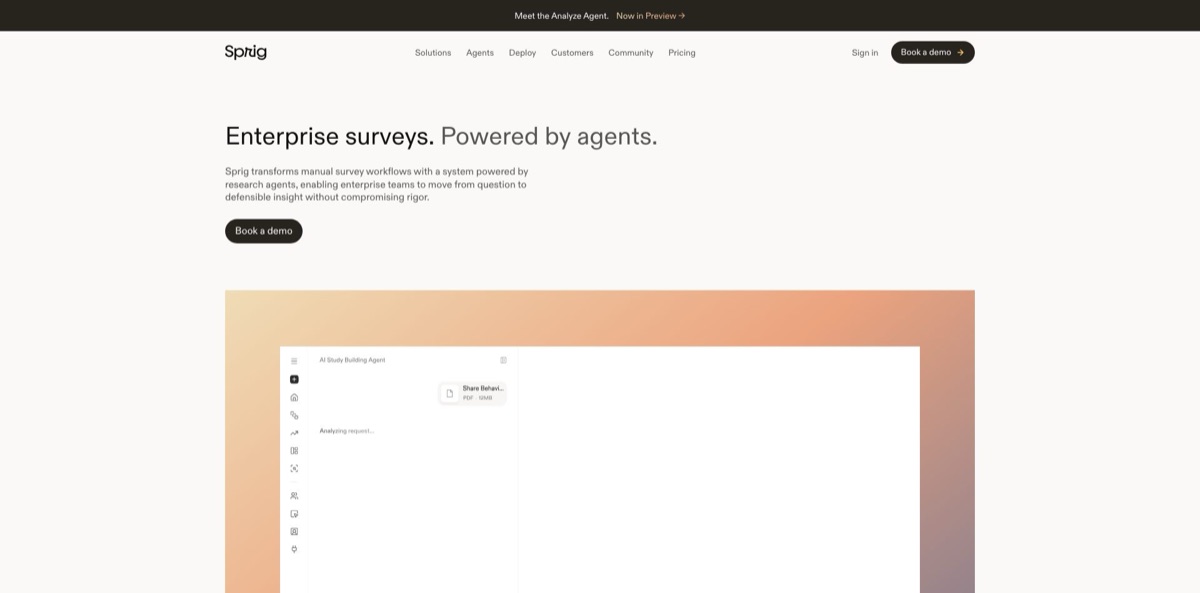
Sprig is an enterprise survey platform built around AI research agents that cover study design, fielding, statistical analysis and synthesis. You upload a research brief or an existing questionnaire, the Design Agent programs the logic, the Field Agent runs it as a conversational survey across email, external panels, websites and mobile apps, and the Synthesize Agent turns open-text answers into themed reports where every finding links back to real responses. The company started life as UserLeap, a self-serve in-product microsurvey tool, and has since moved firmly upmarket: there is no public price, no free plan and no self-serve signup, only a demo request. That makes it a strong fit for research and insights teams replacing Qualtrics-style tooling, and a poor fit for a small startup that just wants an NPS widget live this week.
How to start using Sprig?
Access starts with the Book a demo button on sprig.com rather than a signup form, and existing customers sign in at app.sprig.com. Pricing is scoped during that conversation, so come prepared with your expected response volume and the channels you need (link, email, web or mobile), because those drive the quote. Onboarding and support are part of the enterprise contract, so expect a customer success contact to help with workspace setup, roles and access controls.
Next, decide how studies will reach people. Link, email and panel studies need no code: email surveys go out from your own domain with open-rate tracking, and panel studies recruit from more than 300,000 B2B and B2C participants filtered by over 300 targeting attributes. For in-product research, your engineers install the JavaScript SDK (the HTML snippet is the recommended option because it updates itself; npm and Segment also work) or the mobile SDK for iOS, Android, React Native or Flutter, then send the events and user attributes that trigger surveys.
Build the first study with the Design Agent. Upload a survey document, paste questions or describe the objective in plain language, and it drafts the question flow, skip logic and sections. Before launch it flags broken logic, dead ends and leading or unclear questions, and it can simulate the study against custom personas to estimate completion time, drop-off and response distribution. In the Field Agent settings you choose whether AI follow-up questions are on, and you can pipe attributes such as plan type into question wording.
Once responses arrive, open Studies, pick the study and go to Summary. Open-text questions show AI-generated themes with response counts; click any theme to read the answers behind it, rename themes to match company language, or export the analysis together with raw responses. The Synthesize Agent then drafts a report with an executive summary and recommendations that you edit before sharing. If an admin enables the MCP server under Integrations, AI & MCP, you can also query results from Claude, ChatGPT, Cursor or Notion.
Who is it for?
UX Research Leads
You support many product squads with a small team and lose days programming surveys and coding open-text answers by hand. The Design and Synthesize Agents take over setup and first-pass theming, so your hours go into interpretation and stakeholder conversations instead of spreadsheet work.
Insights and Market Research Teams
Pricing and packaging questions usually mean a separate panel vendor plus a legacy survey license. Here Conjoint, MaxDiff and Van Westendorp analysis sit next to built-in panel recruitment with quotas and incentives, so one platform covers the path from recruitment to report.
Product Managers at Large SaaS and App Companies
You want to know why users abandon a flow right after they abandon it. Event-triggered in-product surveys on web and mobile, plus replay clips around each answer on mobile, connect what people said with what they did.
CX and Experience Measurement Owners
Quarterly NPS, CSAT and pulse surveys sent by email are a recurring chore. Sprig runs multiple waves from one study with consistent methodology, and its agents are pitched at explaining why a score moved rather than only reporting the number.
Teams Standardizing on AI Assistants
If your company already works in Claude, ChatGPT, Cursor or Notion, the MCP server lets people pull themes and responses into those tools and even draft studies from a prompt. Nobody has to export CSVs and rebuild charts by hand.
Regulated Enterprises
Healthcare and finance teams often stall at security review. Sprig lists HIPAA, SOC 2 Type II, ISO 27001, ISO 27701, GDPR and CCPA, which gives reviewers a familiar checklist to start from.
Sprig pricing
No dollar figures appear anywhere on the official pricing page. Pricing is quote-based and arranged through a demo, and the page names three factors that set the cost: total response volume across studies, which research capabilities you activate, and which deployment environments you use (link, email, web, mobile). Enterprise onboarding and support are included rather than sold separately. Older third-party listings still mention a free tier and a self-serve Starter plan from the UserLeap era; neither appears on the current pricing page, so treat those numbers as outdated.
Custom, quote-based. Includes the Design, Field and Synthesize Agents, adaptive survey architecture, reach through external panels, email and in-product channels, AI-powered study design and analysis, organizational governance and access controls, and enterprise security and compliance.
Custom. As a program grows you can activate modules for experience measurement, strategic and foundational discovery, journey and behavioral research, market and consumer insights, and concept and prototype testing, each of which changes the quote.
Not listed. The only entry point on the site is a demo request, and the pricing page mentions no free tier or trial period.
Sprig key features
Design Agent turns a brief, an uploaded questionnaire or a plain-language objective into a structured study with question flow, branching and recommended question types. It then audits the draft for broken logic, dead ends and leading or unclear wording, and it can generate AI translations for multi-language studies. A persona simulation estimates completion time, drop-off and how open-text answers might cluster before any real participant sees the survey.
Field Agent delivers studies in a chat-style format that shows one question at a time and can add AI-generated follow-ups based on each answer. Attribute piping drops user data such as plan type or lifecycle stage into question wording and branching, and study links carry embedded user IDs across email, panel and CRM channels. Sprig says teams often see up to 2x higher completion rates after moving from static forms to conversational delivery, a vendor claim worth checking on your own audience.
Analyze Agent, currently in preview, recommends and runs crosstabs, t-tests, ANOVA, correlation and Van Westendorp price-sensitivity analysis. Calculations run on established packages such as pandas and SciPy, while the agent translates your question into the right test and lets you rerun it through conversation. Built-in data cleaning flags low-quality responses, and finished analyses move straight into a Sprig report or can be sent to Claude for further work.
Synthesize Agent groups open-text answers into named themes, shows how many responses support each one and lets you open the responses behind every theme. Under the hood it sends responses to OpenAI’s GPT models, and Sprig states that OpenAI API data is deleted after 30 days and is not used for training. It also drafts executive summaries and recommendations, compares themes and metrics over time for recurring programs, and lets you edit every generated insight before sharing.
Multichannel distribution feeds link, email, panel, web and mobile studies into one dataset
Email sends from your own domain with open-rate tracking and multiple waves per study, while panels offer 300,000+ verified B2B and B2C participants, 300+ targeting attributes, bot detection and automatic incentives. SDKs cover web, iOS, Android, React Native and Flutter, and on mobile, replay clips capture up to five minutes before and after each response.
Advanced survey methods include Conjoint, MaxDiff, images in questions, unbranded surveys for market research, response-based quotas and display logic with answer limits. These are the methods that usually push teams toward Qualtrics or a specialist research vendor. Having them next to AI analysis means pricing and packaging studies can run end to end in one tool.
Sprig MCP server connects your workspace to Claude, Claude Code, ChatGPT, Codex, Gemini CLI, GitHub Copilot, Cursor, Figma, Linear and Notion. Through it an AI assistant can read responses and themes (up to 1,000 records at a time), draft studies with 11 question types, set targeting, start translation jobs and create up to 10,000 invitation codes per batch. Drafts carry an AI watermark and stay unpublished until someone explicitly launches them, and access is scoped to each person’s own role.
Sprig Pros & Cons
Pros
Sprig covers the whole survey lifecycle in one place: agent-assisted design with logic validation, conversational fielding with AI follow-ups, recruitment from a built-in panel, statistical tests and themed reports. Few survey tools combine in-product triggers on web and mobile with email programs and external panels in a single dataset, so you can compare what customers and non-customers say about the same concept. The open-text theming keeps a trail back to individual responses, which helps when stakeholders challenge a finding. The compliance list clears most procurement checklists, and the MCP server brings results into the AI tools your team already uses. Ask for a pilot study during the demo so you can judge theme quality on your own data.
Cons
Everything sits behind a sales call. With no public prices, free plan or trial, you cannot compare costs or try the agents before signing, and smaller teams that relied on the old self-serve UserLeap plans have been pushed toward simpler tools. Several features are new or still rolling out: the Analyze Agent is in preview, and the Field Agent page lists quota and targeting management as coming soon. Most public reviews on G2 describe the earlier in-product survey product, so independent feedback on the agents is thin. Reviewers also note that advanced in-product studies need engineering help and that reporting could be more flexible. Get written confirmation of which agents and channels your contract includes before you sign.
Use Sprig if you want…
- Turn existing questionnaires into launch-ready studies within minutes.
- Run Conjoint and MaxDiff studies without a separate vendor.
- Recruit B2B or B2C panel participants inside one platform.
- Trigger surveys from real user events inside your app.
- Turn thousands of open-text answers into traceable themes.
- Replace legacy survey tooling with agent-assisted research workflows.
- Query research results directly from Claude or ChatGPT.
- Track NPS and CSAT across repeated email survey waves.
Sprig alternatives

Sprig Reviews
G2 reviewers say setup on the web is quick and building surveys is easy even without a dedicated researcher, helped by a solid template library, though some want more research types so other departments could adopt it too.
Product teams praise targeting surveys by what users actually do in the product and say in-app surveys feel native on iOS, but more advanced studies still need engineering time to wire up events.
Researchers running surveys across several segments find it hard to tell whether response quotas are filled, and dashboards only let you compare two releases side by side.
Users like the AI summaries of open-text feedback and say product managers adopted the tool with little hand-holding, while others feel the growing set of AI features adds clutter.
Billing confuses some buyers, especially how monthly tracked users are counted, and several reviewers ask for more flexible, deeper reporting.
FAQ
Does Sprig have a free plan or trial?
No free plan or trial is listed on the official pricing page. Access starts with a demo request, and older mentions of a free tier refer to plans that are no longer advertised.
How much does Sprig cost?
Pricing is quote-based. Sprig sets it according to your total response volume, the research capabilities you activate and the deployment channels you use, with onboarding and support included.
Does Sprig use my survey data to train AI models?
Sprig states it does not use customer data for AI training. Open-text analysis sends responses to OpenAI’s GPT models through the API, and Sprig says that data is deleted after 30 days and not used to train OpenAI’s models.
Which AI assistants can connect to Sprig?
The Sprig MCP server works with Claude, Claude Code, Claude Cowork, ChatGPT, OpenAI Codex, Gemini CLI, GitHub Copilot, Cursor, Figma, Linear and Notion. A Sprig admin has to switch it on under Integrations first.
Can I survey people who are not my customers?
Yes. Built-in panels give access to more than 300,000 verified B2B and B2C participants, with screening questions, quotas, automatic incentives and unbranded surveys to reduce bias.
Which platforms do the Sprig SDKs support?
Sprig offers a JavaScript SDK for websites and web apps, installed via HTML snippet, npm or Segment, plus mobile SDKs for iOS, Android, React Native and Flutter.
Can Sprig run surveys in multiple languages?
Yes. The Design Agent can generate AI translations of a study, and translation jobs can also be started and reviewed through the MCP server.
Is Sprig HIPAA and SOC 2 compliant?
Sprig lists HIPAA, SOC 2 Type II, ISO 27001, ISO 27701, GDPR, CCPA and the Data Privacy Framework on its site. Ask for the reports during procurement to confirm what they cover.
Similar tools
 RossumIntelligent document processing platform that uses a proprietary transactional LLM to capture, validate and export data from invoices and orders.
 VeryfiDocument AI platform whose OCR APIs turn receipts, invoices, checks and bank statements into JSON, with built-in fraud checks and a mobile
 AirROIShort-term rental analytics platform with ML revenue estimates, Airbnb market data for 190+ countries and a pay-per-call pricing API.