
starryai
Art GenerationUpdated November 12, 2026
Web and mobile AI art generator that turns text prompts into images in hundreds of community styles, with photo edits, short videos and custom style training.
We may earn a commission when you sign up through our links. It does not affect our reviews.
What is starryai?
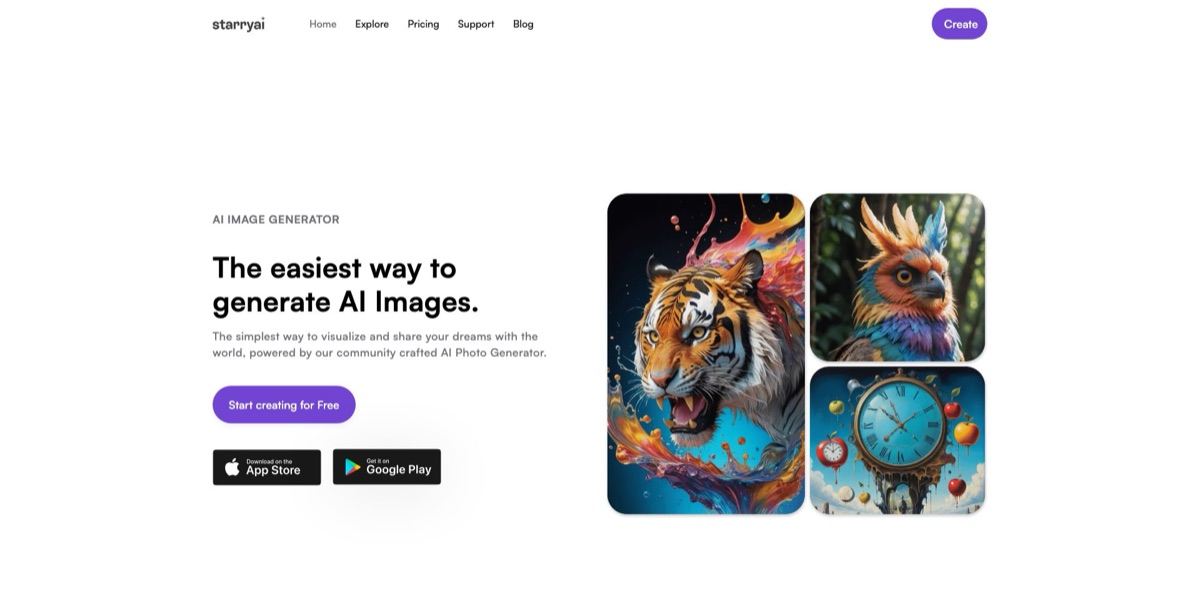
Made by starryai, Inc. in Austin, Texas, starryai is a text-to-art app for the web, iPhone, iPad and Android: you type a prompt, pick one of hundreds of community-made styles, and get a set of images back in seconds. Newer tools sit on top of that core, including word-based photo edits and photoreal images with Nano Banana, short image-to-video clips with the Nova Ultra model, upscaling up to 16×, and custom styles trained on your own pictures. It removes the setup that a local Stable Diffusion install or a prompt-heavy tool demands, and every community post shows its prompt, so you learn by remixing. The weak spots are a Lumen credit system that still charges for edits, video and large upscales on Unlimited plans, a shrinking free allowance, and recurring complaints about stability and support. Pick it for casual, stylized art on your phone rather than precise commercial design.
How to start using starryai?
Open starryai.com and click Start creating for free, or install the iOS or Android app. The homepage promises a 30-second sign-up with no credit card, and you can sign in with Apple or Google. New accounts receive a starting balance of Lumens, the app’s credit currency, and the mobile apps add free credits every day, although the size of that daily allowance has changed over time. One thing to settle early: subscriptions are tied to the platform where you buy them, so a web plan cannot be managed or canceled in the mobile app and vice versa.
For your first image, go to the Home screen and tap the arrow button to start a new creation. Describe the scene in the prompt field, choose a style, and tap Create. The help center’s quick-start guide also shows Add Image, which lets you upload a reference and combine Style, Face and Composition options, so a portrait can keep a face while borrowing the look of a style. With base settings, one Lumen pays for a set of four images, according to the plan page FAQ. If a result is close but not right, open a similar image in the community feed and tap Recreate to start from its prompt and style.
Three other screens matter once you get going. The Edit feature on the Home screen takes a picture from My Creations, your photo album or the camera, and you describe the change in plain words, such as “change the background to a sunset beach”. AI Tools holds Upscale (4×, 8× or 16×) and Enhance, which adds detail while raising resolution. To build a signature look, open the Styles tab, go to My Styles, tap Create Style and upload 5–60 square images of a consistent aesthetic; training costs 50 Lumens and usually takes about 45 minutes.
Before you share or sell anything, download what you want to keep. Standard creations stay in My Creations indefinitely, but upscaled and enhanced files are deleted after 7 days, and edited images are lost if you close the app before saving them. You can publish a single variation from a set with its own title and visibility setting, or keep it private. You own the copyright to your outputs and can use them commercially, as long as you hold the rights to any photos you uploaded and stay within the content policy and the CreativeML Open RAIL-M use restrictions.
Who is it for?
Casual mobile creators
You want striking art from a single sentence while you wait for a train, without installing models or learning a node editor. starryai puts the prompt box, the style picker and the community feed in one phone app. Free daily credits cover light play, while daily use quickly points you to a plan.
Stable Diffusion hobbyists away from their rig
Some App Store reviewers say they open starryai when they cannot reach their home Stable Diffusion setup. You get community styles and Flux-based styles in a phone app without managing a GPU. Custom style training gives you fine-tuning on your own dataset without touching any code.
Illustrators building a consistent look
Train a style on 5–60 of your own images, then generate new scenes in that aesthetic and publish the style for others to use. Training runs on starryai’s servers, and Lumens are refunded automatically if a job fails after 2 hours.
Social media creators
Edit photos with words, swap a background or change the season, and animate a still into a short HD clip for Reels or TikTok. Outputs carry no watermark and you own them, so they go straight into posts. Budget for extra Lumens, because edits and video are charged even on Unlimited plans.
Print and merch hobbyists
The license allows commercial use without attribution, and 8× or 16× upscaling prepares images for posters and large prints. That makes it workable for small print-on-demand shops and personal merch. Download upscales within 7 days, since the server deletes them after that.
Prompt learners
Every community post shows its prompt and style, with trending feeds for today, this week and all time, plus a weekly challenge and the Daily Edit. You learn what works by remixing instead of reading long prompt guides.
starryai pricing
Subscriptions and Lumens work side by side. Lumens are a credit currency spent on fast generations, photo edits, video, large upscales and style training, while subscriptions add a monthly Lumen allowance and, on Unlimited tiers, unlimited slow generation after your fast Lumens run out. The web plan page loads its prices dynamically inside the app and advertises 20% off for annual billing, so the dollar figures below are the US App Store in-app prices as of November 2026. Web checkout runs through Stripe and may show different amounts.
A free account with a starting Lumen balance and free daily credits in the mobile apps. The Android app shows ads, and long-time users report that the daily allowance has shrunk, so treat it as a trial rather than a working tier.
$4.99/week for Starter Pro Weekly, while 1 Week Unlimited Pro is listed at both $6.99 and $11.99 in the US App Store.
A credit-based plan with a monthly Lumen allowance for fast generations; the Google Play listing says Pro adds Pro generations, video creation and upscaling and removes ads. The exact monthly Lumen count is shown only at checkout.
Unlimited image generation with starryai and community styles, switching to slow mode once included Lumens are spent, plus 4× upscaling in unlimited slow mode. Edits, transformations, video and 8× or 16× upscales still cost Lumens, and members can buy extra Lumens at 50% off.
price shown on the web plan page only. The top tier keeps the same unlimited slow generation as Unlimited Pro with a larger fast allowance; no official USD figure is published outside the app.
a 40-Lumen pack costs $15.99 on the App Store.
You can upgrade or downgrade at any time, and leftover Lumens roll over to the new plan, except the fast Lumens included in Unlimited plans. Cancellation takes effect at the end of the billing cycle. Web purchases can be refunded within 7 days if you used less than 5% of the Lumens; App Store and Google Play refunds go through Apple or Google.
starryai key features
Hundreds of community styles
Anime, oil paint, 3D, ink, pixel art, photoreal and many more sit one tap away, and artists in the community keep adding new ones, with new styles and models arriving every month. You choose a look instead of engineering it with long prompt modifiers.
Photo editing with words
Upload a photo from My Creations, your album or the camera and describe the change, for example a new background, a different season or a painted version of a snapshot. Photoreal images and edits run on Nano Banana, and there are no layers or masks to manage. Edited results are not stored, so download them right after they appear.
Image-to-video with Nova Ultra
Pick any image, yours or one from the community, and animate it into a short HD clip; starryai describes Nova Ultra as its most powerful video model, producing cinematic 10-second videos. Video is charged in Lumens on every plan.
Custom style training
Upload 5–60 consistent images, crop them to square, pick a category and starryai fine-tunes a model on them for 50 Lumens. Training usually takes about 45 minutes and up to 2 hours at busy times, with an automatic refund if it fails. You can then generate with the style privately or publish it for other users.
Upscale and Enhance
Creations come out in high quality by default, and Upscale raises resolution 4×, 8× or 16× for large displays or printing. Enhance adds detail and upscales in one step.
Community feed and challenges
Browse what is trending today, this week and all time, see the prompt and style behind every post, and tap Recreate to make your own version. The weekly challenge and the Daily Edit, one photo with one edit request each day ranked by votes, give you a reason to come back. Your first Daily Edit is free.
Ownership and platforms
One account covers the web app, iPhone, iPad, Apple silicon Macs and Android, and images carry no watermark. You own the copyright and can print, post or sell your work without attribution.
starryai Pros & Cons
Pros
The app is quick to learn: a prompt box, a style picker and a Create button cover most sessions, and App Store reviewers often call it simple and uncluttered. Style variety is the main draw, with hundreds of community styles plus the option to train your own on as few as 5 images. Outputs have no watermark, you hold the copyright, and commercial use needs no attribution. The same account works on the web, iPhone, iPad and Android, and Unlimited plans remove the hard cap on standard generation through slow mode. Because the feed shows every prompt, it doubles as a free prompt-writing course. Start by recreating three community images you like to find the styles that match your taste.
Cons
Cost is the most common complaint. Unlimited Pro still charges Lumens for edits, transformations, video and 8× or 16× upscales, and reviewers on both app stores call credits expensive for what you get. Long-time users say the free daily allowance has dropped, contests and features have disappeared, and custom styles sometimes stop working. Stability and support draw criticism as well: paying members describe black screens, crashes and support tickets left unanswered for over a week, and one got a refund through Apple instead. The safety filter can also block harmless prompts. Since upscales vanish after 7 days and edits are not saved, download results immediately, and buy on the web if you want starryai’s own refund policy to apply.
Use starryai if you want…
- Turn one-sentence prompts into stylized art on your phone.
- Explore hundreds of community styles without writing complex prompts.
- Train a custom AI style on your own images.
- Edit photos by describing changes in plain words.
- Animate a still image into a short HD video clip.
- Upscale artwork up to 16× for prints and posters.
- Learn prompting by remixing community images and their prompts.
- Sell or print AI art that you fully own.
starryai alternatives
 MidjourneyRead review →
 Leonardo.aiRead review →
 OpenArtRead review →
 IdeogramRead review →
 ImagineArtRead review →
 GencraftRead review →
 SeaArt.aiRead review →
starryai Reviews
A long-time iPhone user calls it their favorite AI app because it stays simple and uncluttered and lets them train their own style, though they note the results depend on finding the right style first.
One reviewer who paid for a week of premium found the images surprisingly good, but felt the price is too high for the number of creations you get each day.
A former fan says the app used to give 5 free Lumens a day and run art challenges, but now offers one free Lumen daily, has dropped contests and ignores their custom styles.
Paying Pro members on the App Store and Product Hunt report crashes, black screens when opening old creations and support tickets left unanswered for more than a week.
Another user finds the output consistent and the app very good overall, but is frustrated when the safety filter blocks harmless prompts, such as a dog lighting a cannon.
FAQ
Is starryai free?
You can create a free account and get a starting balance of Lumens, and the mobile apps add free credits every day. The daily amount has changed over time and users report it is now small, so heavier use needs a paid plan or a Lumen pack.
What are Lumens in starryai?
Lumens are the app’s credit currency. At base settings one Lumen generates a set of four images in fast mode, and Lumens also pay for edits, video, 8× and 16× upscales and style training, which costs 50 Lumens.
What does Unlimited Pro actually include?
Unlimited Pro gives unlimited standard image generation with starryai and community styles, switching to slower processing once your included Lumens are spent, plus 4× upscaling in slow mode. Edits, transformations, video and higher upscales still need Lumens, which members can buy at 50% off.
Can I use starryai images commercially?
Yes. You own the copyright to your creations and can use them for commercial and non-commercial purposes without attribution, provided you have rights to any uploaded images and follow the content policy and CreativeML Open RAIL-M restrictions.
How do I cancel or get a refund?
Cancel on the platform where you subscribed: the App Store, Google Play or the web plan page; Pro benefits stay active until the end of the billing period. Web purchases qualify for a refund within 7 days if you used less than 5% of the Lumens, while mobile refunds go through Apple or Google.
What happens to my photos and data?
The privacy policy says starryai does not sell personal information and processes images through providers such as AWS, Replicate, OpenAI and Cloudflare. Uploaded photos with faces are deleted within 7 days of delivery unless you save them, but the policy also lists improving its models as one use of face data, so skip face features if that concerns you.
Does starryai have an API?
No public developer API is documented. starryai is built as a consumer app for the web, iOS and Android rather than a platform for developers.
How long does starryai keep my images?
Standard creations are stored indefinitely in My Creations. Upscaled and enhanced images are kept for 7 days only, and edited images are not saved at all, so download them right away.
Similar tools
 CustomuseAI 3D creation platform that chains image, video and 3D models into node workflows for game-ready assets, Roblox items and scenes.
 VisualGPTCredit-based AI image and video studio that runs Nano Banana, GPT Image, Seedream, Flux and Kling for product photos, photo edits and
 LovartAI design agent that turns a chat brief into logos, social posts, product shots, slides and videos on one editable infinite canvas.