

Stonly
Customer SupportUpdated October 21, 2026
Knowledge platform for support teams that turns processes into interactive step-by-step guides, a help center and AI answers.
We may earn a commission when you sign up through our links. It does not affect our reviews.
What is Stonly?
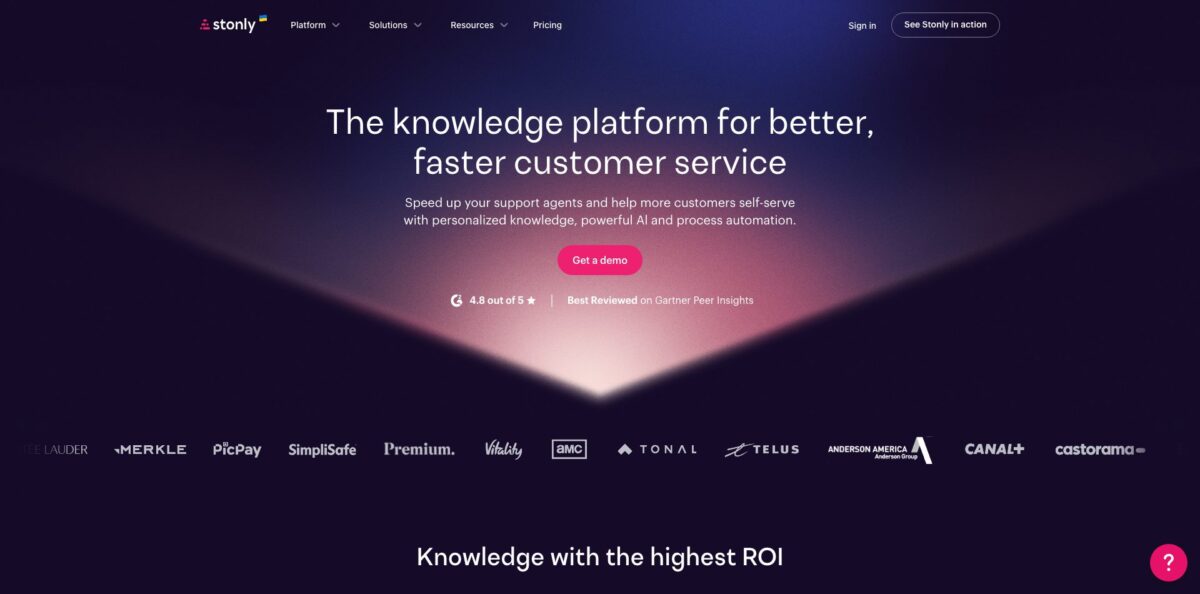
Stonly is a knowledge platform for customer service teams, built around interactive step-by-step guides instead of long static articles. Each guide is a set of steps with choice buttons, so a customer or a support agent follows only the branch that fits their situation, whether that is a refund request, a device reset or a billing dispute. Those same guides feed a branded knowledge base, an in-app widget, help desk sidebars in Zendesk, Salesforce, Freshdesk and ServiceNow, and Stonly’s own AI layer: AI Answers, Knowledge Agents that flag stale content, and Business Process Agents that run a defined process end to end. The weak spot is transparency. The pricing page lists no prices, and the AI agents, help desk integrations and SSO sit in the custom Enterprise plan. Pick it if your tickets involve branching troubleshooting that plain FAQ pages handle badly.
How to start using Stonly?
Create an account from the homepage or book a call through the Get a demo button. A new account starts a 14-day free trial of the Small Business plan, with no charge at the end: if you skip the upgrade, the account drops to the free Basic plan and keeps the guides you built. Note that during the trial iframes, videos, files and external links can be added to guides but only display after you move to a paid plan.
Your first real task is a guide. Log in, click Add new in the top right, and choose a blank guide or one of the templates. Give it a name with care, because that name shows up in your Stonly knowledge base, in search engines and in the guide URL. The editor opens in three panes: Structure on the left with every step in order, Content in the middle, and a live Preview on the right.
Next, build the branching logic. In the Next steps block you can add a regular step, a path back to an existing step, an embedded guide, an external link, or a special step such as a contact form, a checklist, a chatbot or an automation. Click Add a choice to create buttons that split the guide into separate paths. Drop screenshots into the Media block to annotate them with pointers, shapes and blur, and add input fields when you need to collect an email or an order number.
Finally, publish and put the content where people need it. Publishing makes the guide live immediately, and you can save a revision as a new version without publishing. To show guides inside your site or app, open the Widget tab, switch to Settings, open the Installation view and paste the snippet into your page header, or add it through Google Tag Manager. Append ?stonlyPreview=true to a page URL to check the widget before you switch it on.
Rebuild your single most-escalated ticket type as a branching guide first, then watch where people drop off before you migrate anything else.
Who is it for?
Support team leads
Your agents handle processes with exceptions, approvals and different outcomes per customer type, and new hires get them wrong for weeks. Stonly turns those processes into decision trees inside the Zendesk or Salesforce ticket view, so agents follow the right path without hunting through a wiki. Training time and repeat errors are the numbers to track.
Knowledge managers
You own hundreds of articles and have no idea which ones are outdated until a customer complains. Knowledge Agents scan tickets, failed searches and policy changes for gaps and conflicts, then draft updates for you to review. Your job shifts from manual audits to approving changes.
Customer experience teams in hardware and IoT
Troubleshooting a smart lock or a speaker depends on model, firmware and symptom, which is exactly where a static article fails. Branching guides ask the right questions and show only the relevant fix. Customers resolve more issues before they open a ticket.
SaaS product and onboarding teams
Users miss features and ask support how to do things your UI already allows. The widget launches tooltips, hotspots, product tours and checklists based on who the user is and which page they are on, and a mobile SDK covers iOS and Android apps. Feature adoption stops depending on support replies.
Contact centers in regulated industries
Insurance, banking and financial teams need agents to follow scripts exactly and to prove it. Guides with versioning, access rights and review flows give a controlled source of truth, and the AI side is described as GDPR, HIPAA and SOC 2 compliant. Expect a security review as part of the Enterprise sales process.
E-commerce operators
Order tracking, returns and damaged-goods claims make up a large share of tickets. With Shopify, WooCommerce and Magento support, you can put guided self-service on the store itself and hand off to chat only when needed. Agents keep their time for the cases that need a person.
Stonly pricing
Stonly does not publish dollar prices on its official pricing page. Plans are scoped by two factors, the number of team members and the number of monthly guide views, where a guide view is one opening of a guide by someone outside your Stonly team. If you exceed your monthly view limit two months in a row, Stonly moves you to the appropriate plan and emails you in advance.
Free. This is where an account lands after the trial if you do not upgrade. It includes 400 guide views per month, 5 published guides in a single language with up to 100 steps per guide, and 1 team member.
Meant for companies with under 100 employees. Includes unlimited guides and tours, multiple languages, 1 knowledge base, 4,000 guide views, 5 team members, unlimited triggers, full-path analytics, versioning, custom branding, targeting with your user data, in-guide variables, SEO customization, PDF export and integrations with Segment, Zapier, Freshpaint and Rudderstack.
Custom. Adds help desk integrations with Salesforce, Zendesk, Freshdesk and Front, AI Agents, automations, SSO, private and unlimited knowledge bases, auto-translation, advanced team rights, white label options, surveys, a security review, priority support and dedicated customer success. Guide views and seats are sized to your needs.
Stonly key features
Interactive guides: Content is built as steps with choice buttons, so each reader takes a path that matches their case instead of scrolling through one long article. Steps can embed other guides, link out, collect inputs or launch a contact form, checklist or automation. You can go from a one-step brochure to a multi-path troubleshooting tree in the same editor.
Knowledge base: Group guides and standard articles into a branded help center with search across topics, guides and individual steps. Custom CSS, a custom domain, SEO metadata, segmentation and targeting let you show different content to different audiences. Versioning, rights management down to the guide level and scheduled publishing keep large libraries under control.
The widget: One code snippet adds Stonly content to any web page or app, launched through triggers such as pills, banners, hotspots, tooltips and modals. Targeting uses your customer data, so a new user and a renewal customer see different help. Walkthrough mode creates product tours that react to user actions, and NPS surveys and forms run from the same widget.
AI Answers: The AI answers questions across channels using Stonly’s structured, metadata-rich guides, plus connected sources like Zendesk Guide, Google Docs, websites and internal docs. Guided Answers detects intent and shows a specific guide when a question needs a fixed process rather than a generated reply. It also connects to Slack, Microsoft Teams and WhatsApp.
Knowledge Agents: These agents watch incoming tickets, search results, AI conversations and policy changes, then look for duplicates, outdated content, discrepancies and missing articles. When something needs fixing, they outline the change and draft content that follows your guidelines for you to review and publish. You can also ask them for bulk edits, such as renaming old plan names across every article.
Business Process Agents: A BPA follows a guide step by step to resolve a ticket from start to finish, gathering information and taking actions along the way. For self-service they run over email, chat and WhatsApp; for agents they work inside Zendesk, Salesforce, ServiceNow and Freshdesk, where reps review and approve. The deterministic structure is the point: the AI stays on the path you defined.
Integrations: The integrations page lists dozens of connectors, from help desks (Zendesk, Salesforce, Freshworks, ServiceNow, Gorgias, Help Scout, Front) and contact center tools (Genesys, Talkdesk, Amazon Connect) to data sources such as Segment, Mixpanel, Snowflake and Google Sheets. Confluence, Notion, SharePoint and Google Drive can feed Stonly AI, and Stripe lets agents process refunds from inside a guide.
Stonly Pros & Cons
Pros
The branching guide format solves a real gap in standard knowledge bases: readers see only the steps relevant to their situation, and you can measure exactly where they get stuck or drop off. Reviewers on G2, Capterra and Gartner Peer Insights repeatedly describe the editor as easy enough for non-technical staff, and support from the Stonly team gets consistent praise, with G2 showing a 4.8 rating from 132 reviews. One guide can serve the help center, the in-app widget, the agent sidebar and the AI at the same time, so you maintain content once. The integration list is broad for a knowledge tool, including contact center platforms and data warehouses. Start with your messiest process, since that is where the format earns its keep.
Cons
Pricing is opaque: the official page shows plan contents but no numbers, so you cannot compare costs without talking to sales. Much of what the marketing leads with, including AI Agents, help desk integrations, SSO and auto-translation, belongs to the custom Enterprise plan, which makes the Small Business tier mostly a guide and widget product. Users also mention limited customization options, a formatting menu that is awkward on long guides, and slow multilingual setup because translations cannot be mass-imported via CSV. The free Basic plan, with 400 guide views and 5 published guides, works only as a sandbox. Ask for a written list of included features and view limits before you sign.
Use Stonly if you want…
- Turn complex support processes into branching guides.
- Give agents decision trees inside Zendesk or Salesforce.
- Deflect troubleshooting tickets with guided customer self-service.
- Launch contextual product tours and tooltips without developers.
- Ground AI answers in structured, verified support content.
- Automate multi-step ticket resolutions with rule-following agents.
- Find outdated or missing articles before customers do.
- Personalize help content using your customer data.
Stonly alternatives

Stonly Reviews
The guide builder is intuitive enough that non-technical team members create and manage guides on their own, and the support team answers quickly; the main gaps users point to are customization options and integration depth.
Customers can choose their own path at each step and only see content that applies to them, but setting up several languages takes time because translations cannot be imported in bulk, and regional variants like PT-PT and PT-BR are not supported.
Contextual in-platform help and branching guided tours go beyond what a traditional knowledge management system offers, and service is excellent, although the knowledge base side still needs work.
The formatting menu only appears at the bottom of the screen, which makes long guides tedious to format, and reporting in the insights section could go deeper.
Managing several widgets takes time and sometimes needs developer help, and the interface is not always intuitive, with some of the most useful options reserved for the expensive plans.
FAQ
Does Stonly have a free plan?
Yes. After the 14-day trial of the Small Business plan, accounts that do not upgrade move to the free Basic plan with 400 guide views per month, 5 published guides in one language and 1 team member. Your content is kept, and you are not charged.
How much does Stonly cost?
Stonly does not list prices on its official pricing page; both Small Business and Enterprise are quoted after a call. Pricing depends on the number of team members and your monthly guide views.
What counts as a guide view?
Each time someone outside your Stonly team opens a guide, that is one billable view, and reopening the same guide counts again. Views by logged-in team members, triggers that are never clicked, and the number of steps in a guide do not add to the count.
Which help desks does Stonly integrate with?
Native integrations cover Zendesk, Salesforce, Freshdesk and ServiceNow, plus Front, Gorgias, Help Scout, Genesys, Talkdesk, Amazon Connect and Zoho. Help desk integrations are part of the Enterprise plan.
Is Stonly secure enough for regulated industries?
Stonly states that its AI is GDPR, HIPAA and SOC 2 compliant. Enterprise plans include SSO, private knowledge bases and a security review.
Can I use Stonly inside a mobile app?
Yes. The content is responsive on mobile websites and web apps, and a mobile SDK lets you embed Stonly guides in native iOS and Android apps.
Can I migrate articles from my current help center?
Yes. Current customers can import individual articles or entire knowledge bases from tools such as HubSpot, Salesforce and Zendesk with help from their customer success contact. You can also embed external articles inside Stonly guides.
Can I use my own domain and branding?
Yes. You can set a custom domain in the knowledge base Setup view and restyle the knowledge base, guides or individual steps with CSS. White label options are listed in the Enterprise plan.
Similar tools
 Level AIContact center AI platform that scores every call, chat and email, runs voice and chat virtual agents, and gives live agents real-time
 TelozAI cloud contact center and business phone system with an AI receptionist, omnichannel inbox, dialers and live analytics for US teams.
 CallbellShared team inbox for WhatsApp, Messenger, Instagram, Telegram and TikTok with a no-code bot builder, AI agents and WhatsApp broadcasts.