

Taskade
AI AutomationUpdated October 5, 2026
Taskade is an AI-powered productivity hub that unifies tasks, mind maps, and automation for seamless team collaboration.
We may earn a commission when you sign up through our links. It does not affect our reviews.
What is Taskade?
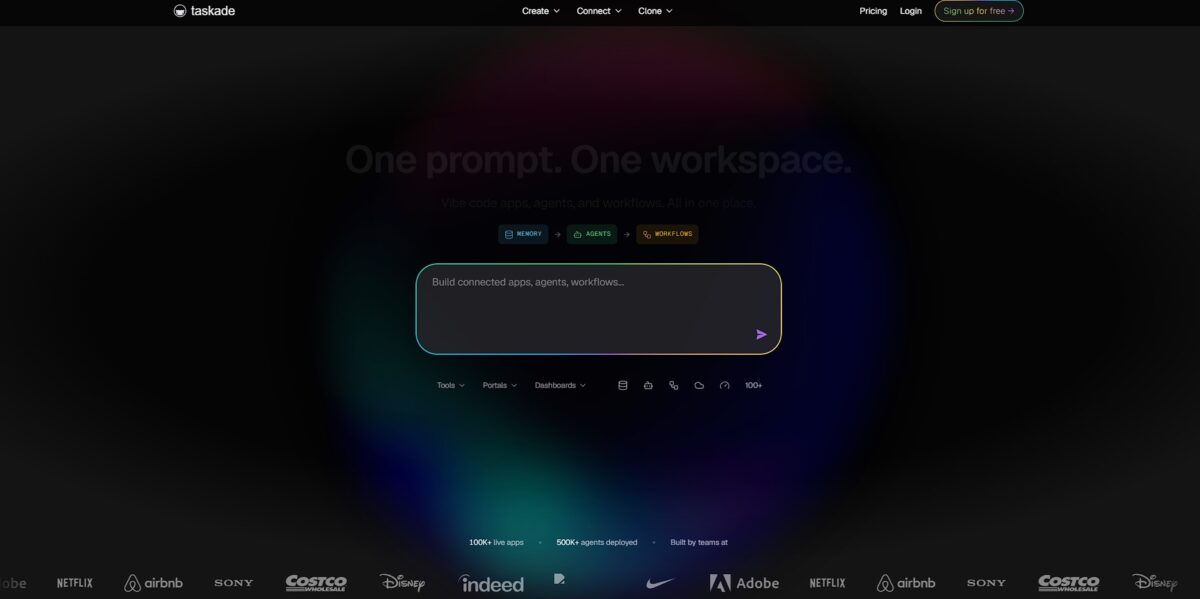
Taskade functions as a tree-structured workspace that morphs a single set of project data into eight different views like mind maps or Kanban boards. It solves the friction of jumping between a dedicated note app and a separate task manager by unifying your brainstorming and execution in one live document. I noticed the mind map view feels especially fluid for breaking down a complex PDF into actionable nodes, though it can feel a bit cluttered if a large team edits the same view simultaneously. This structure lets you brainstorm a strategy visually and then instantly toggle to a list to check off subtasks. Use it to keep your context and task list in the same window so you stop losing track of details during tool-switching. Pick Taskade if you need a flexible visual planner, but look elsewhere if you require heavy-duty enterprise resource management.
How to start using Taskade?
Start by creating a workspace. Taskade works best when you group projects into folders rather than keeping one giant list. This keeps your mind maps and Kanban boards separate so you don’t accidentally mix a grocery list with a sprint plan. Isolating specific goals into manageable containers also helps you stay focused.
Skip the blank page. Pick a template from the library to see how the different views like Gantt or Action lists interact with the same data. It’s often faster to delete what you don’t need than to build complex hierarchies from scratch. You get to experiment with structure without committing to a permanent setup right away.
Connect your calendar and notification settings. Taskade’s automation relies on knowing when things are due to ping you or your team across devices. If you skip this early on, the AI agent features have less data to work with when suggesting priority shifts. Reliable reminders also keep tasks from slipping through the cracks during busy weeks.
Invite a teammate to a specific folder. Collaborative editing is where this tool shines, but the permission levels can be tricky if you just want someone to view and not edit. Managing access at the folder level prevents accidental deletions while keeping everyone informed. The result is a shared source of truth and fewer status update meetings.
Try the slash command to trigger AI. Instead of typing everything manually, use /ai to generate subtasks or summarize a long meeting note directly in the project view. It saves time on the “meta-work” of organizing, letting you get straight to the actual execution. A static list becomes a dynamic workspace that grows with your project.
Who is it for?
Remote Teams
Those tired of jumping between Slack and Notion. You can chat, track tasks, and video call in one tab. It stops information getting lost in thread history.
Visual Thinkers
If lists bore you, use mind maps or Kanban boards. You can swap views instantly without re-typing data. This helps you see how small tasks connect to the big picture.
Solo Freelancers
Managing five clients alone is hard. Use AI agents to draft emails or summarize research papers while you focus on billable work. It acts like a digital intern that doesn’t sleep.
Students
Great for mapping out a thesis or organizing lecture notes. You can turn a messy brainstorm into a structured checklist with one prompt. This saves hours of manual formatting during finals week.
Project Managers
It handles complex hierarchies well, letting you nest sub-tasks deep. You get a clear view of deadlines across large teams. The trade-off is the learning curve for high-level automation.
Creative Professionals
Ideal for those who start with a vague idea and need a system. It turns prompts into working project structures. Why this matters: you spend less time setting up folders and more time creating.
Taskade pricing
Taskade structures its tiers around how many people need to coordinate and how much AI heavy lifting you require. The free version is generous for solo hackers, but once you start automating multi-step team workflows, you will likely hit the credit ceiling.
You get basic task lists and 1,000 AI credits. This works for personal notes but feels tight for complex projects.
It bumps you to 5,000 AI credits and adds calendar integration. This stops you from constantly checking two different apps to see what is due.
This tier opens up 50,000 AI credits and advanced permissions. It helps when you need to prevent clients from accidentally deleting your project board.
This is the heavy-duty option with 150,000 AI credits and external guest access. This allows you to bring in freelancers without paying for extra seats. The AI credit system is the real gatekeeper here. If you use the AI to generate entire project structures or summarize long meeting transcripts daily, you will burn through the Starter tier fast.
Taskade key features
Switch views instantly between Kanban, Gantt, and mind maps
This helps you visualize a project’s timeline without re-entering data. No more manually restructuring tasks for different stakeholders. Focus on one view to avoid cluttering your headspace.
Deploy custom AI agents to summarize research or draft meeting notes
You can train them on specific project folders to ensure they don’t hallucinate generic advice. That takes over the repetitive “clerical” work that usually eats your afternoon. Start with one specific agent role to keep your workflow predictable.
Brainstorm on a collaborative whiteboard that syncs directly with your task list
I noticed it feels more connected than a standalone drawing app where ideas often go to die. Abstract sketches turn into actionable tickets in one click. Use the whiteboard for initial planning, but move to lists for execution.
Connect external tools via built-in automation to sync updates from Slack or GitHub
It works well for keeping status updates centralized, though the initial logic setup takes a few minutes. You no longer need to jump between tabs to see if a pull request merged. Automate only the most frequent notifications to avoid noise.
Chat with your team directly inside the project workspace using a unified sidebar
It prevents the hunt for context buried in long, separate email threads. This matters because it keeps the discussion physically next to the work it describes. Reserve the chat for quick check-ins rather than long-form documentation.
Generate task lists from rough notes using the AI prompt bar
This turns a messy brain dump into a structured plan for your team in seconds. That makes a daunting new project much easier to start. Always review the AI’s breakdown to ensure the steps match your actual capacity.
Taskade Pros & Cons
Pros
Taskade merges mind mapping, task lists, and chat into one view. You can flip a messy brainstorm into a structured project board instantly. This saves time for teams who hate jumping between Slack and Trello. I noticed the AI agents actually handle repetitive drafting well, which keeps your hands off the keyboard during planning phases. You get a unified space where ideas become trackable actions without data loss. Use the multi-view toggle to see your workload as a calendar if lists feel overwhelming.
Cons
The interface feels crowded when you enable every feature at once. New users might struggle with the sheer number of buttons and slash commands. It works well for rapid startups, but lacks the deep database relations found in more technical tools. This matters because complex data tracking becomes difficult as your project scales. Mobile performance can lag during heavy syncing sessions on older devices. Stick to the desktop app for complex restructuring to avoid interface frustration.
Use Taskade if you want…
- Build autonomous AI agents for complex business operations.
- Unify tasks, mind maps, and Gantt charts in one place.
- Collaborate with your team in one real-time workspace.
- Automate repetitive workflows without writing any code.
- Turn scattered notes into structured, actionable project plans.
- Centralize your entire project portfolio in one smart hub.
- Use AI to brainstorm and break down large goals.
- Sync productivity across all devices and platforms instantly.
Taskade alternatives
Taskade Reviews
Taskade Genesis is a game-changer for building MVPs without code; its AI agents handle the heavy lifting of development in record time.
The platform offers incredible speed and flexibility for creative teams, though the lack of deep reporting and complex project tools can be a drawback for larger operations.
I love how the AI can instantly turn a thought into a structured project plan, but the interface can feel cluttered and the credit system for AI usage is a bit frustrating.
It is a solid, lightweight alternative to Notion or ClickUp that excels in real-time collaboration, even if some of the newer AI features still feel like they are in the early stages.
FAQ
Does Taskade support real-time collaboration?
Yes, Taskade allows multiple users to edit projects, manage tasks, and communicate via built-in chat and video conferencing simultaneously.
What project views are available in Taskade?
Taskade offers eight universal views including List, Board, Table, Mind Map, Org Chart, Calendar, Gantt Chart, and Action view.
Can I automate workflows with Taskade?
Yes, Taskade features a built-in automation engine that supports triggers and actions for over 100 integrations, including Slack, Gmail, and HubSpot.
What is Taskade Genesis?
Taskade Genesis is an AI-powered app builder that generates fully functional workspace applications, including agents and databases, from a single natural language prompt.
Can I use Taskade for video meetings?
Yes, Taskade has native video and voice calling capabilities built directly into every project for team collaboration.
Does Taskade work on mobile devices?
Taskade is cross-platform and available as a web app, desktop application for Windows and Mac, and mobile apps for iOS and Android.
Can AI agents be trained on my own data?
Yes, you can upload PDFs, documents, and spreadsheets as knowledge sources to train custom AI agents that respond with your specific context.
Is Taskade secure for business use?
Taskade is SOC 2 and GDPR compliant, providing enterprise-grade security and data protection for teams and organizations.
Similar tools
 GPT WorkspaceAI agent for Google Docs, Sheets, Slides, Gmail and Drive that edits your files, runs GPT formulas in bulk and automates routine
 FPT.AIVietnamese enterprise AI platform from FPT Smart Cloud for chatbots, call-center voicebots, document reading and eKYC that automate customer operations.
 Frigate NVROpen-source NVR that runs real-time AI object detection on your own hardware and sends camera events to Home Assistant and other MQTT