
Tilda
No-Code AIUpdated October 19, 2026
Block-based website builder with 550+ pre-designed blocks, the Zero Block design editor and AI tools that generate pages, copy and custom blocks.
We may earn a commission when you sign up through our links. It does not affect our reviews.
What is Tilda?
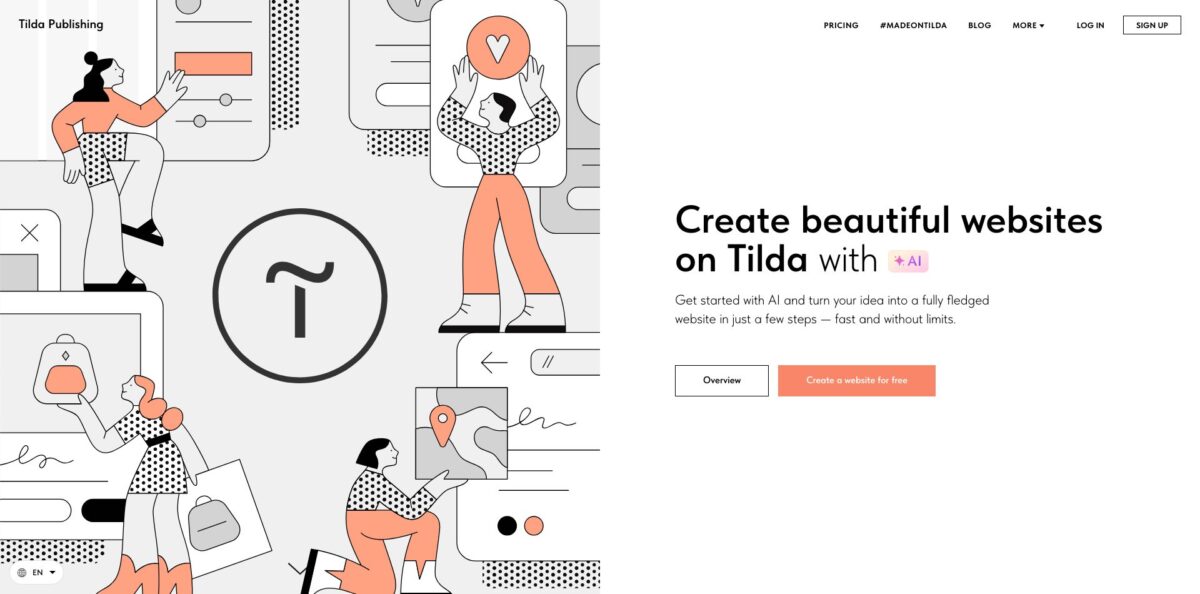
Tilda is a hosted website builder where you assemble pages from a library of more than 550 pre-designed blocks, then drop into Zero Block, its freeform design editor, whenever a layout needs pixel-level control. On top of that block system sits a growing AI layer: an assistant that writes copy for any text field or a whole page, a page generator that picks blocks, colors and photos from a short brief, and Vibe Block, which turns a chat prompt into a custom coded block such as a calculator, quiz or animated cover. Hosting, forms, a CRM, a product catalog, CMS Feeds and SEO settings are built in, so you rarely need plugins. The weak spot is that AI usage is capped by request limits, and blogs or stores still take manual wiring. It fits designers, marketers and small businesses who want polished landing pages without a developer.
How to start using Tilda?
Sign up with the Create a website for free button on tilda.cc and you land on the Free plan, which gives you one website with up to 50 pages on a free tilda.ws subdomain. Create a project, then add your first page either from a template or as a blank page. Before you generate anything, set the website topic in the project settings, because the AI assistant and the image generator use that description as context for every request.
For a first real scenario, build a one-page landing page for a service. On the new-page screen, the Business tab has a Generate option that asks for a topic, a short description and facts about the company, up to 700 characters. The assistant then builds the page block by block in a side widget, suggests light, dark or bright accent colors, and lets you swap any photo it picked. The Help Center notes that page generation is still rolling out gradually, so if you do not see it, start from a template and use Generate text for page from the More menu instead.
Next, refine individual blocks. Click any text field and use the Generate with AI star icon in the toolbar, or select a whole block and press Generate in its quick actions panel to rewrite every field at once. When a standard block cannot do what you need, add a Vibe Block from the Block Library, describe the feature in the chat, pick an AI model, and attach a screenshot or file as a reference. You can switch between generated versions with the eye icon and later fine-tune elements through the style panel or the code editor.
Before publishing, check the mobile breakpoints, connect a form to an email, Google Sheets or CRM service, and fill in the page title, description and social preview in page settings. Press Publish to push the page live on the subdomain, then connect your own domain once you move to a paid plan. Every AI result needs your confirmation through an Apply button and a responsibility checkbox, so nothing generated goes live unseen.
Write a detailed project description once in site settings; it makes every later AI request shorter and the output far less generic.
Who is it for?
Freelance web designers
You build sites for clients and want design freedom without writing code for every animation. Zero Block, step-by-step animation and Figma import let you match a mockup closely, while clients can later edit content in the standard editor. The Business plan covers five client sites in one account.
Small business owners
You need a professional site with forms, payments and a simple store, but you cannot hire an agency. Pre-designed blocks and the AI page generator give you a usable first draft in an afternoon. Built-in CRM and analytics mean leads and traffic are visible in one dashboard.
Performance marketers
You test offers constantly and waiting for developers kills momentum. Tilda lets you spin up a new landing page per campaign, generate copy variants with the assistant, and send form leads to HubSpot, Salesforce, Zapier or a webhook. Duplicating a page and swapping the hero text takes minutes.
Product designers who want custom widgets
Some ideas, like a pricing calculator or interactive timeline, do not exist as stock blocks. Vibe Block generates them from a description, then lets you edit elements visually or in code, and even convert the result into a Zero Block. You get custom functionality without a developer ticket.
Teams experimenting with AI agents
You already work in Claude or Cursor and want them to do routine site edits. The beta Tilda MCP Server lets an agent create pages, update products and prices, and publish blog posts in Feeds through a scoped access key. Bulk catalog edits that took an hour become one prompt.
Educators and course creators
You want a course landing page, a members area and gated lessons in one place. Tilda bundles online courses, membership access and email campaigns, so you avoid stitching together four separate tools.
Tilda pricing
Tilda charges per website rather than per seat or per AI credit, with three plans that differ mainly in how many websites you can run and whether you can export code. The prices below come from the English pricing page in USD; Tilda shows local-currency pricing in some regions, so the amount at checkout may differ. AI features are included on every plan but capped by request limits, and extra Vibe Block requests can be purchased separately.
One website with up to 50 pages and a free subdomain. The Block Library is limited, custom domains, payment systems, form data capture services, Google Analytics, the product Catalog and Feeds are not available. Vibe Block allows 5 requests per 12 hours and 20 per month.
One website with full access to the blocks, a custom domain, online store and payments, and all platform features. Vibe Block limits rise to 50 requests per 12 hours and 100 per month. Annual subscribers can remove the Made on Tilda label.
Everything in Personal plus up to five websites in one account and source code export as a static HTML archive. Each project can hold up to 1,000 pages, so five projects give you room for 5,000. Vibe Block limits match the Personal plan.
Some premium AI models in Vibe Block are not covered by plan limits and need purchased requests, and each model deducts a different number of requests per prompt. If you stop paying, your site is unpublished and the data is kept for six months before deletion.
Tilda key features
Block Library with more than 550 pre-designed blocks
Covers, galleries, forms, menus, store cards and text layouts are already balanced for typography and spacing, and site-wide styles apply your fonts and colors to every block. You build pages by stacking sections rather than positioning elements by hand. Pro Blocks add AI that fills in text and selects matching images with a chosen tone of voice.
Zero Block design editor
This is a freeform canvas where you control every element, with responsive breakpoints, a custom modular grid, step-by-step and trigger animations, a vector editor and Figma import. Expect to spend extra time adjusting each breakpoint for mobile layouts.
Vibe Block for prompt-to-block generation
You describe a feature in a chat, choose an AI model, and Tilda writes the code and drops a working block on the page, from calculators to quizzes and animated covers. Previous versions stay available, elements can be edited through a style panel, and the block can connect to your product catalog. A beta option converts the result into an editable Zero Block.
AI assistant for copy, pages and images
The assistant writes text for a single field, a whole block, or every block on a page, and can generate a full page from a 700-character brief. Image generation inside standard blocks is capped at 15 images every 12 hours, and text generation at 100 requests per day.
Tilda MCP Server for AI agents
Launched in beta in October 2026, it lets Claude, Cursor or another MCP-compatible agent create and publish pages, build Zero Block layouts, manage Feeds posts and edit the product catalog, including prices, stock, discounts and loyalty levels. Access keys can be scoped, for example to the catalog only, and revoked at any time. It turns repetitive bulk edits into a single instruction.
Built-in business stack
Tilda includes a CRM, CMS Feeds for blogs and catalogs, an online store with Stripe and PayPal, quiz forms, members areas, online courses and an email campaign builder. Forms integrate with Google Sheets, Mailchimp, HubSpot, Salesforce, Notion, Slack, Telegram, Zapier and webhooks. You avoid paying for several separate tools on a small project.
SEO controls and code export
You can set H1 and alt tags, titles, descriptions, clean URLs, robots.txt and sitemaps, plus connect Google Analytics, Google Tag Manager or a Facebook Pixel on paid plans. The Business plan exports a static HTML version with images, CSS and JavaScript in a zip archive, so you can host the site elsewhere if needed.
Tilda Pros & Cons
Pros
Tilda gives you two speeds in one editor. Pre-designed blocks get a clean, well-typeset page live quickly, while Zero Block and Vibe Block cover the cases where you need a custom layout or interactive widget. The AI tools sit inside the normal editing flow, so generated copy, pages and blocks remain fully editable instead of becoming a locked output. Pricing is simple and per website, AI is included even on the Free plan, and the built-in CRM, store, Feeds and forms remove most plugin juggling. Users regularly praise the short learning curve and fast support. Start with a template plus AI copy, then reserve Zero Block for the two or three sections that need to stand out.
Cons
AI usage is tightly metered: 100 Vibe Block requests a month on paid plans goes quickly if you iterate on complex blocks, and some premium models require extra purchased requests. Page generation and image generation are still rolling out, so not every account sees them yet. Zero Block layouts must be adapted for each breakpoint, which reviewers describe as slow, and setting up a blog or store through Feeds and the Catalog takes more wiring than the drag-and-drop basics. Code export and multiple websites are locked to the Business plan. Plan your Vibe Block prompts carefully and write detailed briefs to avoid burning requests on vague attempts.
Use Tilda if you want…
- Build polished landing pages from pre-designed blocks quickly.
- Generate a full page draft from a short brief.
- Create custom interactive blocks by describing them in chat.
- Design pixel-precise layouts and animations without writing code.
- Write website copy for any block with AI.
- Let an AI agent edit pages and products through MCP.
- Run forms, CRM, store and blog in one place.
- Export a static HTML site for your own hosting.
Tilda alternatives
Tilda Reviews
Product Hunt reviewers call Tilda lightweight and intuitive, saying you can build clean pages without a steep learning curve and that Zero Block adds real design freedom, though one user reports repeated downtimes and timeouts.
Small business owners on Product Hunt say it hits a sweet spot between simplicity and design control and praise support for quick, helpful replies, while one mentions a broken Facebook link preview that showed the Tilda logo.
Capterra reviewers like the gentle learning curve and fair pricing, but note that adapting Zero Block designs for mobile breakpoints takes effort and that the vector tool can be buggy.
Some Capterra users find stock templates look generic unless you invest hours in Zero Block, and describe multilingual sites as slow to build and update.
TechRadar’s reviewer praises the templates and customizable blocks for quick sites but found setting up a blog or online store more complex than expected.
FAQ
Is Tilda free to use?
Yes. The Free plan gives you one website with up to 50 pages on a tilda.ws subdomain, but custom domains, payments, form integrations, Feeds and the Catalog require a paid plan.
Can I use Tilda AI on the Free plan?
Yes. Vibe Block is available on all plans, with 5 requests per 12 hours and 20 per month on Free, and the AI text assistant has its own limit of 100 requests per day.
How many AI requests do paid plans include?
Personal and Business both include up to 50 Vibe Block requests every 12 hours and 100 per month. Different models deduct different numbers of requests, and you can buy additional requests from your profile.
Can I export my Tilda website code?
Yes, on the Business plan. The export produces a static HTML version of the site with images, CSS and JavaScript packed in a zip archive that you can upload to your own server.
Can I build an online store on Tilda?
Yes. The Personal plan covers a single store website and Business covers two or more, with a product Catalog, cart, discounts and payment providers such as Stripe and PayPal.
Does Tilda work with Claude or other AI agents?
Yes. The Tilda MCP Server, currently in beta, connects Claude, Cursor or other MCP-compatible agents to your projects through an access key with configurable permissions.
What happens if I cancel my subscription?
Your website is unpublished, but the data stays on Tilda for six months. If you renew within that window you regain access; otherwise the data is permanently deleted.
Is the AI-generated content guaranteed to be accurate?
No. Tilda states that generation is provided by a third-party service and asks you to verify every result before applying it to your site.
Similar tools
 MindflowNo-code and agentic automation platform for SecOps, ITOps and CloudOps teams that turns prompts into workflows across thousands of tool APIs.
 OnSpace.AINo-code AI app builder that turns chat prompts into React Native iOS and Android apps or web apps, with a managed backend,
 Jet AdminAI and no-code builder for internal tools, admin panels, dashboards and client portals that runs on top of your existing databases and