

TimeSkip
AI AutomationUpdated October 28, 2026
Chrome extension that turns a YouTube video's captions into SEO-friendly chapter timestamps for podcasts, lectures and webinars, ready to paste.
We may earn a commission when you sign up through our links. It does not affect our reviews.
What is TimeSkip?
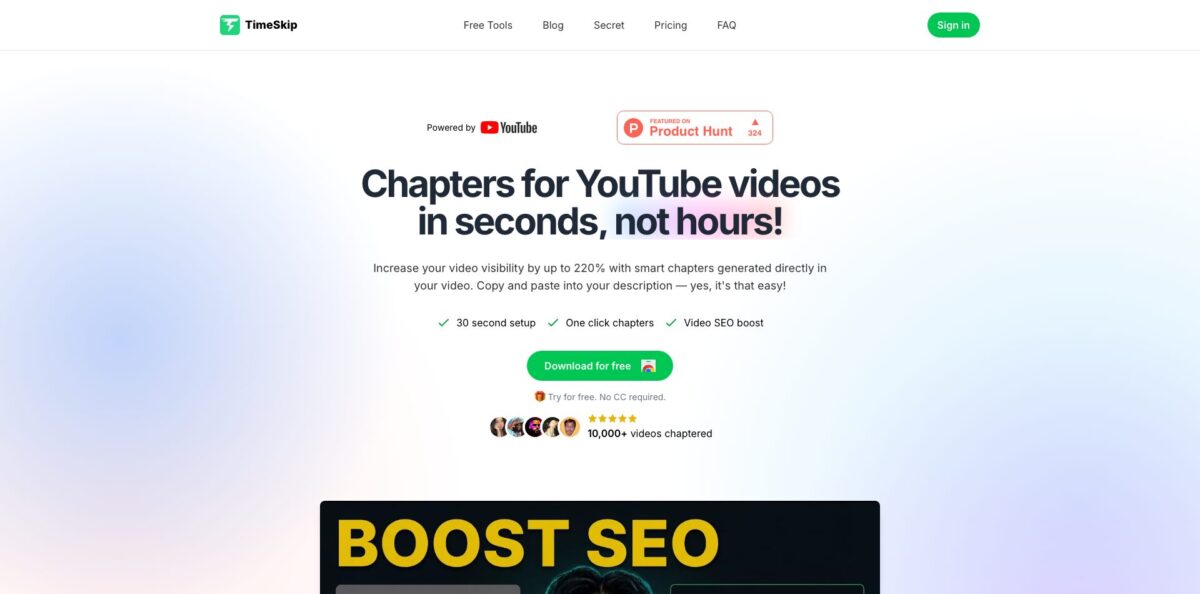
TimeSkip is a Chrome extension and small web app that reads a YouTube video’s captions and turns them into a timestamped chapter list you paste into the description. It adds a button to the YouTube player, so you generate, preview and copy chapters on the watch page without uploading files or pasting links into another site. The pitch is speed on long uploads: the vendor says a one-hour video takes about five seconds, and chapter titles are written around search phrases instead of generic labels like “Part 2”. Paid plans also draft video titles, descriptions and tags. The weak spot is scope. It only works on YouTube videos that have captions, the free allowance is tiny, and it is a one-developer product with about 2,000 Chrome Web Store users. Pick it if you publish long podcasts, lectures or webinars on YouTube and hate scrubbing timelines by hand.
How to start using TimeSkip?
Install the extension from the Chrome Web Store, where it is listed as “YouTube Chapters - TimeSkip AI”, then create an account; the site offers Sign in with Google and does not ask for a credit card to try it. If you want to judge the output before installing anything, open the free YouTube Chapter Generator on timeskip.io, paste a YouTube URL and you get a preview of the first chapters. Signing in gives you the full list, timestamp editing and the advanced controls.
For your first real run, open one of your own long videos on YouTube, such as a guest podcast episode or a recorded webinar, and click the TimeSkip icon in the player. The extension pulls the caption track and returns a chapter list in a few seconds. Public and private videos both work as long as captions exist, so you can chapter an upload before it goes live. On a fresh upload, expect to wait until YouTube finishes generating automatic captions before TimeSkip has anything to read.
The screen that matters is the preview panel. You can click through each generated chapter and jump to that point in the video, which is the quickest way to confirm that a timestamp lands on the actual topic change and not halfway through a sentence. On the web generator, the Emojis and Lowercase filters and the Advanced Filters panel let signed-in users tune chapter length, tone and output style. Paid plans add title writing, description writing, tag suggestions and thumbnail download to the same workflow.
To publish, copy the list with one click, open the video in YouTube Studio, paste it into the description and save. YouTube only turns timestamps into chapters when the list starts at 00:00, contains at least three entries and keeps every section at least 10 seconds long; TimeSkip formats its output that way, but re-check after manual edits. Chapters can take a while to show up on the player. One detail to know: if you join TimeSkip’s 50% affiliate program and save your affiliate link in the extension settings, that link is included whenever you copy chapters, so remove it before pasting into client videos.
Spend your free generation on your longest, messiest video, because that is where both the time saving and the mistakes show up.
Who is it for?
Video podcasters
Two-hour episodes with guest stories, sponsor reads and audience questions are painful to timestamp by hand. TimeSkip builds a chapter outline from the captions that also works as a skeleton for show notes, so the description takes minutes instead of a full rewatch.
Educators and course creators
Recorded lectures and tutorials run long, and students usually want to jump straight to one concept. Caption-based chapters give each topic a clickable entry point, and one Chrome Web Store reviewer says the tool helped a lot with lecture videos.
Webinar and B2B marketing teams
Recorded webinars often land on YouTube with a bare description and no structure. Keyword-aware chapter titles give each segment a better chance of appearing as a key moment in Google, and the copy-paste step slots neatly into an upload checklist.
Agencies and production studios
If you publish for several channels, the Studio plan’s 50 videos a month and 10-hour length cap cover weekly long-form shows for multiple clients. Priority support is included at that tier, which helps when a client deadline depends on a fix.
Solo YouTubers with long tutorials
You already juggle editing, thumbnails and titles on your own. A one-click chapter draft plus title, description and tag suggestions removes one more manual chore, although you still need to edit the output for accuracy and tone.
TimeSkip pricing
The model is monthly video credits: one credit covers one video, and each plan also caps how long that video can be. The official pricing table on the homepage lists USD prices, payment runs through Stripe, you can cancel anytime, and there is a 7-day refund policy. Yearly billing is advertised as 40% off. The free entry point is a trial with no credit card required. TimeSkip’s own blog says your first two chapter sets are free, while a 2025 Chrome Web Store reviewer reported a single free credit per month, so check your dashboard for the current allowance. An older $9 Starter tier mentioned in reviews no longer appears on the public pricing table.
A couple of generations to check output quality, plus a free preview of the first chapters of any YouTube URL in the web generator before sign-in.
15 videos per month (about $1.27 per video on monthly billing), videos up to 90 minutes, SEO-optimized chapters, title and description writing, tag suggestions and thumbnail download. Aimed at podcasters, webinar hosts and educational creators.
50 videos per month (about $0.78 per video on monthly billing), videos up to 10 hours, everything in Pro plus priority support. Aimed at agencies, production studios and content teams.
Unlimited videos, a 10-hour video length cap and the same feature list, with no monthly bill.
TimeSkip key features
In-player chapter button: the extension puts a TimeSkip icon inside the YouTube player, so you generate chapters on the watch page instead of copying links into a separate site. By the vendor’s numbers, a one-hour video takes about five seconds to process. You stay in the same tab where you will edit the description anyway.
Caption-based chaptering in any caption language: TimeSkip works on any YouTube video with closed captions, public or private, and supports every language YouTube captions support. Because it reads the transcript rather than the media file, there is nothing to upload or download. The flip side is that chapter quality follows caption quality, so poor automatic captions produce weaker titles.
SEO-oriented chapter titles: titles are built around long-tail search phrases rather than labels like “Intro” or “Part 3”. That gives Google and YouTube clearer context about each segment and a better shot at key moments in search results. Treat the titles as drafts and swap in the exact keywords you are targeting.
Preview and navigation panel: before copying, you can click through the generated chapters and jump to each timestamp in the player. This is where you catch a chapter that starts mid-sentence or skips a sponsor read.
Web generator with filters: the chapter generator on timeskip.io takes a YouTube URL, previews the first chapters for free and, after sign-in, lets you edit timestamps and apply emoji, lowercase and advanced filters for length, tone and output style. A dedicated podcast page frames the same output for show notes, newsletters and episode pages. It is handy on a machine where the extension is not installed.
Metadata extras: every paid tier includes title writing, description writing, tag suggestions and thumbnail download, and the site hosts free utilities such as tag, hashtag, title and description generators and a monetization checker. These are light helpers for the upload step, not a replacement for full keyword research suites.
Long-video caps per plan: Pro handles videos up to 90 minutes, while Studio and Lifetime list a 10-hour cap that covers livestream replays and marathon recordings. Match the plan to your longest typical upload, not your average one, or you will hit the limit on exactly the videos that need chapters most.
TimeSkip Pros & Cons
Pros
TimeSkip keeps the job short: open the video, click the player icon, review, copy. There is no upload step and no separate editor to learn, and the vendor quotes about five seconds for an hour of footage. Because it reads captions, it covers any language YouTube captions support and works on private videos before you publish them. Unlike YouTube’s own automatic chapters option, you see the full list and can edit it before viewers do. Chrome Web Store reviewers also credit the solo founder with fast, hands-on support, including shipping a requested feature. Yearly and Lifetime pricing push the cost per video well under a dollar for steady publishers. Start on a monthly plan for one cycle, then switch to yearly once you know your real volume.
Cons
It is YouTube-only and caption-dependent, so a podcast hosted on Spotify or a webinar on another platform has to be uploaded to YouTube with captions first. The free allowance is tiny, which means you judge quality on one or two videos. Pro’s 90-minute cap excludes many long podcast episodes and pushes you toward the $39 Studio plan. A few reviewers report the chapter button occasionally not appearing or chapters not being detected right away. It is a one-person product with about 2,000 users, and its terms of service read like a generic template that still describes a comment-finding app and limits use to personal, non-commercial purposes. Agencies should email support and confirm commercial-use terms before billing clients for it.
Use TimeSkip if you want…
- Generate YouTube chapters without rewatching long videos.
- Turn podcast episodes into timestamped show notes quickly.
- Add keyword-rich chapter titles for Google key moments.
- Chapter private videos before they go public.
- Draft video titles, descriptions and tags in one place.
- Create chapters for videos in any caption language.
- Process webinar and lecture recordings up to ten hours.
- Pay once instead of keeping a monthly chapter subscription.
TimeSkip alternatives

TimeSkip Reviews
Long-form creators on the Chrome Web Store describe the chapters as fast, clean and accurate, and praise the founder for fixing a reported problem within hours and adding a feature they asked for.
A G2 reviewer says automatic chapter generation made their publishing process more consistent and efficient, but feels the SEO side and the interface still need work.
Another G2 reviewer calls it an affordable time saver that does one thing well, and would like a separate viewer tier for browsing chapters on any video.
One Chrome Web Store reviewer found the free allowance of a single credit per month far too small and felt the old entry plan was poor value for five videos.
Several users like how neatly the chapters are organized, while noting that the chapter button sometimes fails to appear or chapters are not detected right away.
FAQ
Is TimeSkip free?
There is a free trial with no credit card required, and TimeSkip’s blog says your first two chapter sets are free. After that you need Pro at $19/month, Studio at $39/month or the $399 Lifetime deal.
Does TimeSkip work for podcasts and webinars hosted outside YouTube?
No. It reads YouTube’s caption track, so the episode or webinar recording must be on YouTube with captions. You can then reuse the chapter list in show notes, newsletters or an episode page.
What languages does TimeSkip support?
It supports every language that YouTube captions support. The extension interface itself is listed in English only.
Can I use TimeSkip on private videos?
Yes. According to the official FAQ, it works on any YouTube video that has closed captions, whether the video is private or public.
How long can my videos be?
Pro covers videos up to 90 minutes. Studio and Lifetime list a 10-hour limit per video.
What data does TimeSkip collect?
Its privacy policy says it stores your name and email for the app and does not share data with other parties, and the Chrome Web Store listing declares that user data is not sold to third parties. Payments are processed by Stripe.
Can I cancel or get a refund?
Subscriptions can be cancelled anytime, and TimeSkip offers a full refund within 7 days of purchase. Requests go to the support email listed on the site.
Does TimeSkip have an API or integrations?
No public API or third-party integrations are listed. The workflow is the Chrome extension plus the web generator, and you paste the result into YouTube Studio yourself.
Similar tools
 GPT WorkspaceAI agent for Google Docs, Sheets, Slides, Gmail and Drive that edits your files, runs GPT formulas in bulk and automates routine
 FPT.AIVietnamese enterprise AI platform from FPT Smart Cloud for chatbots, call-center voicebots, document reading and eKYC that automate customer operations.
 Frigate NVROpen-source NVR that runs real-time AI object detection on your own hardware and sends camera events to Home Assistant and other MQTT