

ToMoviee AI
Video GenerationUpdated November 13, 2026
Wondershare's AI creative studio that turns text prompts and images into short videos, pictures, music, sound effects and voiceovers.
We may earn a commission when you sign up through our links. It does not affect our reviews.
What is ToMoviee AI?
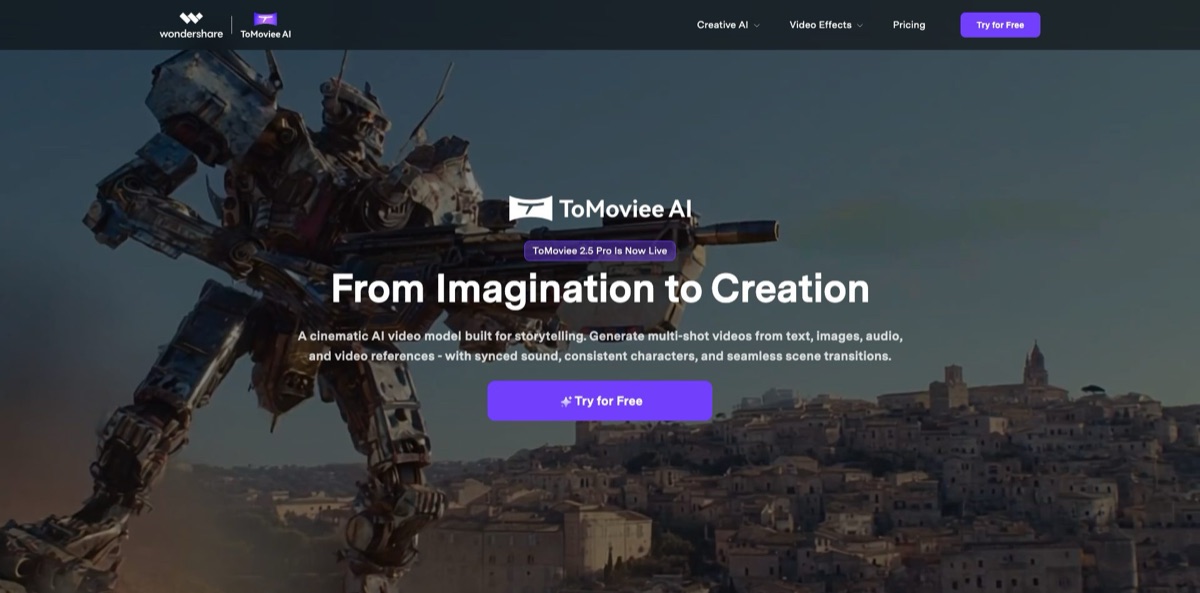
ToMoviee AI is Wondershare’s web and mobile studio for generative media, launched publicly in September 2025 and built on the company’s own video, image and audio models. From one credit balance you can turn prompts or stills into short clips, extend them, generate and repaint images, and add music, sound effects and voiceovers, so a creator does not need four separate subscriptions to finish a social video. The headline model today, ToMoviee 2.5 Pro, promises multi-shot videos from text, image, audio and video references with synced sound and consistent characters. The weak spot is length and documentation: the public guides still describe fixed 5-second clips in 720p or 1080p, and every retry costs credits. Pick it if you want an affordable all-in-one generator for short social content rather than a full production pipeline for long films.
How to start using ToMoviee AI?
Click Try for Free on tomoviee.ai to open the studio at app.tomoviee.ai and create a ToMoviee Studio account; sign-in runs through Wondershare’s account system. New accounts receive gift credits to test every module; Wondershare’s launch announcement put that starter amount at 100 credits, and more can come from referrals and events. If you prefer your phone, the same product ships as ToMoviee AI on the App Store and Google Play. The Credits icon in the upper-right corner shows what each generation consumed over the past two months, which is worth checking after your first few runs.
For a first real scenario, open Video Generation in the left toolbar and choose Text to Video. Write the prompt with the structure the official guide recommends: subject and details, then motion, then scene, and optionally lens language, lighting and atmosphere. Keep the motion simple, because a clip lasts only a few seconds. The Creative Assistant button rewrites your idea into a richer prompt, and My Prompts stores presets you want to reuse. Prompts are accepted in nine languages, including English, German, Spanish, Japanese and Chinese.
Before you press Generate, set the parameters. The Camera Movement picker offers 29 moves split into 16 basic and 13 advanced options, from Pan Left and Dolly In to Crane Up, Bird’s-eye View and First-person View. Choose Standard (720p) or HD (1080p), then one of five aspect ratios: 9:16, 16:9, 1:1, 4:3 or 3:4. The credit cost appears in real time as you change settings. For Image to Video, upload a JPG or PNG as the start frame, or add an end frame too, and describe only subject and motion, since the image already defines the scene.
When a clip works, build on it. Video Extend continues a video by 4 seconds per pass, Auto BGM analyzes an uploaded MP4 or AVI and writes a matching soundtrack, and Text to Sound adds effects of up to 90 seconds. Download the result or keep it in My Assets for later edits. The homepage gallery also lists community creations with Create Your Own buttons that open the shared example in the studio, a quicker starting point than a blank prompt.
Draft in Standard mode, watch the live credit estimate, and save HD for takes you actually plan to publish.
Who is it for?
Short-form social creators
You post every day and need fresh hooks faster than you can film them. ToMoviee AI mixes prompt-based clips with ready-made effect templates such as AI Hug, AI Mermaid Filter, AI Bullet Time and AI 3D Figure, and the mobile apps let you generate on the go. Vertical 9:16 output is a standard setting rather than a crop.
Marketing teams on small budgets
Campaign assets usually mean separate tools for visuals, music and voice. Here one credit balance covers product images, a short clip, a royalty-free music bed and a voiceover, which keeps the tool stack and the invoices short. Check the Terms of Use before running paid ads with AI output.
Designers and illustrators
Fixing a single element in an otherwise good image normally means regenerating everything. Partial Repaint lets you brush over an area and describe the change, while Text Repaint swaps lettering inside an image for mockups and posters. Reference to Image keeps the pose and structure of an uploaded picture while changing its style.
Filmmakers doing previs
Static storyboards rarely show how the camera will move. The 29-move camera picker and start/end frame mode let you test a crane shot or a dolly-in between two key poses in minutes. Treat the 5-second clips as previs material, not final footage.
Video editors who need sound fast
Digging through stock libraries for a whoosh or a background track eats editing time. Text to Sound and Text to Music generate effects and tracks of up to 90 seconds, and Auto BGM scores an uploaded clip to its mood and rhythm.
Developers building creative apps
You want generative video inside your own product without training a model. The ToMoviee Creative Engine exposes the video, image and audio models through APIs under a single App Key, with a console for call logs and performance metrics.
ToMoviee AI pricing
Everything runs on credits. Each generation draws from a monthly balance, and the official pricing page estimates about 20 credits per video and 2 per image, so the plans differ mainly in credit volume and a few perks. The page shows two billing options, monthly with auto-renewal and yearly, with struck-through list prices next to the monthly figures. Prices below are the US dollar amounts from the official pricing page; extra credit packs can be bought on top of any plan.
Sign-up gift credits cover a handful of test generations across the modules. Watermark removal is listed only as a paid perk, so expect watermarked exports while you test.
You get 1,600 credits a month, roughly 80 videos or 800 images by the page’s own estimate, plus watermark removal, faster and HD generation, exclusive TTS voices, AI voice modeling, batch video generation and 10% off credit packs.
The allowance rises to 5,000 credits, roughly 250 videos or 2,500 images, and adds early access to new features and 30% off credit packs.
You get 12,000 credits a month, unlimited video generation in off-peak mode and 50% off credit packs.
billed separately from the consumer plans, with its own unit prices and packages described in the developer billing documentation.
The pricing page advertises a 30-day money-back guarantee, but its FAQ adds that purchased credits cannot be transferred, refunded or cashed out, and the subscription terms exclude auto-renewal charges from the 30-day policy.
ToMoviee AI key features
Text to Video with director-style camera control
You describe subject, motion and scene, then choose from 29 camera movements, including handheld, tracking, macro, aerial and time-lapse shots. Output comes in Standard 720p or HD 1080p across five aspect ratios. Wondershare says its ToMoviee 2.0 model placed third overall on the VBench 2.0 leaderboard in September 2025, with first place in camera motion.
Image to Video with start and end frames
Upload one image as the opening frame, or two images that mark where the motion begins and ends, and the model fills the 5-second gap with physics-aware movement. The guide advises describing only subject and motion, because the picture already sets the scene. That suits product reveals, pose-to-pose animation and simple VFX shots like breaking glass.
ToMoviee 2.5 Pro multi-shot generation
The newest model, announced on the homepage, builds multi-shot videos from text, image, audio and video references with synced sound, consistent characters and scene transitions. The public guides have not yet been updated with its duration or resolution limits.
Video Extend for longer sequences
Each pass adds 4 seconds to an existing clip, and you can repeat it; Wondershare’s launch announcement cited extensions of up to 300 seconds. Uploads can be up to 200MB, and one run returns 1 to 4 variants. Repeating the original subject and motion in the prompt keeps the continuation from drifting, according to the guide.
Image generation and repainting. Text to Image covers eight aspect ratios from 9:16 to 21:9, and Reference to Image reads pose, depth and edges from an uploaded picture before restyling it. Reference to Image returns up to four results per run. Partial Repaint and Text Repaint edit only the brushed or selected area, so you can change an outfit or rewrite a sign without losing the rest of the frame.
Audio suite for music, effects, scores and voices
Text to Music and Text to Sound each produce 1 to 4 results of up to 90 seconds, and Auto BGM matches a soundtrack to a video’s mood and pacing. Text-to-Speech offers 15 base voices plus voice cloning, according to the app listing. Paid plans add exclusive TTS voices and AI voice modeling.
Effect templates and a developer API
The template gallery covers one-tap effects such as AI Kiss, AI Surfing, AI Timelapse, AI Hairstyle Changer and AI Glasses Try-on. Behind the consumer app, the Creative Engine API offers text-to-video and image-to-video at 720p or 1080p, video extension, music, sound, BGM, TTS and image tools through one App Key.
ToMoviee AI Pros & Cons
Pros
One subscription covers video, images, music, sound effects and voice, which is rare at this price; Basic starts at $8.99 a month, or $89 for a year. The camera controls go deeper than most budget generators, with 29 named moves and start/end frame control for image-to-video. Wondershare backs it with mobile apps on both stores, a documented API, nine prompt languages and a 30-day money-back guarantee on the first purchase. Audio tools such as Auto BGM save a trip to stock music sites. App store ratings are generally positive, with the Android listing past 100,000 downloads. Use the free credits to run the same prompt in Standard and HD, so you know which mode your content really needs.
Cons
The published guides describe fixed 5-second clips, so longer scenes depend on repeated 4-second extensions or the newer 2.5 Pro model, whose limits are not documented publicly. App reviewers point out that every retry burns credits, and a wrong scene can take several attempts to fix. Free exports carry a watermark, and app reviewers dislike paying for credits and then again for a subscription to remove it. One Android reviewer also says an inactive account was forgotten and had to be registered again. Purchased credits are non-refundable. Write precise subject-plus-motion prompts and use the Creative Assistant before generating, so fewer credits go to failed takes.
Use ToMoviee AI if you want…
- Turn text prompts into short cinematic clips.
- Animate product photos with start and end frames.
- Generate music, sound effects and voiceovers in one place.
- Create vertical videos for TikTok, Reels and Shorts.
- Fix parts of images without regenerating everything.
- Previsualize camera moves before a real shoot.
- Add generative video to your app through an API.
- Try viral effect templates straight from your phone.
ToMoviee AI alternatives
 Kling AIRead review →
 RunwayRead review →
 PikaRead review →
 PixVerseRead review →
 Vidu AIRead review →
 Hailuo AIRead review →
 Wan.videoRead review →
 Adobe FireflyRead review →
ToMoviee AI Reviews
An Android user found the app well put together and easy to use, but the video tool allowed only 5 seconds, missed the requested scene, and every attempt to fix it cost more credits.
Another Google Play reviewer says the app works well overall, yet resents paying for credits first and then needing a separate subscription just to remove the watermark.
A 4-star Android review calls it a very good app, with one catch: after a few days without creating anything, the account was forgotten along with check-in rewards, forcing a fresh sign-up.
On the App Store, an early user said the very first image matched the prompt exactly, while another removed the app after finding the starting credit allowance smaller than expected.
FAQ
Is ToMoviee AI free to use?
New accounts receive gift credits to try every module, and you can earn more through referrals and events. Regular use requires a paid plan, starting at $8.99 a month or $89 a year for Basic.
How long can ToMoviee AI videos be?
The official guides describe fixed 5-second clips for text-to-video and image-to-video at 720p or 1080p. Video Extend adds 4 seconds per pass, and Wondershare’s launch announcement cited extensions of up to 300 seconds.
Do free videos have a watermark?
Watermark removal is listed as a perk of the paid plans, so expect watermarked exports on gift credits. All three subscriptions, including Basic, remove it.
Can I use ToMoviee AI content commercially?
The site’s FAQ says Wondershare transfers any rights arising from the service to you, subject to its Terms of Use and local law. It still recommends consulting a lawyer before commercial use, and you are responsible for not infringing third-party rights in your inputs.
Is there a ToMoviee AI mobile app?
Yes, ToMoviee AI is available on the App Store and Google Play. The apps include text-to-video, image-to-video, image generation, audio tools and text-to-speech with voice cloning.
Does ToMoviee AI have an API?
Yes, the ToMoviee Creative Engine gives developers API access to text-to-video, image-to-video, video extension, music, sound effects, auto BGM, text-to-speech and image tools with a single App Key. API usage is billed separately from consumer plans.
Which languages does ToMoviee AI support?
Text-to-video prompts work in nine languages: English, Chinese, German, Japanese, Spanish, French, Italian, Korean and Portuguese. The website interface is available in the same set of languages.
How do I cancel, and can I get a refund?
You can cancel anytime, and service continues until the end of the paid term. The pricing page promises a 30-day money-back guarantee, but purchased credits are non-refundable and the 30-day policy does not cover auto-renewal charges.
Similar tools
 AIAIAll-in-one AI studio that puts Veo, Sora, Kling, Seedance and other models behind one credit balance for video, images, music and voice.
 Morph StudioBrowser AI video studio that runs Seedance, Kling, Veo and its own style transfer model, with a storyboard canvas for multi-shot clips.
 JXPMulti-model AI video and image studio that puts Seedance, Veo, Kling, Wan and other third-party engines behind one credit balance.