

TopMediai®
Content CreationUpdated October 5, 2026
TopMediai is an all-in-one AI suite for seamless voice cloning, text-to-speech, and cinematic video creation.
We may earn a commission when you sign up through our links. It does not affect our reviews.
What is TopMediai®?
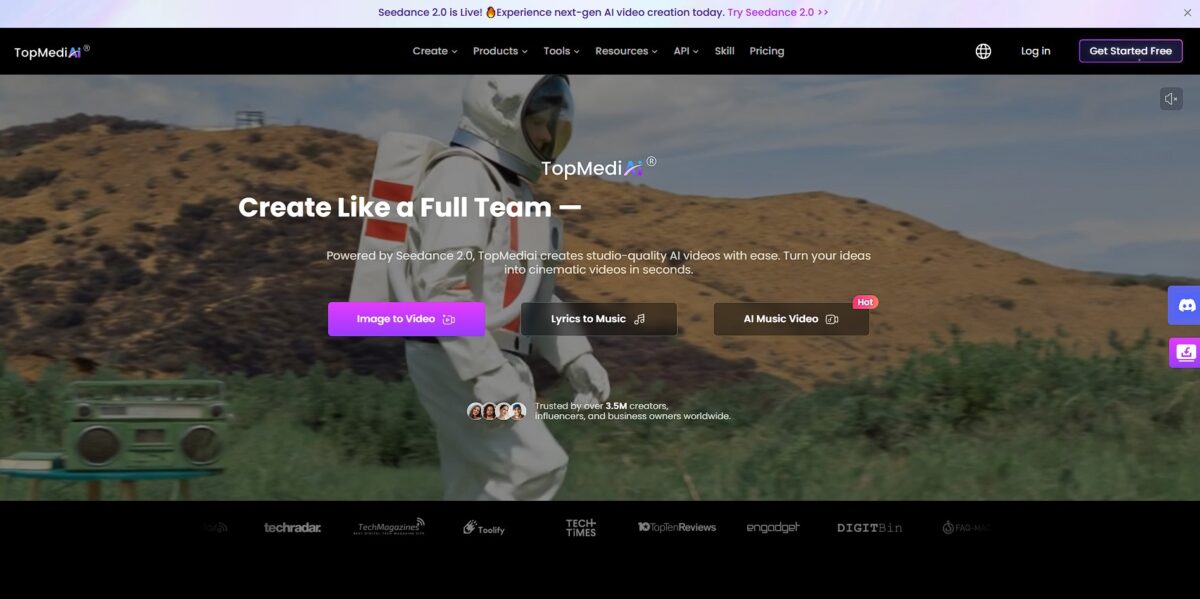
TopMediai acts as a Swiss Army knife for creators who need to spin up audio and video assets without renting a studio. It bundles over 3,200 synthetic voices with video and music generation, letting you bypass the friction of managing multiple subscriptions for a single project. The interface is built for speed: you can clone a voice in about 15 minutes or turn a text prompt into a synchronized music video. This consolidation keeps your workflow in one tab, though the variety of tools means individual features might lack the surgical precision of specialized, standalone apps. In return, the technical barriers to producing localized content or narration-heavy documentaries on a budget disappear. Pick this if you need a fast, all-in-one assembly line for social media content rather than a high-end, single-purpose professional suite.
How to start using TopMediai®?
Start by heading to TopMediai and creating an account to access the dashboard. You get 5,000 free characters immediately, which lets you test the text-to-speech engine without reaching for a credit card. The interface splits into distinct modules for video, audio, and images, so pick your starting point based on your immediate project needs. This initial trial is great for testing specific voices, though the character limit disappears quickly if you are converting long scripts. Still, it’s enough to verify the vocal cadence matches your video’s tone before committing to a paid plan.
Rule of thumb: use the free credits to test “Pro” vs “Basic” voices to see if the higher character cost is worth the extra realism.Once in the Text to Speech tab, type or paste your script into the main workspace. You can filter through the library of 3,200 voices by category, such as “Social Media” or specific characters like “Leon Kennedy.” While the search bar is fast, navigating the massive list manually feels overwhelming due to the sheer volume of niche options. Selecting a voice allows you to adjust stability and exaggeration to make the AI sound less robotic for narration. This fine-tuning prevents your voiceover from sounding like a standard GPS navigation system.
Takeaway: click the play button on several avatars to hear the nuances in their breath and emphasis before hitting the convert button.If you need a specific person’s tone, move to the Voice Cloning section to upload a clean audio sample. The system works best with recordings that lack background music or heavy echoing, as it tries to isolate the core vocal frequency. You can also read a provided sample text directly into your mic to train the model in real-time. This bypasses the need for professional recording gear while still capturing your unique inflections for later use. Once your own voice is cloned, you can generate hours of content by typing, saving you from repeating the same script until your throat is sore. Gotcha: check your remaining character count in the bottom right often, as Pro-tier clones consume credits at five times the standard rate.
To wrap up a project, hit the generate button and wait for the AI to process your request. You can then download the resulting file in MP3 or WAV format to drop directly into your video editor. If the output fails, it’s usually down to a weak internet connection or a temporary spike in server traffic for that specific voice model. I found that daily sign-ins earn you “gold coins,” which you can swap for extra characters if you run out mid-sentence. This gamified system helps small creators keep costs down while scaling their output.
Takeaway: check your network stability before generating long files to avoid losing your spot in the processing queue.
Who is it for?
Solo Indie Game Developers
You can bypass the $30,000 line item for professional voice actors by using archetype-based synthetic voices for NPCs and background barks. The library includes specific character types like “grizzled mentor” or “villain,” which helps when you need a distinct personality rather than a generic narrator. It means 90% of silent indie games can finally ship with full audio.
Short-Form Video Creators
TopMediai handles the heavy lifting of turning text into social-ready audio for TikTok and Reels, especially if you want to stay faceless. It works well for rapid prototyping, though the automated intonation occasionally needs manual pitch adjustments to avoid the “synthetic mumble.” You can produce five variations of a voiceover in the time it takes to record one.
Corporate Training Designers
Convert dry PDF manuals into narrated video modules using over 3,200 synthetic voices. In testing, the platform handled technical jargon and specific product names better than standard browser-based TTS, which often trips over industry shorthand. No more bottleneck of waiting for an executive or subject matter expert to find time for a recording session.
Localization Specialists
Use the AI suite to dub existing content into dozens of languages while attempting to retain the original speaker’s nuance. The trade-off is that while the translation is fast, you still need a native speaker to double-check cultural idioms that AI might miss. Even so, it opens up international markets for small teams who can’t afford global talent agencies.
Modders and Fan Creators
Bring life to custom quest lines in games like Skyrim or Stardew Valley by generating thousands of dialogue lines for new followers. The system excels at producing “ambient dialogue” that makes game worlds feel lived-in without requiring a studio setup.
TopMediai® pricing
TopMediai uses a credit-based system that forces you to calculate the cost of every voiceover or video clip before you hit generate. It’s a flexible approach for creators with fluctuating workloads, but it adds a layer of math to your creative process. The platform frequently offers deep discounts for the first week or month, which works well for short-term projects but hides the true cost of long-term use.
Weekly Plans: $4.99–$14.99/week. These tiers are built for quick turnarounds, offering between 1,500 and 4,500 credits. I noticed the price doubles after the first seven days, so a “cheap” trial can turn expensive fast if you forget to cancel. Still, it’s a low-cost entry point for one-off social media campaigns without a monthly commitment.
Monthly Plans: $8.99–$26.99/month. Stepping up to monthly billing grants you faster generation speeds and priority support. Credits range from 3,750 to 11,250, allowing for about 75 to 225 minutes of audio enhancement or several hundred AI song covers. The higher character limits for text-to-speech mean you don’t run out of “breath” halfway through a long-form narration.
Yearly Plans: $99.99–$149.99/year. This is the only way to get the cost-per-credit down to roughly $0.0033. You get 30,000 to 45,000 credits upfront, which is ideal for power users building automated YouTube channels or localized training modules. It also locks your production costs for twelve months and opens up the full capacity for voice cloning and video translation.
Use the weekly plan to test a specific voice clone, but pivot to the annual plan if you’re producing more than three videos a month to avoid the “subscription creep” of higher weekly rates.
TopMediai® key features
Vocal Nuance Library
Browse over 3,200 synthetic voices to avoid the flat, robotic tone that usually triggers an immediate skip from listeners. The engine allows fine-tuning of pitch and speed, which helps match the specific energy of a product review or a narrative story. This matters because a voice that feels human increases audience retention during long-form content.
Voice Identity Cloning
Record a 30-second sample to generate a digital twin of your own voice for recurring voiceovers. It captures unique accents and vocal quirks so you can update video scripts by typing text rather than setting up your microphone again. That saves hours of setup time for creators who need to push daily updates.
Intelligent Watermark Eraser
Remove distracting TikTok logos or timestamps from video assets when repurposing clips for Instagram Reels or YouTube Shorts. The tool reconstructs the background pixels rather than just applying a simple blur, keeping the frame visually consistent. This matters because social algorithms often deprioritize content that carries visible watermarks from competing platforms.
Instant Audio Dubbing
Translate your video audio into multiple languages while attempting to preserve the original speaker’s tone. It bypasses the need for expensive voice actors when testing content in new geographic markets. For solo creators, that means scaling their “Total Addressable Market” without a localization budget.
Background Asset Cleaning
Strip unwanted objects or people from the background of photos and video frames to focus the viewer’s attention. It works best on static backgrounds where the AI can easily predict the missing textures, and it can save a shoot that was ruined by a stray passerby or an ugly exit sign.
AI Script Assistance
Generate structured video scripts or podcast outlines directly inside the dashboard. It solves the “blank page” problem for developers who are better at building than writing marketing copy. Your production pipeline keeps moving when your creative energy is low.
TopMediai® Pros & Cons
Pros
TopMediai consolidates voice cloning, text-to-speech, and watermark removal into one browser tab. This eliminates the subscription fatigue of paying for four different creative suites. The voice engine generates a usable clone from just a 30-second audio sample, which lets indie devs voice an entire cast of NPCs without a studio budget. Creators with limited equipment can still produce professional-sounding narration. The browser-based interface means you can edit audio on a Chromebook just as easily as a workstation.
Cons
The credit-based system adds a layer of mental math to every generation. You might hesitate to experiment with different vocal nuances when each click depletes your weekly balance. I noticed the music generator occasionally ignores specific tempo requests, producing a generic background track instead of the precise mood you defined. This makes it less ideal for scoring complex scenes that require tight synchronization. With such a broad feature set, some specialized tools feel less polished than dedicated single-purpose apps.
Use TopMediai® if you want…
- Consolidate voice cloning, text-to-speech, and video generation into one workflow.
- Generate royalty-free music and AI song covers for social media content.
- Create lifelike voiceovers in over 190 languages without hiring voice actors.
- Automate technical tasks like watermark removal and background erasure.
- Transform static images or text prompts into high-quality video clips.
- Integrate advanced audio and music generation features into your own apps via API.
- Produce original, copyright-safe lyrics and tracks for YouTube or podcasts in seconds.
TopMediai® alternatives


TopMediai® Reviews
I was able to create a teaser and a soundtrack for my project despite having zero experience in music production; the AI handles everything from visuals to audio seamlessly.
The voice cloning technology is a game-changer for indie developers; I generated a professional-sounding cast for my game without a studio budget.
TopMediai’s text-to-speech is incredibly user-friendly and the sound diversity is impressive; it’s the best choice for saving time on high-quality voiceovers.
FAQ
What is TopMediai?
TopMediai is an all-in-one AI content creation platform that consolidates video generation, music creation, and text-to-speech tools into a single workflow. It allows creators to turn ideas into publish-ready assets for marketing, social media, and education without switching between multiple specialized tools.
Do I need professional skills to use TopMediai?
No, the platform is designed for both beginners and experienced creators. Its intuitive dashboard and AI-powered automation allow users to produce studio-quality results, such as voice cloning or video generation, without prior technical expertise.
How many voices and languages are supported?
TopMediai offers over 3,200 synthetic AI voices and supports more than 190 languages and accents. The library includes various character archetypes, and users can also use AI voice cloning to create unique, custom voices.
Can I try TopMediai for free?
Yes, TopMediai provides a free trial that includes 5,000 characters for text-to-speech conversion and limited credits for other features. This allows users to test specific voices and tools before committing to a paid plan.
What happens to my cloned voices if my subscription expires?
Your cloned voices are permanently saved on TopMediai and will not disappear. However, they are only usable while you have an active cloning subscription. You would need to reactivate your plan to use them for new projects.
Is the content generated by TopMediai safe and private?
Yes, TopMediai follows strict data security and privacy standards. All generated content remains private to the user unless they choose to share it, and the platform is monitored to maintain a secure creative environment.
What is the difference between AI duets and AI chorus?
AI duets automatically assign different singing parts to selected voices, allowing them to take turns during a song. AI chorus allows all selected voice models to sing together simultaneously.
Similar tools
 RunableGeneral AI agent that turns one prompt into websites, slide decks, social carousels, videos and apps, with plugins and scheduled tasks.
 AISEOAI writing suite with a text humanizer, article and Outrank generators, AI detector and plagiarism checker, plus AI search visibility tools.
 Octopus.doVisual sitemap builder that drafts page structure, block copy and SEO tags with AI, crawls existing sites and connects to ChatGPT, Claude