

Tripo AI
Art GenerationUpdated October 26, 2026
AI 3D model generator that turns text prompts, photos and sketches into textured, quad-mesh or rigged models for games, animation and 3D printing.
We may earn a commission when you sign up through our links. It does not affect our reviews.
What is Tripo AI?
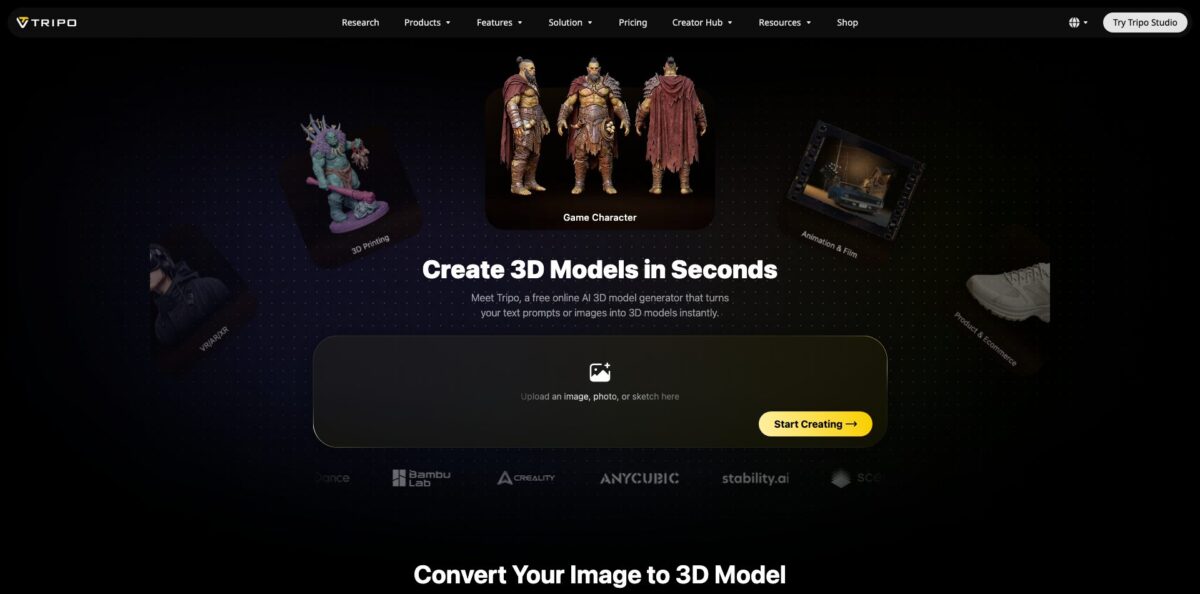
Tripo AI is a browser-based 3D generation studio from VAST that converts a text prompt, a single photo, a sketch or up to four reference views into a textured mesh in seconds. You choose between two product lines before you generate: High Detail Model, which goes up to 2 million polygons for rendering, VFX and printing, and Smart Mesh, which returns native quad topology between 500 and 25,000 polygons for game engines and animation. Around that core sit PBR texturing up to 8K, smart segmentation into parts, auto-rigging, and exports in GLB, FBX, OBJ, USD, STL and 3MF. The weak spot is control: the AI guesses what it cannot see, so hidden surfaces, exact proportions and fine materials still need a pass in Blender or ZBrush. Pick it if you need lots of usable 3D drafts fast, not CAD-accurate parts.
How to start using Tripo AI?
Open studio.tripo3d.ai and sign up; the Free plan adds 200 credits every month, which the pricing page estimates at about 13 models, and everything runs in the browser with no plugin, local GPU or install. Free-tier models are public, and the pricing page marks them for non-commercial use, so treat the free tier as an evaluation sandbox rather than a production account.
For your first real job, use Image to 3D rather than a text prompt. Upload a JPG, PNG or WEBP with one centered subject on a clean background, because busy backgrounds, several subjects, motion blur and extreme perspective all reduce accuracy. If the object is asymmetric or has detail on its back, add extra views: Tripo accepts up to four fixed angles (front, left, right, back), and even front plus back improves the geometry noticeably. Multi-view input is a subscriber feature.
Before you click generate, decide the destination. Choose High Detail Model for hero renders, product shots and resin prints, or Smart Mesh with a polygon budget for a game character or mobile prop: quads from 500 to 25,000, triangles from 500 to 50,000. After generation, the preview lets you switch between Solid, Textured, Normal, Sketch and Hologram views, and you can retry for free if the shape is off (three retries on Free, unlimited on Max and Team).
Then refine and export. Optional steps include 8K PBR texturing with a Remove Lighting control for baked-in light, smart UVs, segmentation into parts at three precision levels, one-click rigging for humanoids and creatures, and preset or text-to-motion animation. Export FBX or GLB for Unity, Unreal or Mixamo, OBJ or USD for DCC tools, and STL or 3MF for slicers. Check thin features and overhangs in your slicer before printing.
Who is it for?
Indie Game Developers
You need dozens of props, enemies and set pieces before a prototype proves itself, and you have no art budget yet. Smart Mesh gives you quad topology at a polygon count you set, ready to import into Unity, Unreal, Godot, Cocos or Roblox. Swap the placeholders for hand-made assets once the game finds its audience.
3D Printing Makers
Sculpting a custom figurine is a skill barrier most hobbyists never cross. Tripo exports STL and 3MF directly, and segmentation splits large models into parts that fit your print bed. Users on Product Hunt describe printing pet figures as gifts, which is exactly the sweet spot.
Character Artists and Animators
Rigging and weight painting eat hours before you can test a single pose. Tripo builds skeletons and skin weights for humans, quadrupeds, stylized and mechanical characters, then exports FBX or GLB that Blender, Maya and Mixamo accept. You start animating the same afternoon instead of the following week.
Product Designers and E-commerce Teams
Stakeholders want a 3D preview long before engineering delivers CAD. A product photo becomes a textured model in under a minute, good for concept reviews, AR demos and store visuals. Treat it as visualization, though, not as manufacturing geometry.
Developers Building 3D Features
If your app lets users create 3D content, the Tripo API lets you call the same generation, texturing and rigging tools from your own code, and a Tripo CLI is listed among the developer resources. You skip training and hosting your own models.
Concept Artists and Sculptors
Blocking out a character or statue face from a sketch saves the dull first hours of a project. Reviewers note the output still needs remodeling, but it gives you a solid base mesh to push further in ZBrush.
Tripo AI pricing
Tripo Studio runs on monthly credit allowances. Each generation, texture pass or edit consumes credits, and the pricing page converts every plan into an estimated number of models so you can compare tiers. Pro and Max are listed at the same monthly price whether you pay monthly or yearly; Team is the plan where annual billing halves the price. New accounts see a 50% off first-month coupon at checkout, and one-off credit packs are sold on top of any plan.
200 credits per month (about 13 models), one concurrent task, standard queue, public models for non-commercial use, 1-day edit history, 3 free retries, storage for 10 models, 15 exports, textures up to 4K, and image generation limited to Nano Banana.
3,000 credits (about 200 models, roughly $0.16 each), 10 concurrent tasks, high queue priority, private models with commercial use, batch generation, 7-day history, unlimited storage and exports, DCC Bridge, Smart Mesh, Multi-view to 3D, Smart Segmentation and Ultra Mesh quality. Image generation opens up to Nano Banana Pro, Nano Banana 2, GPT Image 2 and Midjourney at standard credit cost.
25,000 credits (about 1,660 models, roughly $0.09 each), 100 concurrent tasks, dedicated queue priority, permanent edit history, unlimited free retries, 3 free Pro Refine jobs, unlimited 8K textures, 20 free image generations per day with 80% off after that, and early access to beta features.
90,000 credits (about 6,000 models), 200 concurrent tasks, free image generation, a shared workspace and assets, and centralized billing and administration.
$10 for 1,000 credits, $100 for 10,000 plus 2,000 bonus credits, $500 for 50,000 plus 12,000 bonus, and $1,000 for 100,000 plus 30,000 bonus.
Custom. API usage is billed separately on the developer platform, and enterprise or high-volume plans are handled through Tripo’s sales and enterprise support contact.
Tripo AI key features
High Detail Model generates triangle meshes of up to 2 million polygons from images or text, with strong alignment to the input picture. It is built for hero renders, marketing visuals, e-commerce shots and detailed 3D printing, and the current release is branded Tripo H3.1. You get sculpt-level surface detail without a sculpting session; plan a retopology pass if the asset must animate.
Smart Mesh returns native quad topology from 500 to 25,000 polygons, or triangles from 500 to 50,000, in seconds
Clean edge loops deform correctly at joints, so a character survives rigging without a manual retopo.
Multi-view to 3D reconstructs geometry from up to four reference photos instead of inferring the hidden side
Symmetry control applies automatically, and the extra views matter most for asymmetric objects or anything with detail on its back. It takes longer than single-image mode but noticeably improves accuracy.
AI Texturing produces full PBR sets (BaseColor, Normal, Roughness, Metallic) up to 8K, with global style transfer, local edits through a Magic Brush, Remove Lighting for baked-in shadows, and upscaling from 1K to 4K or 8K. Assets light correctly in Unreal, Unity and Blender instead of looking painted on.
Smart Segmentation splits a model into editable parts at three precision levels (Simple, Balanced, Detailed), with part-based transform, retopology and texture edits on paid plans. Printers use it to cut big models into bed-sized pieces; game artists use it to swap weapons or armor without regenerating the whole character.
Auto Rigging and Animation detects joints for humans, animals, stylized and mechanical characters, paints skin weights, and adds preset or text-to-motion animation. You can also upload your own OBJ, FBX or GLB to rig, then export FBX or GLB with skeletons for Blender, Maya, Unity, Unreal or Mixamo.
DCC Bridge and plugins push models straight into Blender, 3ds Max, Unity, Unreal, Maya, Cocos, Godot and ZBrush on paid plans, with further plugins listed for MetaTailor and Roblox. It removes the download, import and re-link loop when you iterate on many assets.
Tripo AI Pros & Cons
Pros
Speed and approachability are the headline. A clean photo turns into a textured model in seconds, and reviewers on Product Hunt consistently describe the interface as one of the easiest AI 3D tools to learn, even without a 3D background. The split between High Detail Model and Smart Mesh is genuinely useful because you pick dense sculpt-like geometry or engine-ready quads up front instead of fixing topology later. Rigging, segmentation, 8K PBR texturing and STL or 3MF export live in the same workspace, so one tool covers concept, game asset and printable figure. Credit math on Max drops to roughly nine cents per model. Start with Smart Mesh whenever the model has to move.
Cons
Control is still limited. Reviewers ask for finer customization, better materials and more mesh options, and single-image results can fill unseen sides with guesswork, so expect cleanup in Blender or ZBrush for anything client-facing. The Free tier keeps models public and non-commercial, with a small export cap. Billing draws the harshest feedback: Trustpilot reviewers report a cancellation flow with repeated retention offers, credits they say expire if unused, and slow, templated support replies when a payment did not enable exports. Screenshot your plan and renewal date before upgrading, and test on Free first.
Use Tripo AI if you want…
- Turn product photos into textured 3D models.
- Generate quad-mesh game assets at a set polycount.
- Rig and animate characters without manual weight painting.
- Split large models into printable parts for FDM printers.
- Prototype creature and prop concepts from text prompts.
- Export STL or 3MF files ready for slicing.
- Push generated assets straight into Blender or Unreal.
- Add 3D generation to your app through an API.
Tripo AI alternatives

Tripo AI Reviews
Product Hunt reviewers rate it 4.8 out of 5 and keep praising how fast and beginner-friendly it is for prototyping, while asking for deeper customization, more industry presets and better mesh generation.
A sculptor uses it to generate statue faces from photos and calls it a strong tool that may compete with 3D scanners, though the results still need some remodeling and scanners remain more accurate.
One early reviewer liked the text-to-mesh results but wanted richer PBR materials and an option for two-sided meshes, noting that some single-photo uploads came back as a box textured with the image.
Trustpilot reviewers who like the model quality say it helps them hit project deadlines, but a vocal group complains about a hard-to-complete cancellation, unused credits lapsing and slow support on billing problems.
FAQ
Is Tripo AI free?
Yes. The Free plan gives you 200 credits a month, about 13 models, with one concurrent task. Free-tier models are public and marked for non-commercial use, and exports are capped at 15.
Can I use Tripo models commercially?
Yes on paid plans. Pro, Max and Team make your models private with commercial use, and Tripo states the copyright of generated models belongs to you, as long as your source images or prompts are free of copyright disputes.
Which file formats can I export?
Tripo exports GLB, FBX, OBJ, USD, STL and 3MF. Rigged characters export as FBX or GLB with skeletons included.
Are Tripo models ready for 3D printing?
You can export STL or 3MF directly and split large models into parts with Smart Segmentation. Still check thin features and overhangs in your slicer before printing.
Does Tripo work with Blender, Unity and Unreal?
Yes. Exports import into all three, and paid plans add a DCC Bridge for Blender, 3ds Max, Unity, Unreal, Maya, Cocos, Godot and ZBrush.
Is there a Tripo API?
Yes. Developers can generate, texture and rig models programmatically through the Tripo API, which is billed separately from Studio subscriptions on its own developer platform.
How many images can I upload for one model?
One image works on any plan. Paid plans add Multi-view to 3D with up to four reference views: front, left, right and back.
Is my data secure?
Tripo states it holds ISO/IEC 27001:2022 certification for information security, and paid plans keep your models private instead of publishing them to the public gallery.
Similar tools
 CustomuseAI 3D creation platform that chains image, video and 3D models into node workflows for game-ready assets, Roblox items and scenes.
 VisualGPTCredit-based AI image and video studio that runs Nano Banana, GPT Image, Seedream, Flux and Kling for product photos, photo edits and
 LovartAI design agent that turns a chat brief into logos, social posts, product shots, slides and videos on one editable infinite canvas.