

Uplup
Education AIUpdated October 27, 2026
AI quiz and form builder that turns a prompt, PDF or URL into scored quizzes, personality tests and lead-capture funnels with CRM sync.
We may earn a commission when you sign up through our links. It does not affect our reviews.
What is Uplup?
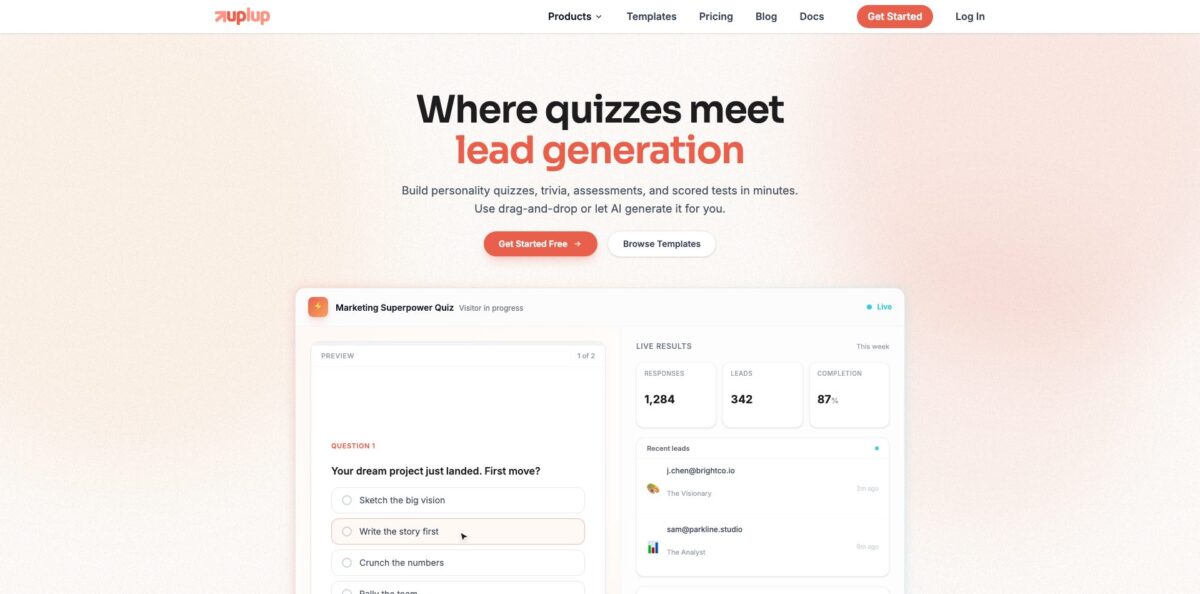
Uplup is a quiz, form and survey builder that uses Anthropic’s Claude to write the first draft for you. You describe a quiz in one sentence, or hand it a PDF, Word file, slide deck, image or URL, and it returns multiple-choice, true/false and short-answer questions with correct answers and explanations, ready to edit in a drag-and-drop builder. Four scoring modes cover classroom tests, pass/fail certifications, trivia and personality quizzes, and an optional email gate in front of the results turns any quiz into a lead magnet. The job it removes is the hour spent writing questions and wiring up scoring by hand. The weak spot is the Free plan: 25 responses a month and three AI generations cover a trial, not a class. Pick it for teaching quizzes and marketing funnels in one tool; for live classroom games, a game-show app fits better.
How to start using Uplup?
Sign up for the Free plan, which needs no credit card. From the dashboard, click Create in the left sidebar and choose Quiz. You first pick a layout: one question per screen (the conversational format) or all questions on one scrolling page. The choice is not final, because the Format switch under Design regroups the pages later without losing questions or point values. Then decide how to start: Blank Quiz, one of the 350+ templates, or the AI builder.
For your first real quiz, start from material you already have. The AI Quiz Generator accepts a one-line prompt, a PDF, Word or PowerPoint file, plain text, an image of textbook pages, or a URL, with files capped at 10 MB. You set the number of questions, a difficulty level (Easy, Medium, Hard or Mixed), a reading level from elementary to professional, and the language. It drafts questions, options, answer keys and optional explanations, and you can regenerate a single weak question instead of the whole set. Uplup itself labels the output as reliable but not perfect and asks you to review it before using it for grades.
The builder is where the real work happens. The left sidebar holds Add Page plus the Questions, Design and Security sections; the center canvas is a live preview; the right panel shows Scoring (correct answer, points, partial credit, hint or explanation) and Field Settings for whichever question you click. The quiz type badge at the top opens Quiz Settings, with tabs for Scoring, Questions (order, skipping, time limit) and Results (what takers see, retakes, leaderboard, results email). If you would rather type than click, the orange AI Assistant button in the top toolbar accepts requests like “turn on a 10 minute timer and randomize the questions”.
Before you share, open Preview (the eye icon) to take the quiz in test mode; owner previews do not count against your monthly responses. Click Save to publish, then use the Share tab for a direct link with a custom slug, an embed script, a printable QR code or one-click social sharing. Results arrive under the Results tab with attempts, average score and pass rate. Lock down the answer key first: changing a correct answer after publishing does not rescore submissions you already have.
Who is it for?
Teachers
Writing ten good multiple-choice questions with plausible distractors eats a planning period. Upload the chapter PDF, pick a reading level and you get a draft assessment with answer keys and explanations to edit, plus instant feedback so a wrong answer teaches something.
Students
Turning notes into practice questions is slow, so most people just reread. Drop a study guide or photos of textbook pages into the generator and self-test, which shows the gaps before the real exam instead of during it.
Corporate trainers and HR teams
Compliance and onboarding checks need a pass mark, a time limit and a record of who passed. Uplup’s Pass/Fail mode, retake limits and per-attempt results cover that, and the AI can build the first version straight from an existing policy PDF.
Course creators
Learners drift away when lessons have no checkpoints. A short scored quiz after each module, embedded on your course page, shows you which questions people miss and gives students a reason to finish the section.
Marketers and agencies
Plain email forms convert poorly and tell you nothing about the lead. A personality or assessment quiz with an email gate before the results collects the address together with every answer and score, then routes it to your email tool or CRM.
E-commerce brands
Shoppers stuck between similar products bounce or buy the wrong one. A product recommendation quiz maps answers to outcomes and sends each visitor to a matching result page with a call to action.
Uplup pricing
Uplup charges by completed responses per month rather than by quiz, question or creator. Every plan includes unlimited quizzes and forms, unlimited questions and the AI assistant, and responses are pooled across all your workspaces. Only finished submissions count; partial views and abandoned attempts do not. Yearly billing gives you two months free, every paid plan has a 14-day money-back guarantee, and the company offers special pricing for nonprofits, schools and students on request. Prices below are from the official pricing page in USD.
25 responses a month, all question types and scoring modes, 3 AI quiz generations and 10 AI Assistant messages a month, lead capture (leads stay in your dashboard), basic conditional logic, analytics with drop-off tracking, MCP access, and spam and VPN protection. A “Made with Uplup” badge stays on your quizzes.
1,000 responses a month, no badge, unlimited AI quiz and form generation, instant lead alerts by email, CSV export, the quiz timer, the pricing page’s list of 40 CRM and email integrations plus 4 tracking pixels, Zapier, n8n, REST API access, Stripe payments, the AI theme builder with custom branding, and 3 workspaces. Going over the limit gives you a 20% grace buffer before new responses pause.
10,000 responses a month, everything in Pro, unlimited workspaces, 5 team members, webhooks, HubSpot and Salesforce integrations, an SSO login page with email verification for respondents, quiz leaderboards, bulk file download, VPN and proxy blocking with geo-restrictions, and priority support. Extra responses are billed automatically at $10 per 1,000, so quizzes keep collecting.
Uplup key features
AI Quiz Generator from your own material
You describe the quiz or upload a PDF, Word file, PowerPoint, text file or image, or paste a URL, and the generator writes questions, options, correct answers and optional explanations. Difficulty, reading level and language (English, Spanish, French, German, Italian, Portuguese or auto-detect) are set before generation. Long PDFs are processed page by page, with the most relevant sections passed to the model, so the quiz focuses on key concepts.
AI Assistant inside the builder
The assistant, called Co-pilot in the docs, runs on Claude and sees the current state of your quiz before every reply, including edits you made by hand. It can add or reorder questions, change design, set scoring, timers and retakes, write conditional logic, and pull analytics or suggest fixes in plain English. Conversations are saved per form, and builder undo and redo work on its changes too.
Four scoring modes with real test mechanics
Scored, Percentage, Pass/Fail and Personality cover trivia, graded tests, certifications and “what type are you” quizzes. Checkbox questions support partial credit, every question can carry a hint or explanation, and results can show correct answers instantly or after submission. Retake limits with cooldowns, randomized question and answer order, timers with auto-submit, and leaderboards (Business) round out the testing side.
Lead capture before results
A lead capture page sits between the last question and the score, and you choose whether it is required or skippable. Each lead arrives with answers and score attached, so a follow-up email can reflect what the person actually said. Product pages cite 23 native CRM and email integrations plus Google Sheets sync, with Zapier, n8n, webhooks and the REST API covering the rest.
Analytics with drop-off tracking
The Results area shows completions, average score, pass rate, time to complete and per-question accuracy, so the hardest or most confusing question is easy to spot. You can open any attempt for the full answer breakdown or ask the assistant where people quit. For teachers, per-question accuracy doubles as a quick map of what to reteach.
MCP server for AI assistants
Uplup runs a hosted Model Context Protocol server that lets Claude, ChatGPT, Cursor and other MCP clients create quizzes, edit questions and read submissions through 63 tools. It is available on every plan, including Free, uses OAuth with PKCE, and the server code is open source on GitHub. Webhook tools require the Business plan, and the server allows 120 requests per minute per IP.
Forms and surveys in the same builder
Beyond quizzes, Uplup builds contact forms, registrations, NPS and feedback surveys and payment forms with 43+ field types and conditional logic. Pro adds Stripe payment collection, and both classic and conversational layouts are available.
Uplup Pros & Cons
Pros
The AI does the slow part. Feeding a chapter PDF or a training manual into the generator gives you a full draft with answer keys and explanations in seconds, and the in-builder assistant handles follow-up edits like harder questions, a timer or new result text without hunting through settings. Pricing is easy to reason about: unlimited quizzes on every plan, responses pooled across workspaces, and a predictable overage rate on Business. The same tool handles graded tests, personality quizzes, surveys and payment forms, and the MCP server lets you build or analyze quizzes from Claude or ChatGPT. Start by uploading one well-structured document so you can judge draft quality quickly.
Cons
The Free plan is a demo rather than a classroom tool: 25 responses a month and three AI generations run out fast with even one class. The generator itself only writes multiple-choice, true/false and short-answer questions, so matching, ordering or fill-in-the-blank items must be added by hand, and AI generation supports six languages plus auto-detect. Several teaching features sit behind paid tiers, including the quiz timer (Pro) and leaderboards (Business). Integration counts also differ between product pages and the pricing table, and the independent review base is small and partly about older giveaway tools. Check the integration list for your exact CRM before you pay.
Use Uplup if you want…
- Turn lecture notes or PDFs into graded quizzes.
- Build personality quizzes that capture emails before results.
- Run pass/fail compliance tests with timers and retake limits.
- Recommend products through a short scored quiz funnel.
- Edit quizzes by chatting with a built-in AI assistant.
- Send quiz leads with answers into your CRM.
- Spot confusing questions through drop-off and accuracy analytics.
- Create and manage quizzes from Claude or ChatGPT.
Uplup alternatives

Uplup Reviews
A Trustpilot reviewer who builds quizzes from lesson notes says the AI generator saves real preparation time and that the drop-off analytics show where people stop answering.
G2 reviewers mostly praise how quickly they can set things up and how responsive support is, though some feel the AI tool could be more advanced.
Several Trustpilot users say support replied quickly, fixed their issues and even added features they asked for, which kept them on the platform.
Two Trustpilot reviewers running contests in 2025 report that their pages failed to load or crashed under traffic during a live giveaway, a reminder to test before a big launch.
One older Trustpilot review describes being locked out after Google sign-in failed and password reset emails never arrived, and found support hard to reach at the time.
FAQ
Is Uplup free?
Yes. The Free plan costs $0 with no credit card and includes unlimited quizzes, all question types and scoring modes, 25 responses a month and 3 AI quiz generations, with a “Made with Uplup” badge on your quizzes.
Can Uplup make a quiz from a PDF?
Yes. The AI Quiz Generator accepts PDF, Word, PowerPoint, plain text and image files up to 10 MB, or a URL, and writes questions with correct answers and optional explanations that you can edit before publishing.
Which AI model does Uplup use, and is my data used for training?
Uplup’s generator and in-builder assistant run on Anthropic’s Claude. According to Uplup, your prompt is sent to Anthropic to generate the quiz and is not retained for training, and the assistant only reads individual submissions when you ask it to.
What languages can the AI write quizzes in?
The generator offers English, Spanish, French, German, Italian and Portuguese, plus an auto-detect option, and writes the questions, options and explanations in the language you choose.
Does Uplup integrate with my CRM or Google Sheets?
Yes, on paid plans. From Pro, quiz leads sync natively to CRM and email tools such as Mailchimp, Klaviyo and ActiveCampaign, and the builder also offers a Google Sheets sync; HubSpot, Salesforce and webhooks require the Business plan, while Zapier, n8n and the API cover other tools.
Does Uplup have an API?
Yes. REST API access is included from the Pro plan, and a hosted MCP server lets Claude, ChatGPT, Cursor and other MCP clients create and manage quizzes on any plan, including Free.
What happens if I go over my monthly responses?
On Pro you get a 20% grace buffer before new responses pause. On Business, extra responses are billed automatically at $10 per 1,000, so your quizzes keep collecting.
Can I cancel or get a refund?
You can upgrade, downgrade or cancel at any time, with changes taking effect immediately, and every paid plan comes with a 14-day money-back guarantee. Schools, students and nonprofits can ask for special pricing.
Similar tools
 EducatoAI exam prep platform that builds a study plan around your test date, with practice questions, mock exams and a tutor that
 TutorGPTMulti-model AI study workspace with step-by-step homework solvers, chat with GPT, Claude and Gemini, plus slide, image and voice generators.
 AbhyasJEE, NEET and AP EAPCET prep platform from Aditya Educational Institutions with video lessons, a large question bank, custom tests and mistake