

Userflow
No-Code AIUpdated October 21, 2026
No-code product adoption platform for building in-app tours, checklists and surveys, with AI flow generation and an in-app Adoption Agent.
We may earn a commission when you sign up through our links. It does not affect our reviews.
What is Userflow?
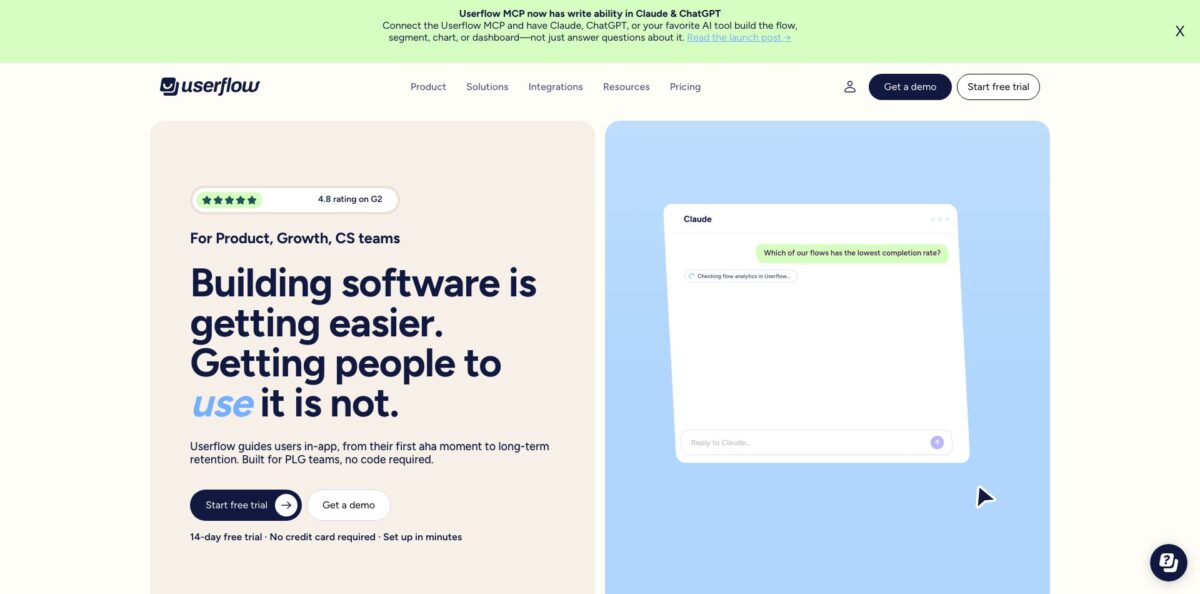
Userflow is a SaaS layer that sits on top of your own web app and lets product, growth and success teams build in-app onboarding without waiting on a sprint. You install one JavaScript snippet, Userflow.js, and from then on you create product tours, checklists, tooltips, banners, NPS surveys and a searchable Resource Center in a no-code builder. Its FlowAI layer drafts whole flows from a short description, translates step copy, flags friction points in your funnels and runs an Adoption Agent that answers user questions inside the product and launches the right walkthrough. The weak spot is cost for small companies: paid plans start in the hundreds of dollars a month and scale with monthly active users. It fits B2B SaaS teams with a growing user base and a real activation problem to fix.
How to start using Userflow?
Start a 14-day free trial of Essentials or Studio from the Start free trial button; no credit card is required, and the trial includes everything in the plan you pick. Inside the account, open Settings > Environments to find your Userflow.js token. Each environment, for example Production and Staging, has its own token, so decide early which one you will test in.
Next comes the only step that touches code. Install Userflow.js either with the npm package (npm install userflow.js, then userflow.init and userflow.identify) or by pasting the HTML snippet before the closing body tag. Google Tag Manager, Electron and GoHighLevel have their own guides, and the docs now offer coding-agent skills that let an AI assistant do the install for you. Pass a user ID plus optional attributes such as name, email and signed_up_at, because those values drive targeting later. If you need to show content on public pages, use userflow.identifyAnonymous(), but remember anonymous visitors count toward your MAU balance.
With the snippet in place, build your first real scenario: a welcome modal that points new sign-ups to one meaningful action, followed by a short checklist of three or four setup tasks. You can describe the flow and let the FlowAI Builder (Smartflow) generate an editable draft, or build step by step yourself. Then open the targeting settings and limit the flow to users who signed up recently or who have not triggered a key event yet.
Before publishing, preview the draft inside your app with the Userflow Chrome Extension, which also includes a Debugger for checking why a flow does or does not start. Choose which environments the flow is published to, push it to staging first, then to production. After launch, watch completion and drop-off in the analytics views and adjust step copy with FlowAI Rephrase.
Who is it for?
Product managers at B2B SaaS companies
you ship features faster than users discover them, and every onboarding change waits for engineering. Userflow moves tours, tooltips and announcements into a no-code builder, so you can iterate on activation weekly instead of per release.
Growth and PLG teams
trial users sign up and never reach the moment where the product clicks. Checklists, event-triggered flows and user or company-level targeting let you guide each segment to its first value step and then measure completion in funnels.
Customer success managers
the same “how do I” questions arrive every week from different accounts. The Resource Center and the Adoption Agent answer them inside the app using your docs and flows, which leaves you more time for renewals and expansion talks.
Product marketers
launch announcements in email get skimmed and forgotten. Banners, modals and feature highlights shown in context, at the moment a user lands on the relevant screen, turn a launch into actual feature usage.
UX researchers and product ops
you need feedback from users who just did a specific thing, not a random sample. In-app NPS, CSAT and custom surveys triggered by events give you that, and Mixpanel, Amplitude or Segment syncs keep the results next to your behavior data.
Teams running several products
if your company has more than one app or brand, Studio supports separate Product (child) accounts under one login and one bill, each with its own flows, users and environments.
Userflow pricing
Userflow prices by monthly active users (MAUs), meaning unique users who sign into your app within a rolling 30-day window. Every plan includes unlimited team members and unlimited experiences, so you are not paying per seat or per flow. The self-serve plans include 1,000 MAUs, and the figures below come from the official pricing page as of October 2026. Annual billing takes 20% off both the plan and every add-on.
Includes 1,000 MAUs, AI to build, target and optimize experiences, all core experience types, the Userflow MCP server, Zapier and Slack integrations, 2 environments, 6 months of analytics history and a REST API limit of 500 requests per minute. Quickstart Onboarding is a one-time $500 add-on.
Adds the Adoption Agent with 500 AI credits a month, all integrations including HubSpot and Salesforce, custom CSS, custom event trackers, priority support, Quickstart Onboarding, a dedicated Customer Success Manager, 3 environments, 12 months of analytics history and 1,000 API requests per minute.
Custom. Billed annually with custom MAUs, AI credits, products and environments, plus a security review, custom contract, and priority support with an SLA.
Add-ons drive the real bill. Extra MAUs are sold in blocks of 1,000 starting at $40/month per block and dropping to $10 at high volume, which means growth raises your cost every month. On Studio, 500 extra Adoption Agent credits cost $50/month, an additional environment costs $100/month, and each extra Product (child) account costs $250/month. Above 100,000 MAUs the self-serve plans switch to a sales conversation. Customers on older Startup or Pro plans keep their existing pricing.
Userflow key features
Flows, checklists and tooltips form the core
Flows are multi-step guides and tours built without code, checklists let users manage their own onboarding, and tooltips add short contextual hints on a single element. All three are unlimited on every plan, so you can build one flow per segment instead of one generic tour for everyone.
FlowAI Builder generates complete flows from your live product
You can describe the experience you want in Smartflow or click through your app to produce a draft with structure and step copy, then refine it. FlowAI Rephrase tightens tone, and FlowAI Translate localizes in-app content for other languages. The result is a usable first version in minutes rather than a blank canvas.
The Adoption Agent is an in-app AI assistant trained on your docs and flows
It answers questions in context, recommends a relevant walkthrough inline and can launch it straight from the chat, while Action Flows let it complete tasks for the user. You decide which flows it may recommend and to which segments. It is included on Studio with 500 credits a month, and one credit is used per answered question.
FlowAI Signals and adoption insights show where users get stuck
Signals analyzes in-app experiences and agent conversations to surface recurring drop-off points, knowledge gaps and dominant themes. Alongside it you get charts, funnels, dashboards, alerting and anomaly detection when a flow’s views or completion rate fall below a threshold.
Targeting uses custom user attributes, triggered events and company-level data
You can show a flow only to admins on a trial plan, or trigger a survey right after a user finishes an action. Custom event trackers, available on Studio, record clicks and other actions without code and can sync to your other platforms.
Integrations and the Userflow MCP server connect it to your stack
Native connectors cover Mixpanel, Amplitude, Segment, Heap, RudderStack, LogRocket, Intercom, Zendesk, HubSpot, Salesforce, Slack and Zapier, plus a REST API and webhooks. With Userflow MCP you can ask Claude, ChatGPT, Gemini or Cursor about flows, drop-offs and NPS without exporting data or writing SQL.
The Resource Center is an always-on help hub inside your product with searchable flows, knowledge base content and announcements, and it can hand users off to your chat provider. Studio and Enterprise add full white-labeling.
Userflow Pros & Cons
Pros
Userflow puts onboarding in the hands of non-engineers once the snippet is installed, and reviewers consistently describe the builder as intuitive while still handling complex interfaces and dynamic URLs. Unlimited seats and unlimited experiences on every plan remove the usual tax on inviting your whole product and success team. The AI layer is practical rather than decorative: Smartflow drafts flows, Translate localizes them, Signals points to friction, and the Adoption Agent turns support questions into guided walkthroughs. Security paperwork is in place with SOC 2 Type II, ISO 27001 and GDPR, plus a choice of US or EU data region per environment. Start with one onboarding flow and one checklist, measure completion for two weeks, then expand.
Cons
The entry price is the main objection. At $240/month on annual billing for just 1,000 MAUs, Userflow is a stretch for bootstrapped startups, and several small-business reviewers call the subscription expensive. MAU-based billing also means your bill rises as you succeed, and AI agent credits are metered separately. Key features such as the Adoption Agent, custom CSS, custom event trackers and the HubSpot and Salesforce integrations sit on Studio, not Essentials. The platform targets web apps through Userflow.js, so plan for a short engineering task to install it and pass clean user data. Some users also want more styling control over widgets like checklists. Price your expected MAU growth and the Studio features you need before you commit.
Use Userflow if you want…
- Build product tours without filing engineering tickets.
- Turn new sign-ups into activated users with checklists.
- Generate editable onboarding flows from a short description.
- Answer user questions inside your app with AI.
- Trigger NPS and CSAT surveys after specific actions.
- Announce new features to the right user segments.
- Localize in-app guidance for international customers automatically.
- Spot onboarding drop-offs before they show up as churn.
Userflow alternatives
Userflow Reviews
A small-business owner on Capterra found installation easy and navigation smooth with no lag compared with other tools, but felt the cost is high for smaller companies and support can occasionally be slow.
A head of product with a complex interface praised the many ways to build logic into flows and said developers found implementation effortless, while wishing for more appearance options on widgets such as the checklist.
A growth lead who switched from Appcues said Userflow handles complex UIs far better thanks to its element selector approach, though at the time of the review the Segment integration was not yet native.
G2 reviewers often highlight that non-technical teammates can build flows and that new features arrive frequently; the recurring wishes are deeper analytics, more customizable surveys, and, on older plans, fewer limits on team seats.
A 2026 Capterra reviewer rated it as easy to use with excellent customer service for teaching users tasks and collecting data, but called the monthly subscription expensive for a small business.
FAQ
Does Userflow have a free plan?
No. There is no permanent free tier, but Essentials and Studio each come with a 14-day free trial that includes the full plan and needs no credit card.
Do I need a developer to use Userflow?
Building flows, checklists and surveys is no-code. A developer, or an AI coding agent using Userflow’s install skills, needs to add the Userflow.js snippet once so your users can see the content.
What counts as a monthly active user?
An MAU is any user who signs into your app where Userflow is installed within a rolling 30-day window. Anonymous visitors identified with userflow.identifyAnonymous() also count.
Is Userflow secure and GDPR compliant?
Userflow states it meets SOC 2 Type II, ISO 27001 and GDPR, encrypts data and hosts it on Google Cloud Platform. Each environment can use a US or EU data region.
Which integrations does Userflow support?
It connects to Mixpanel, Amplitude, Segment, Heap, RudderStack, LogRocket, Intercom, Zendesk, HubSpot, Salesforce, Slack and Zapier, and offers a REST API, webhooks and an MCP server. HubSpot and Salesforce require Studio or Enterprise.
How does the AI Adoption Agent get billed?
Studio includes 500 AI credits per month, and one credit is used each time the agent answers a user’s question. You can add 500 more credits for $50/month.
Can Userflow translate onboarding into other languages?
Yes. FlowAI Translate automatically localizes in-app experiences, and FlowAI Rephrase helps adjust tone and clarity of your existing copy.
Can I change or cancel my plan later?
You can upgrade from Essentials to Studio at any time from the billing page. Moving to Enterprise or to a smaller plan goes through the Userflow team.
Similar tools
 MindflowNo-code and agentic automation platform for SecOps, ITOps and CloudOps teams that turns prompts into workflows across thousands of tool APIs.
 OnSpace.AINo-code AI app builder that turns chat prompts into React Native iOS and Android apps or web apps, with a managed backend,
 Jet AdminAI and no-code builder for internal tools, admin panels, dashboards and client portals that runs on top of your existing databases and