

UX Pilot
Developer ToolsUpdated October 21, 2026
AI UX/UI design tool that turns prompts, sketches and PRDs into editable wireframes, hi-fi screens and flows, with a Figma plugin and code export.
We may earn a commission when you sign up through our links. It does not affect our reviews.
What is UX Pilot?
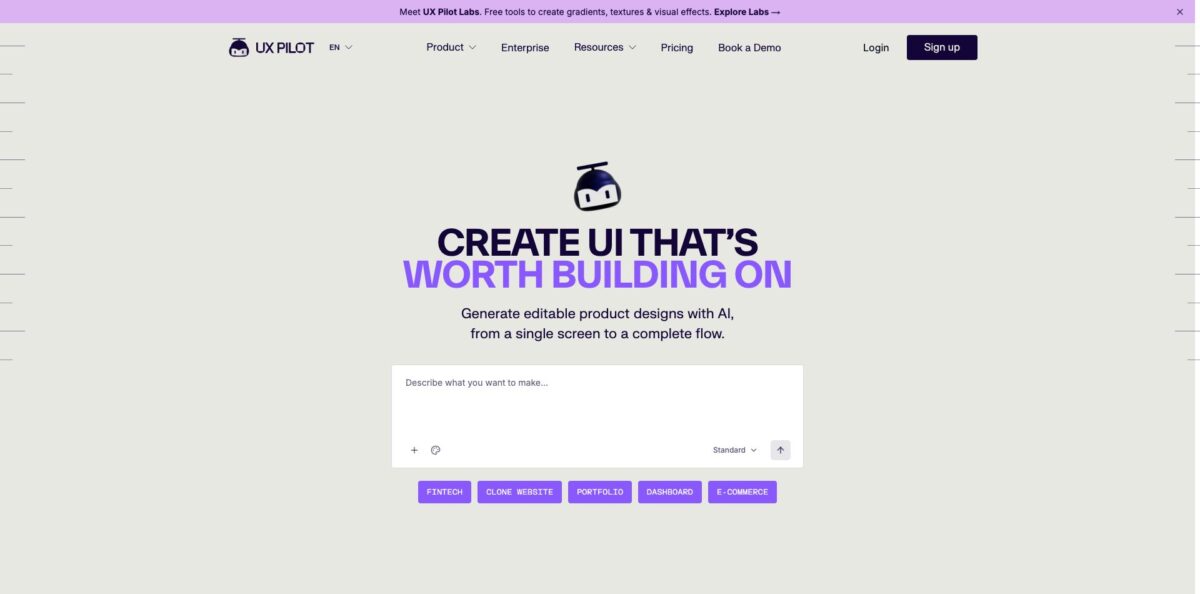
Think of this as a generative design layer that sits between a product idea and a Figma file. You describe a screen, upload a sketch, PDF or screenshot, or paste a website URL, and the AI returns an editable wireframe or a high-fidelity UI that you can refine by chat, then push into Figma through the plugin or export as code. It removes the blank-canvas stage: founders and product managers get something concrete to discuss, and designers get a starting layout in seconds instead of an afternoon. The weak spot is the last mile. Users report that Figma imports don’t use your real components or Auto Layout, so production files still need rework, and the credit system burns faster than many expect. Pick it for early concepts, flows and stakeholder mockups, not as a replacement for your design system work.
How to start using UX Pilot?
Sign up at uxpilot.ai with Google or email. The Free plan needs no credit card and gives you 80 credits per day with one project, which is enough for roughly a dozen screens daily. If you work in Figma, install the UX Pilot plugin from the Figma Community as well; it runs on the same account and credits as the web app, so there is no second subscription.
For a first real scenario, start with one screen you already understand well, such as a pricing page or an onboarding step. Type a plain-language description of the layout, content and navigation, or upload a reference: a hand sketch, a PRD in PDF, or a screenshot. You can also paste a live URL and let the tool reverse-engineer the structure into an editable wireframe, which is useful for redesign pitches.
Next, choose the generation mode. Standard generation is the cheapest, Explore produces four distinct looks at once, Deep AI Design aims for stronger hierarchy, Max Web Design adds states and edge cases, and Autoflow builds every screen of a user journey in one pass. Once a screen exists, use Section Edit to regenerate a single block, or keep chatting to swap sections, rewrite placeholder copy or move from low-fi to hi-fi.
Before you hand anything off, run Design Review for AI feedback and the Predictive Heatmap to see where attention is likely to land. On Pro or higher, export to Figma or download the code; on any plan, check spacing and components in Figma before calling the file final.
Who is it for?
Startup Founders
You have an MVP in your head and a developer waiting for screens, but no designer on payroll. UX Pilot turns a written spec into clickable flows you can show investors or hand to engineering. Reviewers on Capterra describe it as the main way they communicate ideas to their engineers.
Product Managers
Writing a PRD and then waiting a week for mockups slows every feature discussion. You can import the document, generate the key screens and walk into the review meeting with something visual. The output is a discussion piece, so expect your design team to rebuild the final version.
UX/UI Designers
The repetitive part of the job is laying out the fifth dashboard variant or the tenth settings page. Generating a structured first draft and pulling it into Figma lets you spend your hours on interaction details. You will still fix spacing, Auto Layout and component mapping by hand.
Agencies and Freelancers
Clients want to see directions before they sign. The website cloner and the four-look Explore mode let you show alternatives against the client’s current site quickly. The Teams plan adds shared credits and roles when several people work on the same accounts.
Developers Without Design Skills
Full-stack developers who can build anything except a decent-looking front end use it to get clean layouts and HTML to start from. GitHub sync can push generated code into a repository. It covers layout and visual direction, not application logic.
Enterprise Design Teams
Large organisations need AI output that respects an existing brand system. The Enterprise plan adds full design system import, a model fine-tuned on your brand, SSO and SCIM, and custom API access. Pricing for this tier is quote-based.
UX Pilot pricing
UX Pilot charges a subscription that comes with a credit balance, and every AI action spends credits. The plans page says every design feature is available on every tier; what changes is how many credits you get, how many projects you run, whether you can export, and whether you collaborate. As a rough guide from the plan cards, one standard screen costs about 6 credits, and richer modes cost more. Paid plans can buy top-up packs, and purchased credits never expire. Under the Terms, plan credits accumulate while your subscription is active and become inaccessible after you cancel until you resubscribe. There are no refunds, including for unused time.
80 credits per day with no rollover, up to 13 screens per day, one project and every design feature, but no export to Figma or code and no website cloner. The Terms limit Free designs to personal, non-commercial use.
750 credits per month, up to 125 screens, five projects, export to Figma and code, website cloner, credit top-ups and commercial usage rights.
900 credits per user per month in a shared pool, up to 150 screens per user, unlimited projects, real-time collaboration, seats and roles, custom integrations and priority support.
Custom. Credits tuned to your volume, AI fine-tuned on your brand system, full design system import, SSO and SCIM, custom data retention, audit logs, custom API access and 24/7 support with an account manager. Design System as a Service is an add-on.
UX Pilot key features
Prompt and reference to design
You can describe a screen in plain language or upload sketches, PDFs and screenshots, and the AI turns them into structured, editable layouts. A PRD import works the same way for longer specs. It shortens the gap between a written idea and something stakeholders can react to.
Wireframes to hi-fi in one tool
The generator produces low, mid or high fidelity output, and you can move a wireframe to a polished, on-brand screen without switching apps. Autoflow builds multi-screen journeys such as onboarding, dashboards and checkout with consistent navigation. You see the whole flow before anyone draws a pixel.
Section Edit and chat refinement
Instead of regenerating a full screen, you select a section and ask for a change, or chat to restructure hierarchy and copy. Each prompt updates the design in place.
Figma plugin and code export
Designs can be pulled into Figma for refinement, and you can import Figma components so generated output stays closer to your library. Exports also cover HTML and source code, PDF, images and ZIP files, and GitHub sync can deliver code to your repositories. Export to Figma and code requires Pro or higher.
Website cloner
Paste a live URL and UX Pilot rebuilds the page as an editable design. Agencies use this for redesign proposals and competitor benchmarking. It is available on Pro, Teams and Enterprise.
Design Review and Predictive Heatmap
The AI critiques a screen and gives actionable feedback, while the heatmap predicts where users will look first. Both are included on every plan. They are a quick sanity check before you show a concept to a client, not a substitute for real usability testing.
Design system training
Version 2.0 lets you import Figma components, save them as a custom model and run style consistency checks. Enterprise goes further with full design system import and a fine-tuned model. This is the feature that decides whether output matches your brand or looks generic.
UX Pilot Pros & Cons
Pros
Speed is the clear win. A detailed prompt or an uploaded brief produces a usable wireframe or hi-fi screen in seconds, and Autoflow can lay out an entire journey at once. Capterra reviewers repeatedly say it saves days or weeks of early design work and helps non-designers make their ideas visible. Every design feature is on the Free plan, so you can judge output quality before paying, and the web app plus Figma plugin share one account. Security-minded teams get a SOC 2 Type 1 audit, AES-256 encryption and a policy of not training models on customer designs. Use it to generate options quickly, then let a designer pick the strongest direction.
Cons
Credits are the most common complaint. Reviewers on Capterra and Trustpilot describe burning through half a monthly balance in a day, and it is hard to predict what each action costs. The no-refund policy and some billing disputes on Trustpilot add friction, and Trustpilot currently hides the company’s rating after removing reviews it judged fake. Figma exports often lack real components and Auto Layout, so designers rebuild frames before handoff. Some users report the editor slowing down on larger projects and the AI misreading context or ignoring uploaded logos. Before upgrading, run your hardest screen on the Free plan and inspect the Figma result closely.
Use UX Pilot if you want…
- Turn a written PRD into clickable screen flows.
- Generate four visual directions for one screen at once.
- Convert hand sketches and screenshots into editable wireframes.
- Rebuild a client’s live website as an editable design.
- Push AI-generated layouts straight into your Figma files.
- Export starter HTML and code for developer handoff.
- Check designs with AI review and predictive heatmaps.
- Map complete user journeys before committing design hours.
UX Pilot alternatives
UX Pilot Reviews
Product managers and founders say it turns rough requirements into structured flows and screens fast enough to replace weeks of back-and-forth, though the output still needs manual tweaks for brand tone or complex rules.
Designers like the wireframe quality and the Figma round-trip for a quick starting point, but complain that exported frames don’t use real components or Auto Layout, so the file has to be rebuilt.
Several Capterra users enjoy the speed yet say credits disappear far faster than expected and that it is hard to tell how much a wireframe costs compared with a hi-fi screen.
Recent Trustpilot reviewers praise the level of UI detail and value compared with prompting a general chatbot, while others report a sluggish editor on larger projects and frustration with the no-refund policy.
FAQ
Is there a free plan?
Yes. The Free plan costs $0 forever, needs no credit card and gives 80 credits per day, which covers up to 13 screens daily in one project. Export to Figma or code is not included, and Free designs are for personal, non-commercial use.
Do I need a separate subscription for the Figma plugin?
No. Your UX Pilot account and credits work in both the web app and the Figma plugin, and you can try the plugin with the free credits.
Do unused credits roll over?
Free daily credits do not roll over. On paid plans, the Terms say plan credits accumulate while your subscription stays active, and purchased top-up credits never expire, but both become inaccessible if you cancel.
Does UX Pilot offer refunds?
No. The Terms and pricing FAQ state that refunds are not offered, including for unused time after cancelling. You keep access until the end of the paid term.
Is my data used to train AI models?
UX Pilot says it does not train its models on your generated designs or confidential information. Data is encrypted at rest and in transit with AES-256 on Google Cloud, and the company has completed a SOC 2 Type 1 audit.
What export formats are supported?
You can export to Figma, source code and HTML, PDF, images and ZIP files. Figma and code export require the Pro plan or higher.
Is there an API?
Custom API access is part of the Enterprise plan, which lets organisations integrate UI generation into internal tools. Self-serve plans do not list an API.
How do I cancel my subscription?
Log in, open Account Settings, select Manage Plan and choose the cancel option. Invoices are available from the same screen through the Stripe billing link.
Similar tools
 Novita AIDeveloper cloud with one API for 200+ open-weight AI models, plus GPU instances, dedicated endpoints and isolated sandboxes for AI agents.
 You.comDeveloper platform of web search, content extraction, cited research and model inference APIs that feed AI agents and RAG apps real-time web
 QodoAI code review platform that runs specialized agents on every pull request, enforces team rules and checks changes against tickets and linked