
VO3 AI
Video GenerationUpdated October 5, 2026
VO3 AI generates cinematic 4K videos with realistic physics and synced audio using advanced Google Veo 3 technology.
We may earn a commission when you sign up through our links. It does not affect our reviews.
What is VO3 AI?
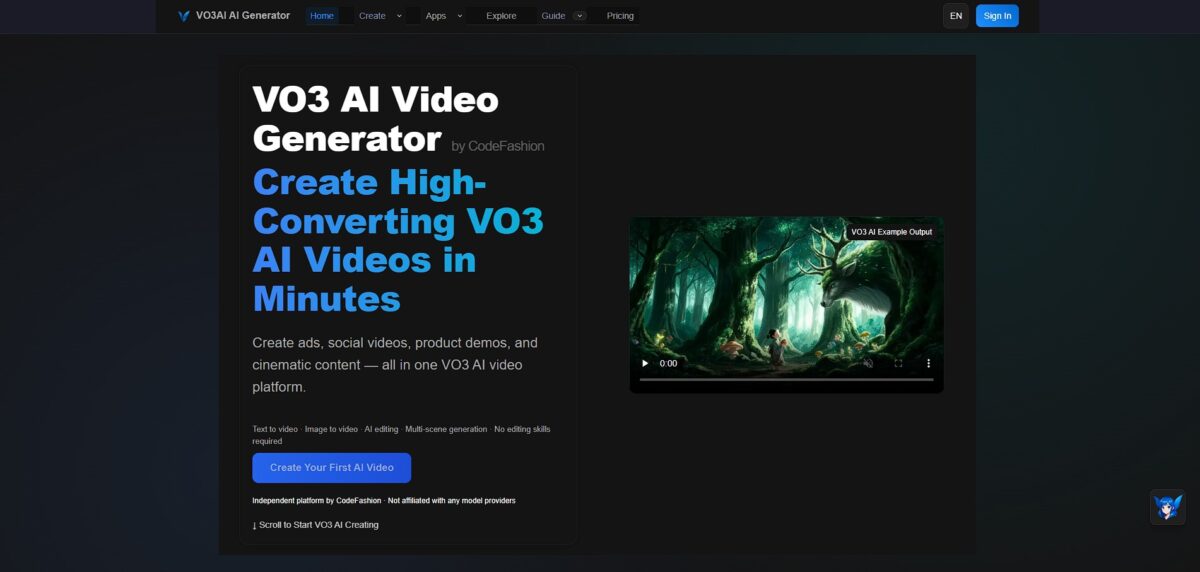
VO3 AI wraps Google’s Veo 3 technology into an accessible interface for generating 4K video clips from text or images. It tackles the common AI struggle with physical movement, meaning a character walking through a forest actually looks grounded rather than sliding across the terrain. While it excels at cinematic fidelity and maintains character consistency across shots, the 8-second limit per clip requires you to stitch multiple generations together for anything longer. The generated audio, including ambient rustling and synchronized dialogue, removes the need for hunting down stock sound effects, so you get a complete audiovisual draft in one step rather than leaving you with a silent, eerie render. Use VO3 AI when you need professional-grade resolution and realistic physics, but expect to spend time on post-production if you’re building a full narrative.
How to start using VO3 AI?
Getting started with VO3 AI happens directly through the web portal. You sign up using an email or a Google account to enter the dashboard. The interface is clean, focusing on a primary input field where you paste prompts. This simplicity helps avoid the clutter typical of video editing suites.
The workflow begins by selecting either a text-to-video or image-to-video mode. If you have a specific reference image, upload it to set the visual style and character appearance. The model then uses this as a physical anchor for the animation. This prevents the “shifting face” problem common in less specific generators.
Refining the output requires using the settings for camera motion and resolution. You can specify pans, tilts, or zooms to make the 4K render look intentional rather than randomized. These controls give you a level of direction usually reserved for manual animation. Taking the time to adjust these parameters ensures the AI doesn’t just guess the movement.
Expect the generation to take a few minutes depending on the server load. Once the clip appears, you can download it or iterate on the prompt to fix lighting or physics glitches. It works well for short, cinematic snippets but requires patience for complex scenes with many moving parts.
One thing I noticed: detailed physics prompts (like pouring water or moving cloth) perform better when you provide a clear starting image.
Who is it for?
Indie Filmmakers
VO3 AI handles the heavy lifting of 4K scene generation. This allows creators to visualize cinematic concepts without a massive production crew.
Social Media Managers
The tool quickly converts text descriptions into high-resolution clips. It simplifies the grind of creating daily video content for visual-heavy platforms.
Prototyping Designers
It turns static product images into 4K motion studies. This makes it easier to present realistic interactions to stakeholders before writing a single line of code.
Marketing Agencies
VO3 AI bridges the gap between a written script and a polished video ad. Agencies can iterate on visual styles in minutes rather than days.
Educational Content Creators
Complex concepts become clear through custom-generated visual aids. Generic stock footage gives way to precise, prompt-driven illustrations.
AI Early Adopters
Tech enthusiasts wanting to test Google’s Veo 3 architecture will find a direct entry point here. It provides a way to explore 4K video synthesis without navigating developer-heavy cloud consoles.
VO3 AI pricing
VO3 AI pricing structures its tiers around credit-based access to Google’s Veo 3 engine. You are essentially paying for a monthly rendering budget rather than a seat license.
Mini Plan: $9.90/month
This entry point buys 200 credits, which translates to roughly 25 clips at 1080p resolution. It serves well for testing specific prompts or creating a handful of social clips without a heavy commitment. The 8-second limit per generation means you have to be precise with your scene descriptions to avoid wasting credits on unusable footage. Think of it as a way to experiment with 4K-ready tech for the price of a couple of coffees.
Takeaway: Best for casual creators who only need a few high-fidelity shots a month.
Standard Plan: $29.90/month
Stepping up to 1,000 credits allows for roughly 125 videos and unlocks 4K output. The fast generation queue becomes vital here; it stops the frustrating wait times during peak hours when the GPU clusters are slammed. I noticed the jump to 4K significantly helps when you need to crop a landscape shot into a vertical TikTok format without losing sharpness. There’s enough volume here for a consistent weekly posting schedule.
Takeaway: Worth it if you intend to produce at least two or three finished videos every week.
Plus Plan: $79.90/month
At 3,000 credits, you can render up to 375 videos, which suits small agencies or high-volume YouTubers. It includes priority support, though the real value is the sheer headroom for iteration and multiple takes. You can burn through 50 credits just trying to get a character’s hand movement to look natural, so the extra padding is a safety net. This matters because it removes the “generation anxiety” of running out of budget mid-project.
Takeaway: The logical choice for professional workflows where you need to iterate ten times to get one perfect hero shot.
VO3 AI key features
Render 4K cinematic visuals that handle gravity and momentum without the usual AI “floatiness.” While many models make objects morph, VO3 AI ensures a falling object bounces or shatters realistically. You spend less time fixing hallucinated physics in post-production.
Generate synchronized audio directly from your text prompts
It skips the hunt for external sound libraries by matching ambient noise or dialogue to your visual context. The timing is often frame-perfect, though it adds a few seconds to the total generation time, and you get a self-contained, watchable draft in a single pass.
Lock in character identity using reference images to prevent facial warping
Upload a portrait to ensure your protagonist looks the same from the first frame to the last. This solves the common pain point of characters looking like different people between cuts. Actual serialized storytelling becomes possible.
Execute precise camera pans and tracking shots through specific instructions
You can request a “slow dolly zoom” or a “handheld shake” to match your film’s visual language. The model holds the horizon steady even during complex rotations. The result is usable footage for storyboarding without manual tracking.
Extend short clips into longer sequences using scene continuation
Feed the last frame of a generation back into the prompt to keep the action moving. Spatial drift stays minimal if you keep the camera movement consistent. This matters because it breaks the short-clip barrier for experimental filmmaking.
Produce native vertical 9:16 video for mobile-first platforms
It generates full-screen storytelling for YouTube Shorts or TikTok without the resolution loss of cropping. This works well for volume, though the AI motion can occasionally feel over-smoothed. No extra step of re-formatting landscape footage.
VO3 AI Pros & Cons
Pros
VO3 AI excels at rendering 4K textures and managing the weight of moving objects. It utilizes Google’s Veo 3 engine to ensure a character walking through a forest actually makes contact with the ground rather than gliding over it. In testing, the physics of falling objects looked grounded, without the typical morphing artifacts found in lighter models, which saves you from endless regenerations just to fix a single awkward limb movement. The text-to-video input is the one for cinematic wide shots where spatial consistency is non-negotiable.
Cons
The dashboard feels minimalist to a fault, offering no advanced timeline for fine-tuning specific frames. While it handles 4K resolution well, the credit-based tiers mean a few failed prompts can quickly drain your monthly budget. Complex movements still trigger occasional glitches where background elements might drift during fast pans. You pay for these high-resolution renders with a longer wait time compared to “fast” mode alternatives. Stick to simpler prompts for short clips to maximize your credit efficiency.
Use VO3 AI if you want…
- Generate breathtaking 4K videos using Google’s Veo 3 technology.
- Control complex camera movements with professional-grade precision.
- Render hyper-realistic motion that obeys actual physical constraints.
- Maintain perfect character consistency across multiple cinematic sequences.
- Bridge the gap between raw text and high-definition visuals.
- Execute tracking shots and pans with simple text instructions.
- Minimize visual artifacts for production-ready, clean cinematic results.
VO3 AI alternatives
 Runway Gen-4Read review →
 Kling AIRead review →
 PikaRead review →
 Hailuo AI (MiniMax)Read review →
 Wan 2.5Read review →
 PixVerseRead review →
 InVideo AIRead review →
VO3 AI Reviews
The 4K resolution is stunning and the lip-sync is the best I’ve seen, but the 8-second limit is a major bottleneck for storytelling. It’s great for B-roll, just expect to spend a lot of time stitching clips together.
Finally, an AI tool that understands gravity; characters actually look grounded when they walk. The built-in audio saves me hours of sound design, though it still hallucinates some weird artifacts during fast action scenes.
Veo 3 technology is a game-changer for realistic textures, but the high subscription cost makes it hard to justify for casual projects. It’s a powerful production asset if you have the budget for multiple regenerations to get the physics right.
FAQ
Can I use VO3 AI videos for commercial purposes?
Yes, videos generated with VO3 AI are cleared for business use, including commercial ads, landing pages, and social media campaigns, provided you are on a paid plan that explicitly grants commercial rights.
Does VO3 AI support audio generation?
Yes, VO3 AI features native audio generation, allowing you to create synchronized soundtracks, sound effects, and ambient noise that match the visual context of your video clips.
What is the maximum resolution for VO3 AI videos?
VO3 AI supports high-fidelity video output at 720p, 1080p, and 4K resolutions to meet professional production standards.
Can I generate videos using my own images?
Yes, VO3 AI includes image-to-video capabilities where you can upload reference images to guide the character, object, and style consistency of the generated scene.
How long can a single VO3 AI video clip be?
Standard video generations are typically 8 seconds long, but you can use the Scene Extension feature to create longer sequences by connecting new clips to previous ones.
What aspect ratios are supported in VO3 AI?
The model supports configurable aspect ratios, including landscape 16:9 for cinematic content and portrait 9:16 for social media platforms like TikTok and YouTube Shorts.
Is there a way to control camera movement in the prompts?
Yes, VO3 AI offers creative controls that allow you to define specific cinematic techniques like pans, tilts, and tracking shots directly through your text instructions.
Similar tools
 AIAIAll-in-one AI studio that puts Veo, Sora, Kling, Seedance and other models behind one credit balance for video, images, music and voice.
 ToMoviee AIWondershare's AI creative studio that turns text prompts and images into short videos, pictures, music, sound effects and voiceovers.
 Morph StudioBrowser AI video studio that runs Seedance, Kling, Veo and its own style transfer model, with a storyboard canvas for multi-shot clips.