

V7 Go
AI AutomationUpdated October 5, 2026
V7 Go is an agentic platform that automates complex document workflows and data extraction for regulated industries.
We may earn a commission when you sign up through our links. It does not affect our reviews.
What is V7 Go?
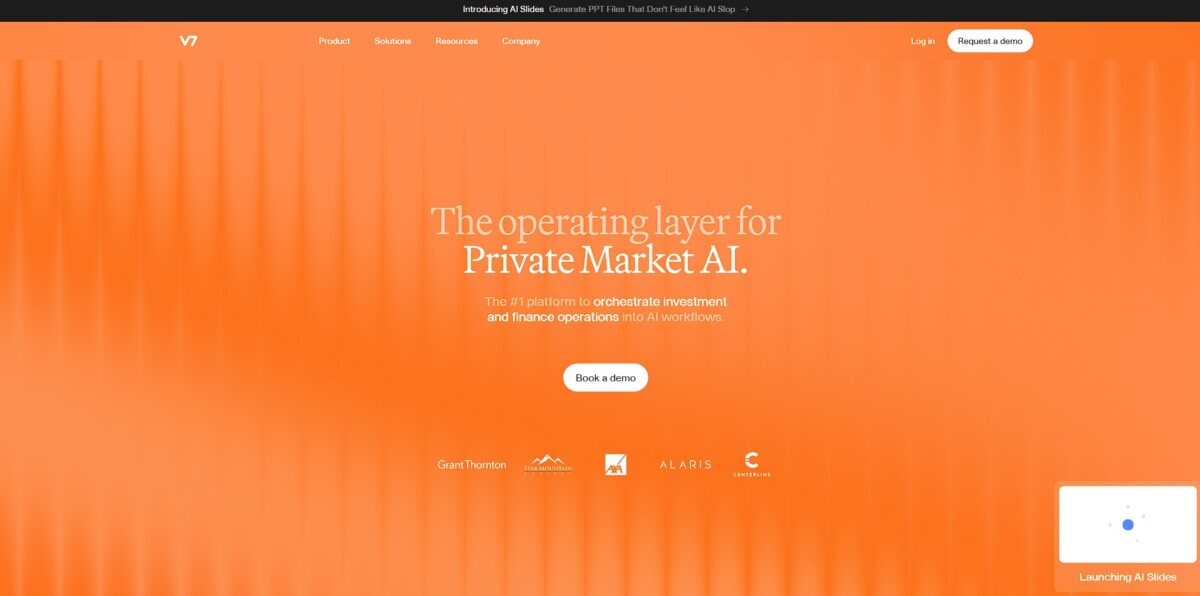
V7 Go is an agentic automation platform that moves past basic chatbots to handle multi-step document workflows. It replaces manual data entry by extracting specific fields from messy insurance claims, legal contracts, or financial reports and turning them into structured tables. I noticed it doesn’t just pull text; it links every data point back to its exact bounding box in the source PDF for verification. This matters because it provides a clear audit trail for regulated industries where “the AI said so” isn’t an acceptable answer. While it excels at document-heavy knowledge work, it is less about creative writing and more about deterministic data processing. Use it if you need to turn a thousand unorganized invoices into a clean spreadsheet without hiring an army of analysts.
How to start using V7 Go?
Start by connecting your workspace through the V7 Go dashboard. You will need an API key, which you can generate under your workspace settings; you can set these to expire in 7 or 90 days for tighter security. This connection links your data streams directly to the platform’s processing engine, creating a secure tunnel for your proprietary financial or legal documents to move between your local environment and the AI.
Once authenticated, upload your raw datasets or connect your existing cloud storage like OneDrive. You define the specific fields the agent should hunt for, such as extraction targets in complex insurance claims or specific clauses in lease agreements. This step replaces manual data entry with automated retrieval patterns tailored to your industry’s jargon, and it gives the model the clear boundaries it needs to extract data accurately without human supervision.
Build the workflow by adding properties, the spreadsheet-style columns of your agent, where each one is an AI step such as extracting a policy number, summarizing a clause or calculating a ratio. Properties can reference the outputs of earlier columns, and you can pick the model behind each step or attach a Knowledge Hub with your own playbooks. This lets you chain multi-step analysis without writing code or hiring extra analysts for temporary surges. Keep the steps clear and modular, since they directly dictate how reliable your final outputs will be.
Fine-tune your results by reviewing a sample batch in the grid view, where clicking any cell highlights the source passage the AI used for that answer. When a value is wrong, you correct it, tighten the instructions behind that property and rerun the column to check the fix. This hands-on refinement ensures the agent handles your specific edge cases, like unusual lease clauses or handwritten amendments that generic models miss. Over time, that cuts down the manual checking and lets the AI do the heavy lifting.
Who is it for?
Insurance Claims Adjusters
They often spend hours cross-referencing medical bills with adjuster notes. V7 Go automates this extraction and flags potential pre-existing conditions automatically, so manual documentation stops being a processing bottleneck.
Financial Compliance Officers
Tracking every approval and receipt for an audit trail usually requires endless CSV exports and manual linking. The system logs every transaction ID and decision timestamp in a way that auditors can verify instantly. The result is a permanent, uneditable record of oversight.
Legal Document Analysts
Reviewing hundreds of pages of contracts or case files to find specific clauses is a major drain on time. The AI highlights the exact line in the source document where it found an answer, which removes the need to hunt through PDFs. This matters because you can trust the data without re-reading the entire file.
Asset Managers and Analysts
Processing complex financial statements often involves manual data entry into spreadsheets. The platform extracts data from tables and graphs with high accuracy and allows for custom Python calculations on that data, turning unstructured reports into actionable investment insights faster.
Safety Inspection Leads
Turning dozens of site photos and handwritten notes into a structured 20-page report is a logistical headache. The tool analyzes images and returns structured data for specific report questions. Lead inspectors get to focus on safety rather than data entry.
Talent Deployment Specialists
Managing skills and planning workforce needs requires parsing huge amounts of unstructured resume or project data. It organizes these data points to match people to the right roles based on verified skills. That reduces bias and speeds up the time-to-hire.
V7 Go pricing
V7 pricing isn’t for the casual hobbyist but fits teams handling messy documents. There is no public price list or free tier: you get a fixed annual quote, scoped in a single call, built from three components.
Custom annual fee. You get V7 Go, the Context Graph, all specialized agents, integrations and audit logs, with no feature tiers to unlock.
Priced per decision-maker. You pay for the analysts, underwriters and reviewers who actually use it rather than every login, which works for small legal or finance teams handling insurance claims or legal briefs.
Volume-based. The fee scales with the pages you actually process, so large firms pay for their real AI volume and compliance needs. The cost reflects the specialized nature of document processing for regulated industries, where specialized tools reduce errors in high-stakes environments like insurance or law.
V7 Go key features
Multi-Model Workflow Hub
You can string together different LLMs and specialized models to handle document parsing and data extraction in a single sequence. This prevents the typical headache of switching between five different tools just to get a clean JSON output from a messy PDF. You also cut the latency and fragility of multi-tool API chains.
Human-in-the-Loop Validation
The interface allows teams to verify AI-generated labels or extracted fields before they hit your database. The UI focuses on minimizing clicks during review, which helps when you have thousands of insurance claims or legal files to audit and need to protect compliance and data integrity in high-stakes industries like finance.
Native Document Interaction
It treats PDFs and images as primary objects rather than just text blobs, allowing you to extract data from complex tables and nested lists. Instead of fighting with coordinate-based OCR, the models understand the visual structure of the document page. You save hours of writing custom regex or layout rules for every new vendor format.
Agentic Task Execution
You can assign autonomous agents to navigate web interfaces or local tools to finish multi-step projects based on the extracted document data. It effectively moves past simple classification into actual task completion, like updating a CRM or filing a report. That closes the gap between seeing data and actually doing something with it.
Enterprise-Grade Compliance
The platform offers features like SSO, audit logs, and data isolation designed for regulated environments. While many AI startups play fast and loose with data, this setup targets the legal and medical sectors where “where is my data?” is the first question asked. That clears the hurdle for IT departments that usually block consumer-grade AI tools.
V7 Go Pros & Cons
Pros
V7 Go excels at pulling structured data from the absolute messiest sources, like coffee-stained handwritten notes or multi-column PDFs that usually break standard OCR. You don’t have to build rigid templates for every new vendor invoice; the AI identifies fields based on context rather than fixed coordinates. Every extraction includes a visual citation, so you can click a number in your spreadsheet and see exactly where it lived in the original scan. This transparency builds trust when you are automating high-stakes financial reviews. Use the human-in-the-loop feature to verify any data point that falls below your set confidence score.
Cons
The platform feels built for enterprise volume, which makes the setup overkill if you only have a few dozen documents a month. While it handles diverse layouts well, the initial configuration of complex validation rules requires a bit of a learning curve to get the logic right. You might find it frustrating if you expect a simple plug-and-play mobile app experience; this is a heavy-duty engine for industrial workflows. The pricing and infrastructure are optimized for teams with serious data throughput rather than casual hobbyists. Start with a small, high-value batch of your most complex documents to see if the accuracy justifies the enterprise overhead.
Use V7 Go if you want…
- Automate complex document extraction for finance and legal.
- Scale multi-step agentic workflows with high reliability.
- Extract structured insights from unstructured insurance paperwork.
- Maintain strict compliance while processing high-volume documents.
- Eliminate manual data entry with AI-driven precision.
- Connect reliable AI agents to your existing software.
- Turn messy PDF data into clean, actionable intelligence.
V7 Go alternatives
V7 Go Reviews
The LLM-in-a-cell feature is a game changer for our due diligence. It turned weeks of document sorting into hours.
Best tool I have found for turning messy PDFs into structured data without writing a single line of code.
Being able to run multiple models against the same dataset in a spreadsheet view has completely streamlined our content auditing.
Finally, an automation platform that actually understands handwritten notes and complex layouts reliably at scale.
Setup was fast and the interface is intuitive. It’s significantly reduced our back-office manual data entry.
FAQ
How does V7 Go ensure the accuracy of AI outputs?
V7 Go achieves 95 to 99 percent accuracy through generative AI reasoning and multi-step workflows. It allows human reviewers to verify AI-generated responses by automatically highlighting the specific source excerpts used to ground each answer.
What industries is V7 Go designed for?
The platform is specifically built for high-stakes, document-intensive sectors including finance, legal, insurance, and real estate. It handles complex tasks like financial due diligence, commercial lease analysis, and regulatory compliance monitoring.
Can V7 Go process handwritten documents?
Yes, V7 Go combines document understanding with accurate handwriting extraction. It can recognize handwritten modifications, strikethroughs, and initials on documents like lease agreements and safety inspection reports.
Does V7 train its models on my private data?
No, V7 maintains a strict privacy policy and never trains foundation models on your private data. All data remains encrypted, and the platform supports SOC 2 Type II, ISO 27001, and HIPAA compliance standards.
Which software tools can I integrate with V7 Go?
V7 Go integrates with enterprise technology stacks including Microsoft SharePoint, Google Drive, Slack, and various ERP systems. This allows users to automate document management and content organization workflows across their existing business tools.
How is V7 Go different from V7 Darwin?
V7 Darwin is a data annotation platform used for training custom computer vision models. V7 Go is a knowledge work automation platform used to orchestrate AI agents and apply Large Language Models to automate complex business processes.
How long does it take to implement a new workflow?
V7 Go is designed for rapid deployment, with solutions often delivered in hours. Companies can typically set up a complex workflow and receive a proof of concept in as fast as 7 days through the assistance of solutions engineers.
Similar tools
 GPT WorkspaceAI agent for Google Docs, Sheets, Slides, Gmail and Drive that edits your files, runs GPT formulas in bulk and automates routine
 FPT.AIVietnamese enterprise AI platform from FPT Smart Cloud for chatbots, call-center voicebots, document reading and eKYC that automate customer operations.
 Frigate NVROpen-source NVR that runs real-time AI object detection on your own hardware and sends camera events to Home Assistant and other MQTT