

Venice AI
AI ChatUpdated October 19, 2026
Privacy-first AI platform for uncensored chat, image, video and audio generation, with local chat history and encrypted inference modes.
We may earn a commission when you sign up through our links. It does not affect our reviews.
What is Venice AI?
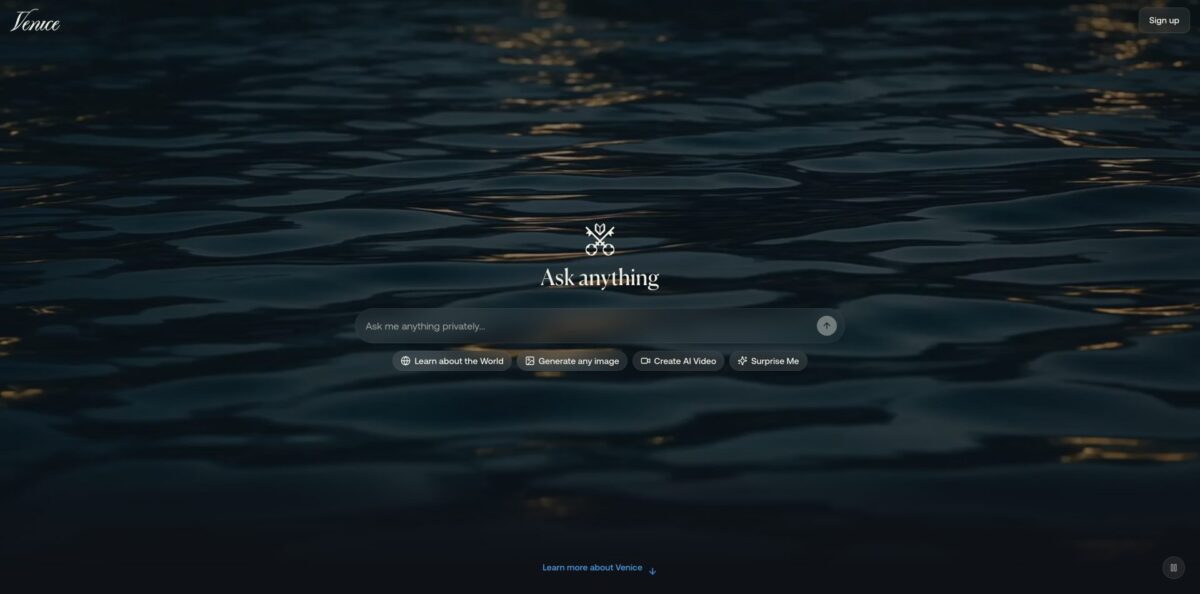
Venice AI is a browser, mobile and API platform that routes your prompts to open-source and frontier models through a privacy proxy, while your chat history stays in local browser storage instead of on its servers. It covers text chat, image generation and editing, video, music, text-to-speech and code, and every model carries a badge that tells you how your data is handled: Anonymous, Private, TEE or E2EE. The pitch is twofold: fewer content restrictions than mainstream assistants and no server-side log of what you ask. The trade-off is convenience. History does not sync between devices unless you export an encrypted backup, the strongest privacy modes disable web search and memory, and the newest frontier models and video run on credits rather than the flat subscription. Pick it if privacy and open model choice outweigh polish and cross-device sync for you.
How to start using Venice AI?
Go to venice.ai and type into the “Ask anything” box on the homepage. You can try a few prompts before registering, but a free account (no credit card required) gives you 10 text prompts and 15 image prompts per day on the base models. For mobile, the iOS app is in the Apple App Store, while the Android version is distributed as an APK from venice.ai/lp/download rather than only through a store listing.
Your first real session starts in the model selector inside the prompt bar. Hover over a model to see its context window and its privacy badge, then pick one for the job: a general text model for research and writing, a coding model for scripts, or an image model for visuals. The features page describes the flow as select a model, enter a prompt, view the result, and you can switch between text and image modes from the same bar.
The settings behind the prompt bar are where Venice differs from a typical chatbot. You can write a custom system prompt, adjust temperature and Top P, toggle web search or web scraping for URLs you paste, and enable Voice Mode by turning on Read Responses. Under Settings, Memory lets you store preferences locally or import a memory summary from another assistant. Paid users also get a Mature Filter toggle and the TEE and E2EE models.
Before you rely on a chat, decide how you will keep it. Because history lives in your browser, clearing site data wipes it. Pro users can create an encrypted backup from the chat history drawer via Backup Chat History, protected by a password Venice never sees, and restore it on another logged-in web device. For quick sharing, the share button under the last response creates a time-limited encrypted link.
Who is it for?
Privacy-conscious professionals
You want an AI assistant for drafts, research and brainstorming but do not want prompts sitting in a provider’s training or log pipeline. Venice keeps history on your device and offers zero-retention Private models by default. TEE and E2EE models on Pro add hardware-backed protection for the most sensitive material.
Writers and fiction authors
Mainstream assistants often refuse dark themes, violence in plot outlines or morally complicated characters. Venice positions itself as less restrictive and lets you set your own system prompt, so the model follows your creative brief instead of a generic policy. Custom characters with backstories help with long-running story work.
Researchers who hit refusals
If you study controversial topics, security or politically sensitive subjects, refusals and hedged answers slow you down. Venice runs open-source models with lighter filtering and adds web search, web scraping and, on supported Grok models, X Search for current sources.
Developers building agents
The OpenAI-compatible API works with the OpenAI SDK, LangChain, Vercel AI, CrewAI and similar stacks, with function calling and multimodal endpoints. You pay per token from credits, which suits prototypes that need text, image, audio and video behind a single key.
Creators mixing media
One subscription covers chat, image generation, upscaling, background removal, video and music. Instead of juggling separate accounts for each model vendor, you spend one credit balance across Kling, Seedance, Wan, Flux and others.
Crypto-native users
Venice has its own VVV token and DIEM, which can be staked or used for API inference, plus wallet-based x402 access to paid API routes. If you already work on-chain, this offers an alternative to card billing.
Venice AI pricing
Venice combines flat subscriptions with a credit currency where 100 credits equal $1. Subscriptions cover unlimited text and daily image quotas on Venice’s own Pro models inside the apps, while video, music, frontier image and text models, and every API call draw from credits. Paid plans add 500 one-time welcome credits, and annual billing saves up to 16.7%.
Base models, 10 text prompts and 15 image prompts per day, Anonymous and Private privacy modes, and API access paid with credits. Good for checking whether the models suit your work.
All Pro models, unlimited text prompts, 1,000 images per day, 100 credits a month, image upscaling, background removal and watermark removal, character creation, extended context windows, encrypted chat backup, TEE and E2EE models, and one hour of Voice Mode per 30 days.
Everything in Pro with higher image limits, 7,500 credits a month ($75 of value, a 10% bonus over retail), two-month credit banking, higher API rate limits and five hours of Voice Mode per 30 days.
Everything in Pro Plus with the highest image limits, 22,500 credits a month ($225 of value, a 12.5% bonus), three-month credit banking, the highest API limits, priority support and 20 hours of Voice Mode per 30 days.
Custom usage at the per-model rates in the Venice docs. Credits can be bought with USD or USDC; BTC is accepted through BTCPay for yearly subscriptions.
Subscriptions are generally non-refundable once processed, so cancel before the renewal date if you do not want the next cycle. A roughly five-second video costs under 80 credits on the models Venice lists, which means Pro’s 100 monthly credits cover about one clip.
Venice AI key features
Four privacy modes appear as a badge on every model
Anonymous strips your identity before sending prompts to providers such as OpenAI, Anthropic or Google, Private runs on Venice-controlled or zero-retention partner GPUs, TEE processes prompts inside hardware enclaves run by NEAR AI Cloud and Phala Network, and E2EE encrypts the prompt on your device until it reaches a verified enclave. You choose the level per conversation instead of trusting a single blanket policy.
Local-first chat history and memory keep conversations in your browser
The memory system stores preferences locally, and encrypted backups (up to 5 at a time, each expiring after 90 days) let you move history to another web device. Your data is not sitting in a server-side archive that could be breached or subpoenaed in bulk.
A broad multi-vendor model catalog sits behind one interface
The homepage lists models from Claude, Google, DeepSeek, OpenAI, Mistral, Meta, Qwen, Grok, Kimi, Black Forest Labs, ElevenLabs, Runway, Kling and more, plus Venice’s own uncensored text model. You can compare outputs across vendors without opening separate accounts.
Image tools go beyond generation
Pro controls include negative prompts, aspect ratio, steps, adherence, seed and high-res output, alongside upscaling, background removal, variants and generative editing. You can keep a consistent subject across images by reusing seeds and reference images.
Video and music generation run on credits
Text-to-video and image-to-video use models such as Seedance, Wan, Kling and Grok Imagine, and audio covers text-to-speech, music and sound effects. Everything stays inside the same private workspace as your chat.
Web search, web scraping and document analysis bring outside information into context
Scraping limits run from 15 URLs a day on Free to 1,000 on Max, and uploads handle documents up to 10MB or about 250,000 characters.
The OpenAI-compatible developer API exposes text, images, video, music, speech, embeddings and web tools through one key with zero data retention. Calls are billed per token even on paid plans, and wallet users can authenticate through x402 instead of an API key.
Venice AI Pros & Cons
Pros
Venice gives you more control over your data than almost any consumer chatbot. History stays on your device, the default Private mode promises no retention, and the TEE and E2EE options back that promise with hardware attestation rather than policy text alone. The model catalog is wide, so one account covers open-source chat, frontier models, image, video and audio. Fewer refusals make it practical for fiction, research on sensitive topics and blunt technical questions. The free tier works without a card, and Pro at $18 a month is priced in line with mainstream assistants while adding unlimited text. Start on Free with a Private model to judge answer quality before paying.
Cons
Local storage is a double-edged choice: clear your browser or switch devices and your history is gone unless you made an encrypted backup, which only Pro users get and which expires after 90 days. Credits make costs harder to predict, because frontier models, video and every API call burn them separately from the subscription, and some Pro users on the official feedback board object to paying extra credits for text models. User reviews also report slow or missing support replies and a no-refund stance. Anonymous models still let the original provider see your prompt. Read the badge on each model and export a backup weekly if your chats matter.
Use Venice AI if you want…
- Keep AI chat history off company servers.
- Draft fiction without constant policy refusals.
- Compare open-source and frontier models in one place.
- Run sensitive prompts inside hardware-verified enclaves.
- Generate images, video and music with one balance.
- Build agents on an OpenAI-compatible API.
- Research controversial topics with live web search.
- Pay for AI inference with crypto or staked tokens.
Venice AI alternatives
 ChatGPTRead review →
 Claude AIRead review →
 Grok AIRead review →
 Le Chat (Mistral)Read review →
 OllamaRead review →
 OpenRouterRead review →
Venice AI Reviews
Users who pay for Pro praise the reasoning quality and call it one of the few strongly private, uncensored AI APIs available, though they note it costs more than basic chat apps.
Several reviewers say filtering on some models has become stricter over time, with certain prompts returning a “model not available” error instead of an answer, which frustrates people who subscribed for fewer restrictions.
A recurring complaint concerns billing: reviewers describe trouble cancelling, slow replies from support and a no-refund policy, so they advise checking the renewal date before subscribing.
Daily Pro users like the privacy and model access but object when text models start consuming extra credits, arguing that chat and images should stay inside the flat subscription.
Some community members on r/VeniceAI question whether Pro is worth it for image work, saying image moderation is tighter than the marketing suggests while text use feels like better value.
FAQ
Is Venice AI free?
Yes. The free plan includes base models with 10 text prompts and 15 image prompts per day and needs no credit card. Pro starts at $18 per month for unlimited text and 1,000 images a day.
Does Venice AI store my conversations?
According to Venice, conversations are stored locally on your device and prompts and responses are not logged on its servers. Account data such as your email is stored, and you can request its deletion through support@venice.ai.
What is the difference between TEE and E2EE on Venice?
TEE processes your prompt inside a hardware-isolated enclave so the GPU operator cannot read it. E2EE also encrypts the prompt on your device before it leaves, but it disables web search and memory, and both modes require Pro.
Can I use my Venice chat history on another device?
Not automatically, because history lives in the browser where you created it. Pro users can export an encrypted backup and restore it on another web device, or share a single chat through a time-limited encrypted link.
Is API usage included in Venice subscriptions?
No. Unlimited text and daily image limits apply only inside the web and mobile apps, while every API call is billed per token from credits on all plans. Pro Plus and Max include larger monthly credit allotments that you can spend on the API.
Is there a Venice AI mobile app?
Yes. The iOS app is on the Apple App Store, and Android users download an APK from venice.ai/lp/download. Encrypted backups are currently managed from the web app rather than the mobile apps.
How large a file can Venice analyze?
Document uploads support files up to 10MB and roughly 250,000 characters. The usable context depends on the model you pick, which you can check by hovering over it in the model selector.
Can I cancel Venice Pro and get a refund?
You can cancel anytime at venice.ai/subscription, and access continues until the end of the paid period. Venice states that subscriptions are generally non-refundable once payment has been processed.
Similar tools
 Chat 4O AIAll-in-one AI workspace with GPT, Claude, Gemini and Grok chat plus image and video models like Veo, Kling and Nano Banana, paid
 LiveChatAIAI customer support agent trained on your website, docs and Q&As, with human live chat handoff, AI Actions, and WhatsApp, Slack and
 Kore.aiEnterprise agentic AI platform for building, governing and improving voice and chat AI agents for customer service, HR, IT and business processes.