

Videomagic
Video GenerationUpdated November 25, 2026
AI platform that turns web pages, documents, slide decks and chatbot answers into short narrated explainer videos you can question in chat.
We may earn a commission when you sign up through our links. It does not affect our reviews.
What is Videomagic?
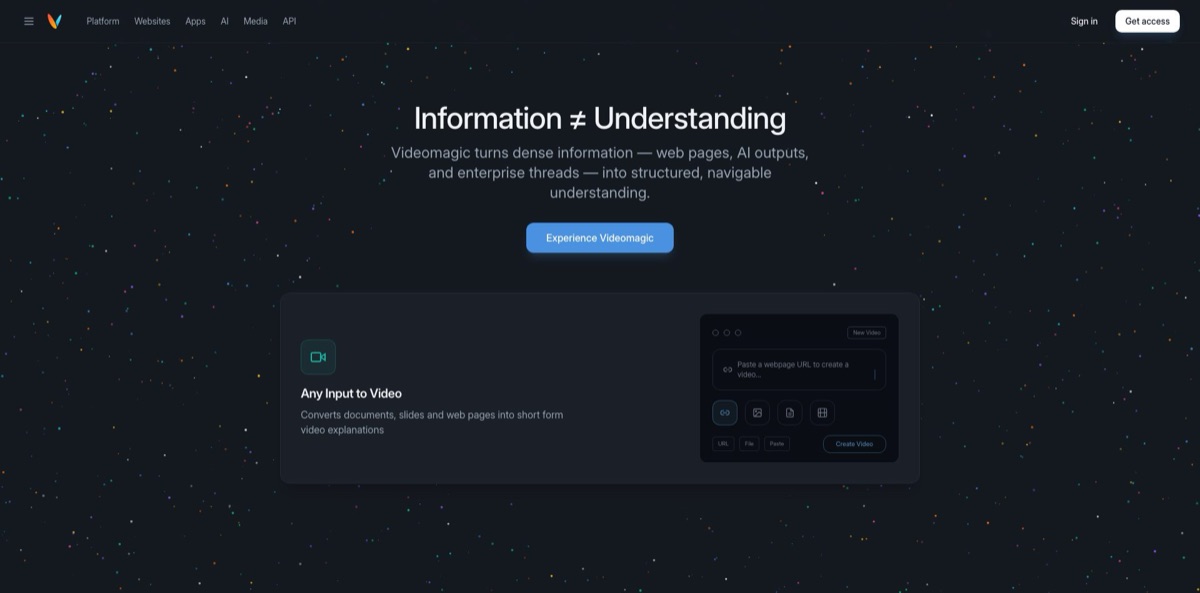
Paste a URL, upload a PDF or slide deck, or hand over a ChatGPT conversation, and this platform from Videomagic International LLC returns a short narrated explainer video built from that material. The pitch has moved from product ads to “understanding”: the system extracts key points, writes a storyboard, adds voiceover and visuals, then lets viewers ask follow-up questions in a chat that answers from the original source. That solves a real problem for teams sitting on annual reports, policy documents or long AI answers nobody reads to the end. The weak spot is control: the AI decides scene structure, pacing and clips, edits per video are capped by plan, and there is no free tier, with paid plans starting at $49 a month. Pick it if you need fast, consistent explainers from existing content, not hand-crafted creative work.
How to start using Videomagic?
Open the Platform page and you get a single prompt box with buttons to add an image, video, document or link, plus five starting modes: LLM to Video, Doc to Video, Web to Video, Video Ads and Premium Ads. Nothing renders until you create an account; the app shows a “Sign up to start creating” screen and states that plans start at $49 per month. The Ignite and Blaze plans come with a 15-day free trial, but a card is required at signup, so set a reminder if you are only evaluating.
For a first real project, choose Web to Video and paste a product page, blog post or documentation URL; the assistant extracts the page content and builds the video from it. Doc to Video and Video Ads accept uploads in images, videos, PDF, DOC, DOCX, PPT and PPTX formats, and Video Ads also takes a store URL or a plain description of what you sell. LLM to Video asks for a conversation from ChatGPT, Claude, Gemini, Copilot, Grok or KIMI as JSON, TXT, PDF, pasted text or a public chat link.
The settings that matter are length and branding. The Chrome extension offers 30-second, 1, 2, 3 and 5-minute lengths, and a third-party walkthrough from Wondershare lists voice (Auto, Female, Male) and mood presets such as Cinematic, Corporate and Upbeat. Every plan includes custom brand colors, custom fonts and a brand guidelines upload, so set those before your first render. Keep in mind that each generation consumes minutes based on length and complexity.
Once the video is ready, watch it end to end and then use the chat to ask questions about the source; answers are meant to stay grounded in the original document. Ignite includes one free edit per video and Blaze includes two, so batch your corrections into a single edit request. The extension’s result screen offers Video, Chat, Share and Download options.
Who is it for?
B2B Marketers
You have whitepapers, earnings decks and solution briefs that prospects skim and abandon. Videomagic turns them into one to three minute narrated summaries, and its example gallery is full of exactly this kind of enterprise content. You get a video asset per document without booking an editor.
Customer Education Teams in Finance, Insurance and Healthcare
Loan packs, coverage guides and benefits summaries confuse customers and flood support lines. The API is pitched at these regulated programmes, with deployment inside your own AWS or GCP account and audit trails. Customers watch an explanation and ask questions grounded in their own document.
Website Owners in Hospitality and Retail
Visitors bounce when they cannot find parking, check-in or product details quickly. The embedded web app places short contextual videos and a chat assistant on your pages, then shows analytics on where people get confused. You learn which questions your copy fails to answer.
Heavy AI Chatbot Users
Long answers from ChatGPT or Claude are hard to share with a team or remember a week later. The Chrome extension converts a response into a 30-second to 5-minute video you can share or download. It is a quick way to turn research into something a manager will actually watch.
E-commerce Sellers
You need quick product clips for listings and ads without a shoot. The Video Ads mode builds from a store URL, uploaded images or a short description, and a separate Premium Ads mode sits beside it. Expect template-driven results rather than bespoke creative.
Media and Broadcast Archives
Finding a specific scene across thousands of hours of footage takes days of manual logging. Vision by Videomagic indexes characters, scenes and story structure for natural-language search and promo reels. Access goes through a demo request, and it is aimed at large organisations.
Videomagic pricing
Videomagic sells video minutes rather than credits or seats. Each self-serve plan includes a monthly allowance of generated video, extra minutes are billed per minute, and the yearly toggle on the official pricing page cuts the self-serve prices by about 20%. There is no free plan, and the FAQ notes that free downgrades are no longer offered; you deactivate instead. Prices below are USD as listed on the pricing page.
20 minutes of video per month, rollover of unused minutes for up to one year, no watermark, premium support, one free edit per video, extra minutes at $3/min, one user. No API access. 15-day free trial with a card.
Everything in Ignite plus 60 minutes per month, two free edits per video, priority support, priority rendering, API access and extra minutes at $2/min. 15-day free trial with a card.
A done-for-you tier with 10 minutes of custom business video built to your brand guidelines, 48-hour delivery and a 5-day revision period, unlimited users, a dedicated account manager and custom integrations. Extra minutes cost $50/min, billing is monthly only, and minutes expire each cycle.
Custom. Pricing is quote-based through sales.
Pricing is listed as coming soon.
Payment runs through Stripe with major credit cards, and Inferno customers can arrange invoicing. One inconsistency to note: the pricing page offers the trial on both Ignite and Blaze, while the FAQ mentions it only for Ignite, so confirm at checkout.
Videomagic key features
Chat-based creation with five modes
The Platform page routes you into LLM to Video, Doc to Video, Web to Video, Video Ads or Premium Ads, and each mode asks for the right input in a chat thread. You do not touch a timeline; the assistant handles storyboard, script, voiceover and visuals. That keeps the learning curve close to zero for non-editors.
LLM to Video and the Chrome extension
You can upload or paste a conversation from ChatGPT, Claude, Gemini, Copilot, Grok or KIMI, or drop in a public chat link. The Chrome extension, version 0.4.5 updated in November 2026, works alongside AI chat tools and offers length options from 30 seconds to 5 minutes. Long AI answers become something you can share with people who will not read them.
Ask Why chat over the source
After watching, viewers can ask follow-up questions, and the answers point back to the original material; the homepage demo cites the exact page of a PDF report. This turns a one-way explainer into a reference tool.
Website embed with confusion analytics
The web app places short contextual videos and a chat assistant on your pages, then reports viewers, completion rate, average watch time and the topics people struggle with. Vendor showcases include Marriott, iHerb, Life Time and Killington. You get a signal about which page content fails visitors, not just click data.
Brand controls on every plan
Custom brand colors, custom fonts and a brand guidelines upload are checked for Ignite, Blaze and Inferno, and all paid plans remove the watermark. Your output stays on-brand without paying for the top tier. Inferno adds a human-assisted custom video built to your guidelines within 48 hours.
Enterprise API for regulated deployments
The API runs inside the customer’s own AWS account or GCP project, binds each job to a declared purpose, keeps an audit trail and issues deletion certificates. Videomagic describes GDPR- and HIPAA-oriented deployment profiles, while noting compliance is evaluated case by case. That makes it a candidate for banks, insurers and healthcare payers that cannot send documents to a shared cloud.
Vision for media libraries
Built with Encompass Digital Media, Vision analyzes video archives for scenes, characters, genre and mood, then lets teams search in plain language, assemble reels and flag compliance issues. Found clips feed directly into Videomagic’s video generation for promos. Access is by demo only.
Videomagic Pros & Cons
Pros
Videomagic covers a gap most AI video tools ignore: explaining existing material rather than generating cinematic clips from prompts. It accepts URLs, PDFs, Word files, slide decks and exported chatbot conversations, and the chat layer lets viewers ask questions grounded in the original source. Brand colors, fonts and guidelines are available even on the entry plan, rollover minutes protect you in quiet months on Ignite and Blaze, and the enterprise API can run inside your own cloud account. Users of the earlier template version consistently praised how quickly a usable video appears with almost no input. Use it to build a library of document explainers from content you already own.
Cons
There is no free plan, and the trial needs a card, so testing carries a billing risk. At $49 a month for 20 minutes of video, Ignite is a real commitment for occasional use, and Inferno jumps to $500. Creative control is limited: the AI picks structure, pacing and clips, and you get only one or two free edits per video. Public documentation is thin, the FAQ and pricing page disagree on trial details, and independent reviews are few and mostly predate the current product. Earlier buyers also complained about a small template library and credits lost on failed renders. Run several short test videos during the trial and cancel before day 15 if the output needs heavy fixing.
Use Videomagic if you want…
- Turn long PDFs and reports into short narrated videos.
- Convert web pages into explainer videos from a single URL.
- Share ChatGPT or Claude answers as watchable videos.
- Let viewers question a video grounded in its source.
- Embed contextual help videos and chat on your website.
- Track which topics confuse your site visitors most.
- Keep generated videos on-brand with fonts and colors.
- Run document explainers inside your own AWS or GCP account.
Videomagic alternatives




Videomagic Reviews
An AppSumo buyer from 2024 found the tool very easy to use and liked several of the templates, but counted fewer than 40 of them, wanted fields like a call to action or phone number, and lost credits when videos failed over the limit.
Another AppSumo reviewer appreciated output in 1:1, 16:9 and 9:16 ratios for ads and stories, yet said real estate clips could eat around 100 credits each and the template choice was too thin to justify keeping the deal.
Chrome Web Store reviewers running Shopify stores in 2024 said they could produce product videos for new arrivals in minutes from e-commerce templates; those reviews describe the earlier product-video version rather than today’s explainer focus.
The single G2 review, from 2023, valued that only a URL was needed and no design skills were required, while asking for more variety in the video templates.
FAQ
Is there a free plan for Videomagic?
No. You need an account and a paid plan to create videos, though Ignite and Blaze include a 15-day free trial that requires a card and is not charged if you cancel before it ends.
How do video minutes work?
Each generation consumes minutes based on the length and complexity of the video. Ignite includes 20 minutes a month and Blaze 60, and unused minutes on those plans roll over for up to one year.
What happens if I run out of minutes?
You can buy additional minutes at any time at $3 per minute on Ignite, $2 on Blaze and $50 on Inferno.
What file types and sources can I use?
You can add web page URLs, images, videos, PDF, DOC, DOCX, PPT and PPTX files, plus chatbot conversations exported as JSON, TXT or PDF, pasted text or a public chat link.
Does Videomagic have an API?
API access is included on Blaze and Inferno. For regulated enterprise use, the API can be deployed in your own AWS or GCP environment through the sales team.
Is my content used to train AI models?
The privacy policy says inputs and outputs may be used to train or improve the underlying models, that this is optional with an opt-out, and that third-party LLM providers may process your data to deliver features.
Can I cancel my subscription anytime?
Yes. You keep access to paid features until the end of the current billing period, and Inferno is billed monthly with no long-term commitment.
Does Videomagic work with ChatGPT and Claude?
Yes. The Chrome extension and the LLM to Video mode work with ChatGPT, Claude, Gemini, Copilot, Grok and KIMI conversations.
Similar tools
 AIAIAll-in-one AI studio that puts Veo, Sora, Kling, Seedance and other models behind one credit balance for video, images, music and voice.
 ToMoviee AIWondershare's AI creative studio that turns text prompts and images into short videos, pictures, music, sound effects and voiceovers.
 Morph StudioBrowser AI video studio that runs Seedance, Kling, Veo and its own style transfer model, with a storyboard canvas for multi-shot clips.