

VideoMaker.me
Video GenerationUpdated October 27, 2026
Browser-based AI video generator that sells credit access to Google Veo 3 and PixVerse, with photo effect templates, lip sync and clip extension.
We may earn a commission when you sign up through our links. It does not affect our reviews.
What is VideoMaker.me?
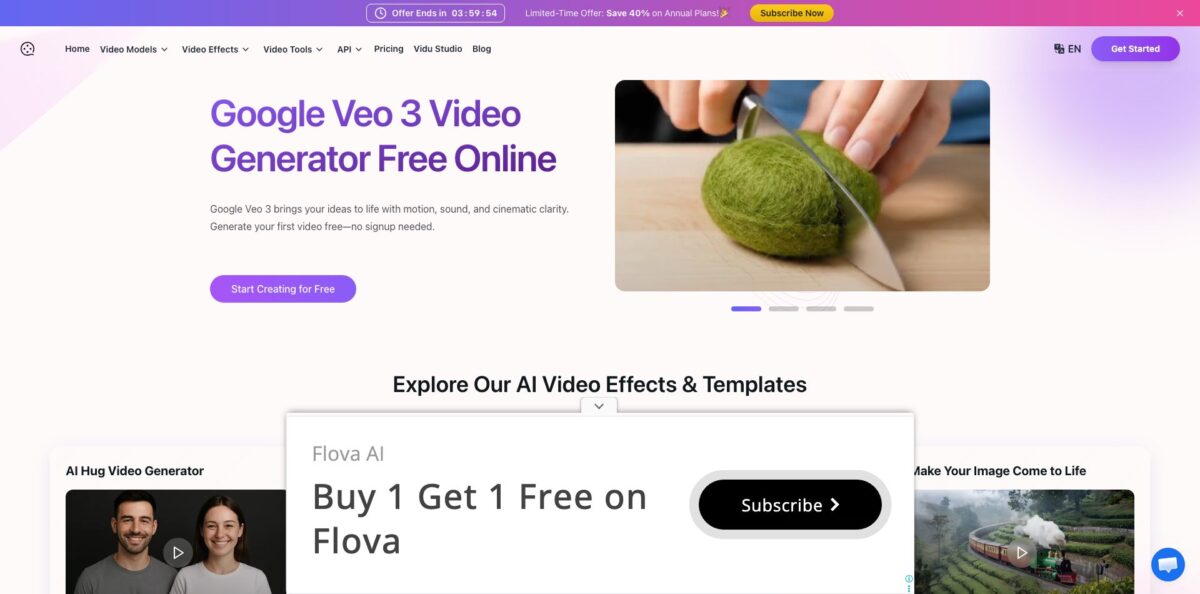
VideoMaker.me is a browser app that sells credit-based access to third-party video models rather than training its own. The working generator has two engines in its sidebar: Google Veo 3, which turns a prompt or a photo into an 8-second clip with native sound and spoken dialogue, and PixVerse, which covers text or image to video, one-click photo effects such as AI Hug or Ghibli, added sound, lip-synced speech and clip extension. Paid plans start at $9.9 a month. The service launched in 2024 as a front-end for Luma’s Dream Machine and is operated by MIRA MUSE LLC in Colorado. Its weak spot is transparency: more than 20 landing pages are titled after Kling, Seedance, Hailuo or Runway, yet the app itself lists only Veo 3 and PixVerse. Pick it for cheap Veo 3 clips and viral photo effects, not for a broad model lineup.
How to start using VideoMaker.me?
Open videomaker.me and click Start Creating for Free, or go straight to the app at videomaker.me/app. You do not need an account for the first attempt: the generator is labelled “One Free Trial · No Sign up”, and the sidebar shows a small starter balance of 20 credits before you sign in. Use Sign In to create an account before you buy credits. Free output carries a watermark, is not private, and can wait longer in the queue at busy times, according to the pricing FAQ.
For a first real clip, choose Veo 3 AI in the sidebar. Pick the Text-to-Video or Image-to-Video tab, then write a prompt that describes the scene and puts any dialogue in quotes, the way the built-in sample does; the hint under the box notes that speech works better with slightly longer transcripts. Below the prompt you choose Generation Mode (Fast or Quality) and Aspect Ratio (16:9 or 9:16), while audio and the 8-second duration are fixed. On free access, Quality mode, vertical 9:16, No Watermark and Private are all marked as paid options.
The screen worth learning is the PixVerse panel, opened from Image or Text. Here you set Duration (5s or 8s), Resolution (360P, 540P, 720P or 1080P), one of five ratios from 16:9 to 3:4, and toggles for Auto Sound, Auto Speech, No Watermark and Private. The Generate button shows the credit price before you click: 2 credits for a 5-second clip at 360P and 3 at 540P, while 720P, 1080P and 8 seconds open the upgrade dialog on a free account. The same sidebar holds Effect, Sound, Speech and Extend, each with its own cost on the button.
When the clip is ready, preview it in the browser and download it. If the video is going into an ad or a client project, subscribe first, because watermark-free downloads and commercial use rights come only with paid plans. Private generation is also a paid option, so keep personal photos out of free tests, and keep in mind that the Terms of Use give the operator a perpetual licence to content you upload. The refund window is short: three days from purchase.
Who is it for?
Short-form creators
You need a steady supply of trend clips for TikTok, Reels or Shorts and do not want to learn an editor. Effects like AI Hug, AI Kiss, 360° Spin or Ghibli turn one photo into a ready clip in a single step. A Basic plan covers up to 50 short videos a month at the cheapest settings.
Marketers testing ad hooks
You want to see an 8-second concept with sound before paying for a shoot. Veo 3 generates the scene, ambient audio and spoken lines from one prompt, and paid plans include commercial rights.
Small shop owners
You have product photos but no budget for video. Image-to-video animates a still shot, and the Sound tool adds generated audio for a single credit. Product pages and social posts get motion without hiring anyone.
Curious hobbyists
You want to try Veo 3 without a Google AI plan or a Gemini account. VideoMaker.me lets you test it signed out and then pay a small flat monthly fee. You can find out whether AI video interests you before committing to a bigger subscription.
Creators outside Google’s rollout regions
The site’s Veo 3 pricing page claims access from nearly every country at the same USD price. If Veo 3 is not offered where you live, this is one of the simpler workarounds. Check local payment and data rules before relying on it.
Small teams producing at volume
Ultra gives 3,000 monthly credits, 1080p output and six concurrent jobs, so several clips render in parallel. The plans list no team seats or shared workspaces, so plan on one shared login or separate subscriptions.
VideoMaker.me pricing
Every plan is a monthly credit allowance, and each generation spends credits according to the tool and settings you pick: a 5-second PixVerse clip costs 2 credits at 360P and 3 at 540P, Sound costs 1 credit and a Speech lip-sync costs 6. The pricing page opens on the annual tab with a “Limited Time Offer” countdown promising up to 40% off; switch to Monthly to see the regular prices. If you run out before renewal, the app offers one-time credit top-ups. All prices below are in USD from the official pricing page.
One free trial without sign-up and a small starter credit balance. Output is watermarked, not private and slower at peak times, and commercial use rights are listed only on paid plans.
100 credits a month (up to 50 videos), 720p output, 2 concurrent jobs, watermark-free downloads, commercial use, private generation, video extension and upscaling, no ads and standard support.
1,000 credits a month (up to 500 videos), 1080p output, 4 concurrent jobs and priority support, plus everything in Basic.
3,000 credits a month (up to 1,500 videos), 1080p output, 6 concurrent jobs and premium support. The annual price is the 40% discount the banner advertises.
Subscriptions can be cancelled at any time via Edit Billing Details in your account settings, and the Terms of Use allow refunds only within 3 days of purchase.
VideoMaker.me key features
Veo 3 with native audio
You type a scene or upload an image, and Google’s Veo 3 returns an 8-second clip with ambient sound, effects and lip-synced dialogue taken from the quoted lines in your prompt. Fast mode is the default, and Quality mode plus vertical 9:16 come with paid plans. You get Veo 3 output without a Google AI subscription.
PixVerse text and image to video
The Image or Text panel offers 5 or 8-second clips, four resolutions from 360P to 1080P and five aspect ratios including 1:1, 4:3 and 3:4. Auto Sound and Auto Speech switches add background audio or speech to the result in the same run.
One-click effect templates
The Effect tool opens a Choose an Effect grid with presets such as AI Hug, AI Kiss, Ghibli Video AI, 360° Spin, Clay Wobble, Muscle Spark and Simpsonize Me, and the site advertises more than 60 in total. You upload a photo, pick an effect and generate, with no prompt writing at all. This is the fastest route to trend-style clips for social feeds.
Sound and Speech for existing clips
Sound adds generated audio to a silent video for 1 credit, and Speech makes a character say up to 200 characters of text you type, with an Auto voice option, for 6 credits. Both keep an Original Audio switch if you want to keep what is already there. Silent image-to-video results become usable posts without a separate audio tool.
Extend and upscaling
Extend continues a clip you already have, priced on the button like a new generation, and paid plans list video upscaling alongside it. It is a practical way to stretch a good 5-second shot instead of rerolling from scratch and hoping for the same look.
Private, commercial-ready output on paid plans
Subscriptions remove the watermark and the display ads, keep your generations private and grant commercial use rights. The interface comes in 17 languages, including Arabic, Hindi, Japanese and Turkish.
VideoMaker.me Pros & Cons
Pros
The entry price is low for Veo 3 with sound: Basic costs $9.9 a month, or $7.9 on annual billing, while the site’s own comparison puts Google’s AI Pro plan at $19.99. You can try the generator signed out, so judging output quality costs nothing. The credit price is printed on the Generate button before every run, which makes spending easy to predict. The effect templates are genuinely one-click, and Sound, Speech and Extend let you finish a clip inside the same app instead of moving between tools. Paid plans add commercial rights, private generation and up to six parallel jobs. Use the 360P PixVerse setting for cheap drafts and reserve Veo 3 for the clips you will actually post.
Cons
VideoMaker.me is a reseller, and its marketing overstates what the app contains. Pages titled after Kling, Seedance, Hailuo, Wan or Runway are mostly articles, while the app sidebar offers only Veo 3 and PixVerse. Some claims contradict the product: the Veo 3 page mentions clips over 60 seconds although the generator is fixed at 8, and the same testimonial names appear on several pages with different job titles. Free users see heavy display ads, refunds close after 3 days, and the terms grant the operator a perpetual licence to your uploads. Pay monthly first, test the exact settings you need, and only then consider the annual discount.
Use VideoMaker.me if you want…
- Generate 8-second Veo 3 clips with synced dialogue.
- Turn a single photo into a viral hug or kiss clip.
- Test AI video without creating an account first.
- Add generated sound to silent AI clips for one credit.
- Make a character speak your own short script.
- Extend a good short shot instead of rerolling it.
- Produce watermark-free social clips with commercial rights cheaply.
- Render several short clips in parallel on one plan.
VideoMaker.me alternatives
 PixVerseRead review →
 Kling AIRead review →
 RunwayRead review →
 PikaRead review →
 Vidu AIRead review →
 KreaRead review →
 Deevid AIRead review →
 Hailuo AIRead review →
VideoMaker.me Reviews
On There’s An AI For That, the 12 user ratings average 2.8 out of 5 and split sharply: five users gave five stars and six gave one star, so experiences look polarized rather than lukewarm.
Early Product Hunt reviewers were brief and mostly positive about the results, but one complained that the free version allowed only one video every 24 hours.
Beyond those ratings, independent written feedback is thin: the Uneed listing has no reviews yet, and the named testimonials on VideoMaker.me’s own model pages are vendor copy rather than user opinions.
FAQ
Is VideoMaker.me free?
You get one free trial without signing up and a small starter credit balance. Free videos are watermarked and not private, and paid plans start at $9.9 a month.
Is VideoMaker.me the official Google Veo 3?
No. It is an independent site operated by MIRA MUSE LLC that offers Veo 3 inside its own app, so you do not need a Google AI plan or a Gemini account to use it.
Which AI models can I actually use?
The app sidebar offers Veo 3 and PixVerse tools: Image or Text, Effect, Sound, Speech and Extend. Pages named after Kling, Seedance, Hailuo and other models are mostly informational, and the Sora 2 and Nano Banana menu items link out to kie.ai.
How long can my videos be?
Veo 3 clips are 8 seconds, and PixVerse clips are 5 or 8 seconds, with 8 seconds reserved for paid plans. You can lengthen a clip with the Extend tool.
Can I use the videos commercially?
Yes, on Basic, Pro and Ultra, which include commercial use rights and watermark-free downloads. Commercial use rights are listed only for paid plans, and free-tier videos carry a watermark.
Does VideoMaker.me have an API?
There is no developer documentation on videomaker.me itself. Its API menu sends you to kie.ai, and its Veo 3 API page points to the separate veo3api.ai site.
How do I cancel or get a refund?
Cancel through Edit Billing Details on your account settings page, or email support@videomaker.me. The Terms of Use allow refunds only within 3 days of purchase.
What happens to the photos I upload?
The Terms of Use grant MIRA MUSE LLC a non-exclusive, perpetual, royalty-free licence to use and modify uploaded content. Only paid plans keep generations private, so avoid uploading sensitive images on the free tier.
Similar tools
 AIAIAll-in-one AI studio that puts Veo, Sora, Kling, Seedance and other models behind one credit balance for video, images, music and voice.
 ToMoviee AIWondershare's AI creative studio that turns text prompts and images into short videos, pictures, music, sound effects and voiceovers.
 Morph StudioBrowser AI video studio that runs Seedance, Kling, Veo and its own style transfer model, with a storyboard canvas for multi-shot clips.