
Vidful.ai
Video GenerationUpdated October 27, 2026
Browser-based AI video generator that runs Kling, Seedance, Veo, Sora 2 and other models for text-to-video, image-to-video and 60+ effects.
We may earn a commission when you sign up through our links. It does not affect our reviews.
What is Vidful.ai?
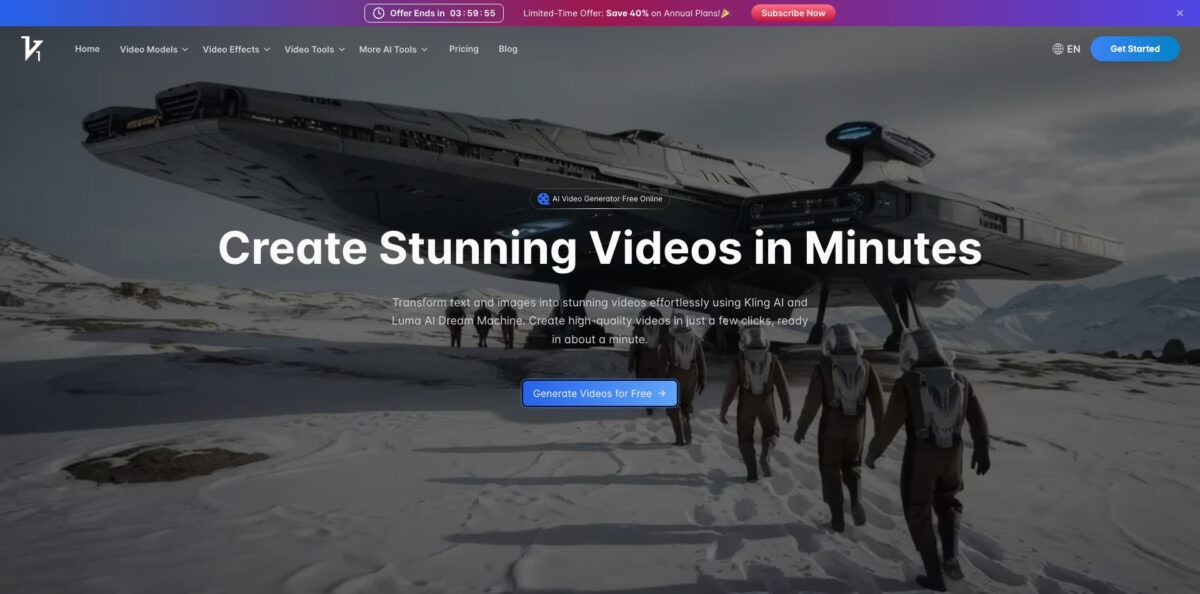
Vidful.ai is a browser-based AI video generator that puts several third-party video models behind one prompt box and one credit balance. You type a prompt or upload a photo, pick a model such as Kling 3.0, Seedance 2.0, Google Veo 3, Sora 2 or Hailuo 2.3, and get a short clip, usually 5 to 15 seconds long, mostly in 16:9 or 9:16. On top of that sit 60+ template effects (AI Hug, AI Kiss, Ghibli, 360 Spin) that animate a single photo, plus tools to extend, upscale and add sound or lip-synced speech. You test many models without an account at each lab. The weak spots are the lack of any timeline editor, prompt adherence that users describe as loose, and credit costs per model that only show up inside the generator. It fits social creators, small sellers and hobbyists who need quick clips more than long, controlled productions.
How to start using Vidful.ai?
Click Generate Videos for Free on the homepage and sign in with Google or with an email and password. The help center recommends registering with email and password first: a Google-only account has no password, so a later password reset returns “Account does not exist”. Finish registration before you subscribe, otherwise the plan cannot activate automatically. Free users get a small daily credit allowance that resets every 24 hours, and free clips carry a watermark, stay public and are deleted after seven days.
For a first real clip, open the generator and choose Image or Text. In text mode, describe the scene; in image mode, upload a sharp photo and add a description of the motion you want. Then pick the model, duration, resolution and aspect ratio. Vidful’s prompt guide is worth following: avoid conversational requests like “Can you make a puppy video?” and instead describe the setting, key objects, mood, action and lighting in one detailed paragraph.
The key settings sit in the toggles under the prompt. Auto Sound adds background music (it may lengthen generation time), Auto Speech generates lip-synced dialogue for faces, and No Watermark and Private keep paid output clean and hidden from the public feed. Separate tabs cover Effect, Transition, Sound, Speech, Extend and Character, so you can turn an existing clip into a talking or scored one. Not every combination is allowed: the interface blocks 8-second clips at 1080p, for example.
When the clip is ready, preview it, then use Retry, Extend, Upscale, Download or Share. Extend lengthens a video up to 15 seconds and is reserved for subscribers, and Upscale shows its credit cost in a dialog before you confirm. History and Library keep earlier generations. Free clips expire after seven days, so download anything you want to keep, and remember that only content made during an active subscription may be used commercially.
Write one detailed prompt, run it on a cheaper model first, and spend premium-model credits only on the version you plan to publish.
Who is it for?
Social media creators
You want trend formats like hugging, kissing or anime-style clips without learning After Effects. The 60+ effect templates turn one uploaded photo into a share-ready vertical clip, and paid plans remove the watermark.
Small e-commerce sellers
Product photos alone look static next to video ads. Image-to-video with models like Kling 3.0, designed to keep characters and objects consistent as the camera moves, gives you short walkthrough-style clips without a shoot.
Model-curious creators
Every month a new video model launches with its own app and subscription. Vidful lists 23 model pages, from Kling 3.0 and Seedance 2.0 to Sora 2 and Veo 3, so you can compare outputs for the same prompt on one bill.
Hobbyists animating old photos
Family pictures and vintage postcards are a popular use for image-to-video. Expect some retries, because users report the model adding people or objects the prompt did not ask for.
Marketers testing ad concepts
Before paying a production team, you want to see shot order and pacing. Kling 3.0 multi-shot generation and start-and-end frame control let you rough out a scene in one pass.
Beginners on a budget
You want to know if AI video suits you before spending money. The free daily credits let you test prompts, and the Basic plan starts below $10 a month.
Vidful.ai pricing
Vidful.ai sells monthly credit subscriptions in three paid tiers, with a free daily allowance below them. Each generation spends credits, and the cost depends on the model you choose; the pricing page translates plan credits into “up to” video counts, which reflect the cheapest options, so premium models will give you fewer clips. Annual billing cuts the monthly rate by 20% on Basic and Pro and by 40% on Ultra. If you run out mid-cycle, you can buy one-time credits that are added to the current billing period.
Daily free credits that reset every 24 hours (the exact number is not published), watermarked videos, public generations, clips kept for seven days, no commercial use and slower generation at peak times.
100 credits per month (up to 50 videos), 720p output, up to 2 concurrent jobs, 60+ effects, auto speech and auto sound, video extension and upscaling, private and watermark-free downloads, standard support. Google Veo 3 and accurate lip sync are not included.
1,000 credits per month (up to 500 videos), 1080p output, Google Veo 3 support, accurate lip sync, up to 4 concurrent jobs and priority support.
3,000 credits per month (up to 1,500 videos), 1080p, Veo 3 and lip sync, up to 6 concurrent jobs and premium support.
At monthly rates, a credit costs roughly 10 cents on Basic, 5 cents on Pro and about 3.3 cents on Ultra, so heavy users save a lot by moving up. Two details deserve attention. On the pricing page, the commercial use rights line is ticked only when annual billing is selected, while the help center says anything made during an active subscription can be used commercially. Refund rules also differ: the help center offers a full refund within three days for monthly plans and a partial refund on annual ones, with used months charged at the monthly rate, while the terms limit refunds to the first three days for new customers.
Vidful.ai key features
Multi-model generator: The Video Models menu lists 23 model pages, including Kling 3.0, Kling 2.6 Motion Control, Seedance 2.0, Google Veo 3 and Veo 3 Fast, Sora 2, Hailuo 2.3, Wan 2.6, Runway Gen-4 and Grok Imagine. You switch models in a dropdown instead of juggling separate accounts. Which models a plan can call, and at what credit cost, is shown inside the generator.
Kling 3.0 multi-shot video: Kling 3.0 reads cinematic language from a prompt and builds several shots in one generation, including shot-reverse-shot dialogue and cross-cutting. It supports multi-image references locked as elements, native audio in Chinese, English, Japanese, Korean and Spanish, and durations from 3 to 15 seconds.
Seedance 2.0 and 2.0 fast: Both accept up to 12 reference assets per project (up to 9 images, 3 videos and 3 audio clips), generate 4 to 15 second clips at 480p or 720p, and support ratios from 21:9 to 9:16. First and last frame control, video extension and reference-based edits help you keep a scene consistent. Use the fast version for drafts.
60+ AI video effects: Template effects such as AI Hug, AI Kiss, Ghibli AI, AI 360 Spin, AI Squish, Jellycat AI and Baby Dance animate an uploaded photo in a fixed style. You skip prompt writing entirely, which makes them the quickest route to a trend clip. Results depend heavily on a clear, well-lit source image.
Auto Sound and Auto Speech: Auto Sound adds background music matched to the clip or generated from your description
Auto Speech produces lip-synced speech for faces, with 10+ preset voices according to the pricing page. Sound and Speech tabs also accept your own uploaded videos up to 50 MB and 1920×1920 pixels.
Extend and Upscale: Subscribers can lengthen a generated clip up to 15 seconds with a prompt describing what happens next, and upscale finished videos for a cleaner export. The upscale dialog shows the credit cost before you confirm, so you only spend on keepers.
Private, watermark-free output: Paid plans keep generations private, store them without a time limit and remove the watermark. Free generations stay public on the site and are deleted after seven days.
Vidful.ai Pros & Cons
Pros
Vidful.ai gives you access to a long list of current video models, including Kling 3.0, Seedance 2.0, Sora 2 and Veo 3, under one login and one credit balance. Pricing is published in USD with clear credit amounts, and entry is cheap: Basic starts at $9.90 a month, and a free daily allowance lets you try prompts before paying. The template effects produce trend clips from a single photo with no prompt engineering, and paid plans add private generation, watermark-free downloads and unlimited storage. The help center’s prompt guide is practical and concrete. Use the free credits to compare two or three models on the same prompt before deciding which one deserves your paid credits.
Cons
Per-model credit costs are not published outside the generator, so the “up to 500 videos” style counts can mislead if you rely on premium models. Users on Trustpilot and a coupon-site review complain that the AI drifts from prompts and adds unrequested people or objects, which burns credits on retries. There is no timeline editor or documented public API, and the homepage still leads with older Kling and Luma Dream Machine copy. The terms grant Vidful a perpetual, royalty-free license to user content, and the menu even includes a Sora 2 watermark remover. Commercial-use and refund wording differs between pages. Read the terms and confirm licensing with support before using Vidful for paid work.
Use Vidful.ai if you want…
- Compare Kling, Seedance, Veo and Sora 2 outputs.
- Turn a single photo into a trend clip.
- Animate product images into short vertical videos.
- Generate multi-shot scenes with Kling 3.0 dialogue.
- Add lip-synced speech to videos with faces.
- Score clips with AI-generated background music.
- Extend short generations up to 15 seconds.
- Test AI video for free before subscribing.
Vidful.ai alternatives
 Kling AIRead review →
 RunwayRead review →
 PikaRead review →
 PixVerseRead review →
 Vidu AIRead review →
 Hailuo AIRead review →
 KreaRead review →
 OpenArtRead review →
 Deevid AIRead review →
Vidful.ai Reviews
The generator does not pay close attention to the prompt and adds elements nobody asked for. The four free tries per day are the main reason the rating is not lower.
Turning old postcard images into video is the main use, but the tool keeps inserting people into scenes even when the prompt says not to, so many clips get deleted and credits are wasted. A negative prompt field would help.
Reviewers who recommend it mostly praise value for money and the range of features; those who do not most often point to missing features and a lack of integrations.
FAQ
Is Vidful.ai free?
Yes, free users get a daily credit allowance that resets every 24 hours, but videos carry a watermark, stay public and are deleted after seven days. Paid plans start at $9.90/month, or $7.90/month billed annually.
Can I use Vidful.ai videos commercially?
Only content created during an active subscription qualifies, and that right stays valid after you cancel. Free-tier content can never be used commercially, and the pricing page shows commercial rights only with annual billing, so confirm your case with support@vidful.ai.
How long can a Vidful.ai video be?
Clips start at a 5-second base length, and subscribers can extend them up to 15 seconds. Some models generate longer clips directly, such as Kling 3.0 (3 to 15 seconds) and Seedance 2.0 (4 to 15 seconds).
Does Vidful.ai have an API?
Vidful.ai does not document a public API. Its More AI Tools menu links to kie.ai, a separate site, for Sora 2 and Veo 3.1 API access.
Are my Vidful.ai videos private?
Videos generated during a paid subscription are private by default. Videos made on the free plan, including those created before you subscribed, remain publicly visible on the site.
How do I cancel my Vidful.ai subscription?
Use Edit Billing Details in your account settings at vidful.ai/user/settings, or email support@vidful.ai. Cancellation takes effect at the end of the current billing cycle, and you keep plan benefits until then.
What content is not allowed on Vidful.ai?
Inputs are reviewed, and NSFW material, hate speech, graphic violence, illegal activity, harassment and misinformation are prohibited. The terms also require users to be at least 18 or have a guardian’s permission.
Who operates Vidful.ai?
According to its terms, the site is run by NEXUSAI SERVICES LLC, based in Denver, Colorado, and disputes fall under Colorado law.
Similar tools
 AIAIAll-in-one AI studio that puts Veo, Sora, Kling, Seedance and other models behind one credit balance for video, images, music and voice.
 ToMoviee AIWondershare's AI creative studio that turns text prompts and images into short videos, pictures, music, sound effects and voiceovers.
 Morph StudioBrowser AI video studio that runs Seedance, Kling, Veo and its own style transfer model, with a storyboard canvas for multi-shot clips.