

Wan.video
Video GenerationUpdated October 5, 2026
Wan.video is a cloud-native AI platform generating cinematic videos with realistic motion physics and character consistency.
We may earn a commission when you sign up through our links. It does not affect our reviews.
What is Wan.video?
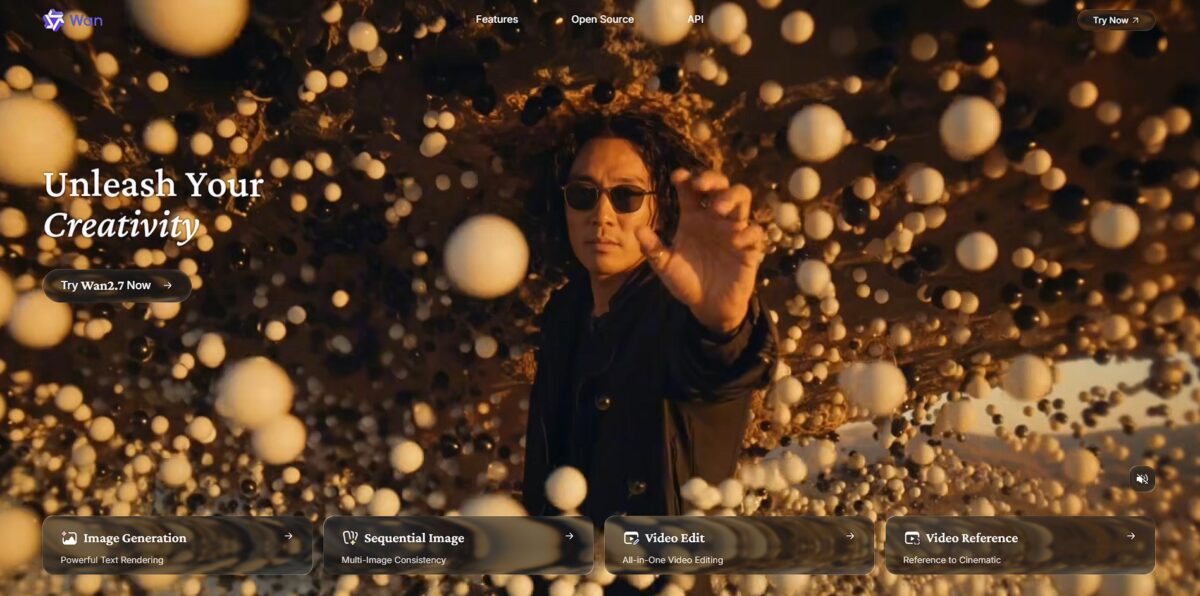
Wan.video moves video rendering to the cloud, letting you skip the hardware race. It handles complex physics and character consistency that usually break during local processing. You get stable motion without your laptop fan sounding like a jet engine. This matters because it opens high-end visual storytelling to anyone without a dedicated server farm. It excels at long-form generation but requires a steady connection to manage the credit-based workflow.
How to start using Wan.video?
The fastest route is the web platform. Head to the official WanVideo site or a Hugging Face Space to test the 14B or 1.3B models without touching a terminal. This setup works for quick prompt testing, though you’ll likely hit queues during peak hours. It’s the best way to see if the motion physics meet your needs before committing to a local install.
If you own an RTX 3090 or better, ComfyUI is the move. You’ll need to grab the WanVideo wrapper nodes and download the GGUF or fp8 weights from Hugging Face. I noticed that 480p is the sweet spot for speed, as 1080p renders can easily swallow 20GB+ of VRAM. Using local hardware gives you granular control over seeds and schedulers that web wrappers often hide.
Cloud GPUs like RunPod or GMI Cloud offer a middle ground for those without a 4090. You can deploy a pre-configured Docker container with the Gradio app or ComfyUI already baked in. This bypasses the headache of managing Python dependencies and CUDA versions on your own machine. It costs a few cents per generation but ensures you aren’t throttled by local hardware limits.
Getting consistent results requires specific prompting. Use descriptive adjectives like “cinematic” or “fluid” to guide the motion, as the model relies heavily on text intent to calculate physical weight. If your character’s limbs look rubbery, try increasing the sampling steps to 25 or 30. This extra compute time helps the diffusion process resolve complex textures and lighting.
Who is it for?
Open-Source Enthusiasts
You want to run SOTA models like the 1.3B version on your own 8GB VRAM consumer GPU without paying for API tokens. This keeps your data local and your costs at zero after the initial hardware buy.
ComfyUI Power Users
You enjoy connecting nodes and custom VAEs to fine-tune motion. It offers granular control that simple “prompt-and-pray” web interfaces lack, though it demands more troubleshooting time.
Low-Budget Content Creators
You need to animate static images or generate five-second clips for social feeds without a $200/month subscription. The trade-off is longer render times compared to closed-source enterprise clusters.
Experimental Animators
You need specific features like First-Last-Frame-to-Video to ensure your loops start and end exactly where you want. This prevents the “jumping” effect common in less sophisticated generators.
Technical Bloggers
You need a tool capable of rendering legible English and Chinese text inside video frames for product demos. Most generators still struggle with spelling, but Wan 2.1 handles it with much higher accuracy.
Wan.video pricing
Wan.video operates on a credit-based subscription model that prioritizes cloud-heavy rendering over local hardware. You pay for the compute cycles needed to simulate complex physics and character consistency without melting your own GPU.
This works for creators testing story beats or low-resolution drafts.
This helps if you need more attempts to get lighting and motion right on key scenes.
Designed for consistent high-volume output where you need a deeper pool of renders.
Use these to patch a project when your monthly limit hits zero mid-workflow. Credit consumption fluctuates based on resolution and frame rates: a standard 1080p generation at 24 frames per second will drain your balance faster than a 720p draft, so you learn to be intentional about when you commit to a full-fidelity render. Yearly billing cuts 30% off the total, which is the most logical route if you plan to integrate this into a long-term production pipeline.
Wan.video key features
Plan multi-shot narratives using a single text prompt
The model identifies scene transitions and maintains character identity across different angles automatically. In testing, it handled lighting shifts between a wide shot and a close-up without making the protagonist look like a stranger, and you skip the tedious work of generating five separate clips and stitching them together.
Render legible English and Chinese text directly inside your video frames
This replaces the messy, flickering “AI gibberish” common in older models with stable street signs, UI elements, or captions. It works well for branding, though complex fonts might still warp occasionally. You can create usable advertisements and interface walkthroughs without heavy masking in post-production.
Sync character lip movements to uploaded audio files or generated voiceovers
The native 10ms synchronization ensures that speech patterns match facial micro-expressions like jaw tension and eye shifts. That eliminates the “uncanny valley” effect where the voice feels detached from the body, at the cost of a longer wait for the final file while the engine calculates the phonemes.
Control the specific start and end points of a scene using image anchors
By uploading a “First Frame” and a “Last Frame,” you dictate the exact composition the AI must hit. This prevents the model from wandering off into random motion that ruins your edit. For storyboarders, a chaotic generation process becomes a predictable tool.
Run the 1.3B model locally on consumer-grade hardware with as little as 8.19GB of VRAM
You can iterate on 480p drafts using an average gaming laptop instead of renting expensive H100 cloud clusters. While the resolution is lower, the motion physics remain consistent with the larger 14B version. Creators who want to keep their data private and their costs zero get a real option for rapid prototyping.
Shift styles or update scene elements through instruction-based editing
Instead of starting over, you tell the model to “change the daylight to sunset” or “make the character wear a leather jacket.” The engine preserves the original camera path while swapping the requested textures. Minor creative revisions for clients take a fraction of the time.
Wan.video Pros & Cons
Pros
Wan.video excels at narrative continuity by generating multi-shot sequences within a single 15-second render. It keeps character faces and clothing consistent across different camera angles, solving the common problem where subjects morph between clips. The native audio syncs accurately with lip movements, which removes the need to manually align voiceovers in external editors. This matters because you can produce a finished social media skit or explainer directly from one prompt. It works well for creators who need logical scene flow rather than just isolated visual effects. Use the reference-to-video mode if you need to cast a specific person into a new scene while preserving their identity.
Cons
The model struggles with fast, complex physical interactions where limbs or props can occasionally drift or distort. High-speed action can trigger artifacts that break the cinematic realism established in static shots. Its advanced multi-shot logic comes with a steeper learning curve than one-click generators, as overstuffing prompts with too many styles often results in visual mush. On-screen text can still warp with complex fonts, which may require post-production fixing. While the web interface is accessible, local rendering on consumer hardware is slow and demands significant VRAM. Skip the text prompt for facial details and let the reference image handle the identity to avoid conflicting visual cues.
Use Wan.video if you want…
- Build cinematic narratives with consistent character identities.
- Generate synchronized audio directly within your video workflow.
- Decompose long prompts into professional multi-shot sequences.
- Animate static portraits while preserving intricate facial details.
- Render readable bilingual text on signs and digital screens.
- Execute precise motion transfer from one video to another.
- Control scene pacing with specific start and end frames.
- Iterate quickly using natural language instruction-based editing.
- Scale production with open-source models on consumer hardware.
Wan.video alternatives



Wan.video Reviews
The cloud-based rendering is a lifesaver for my older rig, and the 1080p output actually hits commercial standards. Character consistency is better than most, but fast movements still get a bit trippy.
Native audio sync saves me hours in post-production, though the learning curve for multi-shot prompts is a bit steep. It handles environmental lighting beautifully, even if it’s slower than some of the instant-gratification models.
I love having total control over camera pans and tracking shots without my GPU hitting 100 degrees. It’s a solid tool for narrative beats, just don’t expect it to nail complex hand interactions every single time.
FAQ
What are the hardware requirements for running Wan Video locally?
To run Wan Video models locally, you typically need an NVIDIA RTX 3060 or higher with at least 8GB of VRAM, though 12GB or more is recommended for better performance. You also need a modern multi-core processor, 16GB to 32GB of RAM, and about 50GB of free SSD space.
Does Wan Video support image-to-video generation?
Yes, Wan Video includes an Image-to-Video (I2V) variant that can transform a static image into a dynamic video sequence at resolutions up to 720p and 24 frames per second.
What is the maximum resolution for Wan Video outputs?
Wan Video models, particularly the 2.6 version, aim for a standard resolution of 1080p, while earlier variants like 2.2 support 480p and 720p outputs.
Can Wan Video generate synchronized audio?
Yes, newer versions like Wan 2.6 feature native audio-visual synchronization, which allows the model to generate audio and video together for precise lip-sync and natural timing.
Is Wan Video open source?
Yes, Wan Video is a suite of open-source models created by Alibaba Tongyi Lab, allowing creators and developers to customize and integrate the technology into their own workflows without restrictive licensing.
What is the typical duration of a generated video clip?
Standard video generations from Wan Video are typically 5 seconds long, although newer versions focus on better continuity for multi-shot narratives.
Which aspect ratios are supported?
Wan Video supports multiple aspect ratios, including cinematic 16:9, vertical 9:16 for social media, and square 1:1 formats.
How does the Mixture-of-Experts architecture work in Wan Video?
The MoE design uses specialized networks to handle different stages of generation; a high-noise expert focuses on scene layout and motion, while a low-noise expert refines fine details like lighting and textures, making the process more efficient.
Similar tools
 AIAIAll-in-one AI studio that puts Veo, Sora, Kling, Seedance and other models behind one credit balance for video, images, music and voice.
 ToMoviee AIWondershare's AI creative studio that turns text prompts and images into short videos, pictures, music, sound effects and voiceovers.
 Morph StudioBrowser AI video studio that runs Seedance, Kling, Veo and its own style transfer model, with a storyboard canvas for multi-shot clips.