

Weights & Biases
Developer ToolsUpdated October 27, 2026
MLOps platform for tracking ML experiments, versioning models and datasets, and tracing LLM agents, now part of CoreWeave Forge.
We may earn a commission when you sign up through our links. It does not affect our reviews.
What is Weights & Biases?
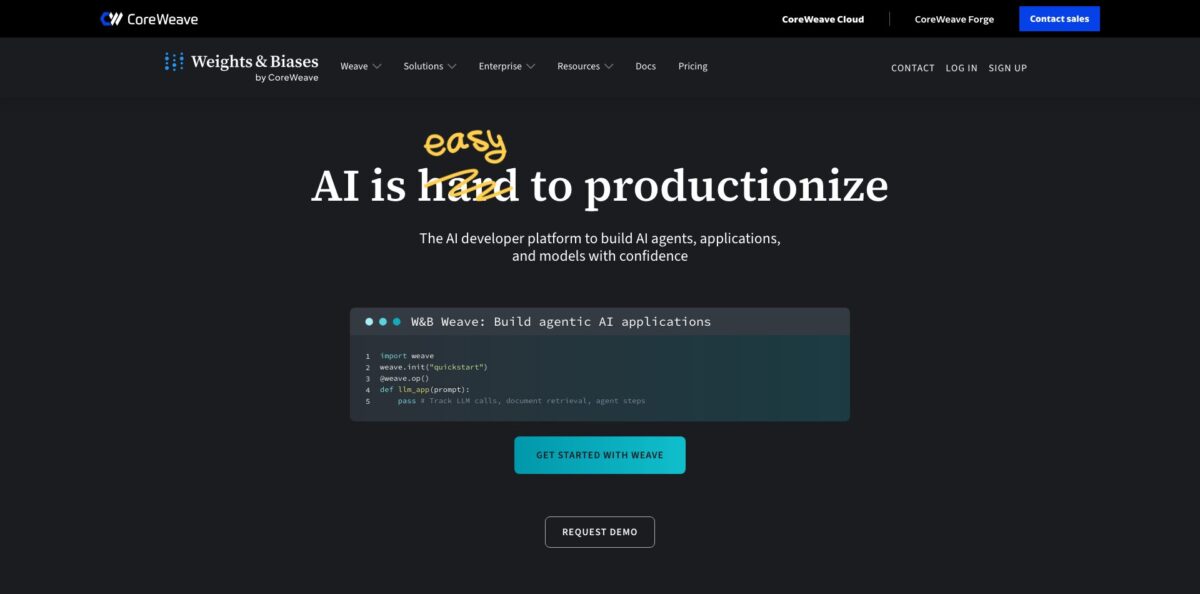
Weights & Biases, usually shortened to W&B, is a developer platform for logging, comparing and versioning machine learning work. You add a few lines of the wandb Python SDK to a training script, and every run streams its metrics, hyperparameters, GPU usage and output files into shared dashboards, while the companion Weave toolkit does the same for LLM apps and agents with traces and evaluations. It replaces spreadsheets of results and folders of forgotten checkpoints with one searchable record your team can reproduce. CoreWeave completed its acquisition of the company in May 2025, and W&B now continues as a named product inside CoreWeave Forge, with SaaS sign-in handled by CoreWeave since September 30, 2026. The weak spots are cost at scale and a UI that users say slows down on heavy projects. Pick it if you train or fine-tune models as a team.
How to start using Weights & Biases?
Go to wandb.ai, which now forwards you to the CoreWeave Forge sign-in, and create an account with Google, GitHub, Apple, Microsoft or an email address. Existing W&B usernames and passwords keep working, so current users simply select Log in. The setup flow asks how you will use Forge (Professional or Academic), offers to put you in a team whose email domain matches yours, and has you name an organization. The last screen lists Train and fine-tune models, Build and evaluate agents, Run inference at scale and I’m exploring; the choice only sets your landing page, not which products you can open.
Next, create an API key. Open the account selector in the upper-right corner, choose User settings, then select New key under API keys and give it a descriptive name. Copy the key straight away, because the full value is shown only once. On your machine, export it as
WANDB_API_KEY, then runpip install wandbandwandb login. From SDK version 0.31.0 the client talks to CoreWeave Forge by default, and keys you saved for the old api.wandb.ai endpoint still work without logging in again.Your first real scenario is a single training script. Call
wandb.init(project=”my-first-project”), put hyperparameters intorun.config, and callrun.log({”loss”: loss})inside the training loop. With Hugging Face Transformers, settingreport_to=”wandb”in TrainingArguments is enough, and PyTorch Lightning ships a readyWandbLogger. Open the project workspace and you see loss curves, GPU utilization and the run config update live, with the latest git commit captured so the run can be reproduced later.Once you have a handful of runs, compare them in the runs table, group them by a hyperparameter and save the best checkpoint as an Artifact so a teammate can pull it by version. Then build a Report that embeds the key charts with your notes and share the link instead of pasting screenshots into chat. For LLM work, the separate
weavepackage follows the same pattern:weave.init()plus an@weave.opdecorator records every model call as a trace you can inspect and evaluate.
Who is it for?
ML research engineers
You run dozens of training jobs a week and lose track of which learning rate produced which curve. W&B stores the config, metrics and git commit for every run, so you can reproduce a result months later instead of guessing from file names.
Teams fine-tuning open models
You fine-tune models with Hugging Face or Lightning and need everyone looking at the same numbers. Shared projects, Reports and versioned Artifacts give the team one record of datasets, checkpoints and evaluation results.
AI engineers building agents
Your agent behaves in a notebook and fails in production for reasons nobody can see. Weave traces each session, turn, tool call and sub-agent, and its evaluation framework catches regressions before a prompt or model change ships.
Academic labs and students
Your lab has plenty of experiments and no budget for MLOps tooling. The academic license gives Pro features for free with 200 GB of cloud storage and up to 100 seats, which covers most research groups.
Platform teams in regulated industries
You need experiment tracking without pushing sensitive data into a shared cloud. Dedicated Cloud and Self-Managed deployments, bring-your-own-bucket storage, SSO and audit logs keep the security review short.
Teams already renting GPUs on CoreWeave
You want tracking, inference and post-training under one login. Forge connects W&B Models with CoreWeave infrastructure telemetry, Serverless Inference and Serverless RL, so hardware alerts appear right on your training charts.
Weights & Biases pricing
Since the move into CoreWeave Forge, W&B is sold through Forge plans rather than a separate W&B price list. Each plan bundles model seats, monthly storage and Weave trace ingestion, and usage beyond the included amounts is billed monthly in arrears. Pro is billed monthly upfront; seats added mid-term are prorated, and removed seats are not credited. CoreWeave says existing W&B contracts and pricing are not changing because of the move. The figures below come from the official CoreWeave Forge pricing page in USD.
Built for personal development. Includes experiment tracking, the registry with lineage tracking, AI application tracing, evaluations and scorers, up to 5 model seats, 5 GB of storage per month and 1 GB of Weave data ingestion per month. Support is community-only.
Includes up to 10 model seats, 100 GB of storage per month (extra storage at $0.03/GB) and 1.5 GB of Weave ingestion per month (extra at $0.10/MB). Adds unlimited teams, team-based access controls, service accounts, CI/CD automations, Slack and email alerts, artifact TTL settings, and priority email and chat support with a 4 to 24 hour first response. For a limited time Pro also carries $5/month of inference credit. Pro is meant for organizations with fewer than 50 employees; larger companies are required to move to Enterprise.
Custom. Adds SSO, SCIM user provisioning, custom roles, audit logs, a HIPAA-compliant option, customer-managed encryption keys, bring-your-own-bucket storage, IP allowlisting and private connectivity with private hosting, and dedicated deployment. First response is 1 to 4 hours depending on severity and support package, and plans are invoiced annually upfront.
Students, professors and postdocs doing research unrelated to a for-profit entity get a free Pro license with 200 GB of cloud storage, up to 25 GB/month of Weave ingestion and up to 100 seats. An active academic email address is required.
Weights & Biases key features
Experiment tracking
A few SDK calls log metrics, hyperparameters, CPU and GPU usage, and rich media such as images, video, audio and 3D objects to live charts. Each run keeps its git commit, config, model weights and sample predictions, and you can store files in W&B or only keep pointers to your own storage.
run.config, or you lose the ability to filter and group runs by them.Sweeps for hyperparameter search
You describe the search space in a config file, start it with wandb sweep, then launch wandb agent on one or many machines using Bayesian, grid or random search. Version 0.31.0 adds wandb sweep-scheduler to run the search locally with Optuna or Ax, plus a flag that stops an agent after a set number of failed runs in a row.
Artifacts and lineage
Datasets, checkpoints and evaluation tables become versioned Artifacts with a lineage graph showing which data produced which model. Reference artifacts kept in an external bucket do not count against your storage quota; only the metadata does. The model registry that sat on top of this is now presented as CoreWeave Registry inside Forge.
W&B Weave for agents and LLM apps
Weave treats sessions, turns, steps, tools and sub-agents as first-class objects, so you can follow an agent run the way it actually executed. It adds an evaluation API with side-by-side comparisons, monitors with built-in signals and Slack or webhook alerts, a Playground for testing prompts and models against production traces, Guardrails scorers for toxicity, bias, PII and hallucinations, and Leaderboards. The Weave library is open source under Apache 2.0.
Reports, Tables and Automations
Reports turn live dashboards into shareable documents with commentary, which is how many teams present results to people who never open a notebook. Tables let you sort and filter predictions row by row to find failure cases. Automations trigger downstream workflows and alerts without manual steps, with CI/CD automations included from the Pro plan.
Coding-agent access through Skills and MCP
W&B Skills teach agents such as Claude Code, Codex, Cursor and Gemini CLI how to use the SDKs, and the W&B MCP server lets an assistant query your runs, traces and evaluations in plain language. The wandb leet terminal UI can print a run summary from its local file, and Forge’s ARIA agent analyzes experiment history to suggest what to try next.
Deployment choice and compliance
You can use the managed Forge cloud, an isolated Dedicated Cloud in the region you pick, or W&B Server on your own infrastructure. The platform is certified under ISO/IEC 27001:2022, 27017:2015 and 27018:2019 and is compliant with SOC 2 and HIPAA, and it stays cloud-agnostic, so you do not have to train on CoreWeave GPUs. An iOS app shows projects, runs, console logs, line plots and system metrics on the go.
Weights & Biases Pros & Cons
Pros
W&B is wired into much of the ML ecosystem, so adding it rarely takes more than a line or two in Hugging Face, Lightning, Keras, scikit-learn or XGBoost code. Its live, interactive dashboards are the feature reviewers praise most often, and Reports make results easy to share with managers and reviewers. Artifacts and lineage turn the question of which dataset trained a given model into a quick lookup. One account now covers classic training runs and LLM tracing with Weave, the academic license is generous, and deployment options range from shared SaaS to a self-managed server. Start on the Free plan with a real project and invite one teammate to see whether shared Reports change how you review experiments.
Cons
Cost is the most frequent complaint. Seats, storage and Weave ingestion are all metered, and reviewers say bills grow quickly as logging frequency and artifact sizes increase. Users also describe a UI that slows down on large workspaces packed with image panels, and occasional network errors that interrupted training scripts. The CoreWeave transition adds churn: sign-in, docs and several product pages have moved to coreweave.com, and the former W&B Inference, Training and Registry pages now carry CoreWeave names. Self-hosting gives control but is heavy to operate. Set artifact TTLs, log images sparingly, and use offline mode with wandb sync for long jobs on unstable networks.
Use Weights & Biases if you want…
- Track every training run with a few lines of code.
- Compare hyperparameters and metrics across hundreds of experiments.
- Run Bayesian or grid hyperparameter sweeps across machines.
- Version datasets and model checkpoints with full lineage.
- Trace and evaluate LLM agents before shipping changes.
- Share training results with stakeholders through live reports.
- Keep ML experiment data in your own cloud bucket.
- Let coding agents query your runs through MCP.
Weights & Biases alternatives
Weights & Biases Reviews
G2 reviewers praise how easy it is to log and share experiments, with sweeps, tagging and filtering, and tight integration with libraries like PyTorch Lightning, though some note that the UI can feel slow at times.
One G2 reviewer says the tool pays for itself by preventing lost model checkpoints and replacing hand-built matplotlib plots, but finds that older experiments with many high-resolution image panels load slowly and that extra seats get expensive beyond the small-team tier.
An MLOps engineer on PeerSpot names cost predictability as the main weakness once logging and artifact storage scale across teams, and adds that self-hosted Kubernetes installs are complex and the SDK docs lack advanced examples.
On r/MachineLearning, a long-time user who liked W&B overall grew wary of it for time-sensitive work after network errors crashed running jobs, and another user complained about a slow UI, bugs and a poorly documented Python library.
iOS app reviewers find it handy for checking runs and metrics away from the desk, while others ask for basics like log-scale axes and one objects that mobile access is limited to paid accounts.
FAQ
Is Weights & Biases still available after the CoreWeave acquisition?
Yes. CoreWeave completed the acquisition on May 5, 2025, and W&B continues as a named product within CoreWeave Forge, built by the same team. Your account, projects, teams and API keys stay the same, but SaaS sign-in now goes through CoreWeave Forge.
Is there a free plan?
Yes. The Free plan costs $0 and includes experiment tracking, tracing and evaluations with up to 5 model seats, 5 GB of storage and 1 GB of Weave ingestion per month. Academic researchers can apply for a free Pro license with 200 GB of storage.
Do I have to train my models on CoreWeave to use it?
No. W&B remains cloud-agnostic and works with any infrastructure provider, model or framework. Only some other Forge products, such as Training, Inference and Sandboxes, run on CoreWeave compute.
Can I self-host Weights & Biases?
Yes. You can run W&B Server on your own infrastructure with the Self-Managed option, or use Dedicated Cloud for an isolated managed instance. Some features require an Enterprise license, and self-hosted customers keep signing in as before.
Which frameworks does it integrate with?
Official integrations cover PyTorch Lightning, Hugging Face Transformers, Keras and YOLOv5, and the SDK also works with TensorFlow, scikit-learn and XGBoost. Weave traces OpenAI, LangChain and LlamaIndex calls, and any other library can be connected through the Python SDK.
Will my old wandb.ai scripts and API keys keep working?
Yes, according to CoreWeave. The wandb.ai domain keeps redirecting during the transition, API calls and SDK connections continue without code changes, and SDK 0.31.0 points to api.forge.coreweave.com by default while accepting keys stored for api.wandb.ai.
How does Weights & Biases handle security and compliance?
The platform is certified under ISO/IEC 27001, 27017 and 27018 and is compliant with SOC 2 and HIPAA. Enterprise plans add SSO, SCIM, audit logs, customer-managed encryption keys and the option to keep data in your own storage bucket.
Who can buy the Pro plan?
Pro, from $60/month, is designed for early-stage teams and organizations with fewer than 50 employees. Larger companies are required to move to Enterprise because Pro has rate limits and performance constraints.
Similar tools
 Novita AIDeveloper cloud with one API for 200+ open-weight AI models, plus GPU instances, dedicated endpoints and isolated sandboxes for AI agents.
 You.comDeveloper platform of web search, content extraction, cited research and model inference APIs that feed AI agents and RAG apps real-time web
 QodoAI code review platform that runs specialized agents on every pull request, enforces team rules and checks changes against tickets and linked