

Wepik
Image GenerationUpdated October 5, 2026
Wepik is a free AI design hub for creating professional graphics, social posts, and presentations with ease.
We may earn a commission when you sign up through our links. It does not affect our reviews.
What is Wepik?
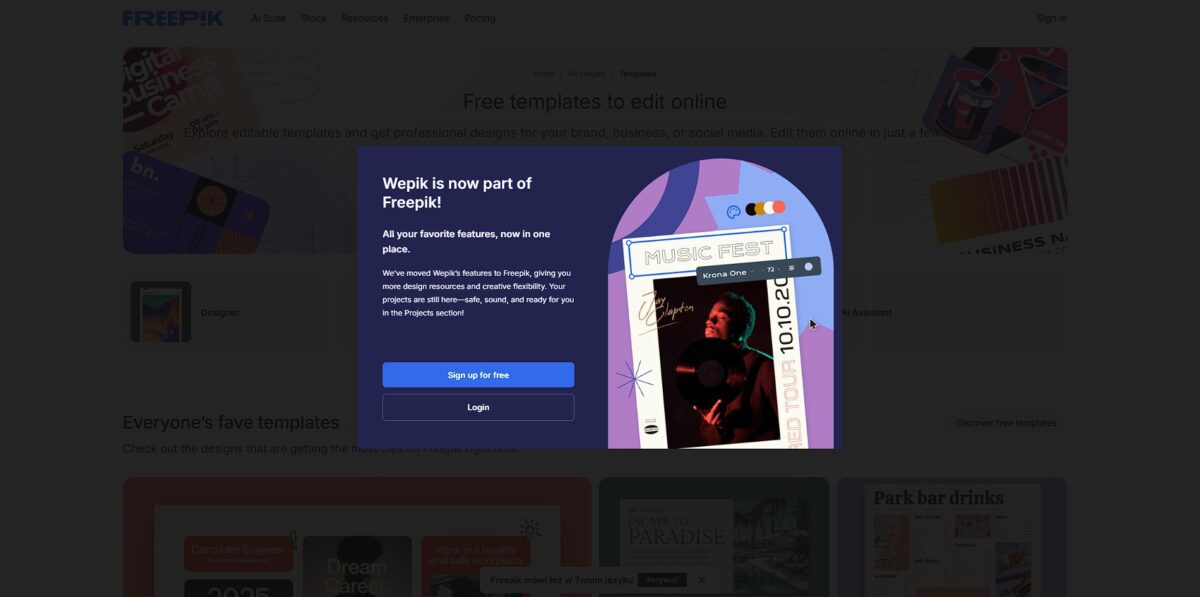
Wepik functions as a browser-based design hub that strips away the complexity of layers and pen tools. It anchors the Freepik ecosystem, giving you direct access to a massive library of stock assets without jumping between tabs. I noticed the one-click background remover handles messy hair outlines better than most free web tools, which saves you from tedious manual masking. It bundles an AI image generator and a social media scheduler into one interface, so you can create a post and set its go-live date without leaving the editor. That alone cuts the context-switching tax that usually drains a creator’s morning. While it handles social graphics and flyers with ease, the AI-generated text for presentations often feels surface-level and requires a heavy human rewrite. The trade-off is speed; you get a usable draft in seconds, even if it lacks deep logical structure. Use this for rapid-fire social assets, but stick to dedicated tools for data-heavy business reports.
How to start using Wepik?
Start by navigating to Wepik.com. You can explore templates immediately, but you need a Freepik account to save progress or download your final files. Sign in using Google or email to bypass the initial “guest” restrictions. That way your work doesn’t vanish if you accidentally refresh the browser.
Pick a template or start from a blank canvas. The sidebar houses the AI Image Generator, which is the real hook here. Type a prompt like “minimalist office desk with soft morning light” to see how the model interprets spatial lighting. It handles general aesthetics well, though it can struggle with hyper-specific anatomical details. You end up with a custom base layer for your design instead of recycling the same overused stock photos.
Use the drag-and-drop editor to layer elements. The interface mimics standard design software, so there is almost no learning curve. You can swap colors, add text, or use the background remover on your own uploaded photos. That’s enough to clean up messy smartphone product shots for a professional look in seconds.
Click the download button once your layout is ready. You can choose between PNG, JPG, or PDF formats depending on whether you need a transparent background or a print-ready file. Free users should watch out for daily download limits that might halt a high-volume project, so prioritize your most important exports first.
Who is it for?
Small Business Owners
You need a logo, business cards, and a menu but can’t hire a designer. Wepik provides pre-made packs so all your assets match without manual tweaking. The drag-and-drop editor mirrors Canva, so the learning curve is almost flat, and you can build a professional brand identity on a zero-dollar budget.
Social Media Managers
Stop hunting for stock photos that every competitor already uses. The AI generator turns text prompts into custom Instagram posts or Facebook banners in seconds. It even includes a scheduler to automate your posting pipeline from the same tab. Creating a graphic and actually publishing it happen in one place, with no friction in between.
Educators and Students
Turn a lecture topic into an 8-slide presentation using the AI maker. It handles the initial outline and layout so you just verify the facts, which saves hours of slide formatting during busy exam seasons. It also supports 18 languages, which helps for international projects or language classes.
Content Creators and Bloggers
Generate unique YouTube thumbnails or blog headers without worrying about copyright strikes. The one-click background remover cleans up headshots for “reaction” faces instantly. It’s a faster alternative to opening Photoshop for simple cutouts. Production stays fast, and you don’t need technical editing skills.
Non-profit Coordinators
Create event flyers and brochures using the library of 10,000 templates. You can swap fonts and images to fit your cause without needing a dedicated creative department. The platform stays browser-based, so you don’t need a high-end computer to render graphics. Resource-strapped teams can still produce polished marketing materials.
Wepik pricing
Wepik operates on a lean freemium model that favors the casual creator over the high-volume agency. Most users find what they need without ever pulling out a credit card. It acts as a gateway to the broader Freepik ecosystem, offering a surprisingly generous baseline for zero dollars. This matters because you can prototype full presentations or social campaigns without hitting a paywall five minutes into your workflow.
This allows students and small business owners to build assets without an upfront investment.
This removes mandatory watermarks and attribution requirements on your exports. Your pitch decks and marketing materials get a clean, professional finish.
The premium plan includes unlimited AI credits for generating images and text. The free tier is capable, but its daily limits can stall a heavy design session; after upgrading, a “limit reached” notification no longer interrupts your work.
Paid users can save specific hex codes and logos for one-click application. On free accounts these features are locked, so consistency takes a bit more manual work. For established brands, the paid kit saves hours of repetitive formatting.
Wepik key features
Prompt-to-Presentation Engine
Type a topic like “2026 Marketing Trends” and the AI builds a title, outline, and 8-slide deck. The outlines are logical, though the slides often require manual font tweaks to look truly professional. For founders who need a quick draft for internal meetings, it kills the “blank page” anxiety.
One-Click Background Eraser
Upload a photo and remove the background instantly for a cleaner layout. This is specifically useful for e-commerce owners who need to prep product shots for Instagram without touching Photoshop. You save minutes of tedious masking per image.
Integrated Freepik Asset Access
Browse millions of vectors and stock photos directly inside the editor sidebar. You don’t have to jump tabs or manage external downloads to find a specific icon. Your attention stays on the design rather than on file management.
Automated Social Media Scheduler
Design your graphics and queue them for Facebook or Twitter within the same dashboard. This works well for solo marketers, though it currently lacks some of the deeper analytics found in dedicated social suites. Still, it bridges the gap between creating content and actually publishing it.
AI Image Generation
Describe a specific scene to create custom visuals when the stock library fails. It handles basic concepts well, but I noticed it can struggle with complex human anatomy or text rendering. When it works, you get a unique asset tailored to your specific brand narrative.
Centralized Brand Kit
Store your specific hex codes, logos, and preferred fonts to apply them across different templates. Your business cards match your LinkedIn banners without a trip to the style guide every time, which keeps every marketing touchpoint visually consistent.
Wepik Pros & Cons
Pros
Wepik puts the background remover and AI image generator behind a free entry point, saving small business owners from paying for multiple subscriptions just to clean up a product photo. The drag-and-drop editor mirrors the familiar Canva layout, which eliminates the learning curve for anyone who has built a slide deck before. The native integration with Freepik and Flaticon libraries lets you pull millions of vector icons and stock photos directly into your workspace. This matters because you can finalize a social media post in minutes without toggling between different asset sites.
Cons
The platform restricts deep customization, making it less ideal for designers who need to pixel-push or manage complex layer hierarchies. Narrative flow suffers in the AI presentation maker as the tool treats each slide as an isolated block rather than a cohesive argument. In practice, fitting long-form text into rigid templates often means resizing every element by hand. This trade-off exists because the system prioritizes speed over structural flexibility. Users also face a complete lack of offline functionality, meaning your creative workflow dies the moment your internet connection drops.
Use Wepik if you want…
- Generate professional business presentations in under five minutes
- Access millions of Freepik vectors and icons instantly
- Erase image backgrounds with a single automated click
- Transform simple text prompts into custom AI artwork
- Schedule social media posts directly from your design dashboard
- Maintain brand consistency using an integrated brand kit
- Edit high-quality marketing templates for free in your browser
- Create unique digital art without any professional design skills
Wepik alternatives


Wepik Reviews
Wepik is an absolute lifesaver for my social media posts; finding a professional template and customizing it with the AI image generator takes me less than five minutes.
The background remover is surprisingly precise for a free tool, though I find the AI writer occasionally gives me generic results that need a human touch.
It is the best free alternative to Canva I have found, especially with the integrated Freepik library, but I wish it had better team collaboration features for my agency.
FAQ
Can I remove backgrounds from images in Wepik?
Yes, Wepik includes a one-click AI background remover that allows users to quickly isolate subjects and create polished designs without manual masking.
Does Wepik offer a mobile application?
Yes, Wepik provides a mobile app for both iOS and Android, enabling users to customize templates and create professional graphics while on the go.
Is Wepik related to Freepik and Flaticon?
Wepik is part of the Freepik Company family, giving users direct access to a massive integrated library of high-quality vectors, icons, and stock photos.
Can I schedule social media posts directly from Wepik?
Wepik features a built-in social media scheduler that allows you to organize, plan, and publish your visual content to various platforms without leaving the editor.
In what formats can I download my finished designs?
You can export your completed projects from Wepik in several high-resolution formats, including PNG, JPG, and PDF, depending on your project needs.
Does Wepik support real-time team collaboration?
Yes, the platform allows multiple users to work on the same design project simultaneously, making it easier for teams to coordinate on marketing materials and presentations.
What is the Wepik Brand Kit?
The Brand Kit is a centralized feature where you can store your company’s logos, specific color palettes, and fonts to ensure visual consistency across all your designs.
Can Wepik generate text for my designs?
Yes, Wepik includes an AI Writer tool that helps generate copy for product descriptions, blog posts, and social media captions to accelerate your creative workflow.
Similar tools
 BannerbearTemplate-based API for generating on-brand images, PDFs, animations and videos at scale from your data via REST, Zapier, Airtable or AI agents.
 Generated PhotosLibrary of 2.6M+ AI-generated faces plus face and full-body human generators for model-release-free people images in design, ads and research.
 VheerBrowser-based AI studio for text-to-image, photo editing and image-to-video, with a free no-signup model plus credit access to Nano Banana, Sora 2