

WeWeb
No-Code AIUpdated October 18, 2026
AI-assisted visual builder for production web apps that generates UI, backend and logic, then lets you edit everything without code or export Vue.js.
We may earn a commission when you sign up through our links. It does not affect our reviews.
What is WeWeb?
WeWeb is a visual development platform where an AI agent drafts a web application for you, pages, database tables, API endpoints and workflows included, and then every piece stays open in a drag-and-drop editor instead of disappearing into generated code you have to prompt around. It began as a no-code frontend for backends like Xano, Supabase and Airtable, and it now also ships its own native backend with tables, auth, scheduled tasks and an AI gateway. Finished apps publish to an AWS-hosted CDN or export as a standard Vue.js single-page app you can host anywhere, including air-gapped networks. The trade-off is depth: the editor exposes variables, formulas and workflows, so expect a real learning curve compared with pure prompt-to-app tools. It suits founders, agencies and IT teams who need a production app they fully control, not a throwaway prototype.
How to start using WeWeb?
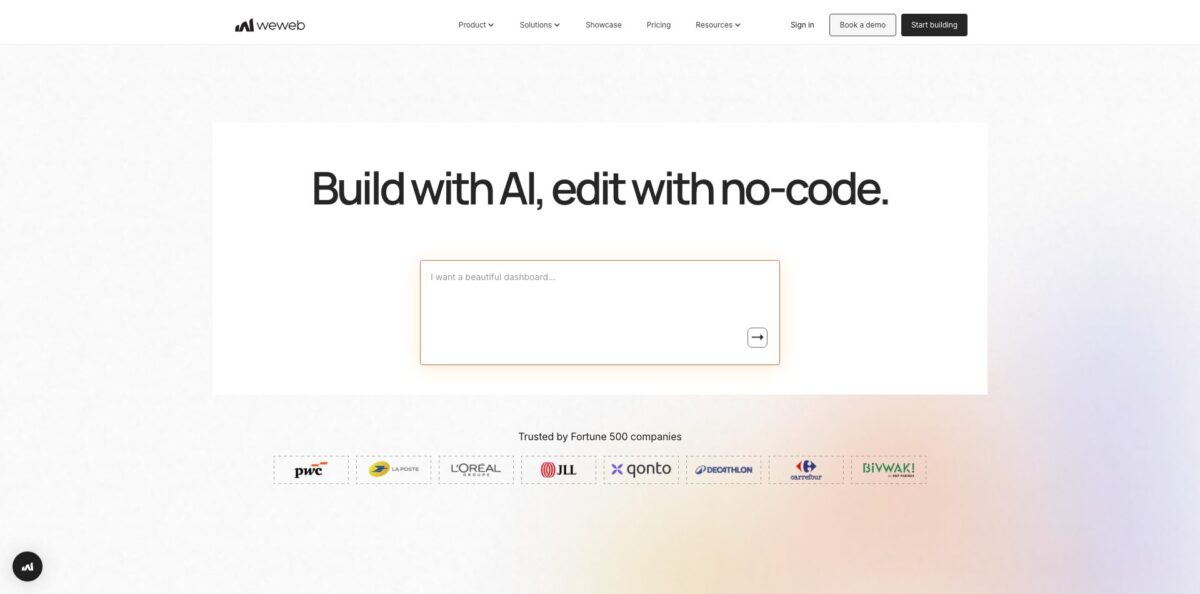
Create a free account from the Start building button on weweb.io; no card is needed, and the Free plan includes 1 million AI tokens. When you open a new project, the onboarding screen asks What would you like to build? and passes your answer to WeWeb AI. You can also start from a template in the WeWeb Marketplace, or paste a Figma frame copied with the official Figma plugin, which brings in layout, assets, fonts and styles as editable UI.
For a first real scenario, try a small client portal: a login page, a list of records and a detail page. Open the Agents panel from the top bar (Cmd+L on Mac, Ctrl+L on Windows), pick WeWeb AI, and switch the mode menu to Plan. The agent proposes pages, flows and data structures, and nothing gets built until you click Approve & build. During the run it may ask permission to read or write project data, and you can answer Yes, Yes to All, No or stop the request.
Next, check the Data & API tab, which is the backend. Here you see the tables the AI created, the filtered views it bound to your lists, and the API Endpoints that insert or update rows. This is where security lives: logic in the interface is visible to users, while backend workflows are not. If you already run Supabase, Xano or a REST API, connect it here instead and bind its data to the same components.
When the app works in Preview, click Deploy. On WeWeb Cloud you can publish to a weweb subdomain for free or attach a custom domain on a paid hosting plan. On Essential and above, the Export tab generates a zip with built interface files and raw project files, and you can sync the project with GitHub. You must publish at least once before code export becomes available.
Use Plan mode for the first build, then make small layout and copy changes visually so you do not spend AI tokens on pixel tweaks.
Who is it for?
Non-technical founders
You want a real SaaS MVP but the AI-generated code from prompt-only tools becomes unmanageable after a few iterations. WeWeb lets you generate the first version, then fix things by clicking on them rather than re-prompting. You still need patience for concepts like variables and API endpoints.
No-code and low-code agencies
You build portals and internal tools for clients and need to hand over something maintainable. The Partner plan lets each seat join up to 10 client workspaces as a guest and pays 20% recurring commission on referred subscriptions. Code export also helps when a client demands to own the hosting.
Enterprise IT and innovation teams
Security wants data to stay on your servers and the app to run inside your own cloud. WeWeb connects to internal databases without replicating data and exports a Vue.js app you can deploy on-premise. That makes approval easier than with platforms that lock apps to vendor servers.
Frontend-minded developers
You can code, but rebuilding the same tables, forms and dashboards by hand is slow. WeWeb gives you visual workflows with custom JavaScript, imported Vue components and coded components, so you skip boilerplate without losing escape hatches. Expect machine-structured exported code that is not meant for hand editing.
Teams already on Xano or Supabase
Your backend is solid, but the admin panel or customer app is the bottleneck. WeWeb was built as a frontend for exactly these stacks, and its Supabase and Xano plugins keep working even after you self-host. You get a production UI without migrating your data.
Designers working in Figma
Approved screens get rebuilt from scratch by developers and drift from the design system. The Figma import brings frames, colors, typography and spacing into WeWeb and maps Figma components to reusable WeWeb components. Designs and the live app stay closer together.
WeWeb pricing
WeWeb charges in two layers. A seat plan covers editor access, collaborators, AI tokens and code export, while a separate WeWeb Cloud hosting plan covers custom domains, bandwidth, database, compute and storage. You do not need a hosting plan if you self-host exported code, and WeWeb never charges per end user. Annual billing saves up to 20%, regional pricing applies in eight countries including Brazil, India and Mexico, and AI tokens reset monthly without rolling over. Prices below come from the official pricing page; note that WeWeb raised prices on February 12, 2026.
1 million AI tokens, the visual editor, API and data integrations, imported coded components, a 14-day WeWeb MCP trial, chat support and free WeWeb Cloud deployment up to 1,000 sessions on a WeWeb subdomain.
For solo developers, with 10 million AI tokens, code export and self-hosting, GitHub sync, unlimited sessions on WeWeb Cloud and daily editor auto-backups.
The base price includes 25 million tokens, and larger token bundles go up to $300/month for 150 million tokens. Adds extra seats and collaboration, hourly auto-backups, unlimited WeWeb MCP access, protection of resources from AI edits and unlimited manual backups.
The agency plan, listed on the WeWeb agencies page, lets each seat work as a guest in up to 10 client workspaces and comes with 20% recurring referral commission.
Custom. Arranged with sales for extra storage, special requirements or custom agreements.
Front-end only costs $13/month with a custom domain, unlimited sessions and 10 GB bandwidth. Launch+ is $20/month with 1 GB database and 5 GB file storage, Grow+ is $66/month with 50 GB bandwidth, 3 GB database and production backups, and Scale+ is $208/month with 200 GB bandwidth, 10 GB database, 150 GB file storage and staging included. Overage on the top tier is metered, for example $0.25 per extra GB of bandwidth.
WeWeb key features
WeWeb AI builds the full stack from a prompt or screenshot
It creates pages, components, tables, auth rules, filtered views and workflows, with Build, Plan and Ask modes plus approval prompts before it writes data. Because the output lands in the visual editor, you can inspect and change anything the agent made.
The visual frontend editor gives you pixel-level control over layout, responsive breakpoints, states, classes and animations. More than 60 ready-made UI elements can be restyled and wired to logic, and design systems keep projects consistent. You can design precisely without writing CSS, but you can still add custom CSS or JavaScript when needed.
The native backend in the Data & API tab covers tables, views, versioned API Endpoints, scheduled tasks, users and roles, and an AI gateway for text, images and embeddings. Logic placed here stays hidden from end users, unlike interface workflows. Small teams can ship a full-stack app without paying for a separate backend service.
Bring-your-own-backend integrations connect Supabase, Xano, Airtable, Google Sheets, REST and GraphQL APIs, and direct databases. You can mix native and external sources in one app and load only the data each screen needs. Supabase, Xano, REST and GraphQL keep working after self-hosting, while plugins such as Airtable, Stripe, Notion and WeWeb Auth rely on WeWeb microservices.
Code export and self-hosting produce a Vue.js single-page app that runs on AWS, Google Cloud, Azure, Cloudflare, Netlify or on-premise servers, even without internet access. Export as often as you like while your seat plan is active.
The WeWeb MCP server lets external agents such as Claude, ChatGPT, Cursor, Codex or Antigravity build pages, manage the backend and edit workflows in your project. WeWeb recommends Claude Opus as the model that follows its tooling most reliably. Continued access after the 14-day trial requires a Pro or Partner plan, and plugin actions are not exposed through MCP.
Figma import copies frames as JSON through the plugin and brings them in with layout, assets, fonts and styles intact
You can also import just the style guide, meaning colors, typography, spacing and shadows, and map Figma components to WeWeb components with editable variants and props. Design handoff turns into a starting point rather than a rebuild.
WeWeb Pros & Cons
Pros
The biggest strength is control without lock-in. AI generates a working first version, but you are never stuck re-prompting, because every element, query and workflow is editable visually or with custom code. Capterra reviewers rate WeWeb 4.8 out of 5 and keep praising the flexibility, the ability to self-host, the support team and how well it pairs with Xano and Supabase. Exported Vue.js code and on-premise hosting answer the questions that enterprise IT and regulated clients ask first. There is no per-user fee, so a successful app does not punish you as traffic grows. Start on the Free plan, build one real workflow end to end, and upgrade to Essential only when you need a custom domain or export.
Cons
The learning curve is real, and it is the most common complaint in reviews: once an app grows, you are working with variables, formulas and API endpoints, so the no-code promise needs some technical thinking. Users say documentation sometimes lags behind new features and that the preview can differ slightly from the live app. Pricing has become more complex, with seats, token bundles and separate hosting tiers, and the February 2026 increase upset some community members, including those who rarely use AI and would prefer a tier without tokens. Exported code is machine-structured and not meant for hand editing. Read the hosting limits carefully and test your stack in staging before committing.
Use WeWeb if you want…
- Generate a full-stack web app from a prompt.
- Edit AI-generated screens visually instead of re-prompting.
- Build client portals and internal tools on your own backend.
- Put a production frontend on Xano or Supabase.
- Export Vue.js code and self-host on-premise.
- Turn approved Figma designs into working app screens.
- Launch a SaaS MVP without per-user pricing.
- Let Claude or Cursor build inside a visual project.
WeWeb alternatives


WeWeb Reviews
Agency owners and CTOs on Capterra say they went from concept to a working MVP in weeks with full control over branding and logic, though several admit the first weeks come with a steep learning curve.
Developers like that WeWeb is a true front end that works with any backend and lets them add JavaScript anywhere, but they find custom code integration fiddly on complex projects.
Teams that switched from Bubble cite self-hosting and bring-your-own-backend as the reason, while still asking for more integrations, especially for charts and a headless CMS.
Long-time users praise fast, responsive support, yet some mention that documentation trails new releases and that the editor preview can behave differently from the published app.
On the WeWeb community forum, some partners reacted badly to the February 2026 price increase and said they would prefer a cheaper plan without bundled AI tokens.
FAQ
Is WeWeb free to use?
Yes, the Free plan costs $0 and includes 1 million AI tokens, the visual editor, data integrations and WeWeb Cloud hosting on a WeWeb subdomain for up to 1,000 sessions. Custom domains and code export require paid plans.
Do I need coding skills to build with WeWeb?
No, you can describe your app in plain language and edit the result visually. Basic knowledge of APIs, data and variables helps a lot once apps get more complex.
Can I export my code and self-host a WeWeb app?
Yes, from the Essential plan you can export a Vue.js single-page app and host it on AWS, Cloudflare, Netlify or your own servers. Hosting plan limits do not apply to self-hosted apps, but you cannot import edited code back into WeWeb.
Does WeWeb charge per end user?
No, WeWeb does not charge per app user. You pay for editor seats and, if you use WeWeb Cloud, a hosting plan based on bandwidth, storage and compute.
Which backends does WeWeb work with?
You can use the native WeWeb backend or connect Supabase, Xano, Airtable, Google Sheets, REST and GraphQL APIs, and direct databases. You can also combine several sources in one app.
Where does WeWeb host my app and data?
WeWeb Cloud runs on AWS in Northern Virginia, USA, with a CloudFront CDN in front. WeWeb Auth processes data in the US, so EU teams with strict residency needs often self-host with their own backend.
Can I use Claude, ChatGPT or Cursor with WeWeb?
Yes, through the WeWeb MCP server, which lets external agents build pages, workflows and backend resources in your project. New workspaces get a 14-day trial, after which you need a Pro or Partner plan.
Can I switch between monthly and annual billing?
You can switch from monthly to annual yourself in Plans & billing, paying a prorated amount. Switching back from annual to monthly requires contacting WeWeb support.
Similar tools
 MindflowNo-code and agentic automation platform for SecOps, ITOps and CloudOps teams that turns prompts into workflows across thousands of tool APIs.
 OnSpace.AINo-code AI app builder that turns chat prompts into React Native iOS and Android apps or web apps, with a managed backend,
 Jet AdminAI and no-code builder for internal tools, admin panels, dashboards and client portals that runs on top of your existing databases and