
WizGenerator
Content CreationUpdated October 5, 2026
WizGenerator is a free AI toolbox offering instant SEO queries and social captions to accelerate your content workflow.
We may earn a commission when you sign up through our links. It does not affect our reviews.
What is WizGenerator?
WizGenerator operates as a lightweight toolbox for marketers who need to churn out functional copy without the weight of a complex enterprise suite. It skips the deep learning curves found in bigger apps, focusing instead on specific utilities like SEO query generation and social captions. I noticed the interface prioritizes speed, letting you jump straight into a generator without digging through nested menus. This approach works well for clearing out a backlog of metadata or brainstorming hooks, though it might lack the nuance required for a long-form brand story. It essentially trades deep customization for immediate utility, helping you bypass the blank page fatigue of daily content management. Use this as your rapid-fire drafting station when quantity and speed are your main blockers.
How to start using WizGenerator?
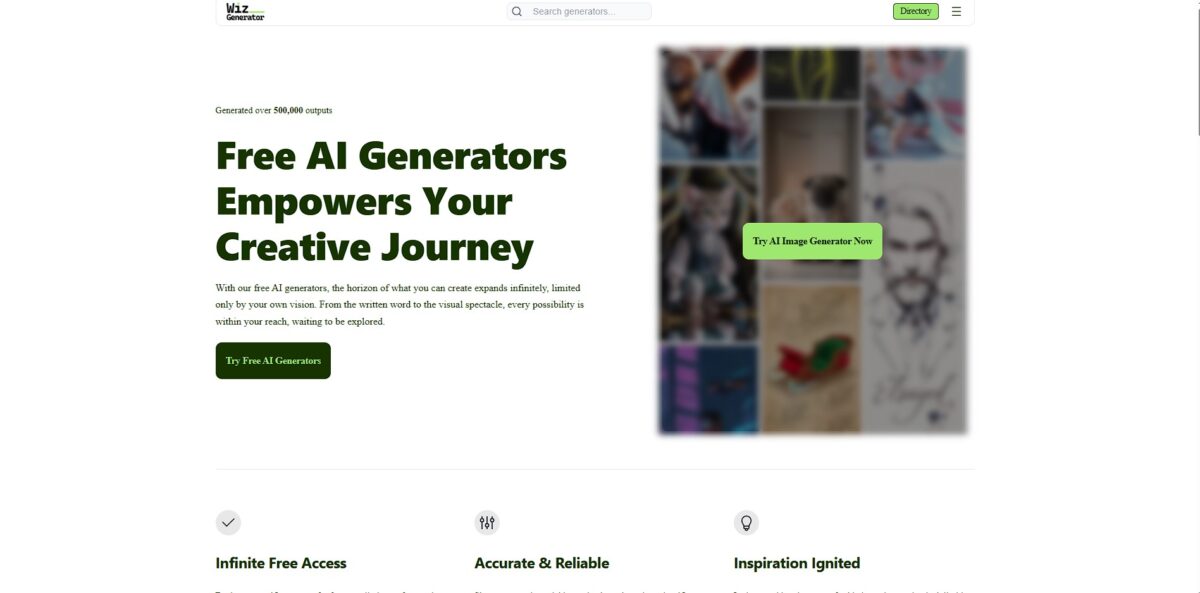
Navigate to wizgenerator.com to see the tool grid. No login or credit card barrier stops you. Select a specific utility like the Instagram Caption or SEO Query generator. That way you skip the complex prompt engineering for simple tasks.
Type your topic into the input field. The interface stays minimal. You won’t find overwhelming sliders or technical toggles. This simplicity helps when you need a quick hook for a LinkedIn post. It lacks deep customization, which is the trade-off for speed. You spend more time publishing and less time configuring an LLM.
Scan the generated blocks for the best result. The text populates immediately in the output area. The SEO suggestions often include long-tail phrases you might overlook. Expect to rewrite the opening sentence to better reflect your unique brand style: the tool does the heavy lifting on structure, and you provide the personality.
Copy the final draft and move it to your publishing platform. WizGenerator doesn’t offer a built-in scheduler or cloud storage. It is a pure generation layer. This keeps the workflow lean for freelancers who already have a preferred social media manager. The downside is that once you refresh, the content is gone. As a bonus, your browser stays fast because it isn’t caching thousands of old drafts.
Refine the generated SEO queries in your keyword tool of choice. WizGenerator gives you a solid starting point for a content map. It works well for brainstorming, though it isn’t a full replacement for dedicated search analytics. Where it helps most is jumpstarting the creative process when your brain is stuck on a blank page.
Who is it for?
Solo Social Managers
You can stop wrestling with the blinking cursor on Monday morning by generating a week of Instagram captions in one sitting. The interface skips the fluff, letting you jump straight into the SEO query generator without a login, which cuts the decision fatigue of managing five different social profiles alone.
Budget-Conscious Bloggers
If you need to boost your post’s visibility without a monthly subscription, the SEO query tool provides the search terms you actually need to include. The trade-off is that it lacks the deep data of a paid suite, but it clears the hurdle of “what do I even write about?” The upshot: your niche content gets indexed faster by search engines.
Side-Hustling E-commerce Sellers
Generate product descriptions that sound professional even if you aren’t a native copywriter. It works well for filling out basic shop catalogs quickly, though it may require a human touch for high-ticket items. A clean, keyword-rich description also builds trust with potential buyers who find you through search.
Casual Content Curators
Use the caption tools to add context to shared links or images without overthinking the tone. The direct input fields mean you can grab a usable snippet for a LinkedIn post or a quick tweet in under thirty seconds. Your posting frequency holds steady without eating into your actual work time.
Small Business Owners
Handle your own digital marketing basics without hiring an agency for every minor update. You can create social blurbs and meta-information for new landing pages as you build them. Your overhead stays low, and your site doesn’t look like a ghost town.
WizGenerator pricing
WizGenerator operates on a straightforward, open-access model that skips the modern obsession with credit systems and monthly commitments. It positions itself as a public utility for creators who need a quick SEO query or an Instagram caption without the friction of a login gate. I noticed the site doesn’t even have a pricing page because there isn’t a bill to pay.
Free: $0/month. You get unlimited access to the entire suite of 30+ AI tools without sharing your credit card or email address. This prevents the “token anxiety” common in paid apps, allowing you to iterate on a single caption dozens of times until it sticks. This matters because it removes the financial barrier for hobbyists or students who only need AI assistance occasionally.
The trade-off for this zero-cost entry is a reliance on on-site ads and a lack of saved history. Since there are no accounts, your previous generations vanish once you refresh the tab. This works well for rapid-fire tasks but makes it less ideal for managing long-term, multi-document projects. Use WizGenerator if you value immediate, anonymous output over a persistent workspace.
WizGenerator key features
Structured Input Forms
Ditch the trial-and-error of open-ended chatting for specific fields that tell the AI exactly what to build. The Instagram caption tool asks for tone and emojis separately, which prevents the usual robotic “AI voice.” The result is usable copy on the first try without learning complex prompt engineering.
No-Registration Access
Generate SEO queries or blog outlines immediately without handing over an email address or managing another password. It removes the friction of “sign-up walls” when you just need a quick title for a last-minute LinkedIn post. Your privacy stays intact, and your primary inbox stays free from marketing spam.
Multi-Category Tool Grid
Switch between 30+ specialized utilities like coding assistants, story generators, and marketing copy builders from a single page. The interface uses a tile system that keeps different disciplines distinct, though the sheer number of options can feel overwhelming at first. In effect, it replaces a bookmark folder full of single-purpose web apps.
Unlimited Free Usage
Churn through dozens of variations for a product description without hitting a monthly word cap or credit limit. It solves the “end-of-month” anxiety common with tiered SaaS models where you’re afraid to experiment. You can refine a single idea twenty times until it sounds human.
Privacy-First Model
The platform skips data retention for your inputs, ensuring your business ideas aren’t feeding a global training set. I noticed there’s no “history” tab, which is the trade-off for not needing a login. You can draft sensitive internal communications without worrying about data leaks.
Zero-Cost Professional License
Every output is royalty-free for commercial use, allowing small businesses to populate web pages without legal overhead. It bypasses the complex licensing agreements often buried in the fine print of paid AI suites, giving solo founders a clear path to scale content without budget approvals.
WizGenerator Pros & Cons
Pros
WizGenerator removes the friction of login screens and subscription tiers. You can generate a dozen SEO queries or Instagram captions in the time it takes to find your password for other platforms. The interface uses specific input fields rather than open-ended chat boxes. This helps you get targeted results without mastering complex prompt engineering. The Instagram tool separates tone and emojis to prevent that generic robotic feel, so you get usable copy that actually sounds human on the first attempt.
Cons
The lack of a centralized account means you lose your history as soon as you close the browser tab. You must manually copy and paste every output into a separate document to save your work for later. While the tools are fast, they lack the deep customization found in enterprise suites like Jasper. The minimalist design works well for quick tasks but feels limited for long-form project management. There are also no collaboration tools for team review within the site. That matters because it forces you to use external apps for feedback cycles.
Use WizGenerator if you want…
- Generate creative Instagram captions without wrestling with a blank cursor.
- Create structured SEO queries to improve search engine rankings.
- Draft professional emails and business copy using intuitive input forms.
- Access a wide range of AI writing tools without a subscription or login.
- Maintain output consistency by using guided templates rather than open-ended prompts.
- Rapidly produce marketing assets for social media and business projects.
- Experiment with specialized AI generators for niche tasks like emergency alerts or coding.
WizGenerator alternatives



WizGenerator Reviews
I love how this tool removes the “blank page” problem; the structured forms make it so much easier to get a usable draft than trying to guess the right prompt for ChatGPT.
The fact that it’s completely free and requires no login is a total game changer for my quick marketing tasks; I can generate an SEO-friendly product description in under thirty seconds.
WizGenerator’s variety is staggering; I used it for a professional privacy policy in the morning and a creative story for my kids in the afternoon, all without hitting a usage limit.
FAQ
Is WizGenerator really free?
Yes, all tools on the platform are completely free to use with no hidden fees, subscriptions, or usage limits.
Do I need to create an account to use WizGenerator?
No, WizGenerator follows a frictionless model that requires no login or registration, allowing you to use any tool immediately without providing an email address.
Is my data safe with WizGenerator?
WizGenerator does not require registration and has a policy of not storing user prompts or generated outputs, making it a privacy-conscious choice for quick tasks.
Can I use the content generated for commercial purposes?
Yes, all content generated by WizGenerator is royalty-free and can be used for commercial projects, social media, and business marketing.
How does WizGenerator differ from a chat-based AI like ChatGPT?
Unlike open-ended chat interfaces, WizGenerator uses structured input forms for specific tasks like SEO queries or Instagram captions, which helps generate targeted results without needing to learn complex prompt engineering.
Is WizGenerator related to the cybersecurity company Wiz.io?
No, WizGenerator and Wiz.io are completely separate and unrelated companies; WizGenerator focuses on free AI content tools while Wiz.io provides enterprise cloud security.
Similar tools
 RunableGeneral AI agent that turns one prompt into websites, slide decks, social carousels, videos and apps, with plugins and scheduled tasks.
 AISEOAI writing suite with a text humanizer, article and Outrank generators, AI detector and plagiarism checker, plus AI search visibility tools.
 Octopus.doVisual sitemap builder that drafts page structure, block copy and SEO tags with AI, crawls existing sites and connects to ChatGPT, Claude