

Zapier
AI AutomationUpdated October 5, 2026
Zapier is a no-code automation platform that connects 6,000+ apps to streamline workflows and boost productivity.
We may earn a commission when you sign up through our links. It does not affect our reviews.
What is Zapier?
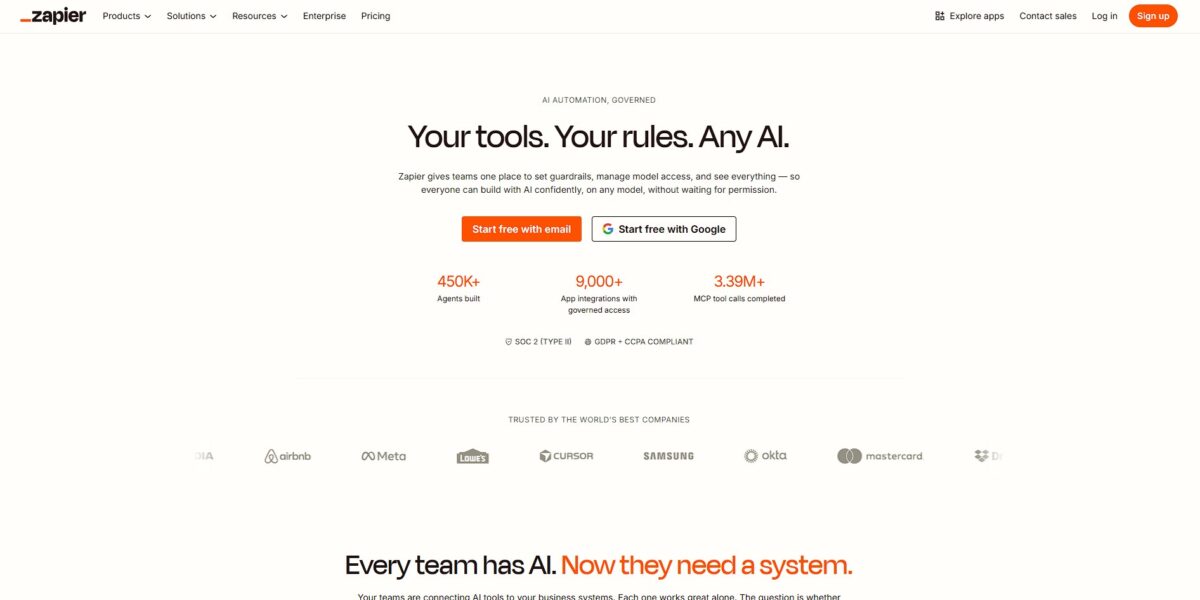
Zapier is the glue for the modern web, moving data between over 6,000 apps without requiring a single line of code. It functions as a translator that lets a lead coming from a Facebook ad automatically appear in a Google Sheet or trigger a Slack alert. I noticed it saves the most time when dealing with repetitive administrative work, like manually copy-pasting email attachments into Dropbox. While it handles standard API connections effectively, you might find the logic builds get pricey once you add complex multi-step branches. This matters because it frees you from being a manual data entry clerk, letting you focus on actual creative work.
How to start using Zapier?
Start by mapping your manual process on paper before touching the dashboard. Most Zaps fail because users jump in without a clear sequence. Write down exactly what event in your first app should trigger the chain. This prevents the common headache of realizing mid-build that your selected trigger doesn’t actually carry the data field you need. Knowing your data flow beforehand ensures you don’t waste time rebuilding the same logic.
Inside the editor, select your trigger app and authenticate your account. You’ll need to pull in “test data,” which represents a real record like a recent form submission or a new email. I noticed that if your trigger app is empty, Zapier can’t find anything to map, so create a dummy entry first if needed. Testing this initial step ensures the platform actually sees your data before you try to move it.
Next, choose an action app to receive that data. You’ll map fields from the trigger to the action, like putting a “customer email” from a form into a “recipient” field in your mail tool. This replaces manual copy-pasting with an automated relay that runs in the background. It matters because it eliminates human entry errors that typically lead to broken links or missed follow-ups.
If your workflow requires logic, add a Filter or a Formatter step. Filters stop the Zap unless specific conditions are met, while Formatters change text or date styles to match what the destination app expects. This is useful for handling messy inputs from web forms that would otherwise break your CRM formatting. Proper data cleaning at this stage keeps your databases from becoming a graveyard of inconsistent records.
Finish by running a full test of the entire sequence. Zapier will attempt to perform the actual action, like sending a real Slack message or creating a row in a spreadsheet. Check your destination app immediately to confirm the data landed in the right spot and looks correct. Once verified, flip the “On” switch to let it run autonomously. Always check your “Task History” after the first few hours to ensure live data isn’t triggering edge-case errors you missed during testing.
Who is it for?
Solo Founders and Entrepreneurs
You are the CEO and the ops team. Moving lead data from a Facebook ad to a Google Sheet manually is a waste of your cognitive load. Zapier handles these handoffs so you don’t drop balls while context-switching. You stop paying the “attention tax” on small, repetitive admin tasks.
Marketing Ops Specialists
You manage a fragmented stack of 10+ tools. When a new lead hits a Webflow form, you need it in HubSpot and a notification in Slack immediately. Zapier acts as the glue that standardizes data across disconnected platforms. This matters because real-time speed to lead determines if you win the deal.
E-commerce Store Owners
Your business runs on Shopify, but your fulfillment or reviews live elsewhere. Automating an abandoned cart email or a “signed contract” notification keeps the customer journey moving without manual intervention. Consistent communication, in turn, increases repeat sales and lifetime value.
Non-Technical “MacGyver” Teams
You need automation but lack an engineering budget. You can build complex if-this-then-that logic using a visual builder instead of writing Python scripts. That way, the people closest to the problem can fix it themselves.
IT and Security Teams
You need to manage internal operations like AWS cost tagging or employee onboarding. Zapier’s enterprise-grade security provides a managed environment for these workflows compared to scattered local scripts. Shadow IT ends up on a visible, governed platform.
Customer Support Managers
You handle high volumes of tickets across email and chat. Routing a priority ticket from Gmail to a specific agent in Jira ensures nothing rots in an inbox. Faster response times directly impact customer retention.
Zapier pricing
Zapier’s pricing revolves around “tasks”—successful actions your automation completes. While the entry point is accessible, costs climb quickly as workflows grow complex. You pay for outcomes, not just access, making it vital to distinguish between a simple notification and a data-heavy enrichment loop.
Free: $0/month.
Includes 100 tasks and unlimited two-step Zaps. This works for simple alerts, like getting a Slack ping for a new Google Form submission. It excludes premium apps like Salesforce or HubSpot, which often limits its use for core business operations.
It works as a sandbox to verify that your basic triggers and actions connect correctly without financial risk.
Professional: Starts at $19.99/month (annual billing).
Adds multi-step Zaps and 750 tasks. This allows for logic branching and data formatting, such as taking a lead from Facebook, cleaning the name, and then adding it to a CRM. Filters and formatters no longer consume tasks on this plan, which prevents your bill from spiking due to simple internal logic.
You can build sophisticated sequences that handle data cleanup and conditional routing without being penalized for the extra steps.
Team: Starts at $69/month (annual billing).
Starts with 2,000 tasks and includes 25 user seats. It introduces shared folders and app connections, solving the common headache where an automation breaks because the person who set it up left the company. You get faster polling intervals, so your Zaps check for new data every minute instead of every fifteen.
With the collaborative features, your team can manage critical infrastructure without sharing individual passwords or losing visibility into changes.
Enterprise: Custom pricing.
Offers annual task pools and advanced admin controls. This is for organizations needing SAML SSO, audit logs, and a dedicated account manager. It removes the stress of monthly task resets by letting you draw from a yearly budget.
Centralized governance and security tools keep your automation stack compliant with IT standards.
Zapier key features
Connects over 6,000 apps through a visual interface
You can link your CRM to a spreadsheet or a Slack channel without touching an API. It breaks the cycle of manual data entry between siloed tools.
Multi-step Zaps allow one trigger to kick off a chain of events
A single new lead can simultaneously create a database entry, send a personalized email, and alert your team. This removes the need for multiple manual follow-ups.
Conditional paths branch your automation based on specific data
You can route high-value customers to a priority support queue while sending others to a standard mailing list. This allows for personalized automation rather than a one-size-fits-all approach.
Formatter tools handle the messy work of cleaning data
It can automatically fix date formats or capitalize names so your automated emails don’t look like they were written by a bot. This prevents embarrassing typos in your customer outreach.
Built-in filters stop a workflow if it doesn’t meet your criteria
You might only want to process orders above a certain dollar amount or ignore test entries from your own team. This keeps your data clean and prevents unnecessary task usage.
Transfer moves bulk historical data between apps
Instead of just automating new entries, you can sync thousands of existing records from one system to another in one go. This simplifies the process of migrating to a new tool or auditing old records.
Zapier Pros & Cons
Pros
Zapier excels at connecting obscure niche tools that lack native integrations. You can link a custom web form to a legacy CRM or a Slack channel in minutes without touching a line of code. The visual builder makes it easy to map data fields between apps, ensuring a lead’s email address actually lands in the email field. This prevents the soul-crushing manual data entry that kills productivity on Monday mornings. It saves you from building custom API scrapers for every small task. Use the multi-step Zaps to create sophisticated chains, like saving an email attachment to Drive and then alerting a team lead.
Cons
The pricing model feels punitive as you scale. Each step in a workflow costs a task credit, so a high-volume automation can drain your monthly quota faster than expected. While simple triggers work reliably, complex logic often requires their “Formatter” tool, which adds an extra step and cost to your Zap. I noticed that if an app updates its API, your workflow might break silently until you check the dashboard. The 15-minute polling delay on cheaper plans means “instant” triggers aren’t always instant. If speed is vital for your customer response times, you’ll need the more expensive tiers. Only upgrade to paid plans when the time saved clearly outweighs the subscription cost.
Use Zapier if you want…
- Connect over 6,000 apps without writing code.
- Automate repetitive tasks across your entire tech stack.
- Build custom workflows using simple natural language triggers.
- Sync data between platforms in real-time effortlessly.
- Create multi-step automations to handle complex business logic.
- Empower non-technical teams to build powerful internal tools.
- Scale your operations without hiring additional engineering resources.
- Focus on high-level strategy while bots handle data entry.
Zapier alternatives



Zapier Reviews
Zapier is a game changer for connecting my apps without code. The Copilot makes building complex workflows with natural language surprisingly easy, though costs scale fast.
Incredible for simple task automation. It saves me hours of manual data entry every week, but debugging multi-step Zaps can be a bit of a headache.
The vast library of 8,000+ integrations is unmatched. It’s perfect for small teams, but the per-task pricing feels like a silent tax on growth as you scale.
Setup is intuitive and fast. I love the built-in database and forms, though I wish there was a mobile app for managing my Zaps on the go.
Great for bridging disconnected tools. The AI features are promising but still feel a bit limited for highly complex logic or heavy custom coding needs.
FAQ
Does Zapier require coding knowledge?
Zapier is designed for users who cannot code, featuring a visual editor and drag-and-drop tools that require no programming skills to build automated workflows.
Is Zapier secure and GDPR compliant?
Zapier is GDPR compliant and uses industry-standard security practices, including data encryption in transit and at rest, two-factor authentication, and regular security audits.
What is a Zap?
A Zap is an automated workflow that connects your apps, consisting of a trigger event in one app that automatically performs one or more actions in other apps.
How many apps can I connect with Zapier?
Zapier integrates with over 6,000 apps, including popular tools like Google Sheets, Slack, Salesforce, and Microsoft Teams.
What are the limits on the free plan?
The free plan typically allows for 100 tasks per month and 2-step Zaps, with Zapier checking for new data every 15 minutes.
Can I use AI with Zapier?
Yes, Zapier features an AI-powered Copilot to help build workflows using natural language and provides integrations with AI tools like OpenAI and Claude to generate content or analyze data.
How long does Zapier retain my data?
Zapier generally retains task history and content for up to 69 days, with older data being deleted on the first Monday of each month.
Does Zapier support multi-step automations?
Yes, paid plans allow you to create Zaps with a single trigger that initiates multiple actions across different apps simultaneously.
Similar tools
 GPT WorkspaceAI agent for Google Docs, Sheets, Slides, Gmail and Drive that edits your files, runs GPT formulas in bulk and automates routine
 FPT.AIVietnamese enterprise AI platform from FPT Smart Cloud for chatbots, call-center voicebots, document reading and eKYC that automate customer operations.
 Frigate NVROpen-source NVR that runs real-time AI object detection on your own hardware and sends camera events to Home Assistant and other MQTT